Introduction
Thank you for choosing the ConairMAN HC318RVW Hair Cutting Kit. This manual provides essential information for the safe and effective operation, maintenance, and troubleshooting of your new hair clipper.
What's Included
Your ConairMAN Hair Clippers for Men, 22-Piece Corded or Cordless Home Hair Cutting Kit includes:
- ConairMAN Hair Clipper (Corded/Cordless Rechargeable)
- AC-DC Adapter for charging
- Multiple Guide Combs (#1-#8, Left Ear, Right Ear)
- Barber Scissors
- Barber Comb
- Styling Comb
- Blade Guard
- Cleaning Brush
- Lubricating Oil
- Barber Cape
- Hard Plastic Storage Case

Image: Contents of the ConairMAN 22-piece Home Haircutting Kit, including the clipper, various guide combs, scissors, combs, and accessories, neatly arranged.
Important Safety Information
WARNING: To reduce the risk of electric shock, injury, or death:
- Do not reach for an appliance that has fallen into water. Unplug immediately.
- Do not use while bathing or in a shower.
- Do not place or store appliance where it can fall or be pulled into a tub or sink.
- Do not place in or drop into water or other liquid.
- Always unplug this appliance from the electrical outlet immediately after using.
- Unplug this appliance before cleaning.
- This product contains chemicals known to the State of California to cause cancer and birth defects or other reproductive harm.
For complete safety instructions, please refer to the included instruction manual.
Setup
Charging the Clipper
The ConairMAN Hair Clipper can be used corded or cordless. For cordless operation, ensure the battery is charged.
- Connect the AC-DC adapter to the charging port at the bottom of the clipper.
- Plug the adapter into a suitable electrical outlet.
- A red LED light on the clipper indicates that the device is charging.
- Allow sufficient time for a full charge before first use (refer to the full manual for specific charging times).
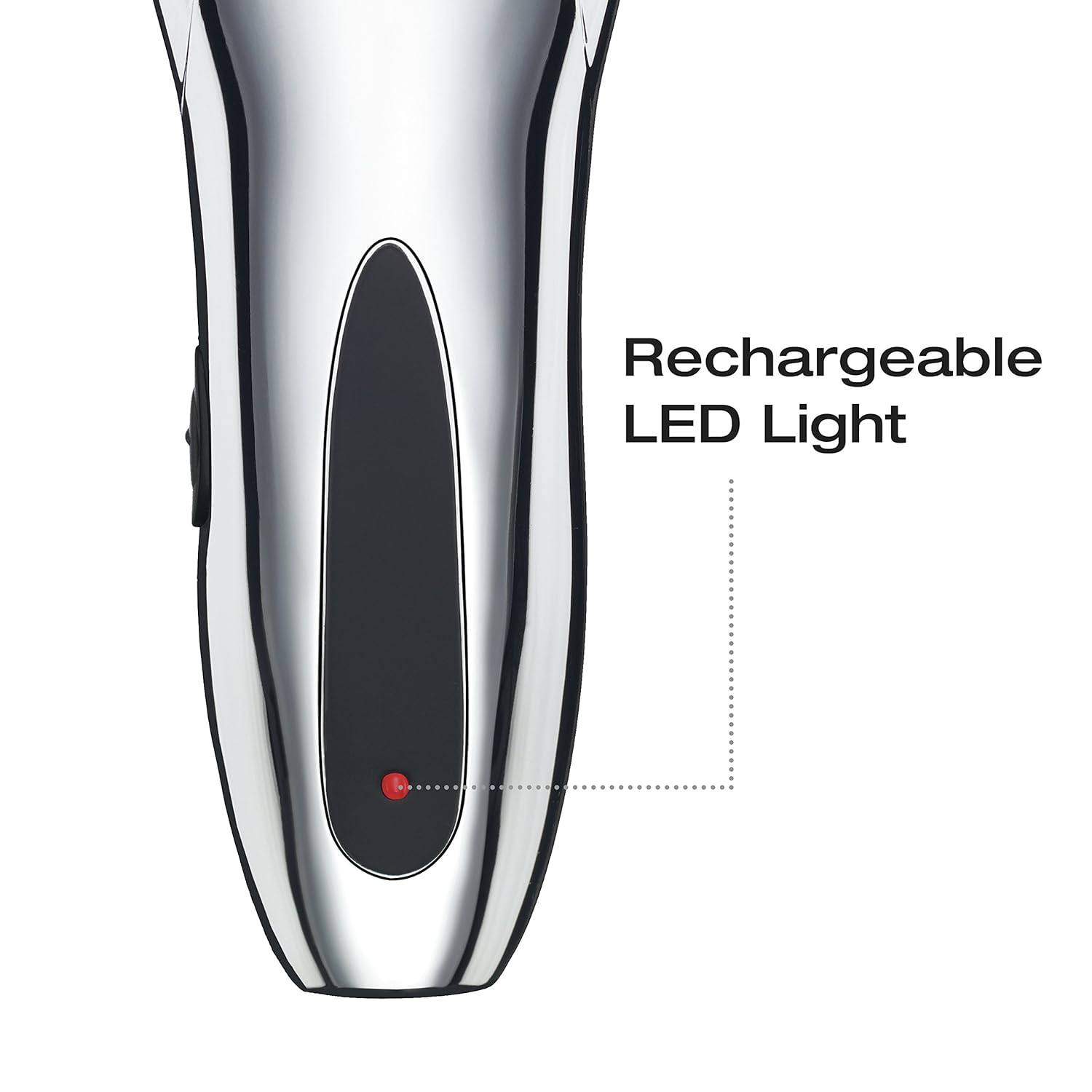
Image: Close-up of the ConairMAN Hair Clipper showing the red LED light indicating charging status.
Attaching Guide Combs
Select the desired guide comb for your preferred hair length. The kit includes various sizes, typically numbered 1 through 8, along with specialized ear guides.
- Ensure the clipper is turned off.
- Align the guide comb with the clipper blade.
- Gently push the comb onto the blade until it clicks securely into place.
- To remove, gently pull the comb away from the blade.

Image: Side view of the ConairMAN Hair Clipper highlighting the locking taper control for adjusting cutting settings.
Operating Instructions
Basic Hair Cutting Technique
For best results, ensure hair is clean and dry before cutting. Use the barber cape to protect clothing.
- Start with a longer guide comb than you think you need, and gradually switch to shorter combs if desired.
- Hold the clipper with the teeth of the comb pointing upwards, flat against the head.
- Slowly move the clipper upwards and outwards through the hair, against the direction of hair growth.
- Overlap each stroke to ensure an even cut.
- Use the taper control lever to fine-tune cutting lengths without changing combs, offering up to 55 different settings.
- For areas around the ears, use the specialized left and right ear guide combs.
No official seller videos were available for embedding based on the provided criteria.
Corded vs. Cordless Use
The clipper offers flexibility for both corded and cordless operation. It provides up to 60 minutes of cordless run time on a full charge.
- Cordless: Ideal for maximum maneuverability and convenience. Ensure the clipper is fully charged before use.
- Corded: For extended periods of use or if the battery is low, simply plug the AC-DC adapter into the clipper and an electrical outlet.

Image: Graphic illustrating the ConairMAN Hair Clipper's cordless capability with a 60-minute run time.
Maintenance
Cleaning the Blades
Regular cleaning ensures optimal performance and extends the life of your clipper. Clean blades after each use.
- Turn off and unplug the clipper.
- Remove the guide comb.
- Use the provided cleaning brush to remove any loose hair from the blades and the clipper body.
- The stainless steel blades are removable for easy cleaning. Refer to the full manual for detailed blade removal and reattachment instructions.

Image: Close-up of the ConairMAN Hair Clipper blades, emphasizing their removable and self-sharpening stainless steel design for easy cleaning.
Oiling the Blades
To maintain the sharpness and smooth operation of the blades, apply a few drops of the included lubricating oil once a month or as needed.
- Ensure the clipper is clean and dry.
- Apply 2-3 drops of lubricating oil across the top of the blades.
- Turn the clipper on for a few seconds to distribute the oil evenly.
- Wipe off any excess oil with a soft cloth.
Troubleshooting
- Clipper not turning on: Ensure the clipper is charged or properly plugged into a working electrical outlet. Check the on/off switch.
- Clipper pulling hair: Blades may be dull or clogged with hair. Clean and oil the blades. If the issue persists, blades may need replacement.
- Reduced cutting performance: Ensure blades are clean and oiled. Check that the correct guide comb is securely attached.
For more detailed troubleshooting, refer to the complete instruction manual or contact Conair customer support.
Specifications
- Model Number: HC318RVW
- Power Source: Electric (Corded or Cordless Rechargeable)
- Blade Material: Stainless Steel
- Dimensions: 7.1 x 2.6 x 1.5 inches
- Weight: 0.97 Pounds
- Color: Chrome/Black
- Run Time (Cordless): Up to 60 minutes
- Included Components: Hair Clipper, 10 Guide Combs, Barber Scissors, Barber Comb, Styling Comb, Blade Guard, Cleaning Brush, Lubricating Oil, Barber Cape, Hard Storage Case.
Warranty and Support
This ConairMAN Hair Clipper comes with a Limited 5-year warranty. For warranty claims, product support, or to order replacement parts and accessories, please visit the official Conair website or contact their customer service department.
Manufacturer: Conair
For further assistance, please refer to the contact information provided in your product packaging or visit www.conair.com.