
Introduction
The Steamfast SF-680 Digital Steam Press is designed to provide professional-quality pressing results in a home environment. This appliance is engineered for efficient wrinkle removal and crisp creasing across various fabric types. It features digital controls for precise temperature management and a steam burst function for enhanced performance.
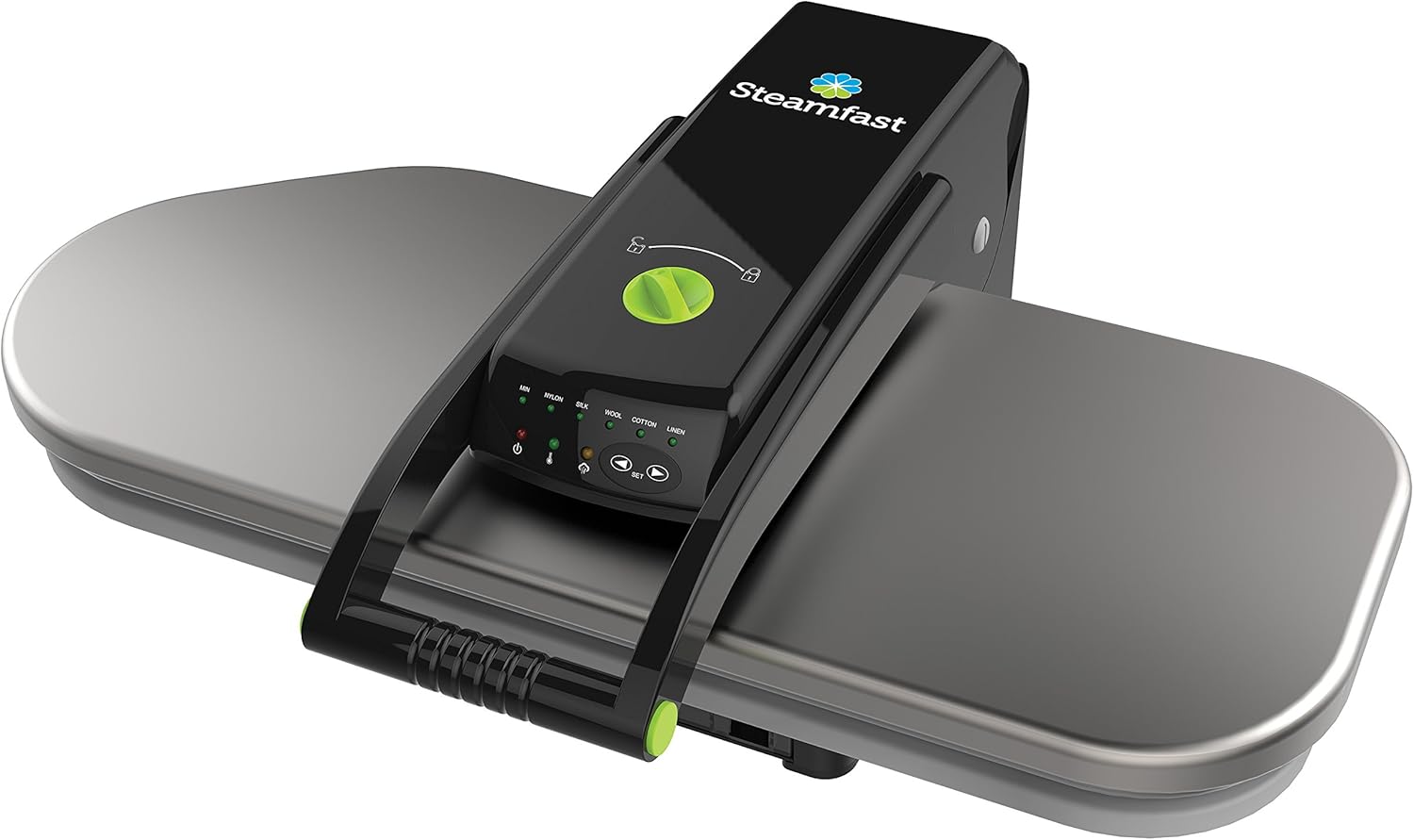
Image: The Steamfast SF-680 Digital Steam Press, showcasing its sleek design and large pressing surface.
Important Safety Information
Please read all instructions carefully before using the Steamfast SF-680 Digital Steam Press. Failure to follow these guidelines may result in injury or damage to the appliance.
- Do not use the electrical cord as a handle.
- This appliance is built to meet U.S. voltage requirements (120 Volts) and is certified, safety-tested, and warrantied for use only in the U.S. Using it with external devices that alter or convert voltage or frequency of electricity, or shipping the product outside the U.S., may cause improper function and will void all warranties.
- Always ensure the press is placed on a stable, heat-resistant surface during operation.
- Keep hands clear of the pressing plate when it is hot or in operation to prevent burns.
Package Contents
Verify that all items are present in the package:
- Steamfast SF-680 Digital Steam Press
- Spray bottle
- Pressing cushion
- Measuring cup
- Owner's guide

Image: The Steamfast SF-680 Digital Steam Press accompanied by its essential accessories.
Setup
- Placement: Place the steam press on a stable, flat, and heat-resistant surface.
- Fill Water Tank: Locate the water tank (capacity 10 ounces / 295 milliliters). Use the provided measuring cup to fill the tank with distilled water. Distilled water is recommended to prevent mineral buildup and stains on garments.
- Power Connection: Plug the power cord into a standard 120V AC electrical outlet.
- Power On: Turn the power switch to the 'ON' position. The thermometer icon will illuminate while the press plate heats up. It will turn off once the set temperature is reached.
- Unlock Press: If the press is locked for storage, turn the locking knob to the 'unlock' position and lift the pressing plate using the handle. The plate will automatically stay lifted.
Video: Demonstrates the initial setup process, including filling the water tank and powering on the unit.
Operating Instructions
- Select Fabric Setting: Use the digital controls to select the appropriate fabric setting (Nylon, Silk, Wool, Cotton, Linen). The press plate temperature increases as you move from the first to the last setting. Note: Steam is not produced in Nylon or Silk settings.
- Position Garment: Place the garment flat on the pressing surface, ensuring there are no unwanted creases. For hard-to-press areas like sleeves or collars, use the provided pressing cushion.
- Lower Pressing Plate: Lower the pressing plate until it is approximately 3 inches away from your fabric.
- Apply Steam (Optional): If steam is desired, press the steam burst button(s) located on the handle for 2 to 3 seconds before fully lowering the pressing plate. Do not lift the pressing plate more than 3 inches when steam is engaged.
- Press Garment: Fully lower the pressing plate onto the fabric. The press will beep when the cycle is complete. Lift the pressing plate and check the fabric. Repeat if necessary for desired smoothness.
Video: Detailed guide on operating the steam press, including fabric selection and pressing techniques.

Image: Operating the Steamfast SF-680 Digital Steam Press.
Auto Shut-off and Energy Saving Mode
- The heating element turns off if the pressing plate is closed for more than 10 seconds. The unit will beep to alert you.
- The heating element also turns off automatically if the pressing plate has not been closed for 15 minutes (Energy Saving Mode).
- Always use the main power switch to fully turn off the press when not in use.
Fabric Settings
The Steamfast SF-680 offers multiple fabric settings to ensure optimal pressing for different materials:
- Nylon: Lowest heat setting, no steam.
- Silk: Low heat setting, no steam.
- Wool: Medium heat setting, steam available.
- Cotton: Medium-high heat setting, steam available.
- Linen: Highest heat setting, steam available.

Image: Digital controls for fabric and temperature settings.
Maintenance
To ensure the longevity and optimal performance of your Steamfast SF-680 Digital Steam Press, follow these simple maintenance guidelines:
- Cleaning: The exterior of the unit and the non-stick pressing surface should be hand wiped clean. Ensure the appliance is unplugged and completely cool before cleaning.
- Water Tank: Regularly empty and rinse the water tank, especially if not using the press for an extended period. Use distilled water to minimize mineral buildup.
- Storage: When not in use, lock the pressing plate in the closed position for easier carrying and compact storage.
Troubleshooting
If you encounter any issues with your Steamfast SF-680 Digital Steam Press, please refer to the owner's guide for detailed troubleshooting steps. Common issues may include:
- No power or unit not heating.
- No steam or insufficient steam output.
- Water leakage or dripping.
- Pressing plate sticking to fabric.
For further assistance, please contact customer support.
Specifications
| Brand | Steamfast |
| Model Number | SF-680 |
| Product Dimensions | 21.38"L x 25.59"W x 8.19"H |
| Item Weight | 22 Pounds |
| Wattage | 1350 watts |
| Voltage | 120 Volts |
| Heat Time | 3 Minutes |
| Water Tank Capacity | 10 ounces (295 Milliliters) |
| Care Instructions | Hand Wipe Clean |
| Assembly Required | Yes |
Warranty Information
The Steamfast SF-680 Digital Steam Press comes with a 1-year limited lifetime warranty. Please refer to your owner's guide for full details regarding warranty coverage and terms.
Support
For additional questions, technical support, or to download your owner's manual, please visit the official Steamfast website or contact customer service:
- Website: www.steamfast.com
- Toll-Free: 1-800-711-6617 (Weekdays 7 AM - 6 PM Central)


