
Introduction
The beyerdynamic DT 250 80 Ohm Closed Dynamic Headphones are engineered for professional use in broadcast and recording studios. These headphones are designed to provide excellent ambient noise isolation and high-fidelity audio reproduction, ensuring a balanced and accurate sound experience. Their lightweight and low-profile design, combined with a carefully crafted cushioning system, offers maximum comfort during extended listening sessions. This manual provides essential information for the setup, operation, and maintenance of your DT 250 headphones.
Package Contents
- beyerdynamic DT 250 80 Ohm Headphones
- Detachable Coiled Cable (with 3.5mm stereo mini-jack)
- 1/4-inch (6.35mm) Adapter
- Carrying Bag
Setup
1. Attaching the Cable
- Locate the cable input on the left earcup of the headphones.
- Align the 3.5mm stereo mini-jack of the coiled cable with the input port.
- Insert the jack firmly and twist clockwise to secure the locking mechanism. Ensure the cable is fully seated to prevent accidental disconnection.
2. Connecting to an Audio Source
- For devices with a 3.5mm audio output (e.g., smartphones, laptops), connect the free end of the coiled cable directly.
- For devices with a 1/4-inch (6.35mm) audio output (e.g., audio interfaces, mixing consoles), screw the provided 1/4-inch adapter onto the 3.5mm jack of the coiled cable, then connect to your audio source.
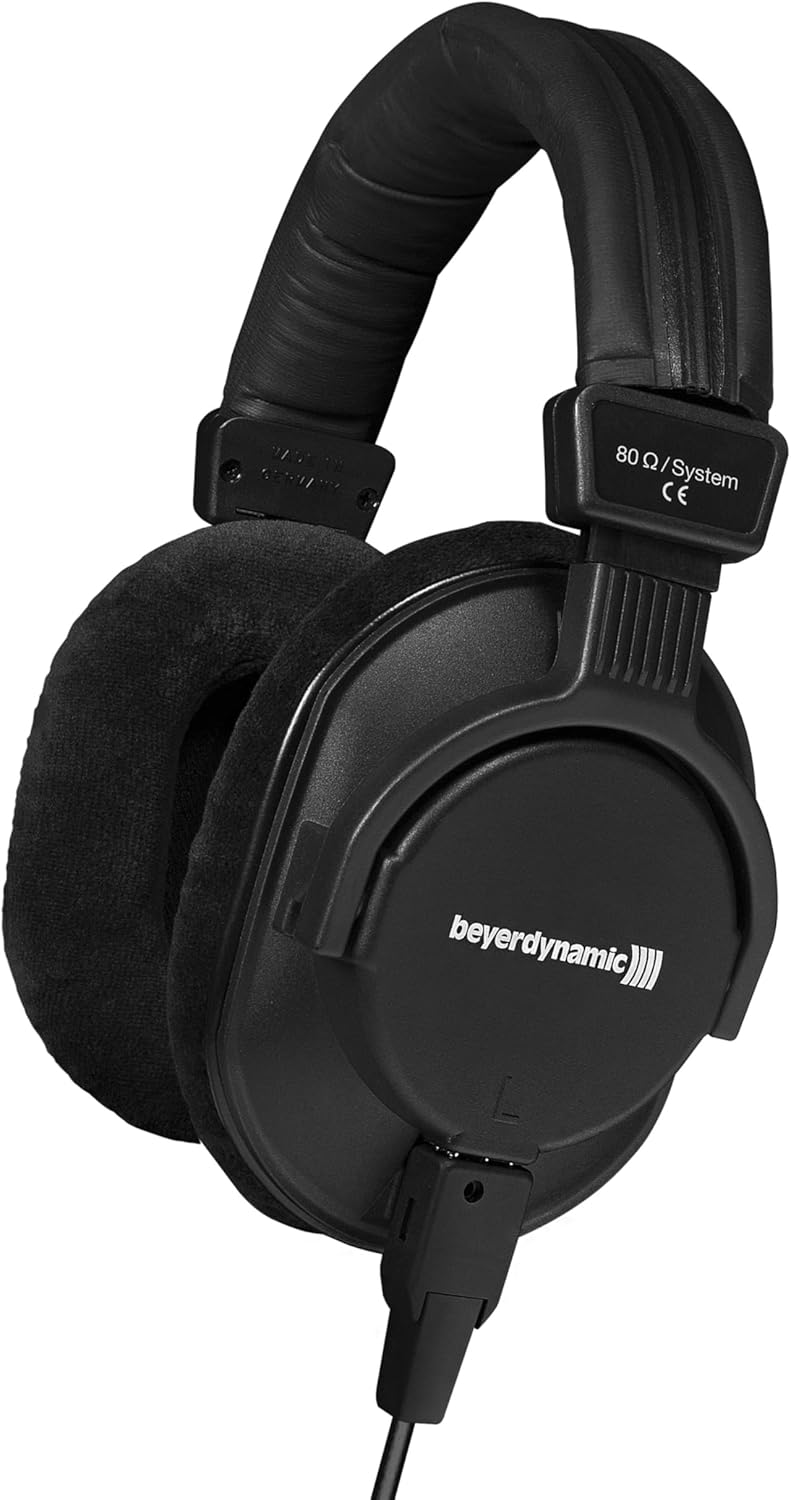
Figure 1: beyerdynamic DT 250 headphones with the detachable coiled cable connected.
Operating Instructions
1. Wearing the Headphones
- Identify the "L" (Left) and "R" (Right) markings on the inside of the headband or earcups.
- Place the headphones over your ears, ensuring the earcups fully enclose your ears for optimal sound isolation and comfort.
- Adjust the headband length by sliding the earcups up or down until a comfortable and secure fit is achieved. The headband should rest gently on the top of your head.
2. Volume Control
Volume is controlled directly from your connected audio source (e.g., mixing console, audio interface, computer, smartphone). Adjust the volume to a comfortable listening level. Prolonged listening at high volumes can cause hearing damage.
3. Sound Monitoring
The DT 250 headphones are designed for accurate and balanced sound reproduction, making them ideal for critical listening, mixing, and monitoring tasks. Their closed-back design minimizes sound leakage and provides good passive noise attenuation, allowing you to focus on your audio without distraction.
Maintenance
1. Cleaning
- Wipe the exterior of the headphones with a soft, dry cloth.
- For earcups, gently wipe with a slightly damp cloth. Avoid using harsh chemicals or abrasive cleaners.
- Ensure no moisture enters the earcup drivers.
2. Storage
When not in use, store the headphones in the provided carrying bag to protect them from dust and physical damage. Avoid storing in extreme temperatures or high humidity.
3. Earpad Replacement
The earpads are replaceable. If they become worn or damaged, contact beyerdynamic support or an authorized dealer for replacement parts and instructions.
Troubleshooting
| Problem | Possible Cause | Solution |
|---|---|---|
| No sound or low volume |
|
|
| Distorted sound |
|
|
| Uncomfortable fit |
|
|
Specifications
| Feature | Detail |
|---|---|
| Model | DT 250 |
| Type | Closed Dynamic Headphone |
| Impedance | 80 Ohms |
| Noise Control | Sound Isolation |
| Connectivity Technology | Wired |
| Headphones Jack | 3.5 mm Jack |
| Cable Feature | Detachable |
| Ear Placement | Over Ear |
| Material | Plastic, Metal |
| Item Weight | 8.5 ounces |
| Product Dimensions | 9.1 x 4.7 x 8.7 inches |
| Manufacturer | beyerdynamic |
| First Available Date | August 11, 2004 |
Warranty and Support
beyerdynamic products are manufactured to high quality standards and come with a manufacturer's warranty. For detailed warranty information, technical support, or service inquiries, please visit the official beyerdynamic website or contact your local authorized dealer. Keep your proof of purchase for warranty claims.
Online Support: Visit the beyerdynamic Store on Amazon


