
Schecter OMEN EXTREME-6 (Model 2004)
Schecter Omen Extreme-6 Electric Guitar User Manual
Model: OMEN EXTREME-6 (Model 2004)
Introduction
The Schecter Omen Extreme-6 is a versatile 6-string electric guitar designed for a wide range of musical styles. It features a comfortable double-cutaway mahogany body with a quilted maple top, providing full access to the fast maple neck and 24-fret rosewood fingerboard. The guitar is equipped with Schecter Diamond Plus pickups and a string-thru bridge for enhanced sustain. Its controls include master volume and tone with push/pull coil-splitting, and a 3-way toggle switch, offering diverse tonal options.
Key features include:
- Solidbody Electric Guitar with Mahogany Body
- 2 Humbucking Pickups with coil-splitting capability
- Rosewood Fingerboard with Vector inlays
- Maple Neck
- Tune-O-Matic bridge with through body stringing

Figure 1: The Schecter Omen Extreme-6 Electric Guitar in Black Cherry finish, showcasing its full body and neck design.
Setup
1. Initial Inspection
Upon unboxing your new Schecter Omen Extreme-6, carefully inspect the guitar for any signs of shipping damage. Check the neck, body, headstock, and electronic components. Ensure all knobs and switches are securely in place.
2. Tuning
Before playing, tune your guitar using a reliable electronic tuner. The standard tuning for a 6-string guitar is E-A-D-G-B-e (from thickest to thinnest string). Gently stretch new strings after initial tuning to help them settle and hold pitch better.
3. Connecting to an Amplifier
Connect one end of a standard 1/4" (6.35mm) instrument cable to the output jack located on the side of the guitar body. Connect the other end of the cable to the input of your guitar amplifier. Ensure your amplifier's volume is set to a low level before turning it on to avoid sudden loud noises.
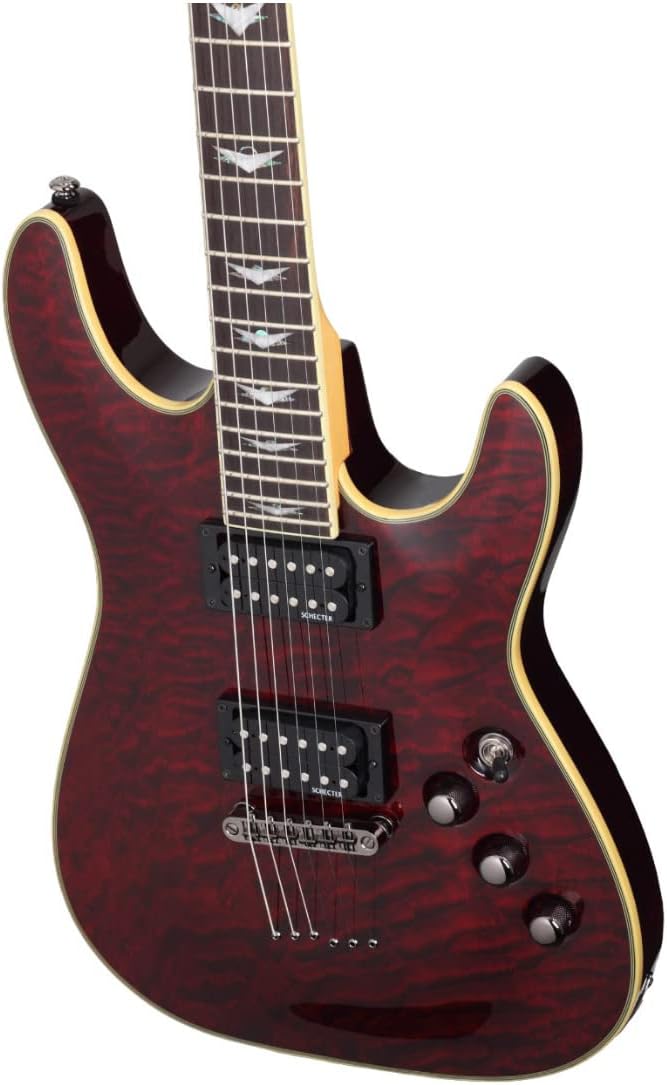
Figure 2: Angled view of the guitar's body, highlighting the output jack location and the quilted maple top.
Operating
1. Controls Overview
The Schecter Omen Extreme-6 features intuitive controls for shaping your tone:
- Volume Knob: Controls the overall output volume of the guitar.
- Tone Knob (Push/Pull): Functions as a standard tone control (treble cut) when pushed down. Pulling the knob up activates the coil-splitting feature for both humbucking pickups, providing a brighter, single-coil-like tone.
- 3-Way Toggle Switch: Selects between the neck pickup, bridge pickup, or both.
- Up Position: Neck Pickup (Rhythm)
- Middle Position: Both Neck and Bridge Pickups
- Down Position: Bridge Pickup (Lead)

Figure 3: Detailed view of the guitar's control knobs and the 3-way toggle switch, along with the Tune-O-Matic bridge.
2. Pickup Functionality
The Schecter Diamond Plus humbucking pickups deliver a powerful and versatile sound. When the tone knob is pushed down, they provide a full, rich humbucker tone suitable for rock, metal, and blues. When the tone knob is pulled up, the coil-splitting function allows each humbucker to operate as a single-coil pickup, producing a brighter, more articulate sound ideal for clean tones, funk, or country.
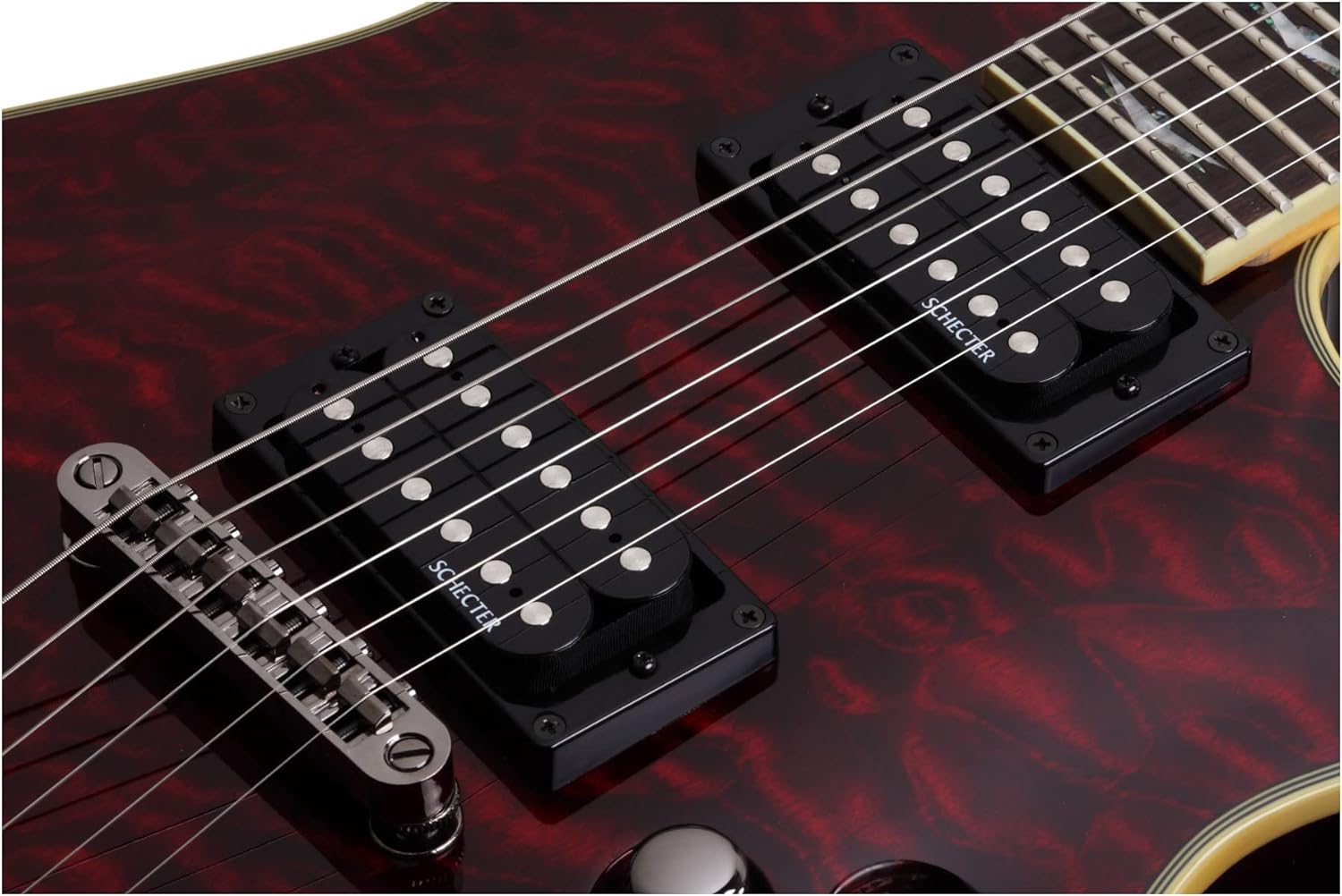
Figure 4: Close-up of the Schecter Diamond Plus humbucking pickups and the string-thru bridge design.
Maintenance
1. Cleaning
- Body and Neck: Use a soft, lint-free cloth to wipe down the body and neck after each use to remove sweat, oils, and dust. For a deeper clean, use a guitar-specific polish or cleaner sparingly.
- Fretboard: The rosewood fretboard should be conditioned periodically (every 3-6 months, or when it appears dry) with a fretboard conditioner or lemon oil. Apply a small amount to a cloth, wipe onto the fretboard, let it soak for a few minutes, then wipe off any excess.
- Hardware: Wipe metal hardware (bridge, tuners, pickups) with a dry cloth to prevent tarnishing.
2. String Replacement
Strings should be replaced regularly, depending on playing frequency and personal preference. Worn or corroded strings can negatively affect tone and intonation. When replacing strings, change them one at a time to maintain neck tension, or all at once if you plan to clean and condition the fretboard.
3. Storage
Store your guitar in a stable environment, away from extreme temperature changes and humidity fluctuations. A guitar case or gig bag provides protection from dust and minor impacts.
Troubleshooting
1. Fret Buzz
If you experience buzzing on the low frets, this is often a common setup issue related to neck relief. The Omen Extreme-6 may be set up for higher tension strings (e.g., 11s). If you use lighter gauge strings (e.g., 9s), the neck may have too much back-bow, causing buzzing.
Solution: Adjust the truss rod. Locate the truss rod cover on the headstock (usually a small black plastic cover). Remove it with a small Phillips screwdriver. Using a 5/32" Allen wrench, turn the truss rod adjusting nut 1/4 turn counterclockwise. Wait 15 minutes for the neck to settle, then check for buzz. If needed, turn another 1/4 turn counterclockwise. This adds more relief to the neck, which can eliminate fret buzz caused by insufficient relief.

Figure 5: Close-up of the guitar's fretboard, showing the vector inlays and frets, relevant for truss rod adjustments.
2. Static or Crackling from Pickups/Switch
If you hear static or crackling when using the pickup selector switch, it may indicate dust or corrosion inside the switch mechanism.
Solution: Apply a small amount of electronic contact cleaner (specifically designed for electronics, not general lubricants) into the switch mechanism. Operate the switch back and forth several times to distribute the cleaner. If the problem persists, professional servicing may be required.
Specifications
| Feature | Specification |
|---|---|
| Construction | Bolt-on |
| Body Material | Mahogany with Quilted Maple Top |
| Neck Material | Maple |
| Fretboard Material | Rosewood |
| Scale Length | 25.5 inches |
| Number of Frets | 24 |
| Inlays | Vector |
| Binding | Multi-ply |
| Pickups | Schecter Diamond Plus (Humbucking) |
| Electronics | Volume, Tone (Push/Pull Coil-Tap), 3-Way Toggle Switch |
| Bridge | Tune-O-Matic with Through Body Stringing |
| Tuners | Schecter |
| Hardware Color | Black Chrome |
| Color Name | Black Cherry |
| Item Weight | 10.25 pounds |
| Product Dimensions | 45.98 x 5.12 x 19.02 inches |
Warranty and Support
For information regarding warranty coverage, product registration, or technical support, please refer to the official Schecter Guitar Research website or contact their customer service directly. Keep your proof of purchase for any warranty claims.
Note: This product includes the guitar only. No additional accessories are included in the packaging.
Ask a question about this manual
Ask about setup, troubleshooting, compatibility, parts, safety, or missing instructions. Manuals+ will review the question and use this page’s manual context to help answer it.