
Sennheiser Pro Audio TLM 103 MT
Neumann TLM 103-MT Large Diaphragm Cardioid Microphone User Manual
Model: TLM 103 MT
Brand: Sennheiser Pro Audio
1. Introduction
The Neumann TLM 103 is a large-diaphragm condenser microphone designed for professional studio applications. It features a cardioid polar pattern and is known for its clear, direct, and refined sound, making it suitable for vocals, solo instruments, and various recording tasks. The microphone incorporates a transformerless circuit, contributing to its low self-noise and high output level.

Figure 1.1: The Neumann TLM 103-MT microphone, showcasing its robust design and classic appearance.
2. Safety Information
- Always handle the microphone with care to prevent damage to the capsule and internal components.
- Ensure that the audio interface or mixing console provides +48V phantom power, which is required for the microphone's operation.
- Avoid exposing the microphone to extreme temperatures, high humidity, or direct moisture.
- Do not attempt to disassemble or repair the microphone yourself. Refer to qualified service personnel for any maintenance beyond routine cleaning.
- Keep the microphone away from strong magnetic fields, which can affect its performance.
3. Package Contents
Verify that all items are present in the packaging:
- Neumann TLM 103 MT Cardioid Studio Condenser Microphone
- SG 103 Swivel Mount
- Wooden Jeweler's Box (for storage)
- Neumann 1 Year Warranty Information
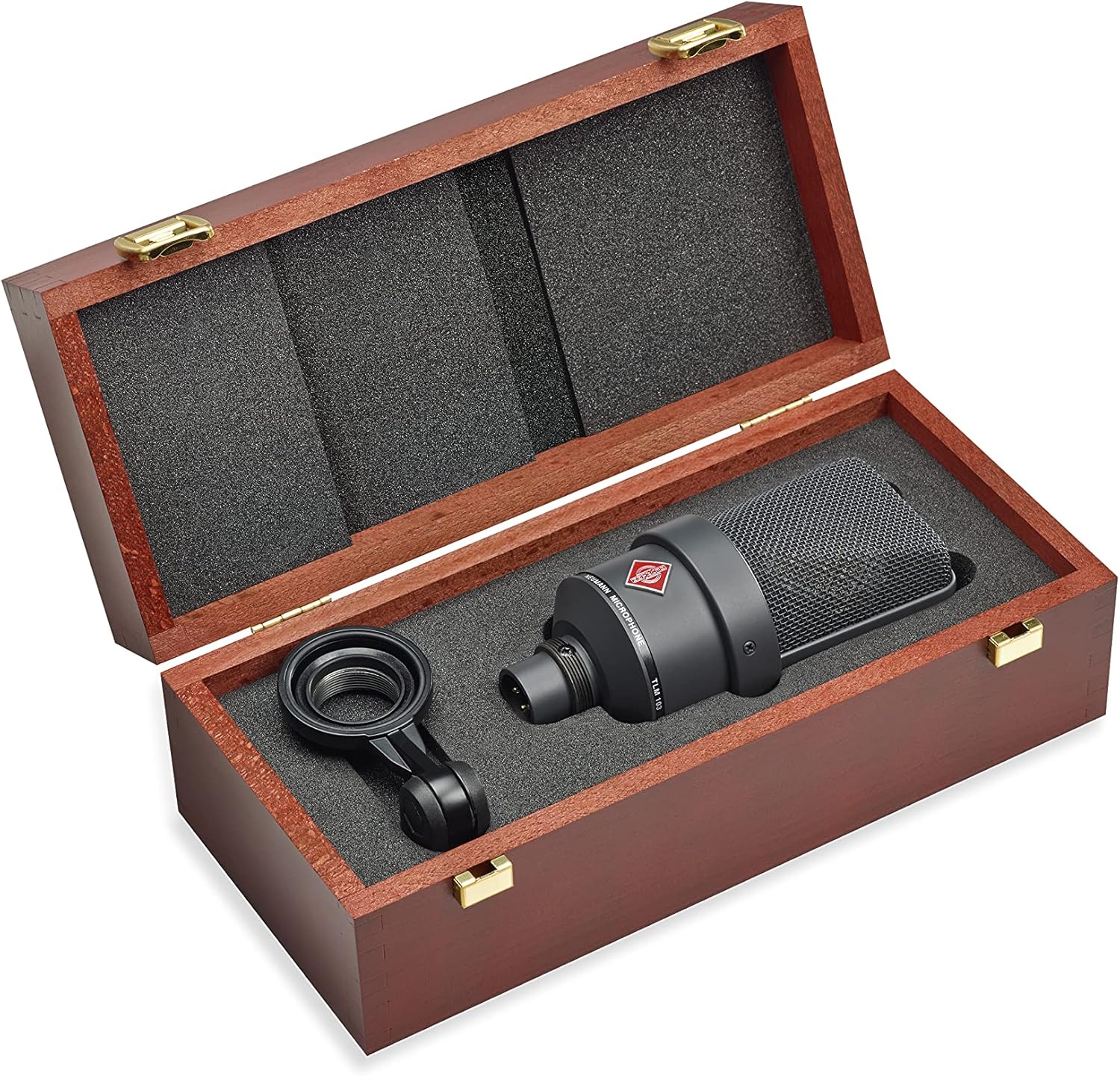
Figure 3.1: The Neumann TLM 103-MT microphone and its included SG 103 swivel mount, neatly stored within the provided wooden jeweler's box. This box ensures safe transport and storage of the microphone.
4. Setup
- Mounting the Microphone:
Attach the SG 103 swivel mount to a standard microphone stand. Securely fasten the Neumann TLM 103-MT microphone into the swivel mount. Ensure the microphone is firmly seated to prevent accidental drops.

Figure 4.1: The Neumann TLM 103-MT microphone securely attached to a microphone stand using its swivel mount, with an XLR cable connected to its base.
- Connecting to Audio Equipment:
Connect a balanced XLR cable to the microphone's XLR output connector. Connect the other end of the XLR cable to an input on your audio interface, mixing console, or preamplifier. Ensure the input channel is capable of supplying +48V phantom power.
- Activating Phantom Power:
Before turning on the microphone, ensure that +48V phantom power is enabled on the connected audio equipment's input channel. The TLM 103-MT requires phantom power to operate.
5. Operating
- Microphone Placement:
The TLM 103-MT is a cardioid microphone, meaning it is most sensitive to sounds coming from the front and rejects sounds from the rear. Position the microphone with its front (where the Neumann logo is visible) facing the sound source. Experiment with distance and angle to achieve the desired sound. For vocals, a pop filter is highly recommended to minimize plosive sounds.

Figure 5.1: Proper microphone technique for vocal recording, showing a user speaking into the Neumann TLM 103-MT with a pop filter to reduce plosives.
- Gain Staging:
Adjust the input gain on your audio interface or mixer to achieve a healthy signal level without clipping. The TLM 103-MT has a high output, so less gain may be required compared to other microphones.
- Monitoring:
Monitor your audio through headphones or studio monitors to ensure optimal sound quality and to identify any issues during recording.
6. Maintenance
- Cleaning: Use a soft, dry cloth to wipe the microphone body. Do not use liquid cleaners or solvents, as they can damage the finish or internal components.
- Storage: When not in use, store the microphone in its original wooden box or a protective case to shield it from dust, moisture, and physical impact.
- Environmental Conditions: Avoid storing or operating the microphone in environments with high humidity, extreme temperatures, or excessive dust.
7. Troubleshooting
| Problem | Possible Cause | Solution |
|---|---|---|
| No sound output |
|
|
| Low or distorted sound |
|
|
| Excessive background noise |
|
|
8. Specifications
| Model Name | TLM 103 MT |
| Polar Pattern | Cardioid |
| Frequency Range | 20 Hz - 20 kHz |
| Audio Sensitivity | 138 dB |
| Impedance | 50 Ohm |
| Signal-to-Noise Ratio | 87 dB |
| Noise Level | 7 dB |
| Power Source | +48V Phantom Power Required |
| Connector Type | XLR |
| Material | Aluminum |
| Dimensions (L x W x H) | 11.42 x 9.65 x 4.06 inches |
| Item Weight | 2.98 pounds (1352 Grams) |
| Manufacturer | Sennheiser |
| Country of Origin | Germany |
9. Warranty and Support
The Neumann TLM 103-MT microphone comes with a Neumann 1 Year Warranty. For warranty claims, technical support, or service inquiries, please contact Sennheiser Pro Audio customer support or visit their official website. Retain your proof of purchase for warranty validation.
For the most up-to-date support information, please refer to the official Sennheiser Pro Audio website or the documentation included with your product.
Related documentsTLM 103 MT


Ask a question about this manual
Ask about setup, troubleshooting, compatibility, parts, safety, or missing instructions. Manuals+ will review the question and use this page’s manual context to help answer it.