
1. Product Overview
The Bushnell 784030 Advanced Tripod is a full-featured, stand-up tripod designed for stable viewing from various platforms such as roadsides or decks. Its robust construction ensures durability and reliability for supporting spotting scopes, binoculars, camcorders, or SLR cameras.
2. Features
- Full-size tripod for spotting scopes, binoculars, camcorders, or SLR cameras.
- Durable aluminum legs are individually adjustable to different heights and angles.
- 3-way pan/tilt head with large mounting platform.
- Universal 1/4-inch-20 mount for broad compatibility.
- 3 padded foam leg cushions for comfort in extreme hot or cold conditions.
- Sliding center column with tension control, adjustable from 18.3 to 61 inches.
- Integrated hook for adding weight to enhance stability in windy conditions.
3. Setup Instructions
3.1 Unfolding the Tripod
- Place the tripod on a flat, stable surface.
- Gently spread the legs outwards until they are fully extended and locked into position.
- Adjust the leg angles using the three-position leg angle adjustment mechanisms located at the top of each leg.
3.2 Adjusting Leg Height
- Locate the quick-release leg locks on each leg section.
- Flip open the locks to extend or retract the leg sections to your desired height.
- Ensure all leg locks are securely closed before mounting any equipment.
3.3 Adjusting Center Column Height
- Loosen the tension control knob for the center column.
- Crank the handle to raise or lower the center column to the desired height.
- Tighten the tension control knob to secure the center column in place.
3.4 Attaching Equipment
- Ensure the quick-release plate is detached from the 3-way pan/tilt head.
- Screw the quick-release plate onto the bottom of your spotting scope, binoculars, camcorder, or SLR camera using the universal 1/4-inch-20 mount. Ensure it is securely tightened.
- Slide the quick-release plate with your equipment back into the 3-way pan/tilt head until it clicks securely into place.
- Engage any additional locking mechanisms on the head to prevent accidental release.
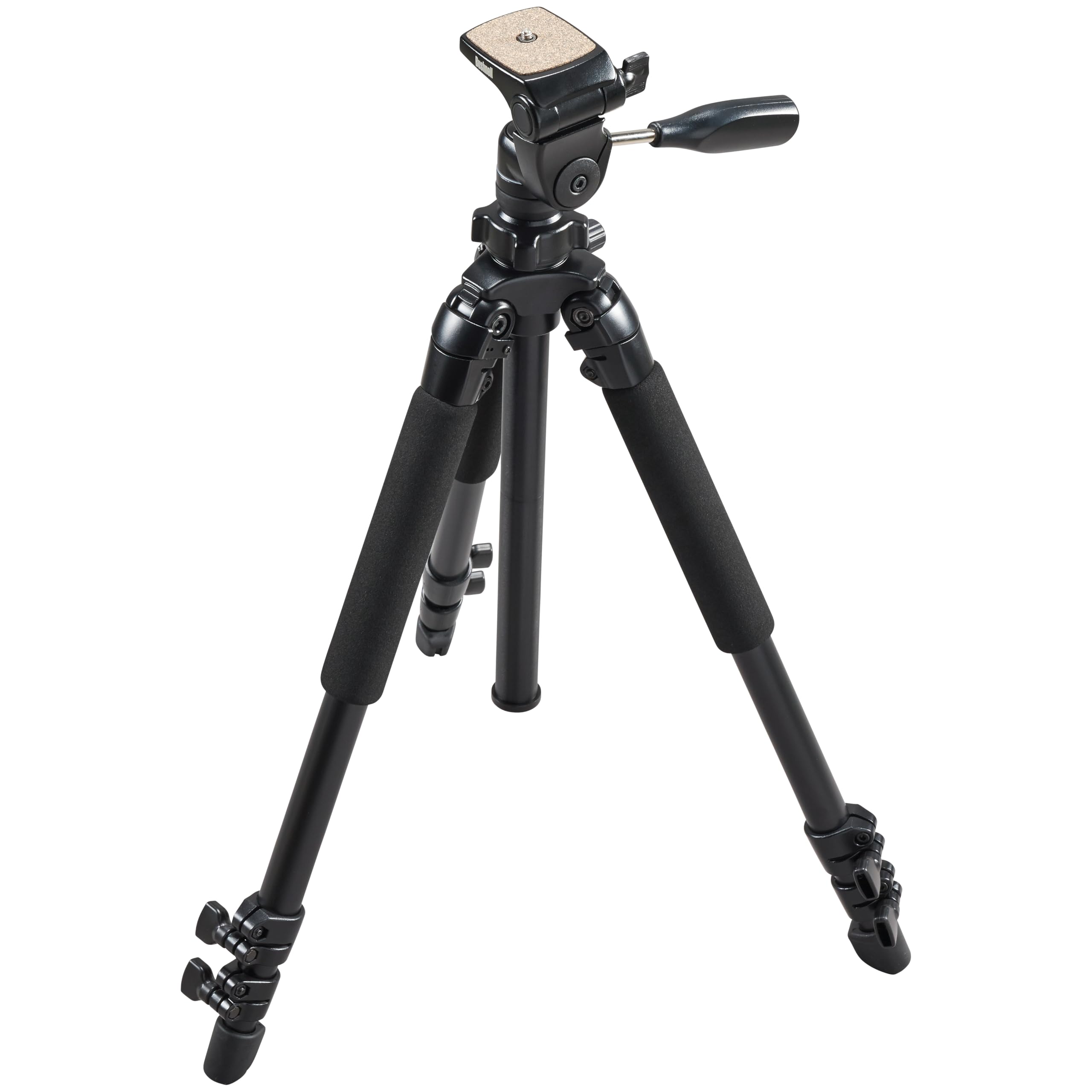
Figure 1: Bushnell 784030 Advanced Tripod fully extended, showcasing its robust design and adjustable legs.
4. Operating Instructions
4.1 Using the 3-Way Pan/Tilt Head
- To adjust the horizontal pan, loosen the pan lock knob located at the base of the head. Rotate the handle to pan your equipment left or right. Tighten the knob to secure.
- To adjust the vertical tilt, loosen the tilt lock knob. Move the handle up or down to tilt your equipment. Tighten the knob to secure.
- The head also allows for vertical orientation of your camera by tilting the mounting platform 90 degrees.

Figure 2: Front view of the tripod head, showing the pan/tilt handle and quick release plate.
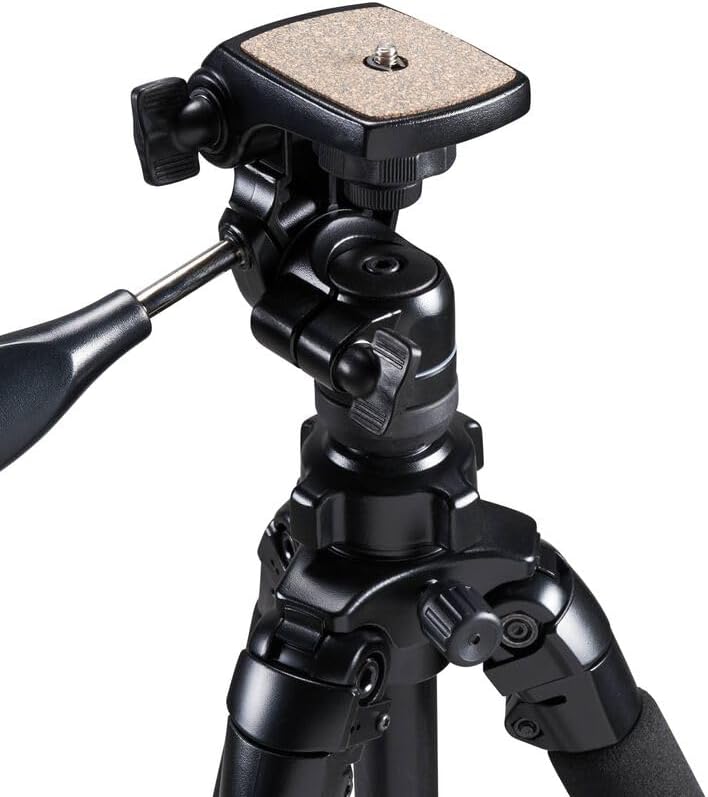
Figure 3: Side view of the tripod head, illustrating the range of motion for tilting.
4.2 Enhancing Stability
- For increased stability, especially in windy conditions, hang a weight (e.g., a camera bag) from the hook located at the bottom of the center column.
5. Maintenance
- Regularly inspect all screws, bolts, and locking mechanisms to ensure they are tight and functioning correctly.
- Clean the tripod with a soft, dry cloth. Avoid abrasive cleaners or solvents.
- If the tripod gets wet, wipe it dry immediately to prevent corrosion.
- Store the tripod in its carrying case in a cool, dry place when not in use.
6. Troubleshooting
6.1 Tripod is Unstable
- Ensure all leg locks and the center column tension knob are securely tightened.
- Verify that the quick-release plate is properly seated and locked into the head.
- Spread the legs as wide as possible for a broader base.
- Consider hanging a weight from the center column hook.
6.2 Head Movement is Stiff or Loose
- Adjust the pan and tilt lock knobs. Loosen for smoother movement, tighten for more resistance.
- Ensure no debris is obstructing the movement of the head.
7. Specifications
| Product Dimensions | 68.58 x 12.7 x 12.7 cm |
| Item Model Number | 784030 |
| Colour | Black |
| Size | One Size |
| Style | Tripod for Hunting, Photography and Outdoors |
| Compatible Devices | Camcorder, Camera |
| Display Size (Max Height) | 60 Inches (63 Inches max height) |
| Packed Size | 26 inches |
| Item Weight | 2.72 kg (6 Pounds) |
| Material | Blend (Aluminum legs) |
| Maximum Weight Capacity | 11 Pounds |
| Special Features | Three-position leg angle adjustment, Three-way pan head |
| Tripod Head Type | 3-way pan/tilt head |
8. Warranty & Support
For warranty information and customer support, please refer to the official Bushnell website or contact their customer service department. Keep your purchase receipt as proof of purchase for any warranty claims.


