
MXR 11107000001
MXR Phase 100 Instruction Manual
Brand: MXR
Introduction
The MXR Phase 100 is a versatile guitar effects pedal designed to produce a wide range of classic phasing sounds. Building upon the legacy of its predecessors, this unit offers enhanced control over the phasing effect, allowing musicians to dial in precise and expressive tones. Its robust construction ensures reliability for both studio and live performance environments.

Front view of the MXR Phase 100 pedal, showcasing its controls and iconic orange finish.
Setup
Follow these steps to set up your MXR Phase 100 pedal:
- Power Connection: The Phase 100 requires a 9-volt power source. This can be a 9V battery or an external power adapter (not included).
- To install a 9V battery, remove the bottom plate of the pedal. Connect the battery to the clip and place it inside the enclosure.
- For external power, connect a 9V DC adapter (center negative) to the power jack located on the side of the pedal.

Rear view of the pedal, highlighting the power input and output jack.
- Audio Connections:
- Connect your guitar or other instrument to the INPUT jack on the right side of the pedal using a standard 1/4-inch instrument cable.
- Connect the OUTPUT jack on the left side of the pedal to your amplifier or the next pedal in your signal chain using another 1/4-inch instrument cable.
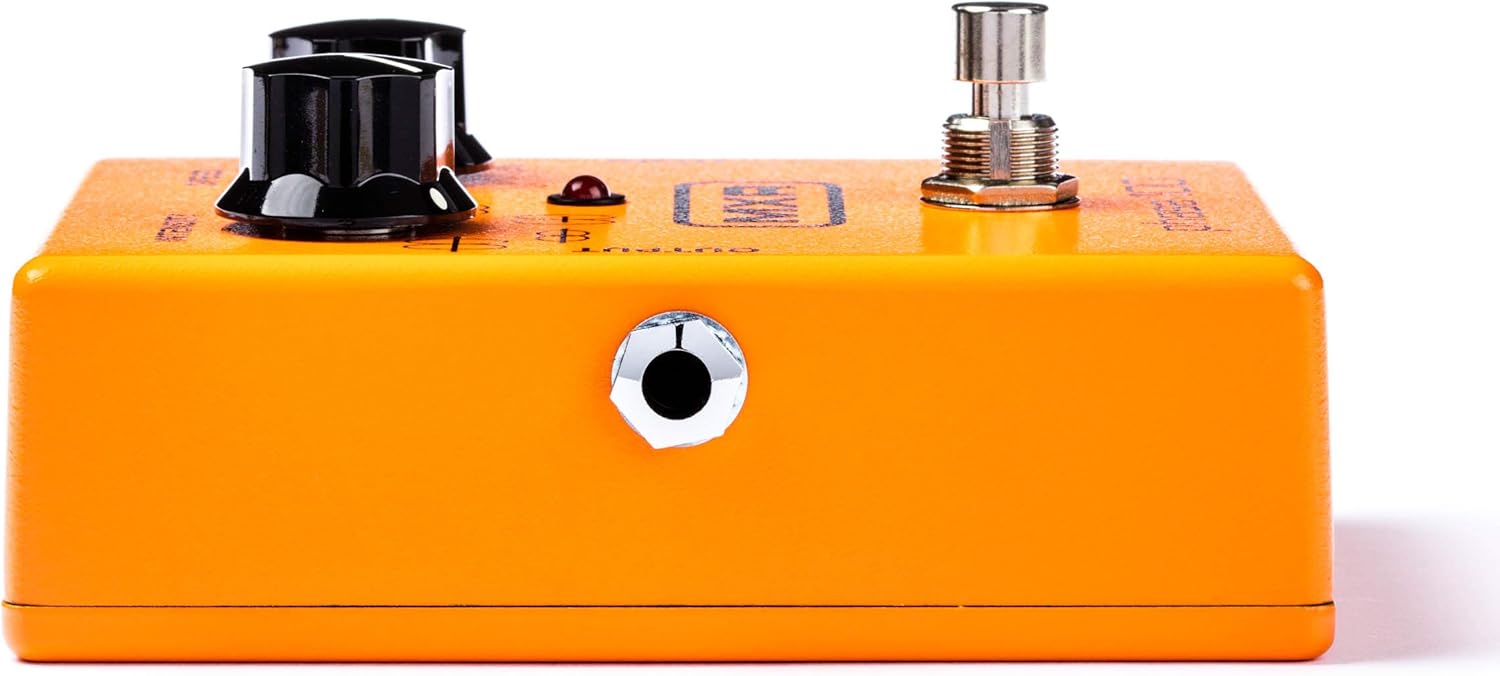

Left and right side views of the pedal, showing the output and input jacks respectively.
- Activation: Press the footswitch to activate or bypass the effect. The LED indicator will illuminate when the effect is active.
Operating the MXR Phase 100
The MXR Phase 100 features two primary controls and a four-position rotary switch to shape your phasing effect:
- SPEED Knob: This control adjusts the rate of the phase shifting effect. Turning it clockwise increases the speed, resulting in a faster, more rapid sweep. Turning it counter-clockwise slows down the sweep.
- INTENSITY Knob: This knob controls the depth and character of the phase effect. It adjusts the sweep width and notch depth, allowing for subtle to very pronounced phasing.
- Four-Position Rotary Switch: This switch selects between four different intensity settings or preset waveform patterns, offering a broader range of sounds compared to simpler phasers. These positions also provide regeneration in the 2nd and 4th settings, adding to the effect's versatility.

Top view of the pedal, illustrating the Speed and Intensity knobs along with the four-position rotary switch.
Experiment with different combinations of the SPEED and INTENSITY knobs, along with the rotary switch settings, to discover the wide array of phasing sounds available from your MXR Phase 100.
Maintenance
To ensure the longevity and optimal performance of your MXR Phase 100 pedal, consider the following maintenance tips:
- Cleaning: Use a soft, dry cloth to clean the pedal's exterior. Avoid abrasive cleaners or solvents, as they may damage the finish or internal components.
- Battery Replacement: If using a 9V battery, replace it when the LED indicator dims or the effect's performance degrades. Always disconnect input and output cables before opening the pedal to replace the battery.
- Storage: Store the pedal in a cool, dry place away from direct sunlight and extreme temperatures. If storing for an extended period, remove the battery to prevent leakage.
- Cable Connections: Periodically check all 1/4-inch audio cables and power cables for wear and tear. Damaged cables can lead to signal loss or intermittent operation.
Troubleshooting
If you encounter issues with your MXR Phase 100, try the following troubleshooting steps:
| Problem | Possible Cause | Solution |
|---|---|---|
| No effect sound / No signal |
|
|
| Weak or inconsistent effect |
|
|
| Excessive noise or hum |
|
|
Specifications
- Model Number: M107 (11107000001)
- Dimensions: 5.9 x 4.4 x 2.8 inches
- Weight: 8 ounces
- Power: 9 Volts DC (single 9V battery or external power adapter, center negative)
- Hardware Interface: 1/4-inch Audio Input/Output
- Signal Format: Analog
- Color: Orange
- Features: 10 stages of programmable phase shifting, adjustable intensity, four-position rotary switch for waveform patterns.
Warranty and Support
The MXR Phase 100 is manufactured with high-quality components and undergoes rigorous testing to ensure reliability. For information regarding warranty coverage, technical support, or service, please refer to the official MXR website or contact your authorized dealer. Keep your proof of purchase for warranty claims.
For additional resources and product information, visit the official MXR Store.
Related documents11107000001


Ask a question about this manual
Ask about setup, troubleshooting, compatibility, parts, safety, or missing instructions. Manuals+ will review the question and use this page’s manual context to help answer it.