
Zoo Med SH24
Zoo Med Deluxe Slider Reptile Hood, 24-Inch User Manual
Brand: Zoo Med
Model: SH24
Introduction
The Zoo Med Deluxe Slider Reptile Hood is designed to provide optimal lighting and heating for your reptile terrarium. This versatile hood accommodates various bulb types, including spot or flood bulbs and Ceramic Heat Emitters, in its vertically mounted sockets. It also features a dedicated fluorescent fixture for UVB emitting lamps, crucial for reptile health. Constructed from durable black powder-coated steel, this hood is built to last and offers independent control over each light source.
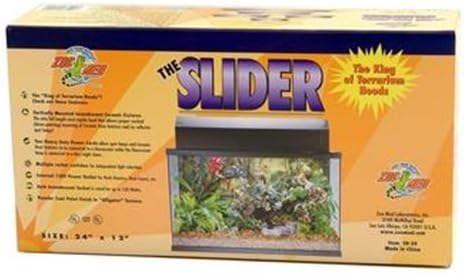
This image displays the retail packaging for the Zoo Med Deluxe Slider Reptile Hood. The box features the product name 'THE SLIDER' prominently, along with the brand logo 'Zoo Med'. It also highlights key features such as accommodating spot or flood bulbs, ceramic heat emitters, and a fluorescent fixture for UVB lamps. A graphic of a terrarium with the hood installed is visible on the box.
Key Features
- Durable Construction: Made of robust black powder-coated steel for longevity.
- Versatile Lighting: Accommodates spot or flood bulbs and Ceramic Heat Emitters in vertically mounted sockets.
- UVB Compatibility: Includes a fluorescent fixture specifically for UVB emitting lamps.
- High Wattage Capacity: Incandescent sockets are rated up to 150 watts each.
- Independent Control: Each socket/fixture has its own rocker switch for individual light selection.
- Enhanced UVB Penetration: Features an aluminum reflector to maximize UVB output.
- Integrated Power Outlet: Includes an internally grounded receptacle for additional in-tank accessories like rock heaters or waterfalls.
- Multiple Sizes: Available for terrariums 24", 30", 36", and 48" in length. This manual specifically covers the 24-inch model.
Setup Instructions
- Unpack the Hood: Carefully remove the Deluxe Slider Reptile Hood from its packaging. Inspect for any damage.
- Positioning: Place the hood securely on top of your terrarium. Ensure it fits snugly and is stable.
- Install Incandescent/Ceramic Bulbs: Screw your desired spot, flood, or ceramic heat emitter bulbs into the vertically mounted incandescent sockets. Ensure bulbs do not exceed 150 watts per socket.
- Install UVB Fluorescent Lamp:
- Locate the interior screen covering the fluorescent fixture.
- Carefully remove the two tiny screws holding the interior screen in place.
- Insert the UVB fluorescent lamp into the fixture according to the lamp manufacturer's instructions.
- Reattach the interior screen using the two screws.
- Connect Accessories (Optional): If using, plug any rock heaters, waterfalls, or other in-tank accessories into the internally grounded receptacle on the hood.
- Power Connection: Plug the hood's power cord into a suitable electrical outlet.
Note: The sliding mechanism is designed to allow access to the terrarium. While intended for smooth operation, some users may find it stiff. If the slider does not move easily, gently lift and push.
Operating Instructions
The Zoo Med Deluxe Slider Reptile Hood features independent rocker switches for each light source, allowing you to customize your terrarium's lighting and heating cycles.
- Individual Light Control: Locate the rocker switches on the hood. Each switch controls a specific incandescent/ceramic socket or the fluorescent UVB fixture.
- Turning Lights On/Off: Flip the corresponding rocker switch to the 'ON' or 'OFF' position to activate or deactivate the desired light or heat source.
- Accessory Receptacle: The integrated receptacle provides power for additional in-tank accessories. Ensure any connected accessories are compatible with the hood's power output.
Maintenance
- Cleaning: Regularly wipe down the exterior of the hood with a dry or slightly damp cloth. Do not use abrasive cleaners or immerse the hood in water. Ensure the unit is unplugged before cleaning.
- Bulb Replacement:
- Always unplug the hood from the power outlet before replacing any bulbs.
- Allow bulbs to cool completely before handling.
- Replace incandescent/ceramic bulbs by unscrewing the old bulb and screwing in a new one of the correct wattage (up to 150W).
- For UVB fluorescent lamps, follow the installation steps in the Setup section to remove and replace the lamp.
- Reflector Cleaning: Periodically clean the aluminum reflector with a soft, dry cloth to maintain optimal UVB penetration.
Troubleshooting
| Problem | Possible Cause | Solution |
|---|---|---|
| Light(s) not turning on. |
|
|
| Rocker switch is loose or broken. | Wear and tear or manufacturing defect. | Discontinue use immediately. Contact Zoo Med customer support for assistance or replacement. Do not attempt to repair. |
| Slider mechanism is stiff or not moving. | Friction or misalignment. | Gently lift the hood slightly while attempting to slide it. Ensure no debris is obstructing the sliding path. Avoid forcing the mechanism. |
| Accessory plugged into receptacle is not working. |
|
|
Specifications
| Attribute | Detail |
|---|---|
| Brand | Zoo Med |
| Model Number | SH24 |
| UPC | 097612011241 |
| Material | Steel |
| Color | Black |
| Item Dimensions (LxWxH) | 25 x 13 x 8 inches |
| Item Weight | 14.4 pounds |
| Max Incandescent Wattage | 150 watts per socket |
| Specific Uses | Indoor, Terrarium for Reptiles |
Warranty Information
The Zoo Med Deluxe Slider Reptile Hood comes with a 1-Year Limited Warranty from the date of purchase. This warranty covers defects in materials and workmanship under normal use. It does not cover damage resulting from misuse, abuse, unauthorized modification, or improper installation. Please retain your proof of purchase for warranty claims.
Customer Support
For technical assistance, troubleshooting beyond this manual, or warranty claims, please contact Zoo Med Laboratories customer support. Visit the official Zoo Med website for the most current contact information.
Website: www.zoomed.com
Ask a question about this manual
Ask about setup, troubleshooting, compatibility, parts, safety, or missing instructions. Manuals+ will review the question and use this page’s manual context to help answer it.