
1. Introduction
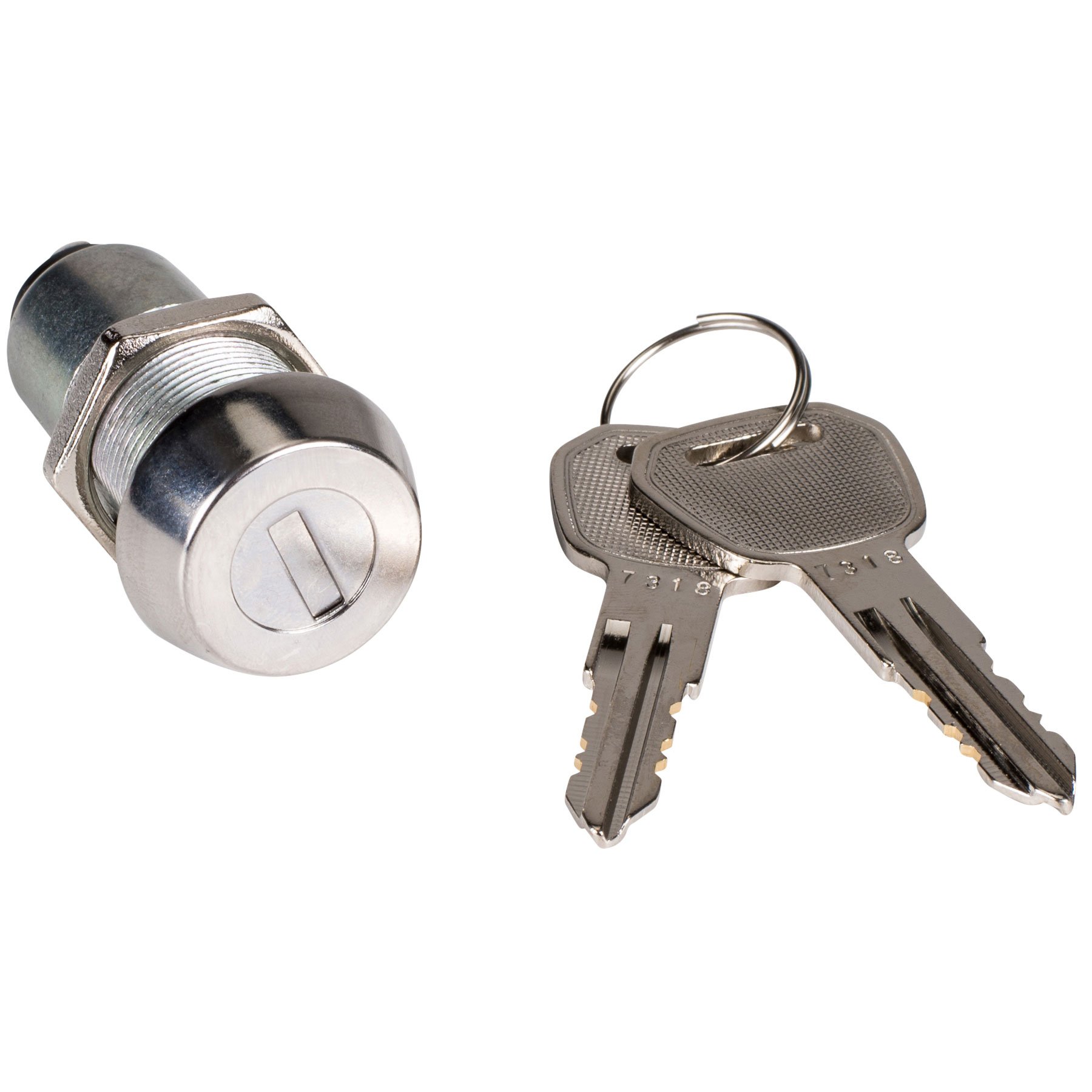
This manual provides comprehensive instructions for the installation, operation, and maintenance of your Parts Express Key Switch with 2 Keys. This high-quality, panel-mount key switch is designed for various applications requiring secure on/off control, such as alarm systems or power control. Please read this manual thoroughly before installation and use to ensure proper function and safety.
Key Features:
- High quality, flat key switch design.
- Includes two unique keys for operation.
- Suitable for alarm system applications.
- Key removable in both ON and OFF positions.
2. Safety Information
Warning: Electrical work should only be performed by qualified personnel. Always disconnect power to the circuit before installing or servicing the key switch to prevent electric shock or damage to equipment.
- Ensure all local and national electrical codes are followed during installation.
- Do not exceed the specified electrical ratings of the switch.
- Keep keys away from children and unauthorized personnel.
3. Product Overview
The Parts Express Key Switch is a robust, panel-mount device designed for reliable electrical control. It features a durable metal construction and a lock cylinder that accepts a flat key. The switch is supplied with two identical keys and includes a retaining nut for secure mounting and terminal lugs for electrical connections.
4. Setup and Installation
Proper installation is crucial for the reliable operation of the key switch. Follow these steps carefully:
- Prepare Mounting Hole: The key switch is designed for panel mounting. A mounting hole with specific dimensions is required. The threaded part of the switch has an overall dimension of approximately 18.6 mm (23/32 inches). It features two flat sides, with a dimension of approximately 17.3 mm (87/128 inches) across these flats, to prevent twisting when mounted. The mounting flange diameter is approximately 23.8 mm (15/16 inches). Ensure your panel hole accommodates these dimensions for a secure, non-spinning fit.
- Insert Switch: Insert the key switch into the prepared mounting hole from the front of the panel.
- Secure with Retaining Nut: Thread the included retaining nut onto the switch body from the rear of the panel and tighten it securely to hold the switch in place. A lock washer (not always included) may be used for added security against spinning.
- Wiring Connections: The switch is a Single Pole, Single Throw (SPST) type. It comes with two terminal lugs. These are typically solder lugs, not push-on. Connect your electrical wires to these terminals. Ensure all connections are secure and properly insulated.
5. Operating Instructions
Operating the Parts Express Key Switch is straightforward:
- Insert Key: Insert one of the provided keys into the keyhole on the front of the switch. The switch features a spring-loaded door that covers the slot until the key is inserted.
- Turn Key to ON/OFF: Turn the key clockwise or counter-clockwise to switch between the ON and OFF positions. The key will click into place for each position.
- Key Removal: The key can be removed in both the ON and OFF positions, providing flexibility depending on your application's security requirements.
6. Maintenance
The Parts Express Key Switch is designed for durability and requires minimal maintenance.
- Cleaning: Periodically wipe the exterior of the switch with a clean, dry cloth to remove dust and debris. Avoid using abrasive cleaners or solvents.
- Inspection: Regularly inspect the switch for any signs of physical damage, loose connections, or excessive wear. Ensure the key turns smoothly and clicks firmly into position.
- Key Care: Keep the keys clean and free from obstructions. Avoid forcing the key if it feels stiff; a small amount of graphite lubricant can be applied to the key or keyhole if necessary, but avoid oil-based lubricants.
7. Troubleshooting
If you encounter issues with your key switch, refer to the following troubleshooting tips:
- Switch Not Activating:
- Ensure the key is fully inserted and turned completely to the ON position.
- Check all electrical connections for looseness or corrosion.
- Verify that the power source to the circuit is active.
- Key Difficult to Turn or Remove:
- Ensure the key is clean and free of debris.
- Do not force the key. If stiff, try a small amount of graphite lubricant in the keyhole.
- Confirm the switch is in a position (ON or OFF) where the key is designed to be removed.
- Switch Spinning in Panel:
- Tighten the retaining nut.
- Ensure the mounting hole was cut correctly to accommodate the switch's flat sides, preventing rotation.
If problems persist, contact Parts Express customer support or consult a qualified electrician.
8. Specifications
| Manufacturer | Parts Express |
| Part Number | 0023033123799 |
| Item Weight | 2.39 ounces |
| Package Dimensions | 3 x 1.5 x 0.2 inches |
| Mounting Type | Panel Mount |
| Switch Style | Key Operated Switch (listed as Pushbutton Switch by manufacturer) |
| Switch Type | SPST (Single Pole, Single Throw) |
| Key Removability | In ON or OFF position |
| Included | 1 Key Switch, 2 Keys, Retaining Nut, Terminal Lugs |
9. Warranty and Support
For warranty information and customer support, please refer to the official Parts Express website or contact the retailer from whom you purchased this product. Keep your proof of purchase for any warranty claims.
Parts Express Contact Information:
- Visit the Parts Express Store on Amazon for more information.