
1. Product Overview
The D-Link DES-1008D is an 8-port Fast Ethernet unmanaged desktop switch designed to expand network connectivity for small workgroups. This device allows for flexible connection of Ethernet and Fast Ethernet devices, automatically detecting network speed and negotiating between 10BASE-T and 100BASE-TX, as well as full and half-duplex modes. Its plug-and-play design ensures simple operation without complex configuration.

Figure 1: D-Link DES-1008D 8-Port Fast Ethernet Unmanaged Desktop Switch (Silver/Blue model).
Key features include:
- 8 10/100 Mbps auto-sensing ports for flexible network integration.
- Unmanaged design for simple plug-and-play installation.
- Automatic MDI/MDIX crossover for all ports, eliminating the need for crossover cables.
- Fanless operation for silent performance.
2. Package Contents
Verify that your package contains the following items:
- D-Link DES-1008D 8-Port Fast Ethernet Unmanaged Desktop Switch
- Power Adapter
- Quick Install Guide and Documentation
If any of the above items are missing or damaged, please contact your local D-Link reseller for assistance.
3. Setup Instructions
The DES-1008D switch is designed for easy installation. Follow these steps to set up your device:
- Placement: Place the switch on a flat, stable surface or mount it to a wall. Ensure adequate ventilation around the device.
- Connect Power: Connect the provided power adapter to the power input port on the switch and then plug the adapter into a standard electrical outlet. The Power LED on the switch should illuminate.
- Connect Network Devices: Connect your network devices (e.g., computers, printers, network-attached storage, routers) to any of the 8 Fast Ethernet ports on the switch using standard Ethernet cables. The Link/Act LED for each connected port should illuminate, indicating an active connection.
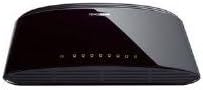
Figure 2: Rear view of the D-Link DES-1008D (Black model) showing Ethernet ports and power input.
The switch will automatically detect the speed and duplex mode of the connected devices. No further configuration is required for basic operation.
4. Operating Instructions
The D-Link DES-1008D is an unmanaged switch, meaning it operates automatically without user configuration. Once powered on and devices are connected, it functions as a central hub for your network traffic.
LED Indicators:
The switch features LED indicators to provide status information:
- Power LED: Illuminates when the switch is receiving power.
- Link/Act LEDs (per port):
- Solid Green: Indicates a valid network connection at 100 Mbps.
- Solid Amber: Indicates a valid network connection at 10 Mbps.
- Flashing: Indicates network activity (data transmission or reception) on that port.
- Off: No device is connected, or the connected device is powered off.
Data Transfer:
The switch facilitates data transfer between connected devices. Each port supports auto-negotiation for speed (10/100 Mbps) and duplex mode (full/half-duplex), ensuring optimal performance for each connection. In full-duplex mode, a workstation can achieve up to 200 Mbps data transfer rate.
5. Maintenance
To ensure optimal performance and longevity of your D-Link DES-1008D switch, consider the following maintenance guidelines:
- Environment: Operate the switch within its specified temperature range (up to 40°C). Avoid placing it in direct sunlight or near heat sources.
- Ventilation: Ensure that the ventilation openings on the switch are not blocked. Proper airflow is crucial for heat dissipation.
- Cleaning: Keep the switch clean and free of dust. Use a soft, dry cloth for cleaning. Do not use liquid or aerosol cleaners.
- Power Supply: Use only the power adapter supplied with the device. Using an incorrect power adapter may damage the switch and void the warranty.
- Cable Management: Organize network cables to prevent strain on the ports and to maintain a tidy setup.
6. Troubleshooting
If you encounter issues with your D-Link DES-1008D switch, refer to the following troubleshooting tips:
- No Power LED:
- Ensure the power adapter is securely connected to the switch and a working electrical outlet.
- Verify the electrical outlet is functional by plugging in another device.
- No Link/Act LED for a Connected Device:
- Check that the Ethernet cable is securely plugged into both the switch port and the network device.
- Ensure the connected network device is powered on and functioning correctly.
- Try a different Ethernet cable.
- Try connecting to a different port on the switch.
- Verify that the cable length does not exceed the maximum recommended length for Ethernet (100 meters).
- Slow Network Performance:
- Ensure all connected devices are operating at their optimal speed. The Link/Act LED color indicates the connection speed (Green for 100 Mbps, Amber for 10 Mbps).
- Check for excessive network traffic or bandwidth-intensive applications on your network.
- Verify that your network cables are not damaged.
- Intermittent Connectivity:
- Check for loose cable connections.
- Ensure the switch is placed in an area with good ventilation to prevent overheating.
- Test with different cables and devices to isolate the issue.
If problems persist after following these steps, contact D-Link technical support for further assistance.
7. Specifications
| Feature | Detail |
|---|---|
| Model Number | DES-1008D |
| Number of Ports | 8 |
| Interface Type | RJ45 |
| Data Transfer Rate | 10/100 Megabits Per Second (Mbps) |
| Switching Capacity | 1.6 Gbps (non-blocking) |
| Standards | IEEE 802.3 10BASE-T Ethernet, IEEE 802.3u 100BASE-TX Fast Ethernet, IEEE 802.3x Flow Control |
| Auto MDI/MDIX | Supported on all ports |
| Power Input | 230 Volts (AC) (via external power adapter) |
| Power Consumption | Low power consumption (fanless design) |
| Dimensions (L x W x H) | 6.5" x 4.41" x 1.42" (165mm x 112mm x 36mm approx.) |
| Item Weight | 8.9 ounces (252 Grams) |
| Case Material | Plastic |
| Operating Temperature | 0°C to 40°C (32°F to 104°F) |
| Storage Temperature | -10°C to 70°C (14°F to 158°F) |
| Operating Humidity | 10% to 90% non-condensing |
| Certifications | FCC Class B, CE Class B, VCCI Class B, C-Tick, RoHS |
8. Warranty and Support
The D-Link DES-1008D switch comes with a limited 2-year warranty. For specific terms and conditions, please refer to the warranty documentation included with your product or visit the official D-Link website.
For technical support, product registration, or to download the latest firmware and documentation, please visit the D-Link support portal:
When contacting support, please have your product model number (DES-1008D) and serial number ready.


