
Introduction
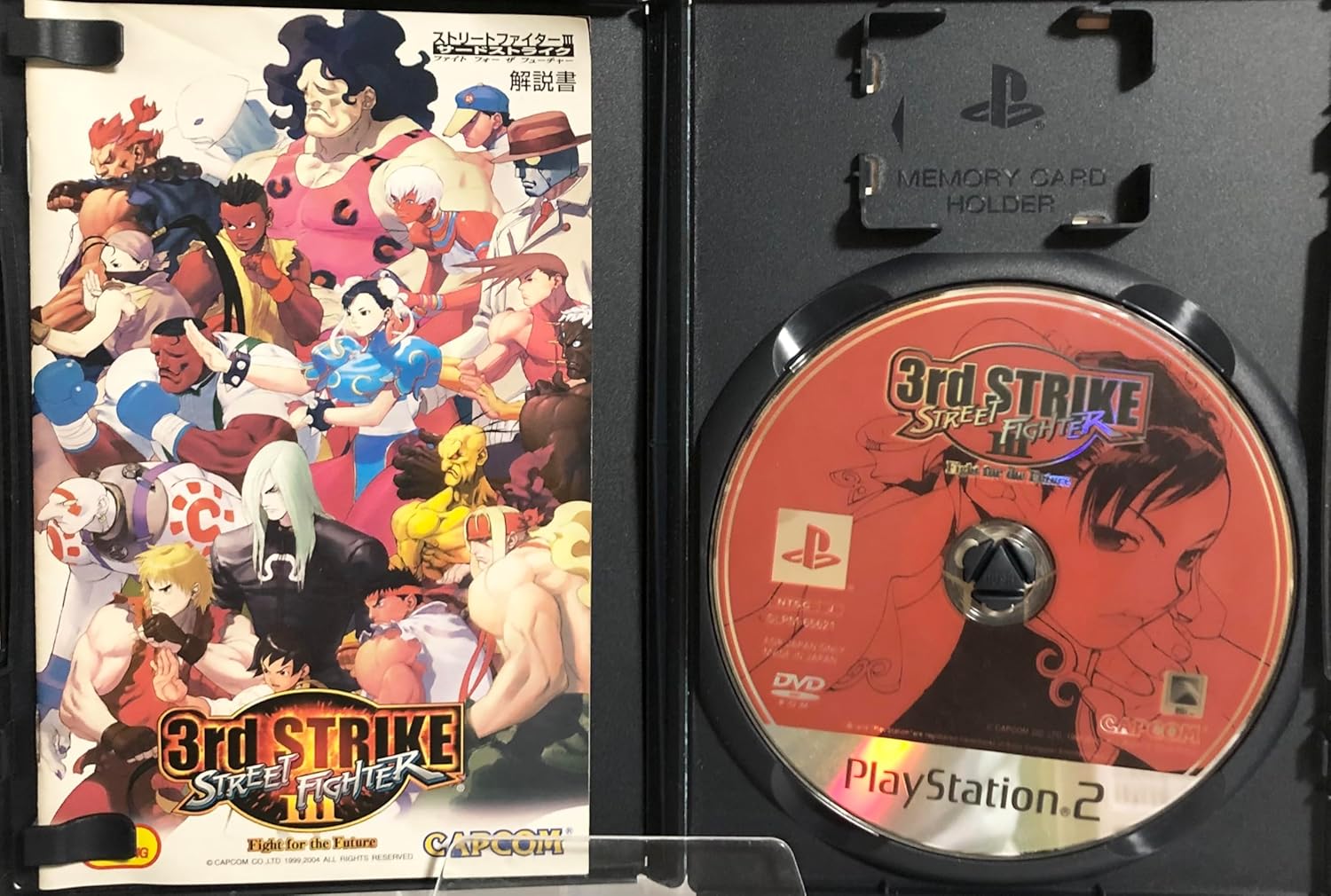
This manual provides essential information for setting up, operating, and maintaining your copy of Street Fighter III 3rd Strike: Fight for the Future for the PlayStation 2 console. Please read this manual thoroughly before use to ensure proper functionality and an optimal gaming experience.
Setup
- Console Compatibility: Ensure your PlayStation 2 console is compatible with NTSC-J (Japanese region) game discs. This game is a Japan Import and may not function on consoles from other regions without modification.
- Insert Game Disc: Open the disc tray of your PlayStation 2 console. Carefully place the Street Fighter III 3rd Strike game disc onto the disc spindle, ensuring it is seated correctly. Close the disc tray.
- Connect Controller: Connect your PlayStation 2 controller(s) to the controller port(s) on the front of the console. This game supports 1 to 2 players.
- Power On: Turn on your television or display device and select the correct input channel for your PlayStation 2. Power on your PlayStation 2 console. The game should load automatically.

Operating Instructions
Game Start
After the console powers on and the game loads, the title screen will appear. Press the START button on your controller to proceed to the main menu.

Basic Controls
- Directional Pad (D-Pad) / Left Analog Stick: Move character (forward, backward, jump, crouch).
- X, Square, Triangle, Circle Buttons: Perform various attacks (punches, kicks). Specific attack types depend on the character and button combination.
- R1/R2/L1/L2 Buttons: Used for specific actions such as parrying or special moves, depending on game configuration.
- START Button: Pause game, access in-game menu.
- SELECT Button: Typically used for taunts or other character-specific actions.
Game Modes
The game typically offers several modes:
- Arcade Mode: Play through a series of CPU opponents to reach the final boss.
- Versus Mode: Engage in battles against another player or a CPU opponent.
- Training Mode: Practice character moves and combos without time limits or health restrictions.
Saving Game Progress
Game settings and high scores can be saved to a PlayStation 2 Memory Card. Ensure a Memory Card with sufficient free space (at least 61KB) is inserted into the console's Memory Card slot.

Maintenance
- Disc Care: Always handle the game disc by its edges. Avoid touching the reflective surface. If the disc becomes dirty, gently wipe it with a soft, lint-free cloth from the center outwards. Do not use abrasive cleaners or solvents.
- Storage: Store the game disc in its original case when not in use to protect it from dust, scratches, and direct sunlight.
- Console Environment: Operate your PlayStation 2 console in a clean, dust-free environment with adequate ventilation to prevent overheating.
Troubleshooting
- Game Does Not Start / Disc Read Error:
- Ensure the disc is clean and free of scratches.
- Verify the disc is correctly inserted into the console's disc tray.
- Confirm your PlayStation 2 console is an NTSC-J model or compatible with Japanese region games.
- Try another game disc to determine if the issue is with the console or the game disc.
- Controller Not Responding:
- Check that the controller is securely plugged into the correct port.
- Test with another controller if available.
- No Sound or Picture:
- Ensure all audio/video cables are securely connected between the console and the display device.
- Verify the television/display is set to the correct input source.
Specifications
| Feature | Detail |
|---|---|
| Product Title | Street Fighter III 3rd Strike: Fight for the Future |
| Platform | PlayStation 2 |
| Region Code | NTSC-J (Japan Import) |
| Manufacturer | Capcom |
| Players | 1-2 Players |
| Memory Card Usage | 61KB+ |
| ESRB Rating | Everyone |
| ASIN | B00027XIQY |
| UPC | 4976219650342 |
| Item Weight | 5.6 ounces |
| Package Dimensions | 7.48 x 5.35 x 0.55 inches |
| Date First Available | December 15, 2011 |
Warranty Information
Specific warranty details for this product are typically provided by the retailer or manufacturer at the time of purchase. Please refer to your purchase documentation or contact the seller for information regarding any applicable warranty.
Support
For technical assistance or inquiries regarding Street Fighter III 3rd Strike: Fight for the Future, please visit the official Capcom support website or consult their customer service channels. Contact information can usually be found on the manufacturer's official website.
