1. Setup
1.1 Unpacking
Carefully remove the Braun SI 6550 iron from its packaging. Retain all packaging materials for future storage or transport. Ensure all components are present: the iron unit and the instruction manual.
1.2 Filling the Water Tank
- Ensure the iron is unplugged from the power outlet and has cooled down.
- Open the water inlet cap, typically located on the front of the handle.
- Fill the water tank with tap water up to the "MAX" indicator line. For areas with very hard water, a mixture of 50% tap water and 50% distilled water is recommended. Do not use perfumed water, water from tumble dryers, or other additives, as these can damage the iron.
- Close the water inlet cap securely to prevent leakage.

Figure 1: Illustration of filling the water tank. Ensure the iron is unplugged before filling.
1.3 First Use
Before first use, or after a long period of storage, it is advisable to iron an old piece of fabric (e.g., a cotton cloth) for a few minutes to remove any manufacturing residues from the soleplate. During this process, some steam or odor may be emitted, which is normal.
2. Operating Instructions
2.1 Temperature Setting
Plug the iron into a suitable power outlet. Turn the temperature dial to the desired setting according to the fabric type. The indicator light will illuminate, indicating the iron is heating. It will turn off once the set temperature is reached.
- Low Temperature: Synthetics, Silk
- Medium Temperature: Wool
- High Temperature: Cotton, Linen
2.2 Steam Functions
The Braun SI 6550 features various steam options:
- Variable Steam (0-30 g/min): Adjust the steam output using the steam selector switch. This function is active only when the iron is set to a high temperature (typically 2 dots or more on the dial).
- Power Shot (95 g/min): For stubborn creases, press the 'Power Shot' button. This delivers a powerful burst of steam. Wait a few seconds between shots to allow the iron to reheat.
- Vertical Steam: Hold the iron vertically and press the 'Power Shot' button to steam hanging garments or drapes. Ensure the iron is at a high temperature setting for effective vertical steaming.
2.3 Water Spray
Press the 'Spray' button to lightly moisten fabric, which helps in smoothing out wrinkles. This function can be used at any temperature setting, provided there is water in the tank.
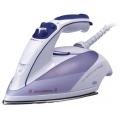
Figure 2: Overview of the Braun SI 6550 iron controls.
3. Maintenance
3.1 Cleaning the Soleplate
Allow the iron to cool completely. Wipe the Saphir soleplate with a damp cloth and a non-abrasive liquid cleaner if necessary. Do not use abrasive scouring pads or metal cleaners, as these can damage the soleplate coating.
3.2 Anti-Calc System
The Braun SI 6550 is equipped with an integrated Anti-Calc system to reduce limescale build-up. For optimal performance, periodically perform a self-cleaning cycle (refer to specific instructions in the full manual if available, or generally, fill with water, heat to max, then activate self-clean function over a sink). This system helps prolong the life of your iron.
3.3 Anti-Drip System
The Anti-Drip system prevents water from dripping onto fabrics when ironing at low temperatures. If you notice dripping, ensure the iron has reached the appropriate temperature for steam generation.
3.4 Storage
After each use, unplug the iron and allow it to cool down completely. Empty any remaining water from the tank. Store the iron in an upright position to prevent damage to the soleplate and to avoid water leakage.
4. Troubleshooting
| Problem | Possible Cause | Solution |
|---|---|---|
| Iron does not heat up. | Not plugged in; power outlet faulty; temperature dial set to 'Off' or too low. | Check power connection; test outlet with another appliance; adjust temperature dial. |
| No steam or insufficient steam. | Water tank empty; temperature too low for steam; steam selector set to '0'. | Fill water tank; set temperature to steam-appropriate level (e.g., 2 or 3 dots); adjust steam selector. |
| Water drips from soleplate. | Temperature too low for steam (Anti-Drip system active); iron overfilled. | Increase temperature setting; ensure water level is below 'MAX'. |
| White flakes coming from soleplate. | Limescale build-up. | Perform a self-cleaning cycle (if available) or descale the iron according to manufacturer's instructions. |
If the problem persists after attempting these solutions, please contact customer support.
5. Specifications
- Model: Braun SI 6550
- Power: 1900 Watts
- Soleplate: Saphir Coated
- Variable Steam Output: 0-30 g/min
- Power Shot Steam: 95 g/min
- Features: Vertical Steam, Water Spray, Anti-Calc System, Anti-Drip System, Soft Grip Handle, Spherical Outlet
- Dimensions (Package): 29.8 x 15.4 x 13.2 cm
- Weight (Product): 1.48 kg
- Material: Coated
6. Warranty & Support
6.1 Warranty Information
This Braun SI 6550 iron comes with a standard manufacturer's warranty, typically covering defects in materials and workmanship for a period of 1 to 2 years from the date of purchase. Please refer to the warranty card included with your product or visit the official Braun website for specific terms and conditions applicable to your region.
6.2 Customer Support
For technical assistance, spare parts, or service, please contact Braun customer support. Contact details can usually be found on the official Braun website (www.braun.com) or in the documentation provided with your product. When contacting support, please have your model number (SI 6550) and proof of purchase readily available.


