
Introduction
This manual provides essential instructions for the safe and efficient use of your Olympus Note Corder 100 digital voice recorder. Please read this manual thoroughly before operating the device and retain it for future reference.
Product Overview
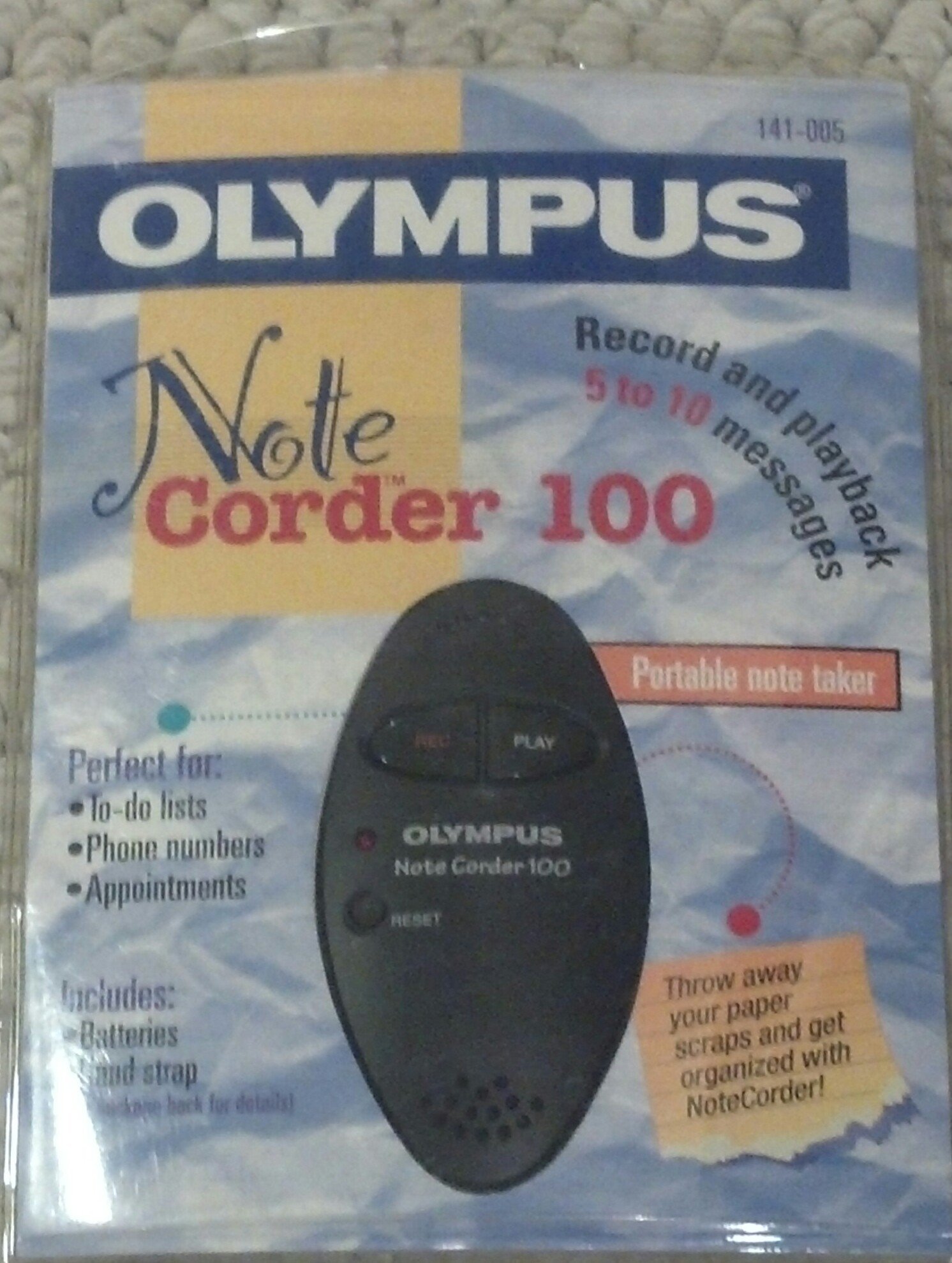
Image: The Olympus Note Corder 100 digital voice recorder, packaged. This image illustrates the product's compact design and highlights its primary features such as ergonomic design, 20-second recording time, and an LED indicator.
The Olympus Note Corder 100 is a compact, portable digital voice recorder designed for quick and convenient voice memos. Its ergonomic design ensures comfortable handling, making it ideal for recording short notes on the go.
Key Features:
- Ergonomic Design: Fits comfortably in the palm of your hand.
- 20-Second Recording Time: Ideal for short, concise messages.
- LED Indicator: Provides visual feedback on device status.
- Built-in Memory: Stores recordings internally.
- Portable Format: Easy to carry and use anywhere.
Setup
1. Battery Installation
The Note Corder 100 requires two (2) CR2032 1.5V batteries for operation. Ensure correct polarity when inserting the batteries.
- Locate the battery compartment cover on the device.
- Open the cover by sliding or lifting it according to the markings.
- Insert two CR2032 batteries, observing the positive (+) and negative (-) terminals.
- Close the battery compartment cover securely.
2. Attaching the Hand Strap
Attach the included hand strap to prevent accidental drops and for convenient carrying.
- Locate the strap attachment point on the device.
- Thread the thin loop of the hand strap through the attachment point.
- Pass the main strap through the loop and pull firmly to secure it.
Operating Instructions
1. Recording Messages
The Note Corder 100 allows for quick voice recordings up to 20 seconds in length.
- Press and hold the Record button. The LED indicator will illuminate.
- Speak clearly into the built-in microphone.
- Release the Record button to stop recording. The LED indicator will turn off.
- If the recording exceeds 20 seconds, the device will automatically stop recording.
2. Playing Back Messages
To listen to your recorded messages:
- Press the Play button. The device will play back the last recorded message.
- To stop playback, press the Play button again.
3. LED Indicator
The LED indicator provides visual cues for the device's status:
- Illuminated during Record: Indicates active recording.
- Off: Indicates standby or stopped recording/playback.
Maintenance
1. Battery Replacement
Replace batteries when the device's performance degrades or the LED indicator suggests low power.
- Follow the battery installation steps outlined in the Setup section.
- Always use two new CR2032 1.5V batteries.
- Dispose of old batteries responsibly according to local regulations.
2. Cleaning
Keep your Note Corder 100 clean to ensure optimal performance.
- Wipe the exterior of the device with a soft, dry cloth.
- Do not use liquid cleaners, solvents, or abrasive materials.
- Avoid getting moisture into any openings.
Troubleshooting
| Problem | Possible Cause | Solution |
|---|---|---|
| Device does not power on. | Batteries are depleted or incorrectly inserted. | Replace batteries with new CR2032 cells, ensuring correct polarity. |
| Cannot record messages. | Record button not held down, or batteries are low. | Ensure the Record button is pressed and held during recording. Check and replace batteries if necessary. |
| No sound during playback. | No message recorded, or low battery. | Verify a message has been recorded. Replace batteries. |
Specifications
- Model: Olympus Note Corder 100 (Model No. 141-005)
- Recording Time: Up to 20 seconds per message
- Power Source: 2 x CR2032 1.5V Lithium Batteries
- Memory: Built-in (non-expandable)
- Microphone: Integrated
- PC Connection: Not supported
- Voice Activation: Not supported
- Year of Introduction: 1996
Warranty and Support
The Olympus Note Corder 100 comes with a 90-day limited warranty from the date of purchase. This warranty covers manufacturing defects under normal use.
For warranty claims or technical support, please contact Olympus America Inc. at the address below. Please have your proof of purchase and product model number ready.
Olympus America Inc.Two Corporate Center Drive
Melville, NY 11747-3157 USA
Note: This product was manufactured in China.


