
1. Introduction
Thank you for purchasing the Binatone MR200 Two-Way Radio. This manual provides essential information for the safe and efficient operation of your device. Please read it thoroughly before use and retain it for future reference.
The Binatone MR200 is designed for clear, reliable communication over short to medium distances, ideal for various activities such as camping, hiking, or general family use. This twin pack includes two radios for immediate communication.
2. Package Contents
Upon unpacking, please ensure all items are present and in good condition:
- 2 x Binatone MR200 Two-Way Radios
- 1 x User Manual
If any items are missing or damaged, please contact your retailer.
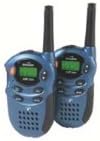
Image: Two Binatone MR200 Two-Way Radios, metallic blue, shown side-by-side. Each radio features an antenna, a display screen, and control buttons.
3. Product Features
- 8 Channels: Provides multiple communication options to avoid interference.
- Up to 2-Mile Range: Effective communication range in optimal conditions.
- Compact Design: Easy to carry and handle.
- Clear Audio: Designed for clear voice transmission and reception.
4. Setup
4.1. Battery Installation
- Ensure the radio is turned off.
- Locate the battery compartment cover on the back of the radio.
- Slide or unclip the cover to open the compartment.
- Insert the required batteries (e.g., AAA or rechargeable pack, not specified in product data, refer to packaging for exact type) according to the polarity markings (+/-) inside the compartment.
- Replace the battery compartment cover, ensuring it clicks securely into place.
4.2. Basic Controls Overview
- Power Button: Turns the radio on or off.
- Channel Up/Down Buttons: Selects communication channels.
- PTT (Push-To-Talk) Button: Press and hold to transmit your voice.
- Volume Control: Adjusts the listening volume.
- Display Screen: Shows current channel, battery status, and other indicators.
5. Operating the Radio
5.1. Turning On/Off
Press and hold the Power Button until the display screen illuminates (to turn on) or turns off (to turn off).
5.2. Adjusting Volume
Use the dedicated Volume Control (if present, or Channel Up/Down buttons in some modes) to increase or decrease the listening volume to a comfortable level.
5.3. Selecting Channels
Use the Channel Up and Channel Down buttons to select one of the 8 available channels. Both radios must be on the same channel to communicate.
5.4. Transmitting (Talking)
- Ensure your radio and the receiving radio are on the same channel.
- Press and hold the PTT (Push-To-Talk) Button.
- Speak clearly into the microphone, holding the radio approximately 5-10 cm from your mouth.
- Release the PTT Button when you have finished speaking to allow the other party to respond.
5.5. Receiving (Listening)
When the PTT button is not pressed, the radio is in receive mode. You will hear incoming transmissions from other radios on the same channel.
5.6. Range Considerations
The maximum range of 2 miles is achieved in optimal conditions (e.g., open, flat terrain with no obstructions). Obstacles such as buildings, hills, and dense foliage, as well as electromagnetic interference, can significantly reduce the effective communication range.
6. Maintenance
6.1. Cleaning
Wipe the radio surfaces with a soft, damp cloth. Do not use abrasive cleaners or solvents, as these can damage the casing. Ensure no moisture enters the battery compartment or other openings.
6.2. Storage
When not in use for extended periods, remove the batteries to prevent leakage and store the radios in a cool, dry place away from direct sunlight and extreme temperatures.
7. Troubleshooting
If you experience issues with your Binatone MR200 radio, please refer to the following common problems and solutions:
- No Power:
- Check if batteries are correctly installed with correct polarity.
- Replace old or depleted batteries with new ones.
- Ensure the power button is pressed and held sufficiently.
- Cannot Transmit or Receive:
- Verify both radios are turned on and have sufficient battery power.
- Ensure both radios are set to the exact same channel.
- Check if you are within the effective communication range.
- Ensure the PTT button is fully pressed when transmitting and released when receiving.
- Poor Audio Quality or Short Range:
- Adjust the volume level.
- Move to a location with fewer obstructions (e.g., away from buildings, hills).
- Ensure batteries are not low.
- Avoid sources of strong electromagnetic interference.
If the problem persists after trying these solutions, please contact customer support.
8. Specifications
- Brand: Binatone
- Model: MR200
- Number of Channels: 8
- Maximum Talk Range: 2 Miles (approx. 3.2 km)
- Package Dimensions: 21.84 x 16.26 x 4.32 cm
- Product Weight: 295 g
9. Safety Information
- Do not operate the radio in explosive atmospheres (e.g., near flammable gases, dust, or powders).
- Do not expose the radio to extreme temperatures, direct sunlight, or excessive moisture.
- Keep the radio out of reach of small children.
- Use only approved batteries and accessories.
- Do not attempt to disassemble or modify the radio. This will void the warranty and may cause damage or injury.
- Avoid prolonged exposure to loud volume levels, which can cause hearing damage.
10. Warranty and Support
Binatone products are manufactured to high-quality standards. This product is covered by a limited warranty against defects in materials and workmanship. Specific warranty terms and conditions may vary by region and retailer. Please retain your proof of purchase for warranty claims.
For technical support, troubleshooting assistance, or warranty inquiries, please refer to the contact information provided with your purchase or visit the official Binatone website.


