
Introduction
The Maverick Digital Deep Fry & Candy Thermometer, Model CT-03, is designed for precise temperature monitoring during candy making and deep frying. This thermometer features 14 pre-programmed settings, an 8-inch stainless steel probe, a fold-up splatter and heat shield, a large digital display, and audible/visual alerts to ensure accurate and safe cooking results.
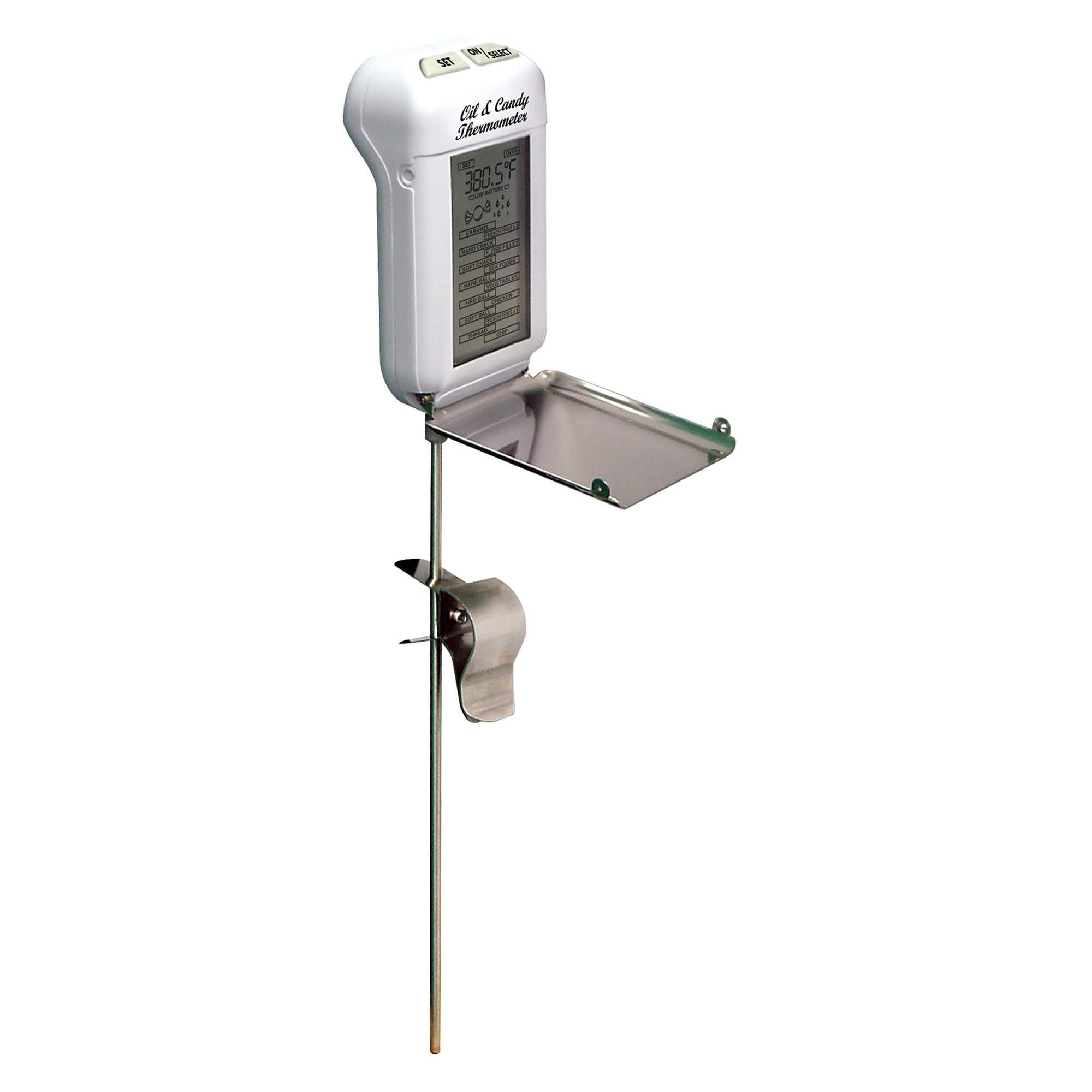
Image: The Maverick Digital Deep Fry & Candy Thermometer (Model CT-03) shown in use with candy.
Product Overview
Familiarize yourself with the components of your Maverick Digital Deep Fry & Candy Thermometer:
- Large, Easy-to-Read Digital Display: Provides clear temperature readings.
- 14 Pre-Programmed Temperature Settings: For various candy and deep-fry recipes.
- Fold-Up Splatter and Heat Shield: Protects the unit from splashes and heat, and folds for compact storage.
- 8-inch Stainless Steel Probe: Ensures safe distance from hot liquids and accurate temperature measurement.
- Vessel Clip: For hands-free attachment to pots and pans.

Image: Detailed view of the thermometer with callouts for its key features including the display, pre-programmed settings, splatter shield, and probe.
Setup
Battery Installation
- Locate the battery compartment on the back of the thermometer.
- Open the compartment cover.
- Insert one (1) AA battery, ensuring correct polarity (+/-). A new AA battery is included with the unit.
- Close the battery compartment cover securely.
Operating Instructions
Power On/Off
Press the 'ON/OFF' button to turn the thermometer on or off. The unit will automatically shut off after a period of inactivity to conserve battery life.
Temperature Measurement
- Ensure the thermometer is powered on.
- Attach the vessel clip to the side of your pot or pan.
- Insert the 8-inch stainless steel probe into the liquid (oil, candy mixture), ensuring the probe tip is fully immersed but not touching the bottom or sides of the vessel.
- The current temperature will be displayed on the large digital screen.
Using Pre-Programmed Settings
The thermometer includes 14 pre-programmed temperature settings for common candy and deep-fry applications. To use:
- Press the 'SET' button to cycle through the available pre-programmed settings.
- Once your desired setting is selected, the thermometer will monitor the temperature.
- When the target temperature is reached, the thermometer will emit an audible alert and the display will flash, indicating that your food has reached the desired temperature.
Switching Temperature Units (°F/°C)
To switch between Fahrenheit (°F) and Celsius (°C), locate the °F/°C button (usually on the back or side of the unit) and press it. The display will change accordingly.

Image: The thermometer clipped to the side of a pot containing cooking oil, demonstrating proper placement for temperature monitoring.
Care and Maintenance
Cleaning
The Maverick Digital Deep Fry & Candy Thermometer is designed for easy cleaning. Please follow these instructions:
- Hand Wash Only: Do not immerse the main unit in water. Wipe the main unit with a damp cloth.
- The stainless steel probe can be wiped clean with a damp cloth and mild detergent. Rinse thoroughly.
- Ensure the unit is completely dry before storage.
Storage
When not in use, fold down the splatter/heat shield for compact storage. Store the thermometer in a dry place away from extreme temperatures.
Troubleshooting
- Display Not Working: If the display is blank or showing faint readings, check the battery. Replace with a fresh AA battery if necessary.
- Inaccurate Readings: Ensure the probe tip is fully immersed in the liquid and not touching the bottom or sides of the pot, which can lead to incorrect temperature readings. Allow sufficient time for the temperature to stabilize (response time is approximately 3 seconds).
- Alerts Not Sounding: Verify that a pre-programmed setting has been selected. Check the battery level, as low battery can affect alert functionality.
Specifications
| Brand | MAVERICK |
| Model | CT-03 |
| Temperature Range | 32°F to 392°F (0°C to 200°C) |
| Probe Length | 8 Inches |
| Display Type | Digital |
| Power Source | 1 AA Battery (included) |
| Special Features | Fold-up Splatter / Heat-Shield, Audible & Visual Alerts, 14 Pre-Programmed Settings |
| Care Instructions | Hand Wash Only |
| Resolution | 0.1 degree |
| Response Time | 3000 Milliseconds (3 seconds) |

Image: An infographic summarizing the key features and temperature range of the thermometer.
Warranty Information
This Maverick product is covered by a LIMITED ONE YEAR WARRANTY. Maverick Industries will repair or replace the unit within 1 year from the date of purchase, provided it is used according to the instructions and for its intended purpose. Please retain your proof of purchase for warranty claims.
Support
For further assistance, product information, or to inquire about replacement parts, please visit the official MAVERICK website or contact their customer support directly. Contact details can typically be found on the product packaging or the manufacturer's website.


