
Introduction
This manual provides comprehensive instructions for the D-Link DWL-122 802.11b 11 Mbps USB Adapter. This device enables wireless connectivity for your computer, allowing you to connect to 802.11b wireless networks at speeds up to 11 Mbps. It is designed for use with Windows XP/2000/Me/98SE and Mac OS X (v. 10.2 or later) operating systems.
Package Contents
- DWL-122 Wireless USB Adapter
- USB Extension Cable
- Manual and Drivers on CD-ROM
- Quick Installation Guide
Note: Latest software and documentation are available at http://support.dlink.com.
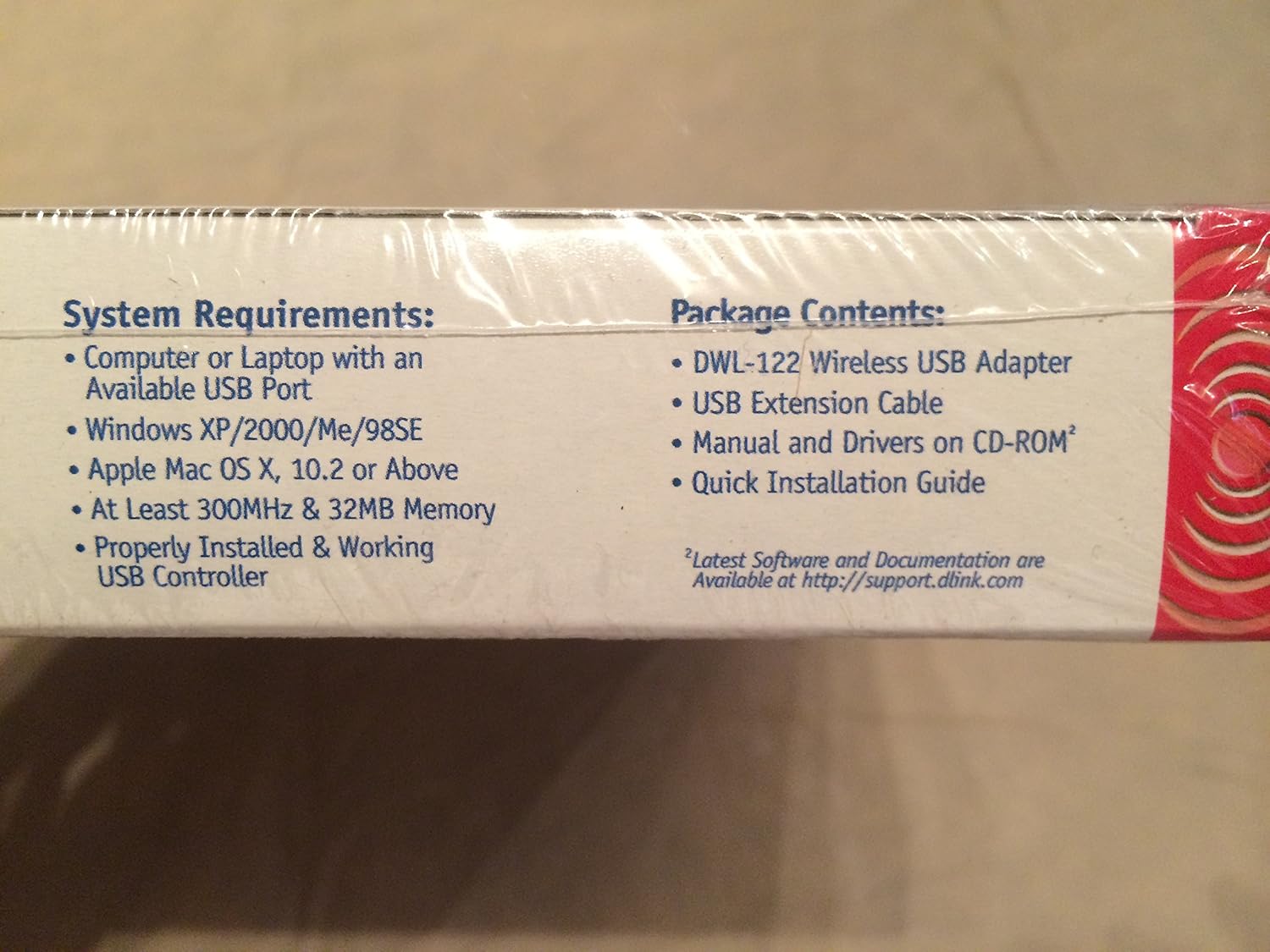
System Requirements
- Computer or Laptop with an Available USB Port
- Windows XP/2000/Me/98SE or Apple Mac OS X (v. 10.2 or Later)
- At least 300MHz Processor & 32MB Memory
- Properly Installed & Working USB Controller
Setup and Installation
1. Driver Installation
- Insert the provided CD-ROM into your computer's optical drive.
- Follow the on-screen instructions to install the necessary drivers for the DWL-122 adapter.
- For the latest drivers and software, visit the official D-Link support website: http://support.dlink.com.
2. Hardware Connection
- Locate an available USB port on your computer.
- Plug the D-Link DWL-122 USB Adapter directly into the USB port.
- If needed, use the included USB extension cable to position the adapter for optimal signal reception.


Operating Instructions
Connecting to a Wireless Network
- After driver installation and hardware connection, your operating system should detect the DWL-122 adapter.
- Access your computer's wireless network settings (e.g., Network Connections in Windows, Network Preferences in Mac OS X).
- Scan for available wireless networks (SSIDs).
- Select your desired network from the list and enter the network key or passphrase if prompted.
- The adapter should now connect to the wireless network.
Security
The DWL-122 supports 64-bit or 128-bit WEP encryption to secure your wireless transmissions. Ensure your wireless network is configured with WEP for basic security. Consult your wireless router's manual for WEP setup instructions.
Optimizing Signal Reception
The included USB extension cable allows you to position the DWL-122 adapter away from your computer, potentially improving wireless signal strength and stability. Experiment with different positions to find the best reception, avoiding obstructions and other electronic devices that may cause interference.
Maintenance
The D-Link DWL-122 USB Adapter requires minimal maintenance to ensure continued performance.
- Keep the device clean and free from dust. Use a soft, dry cloth for cleaning.
- Avoid exposing the adapter to extreme temperatures, direct sunlight, or moisture.
- Ensure the USB connection is secure and not under strain.
- Periodically check the D-Link support website (http://support.dlink.com) for updated drivers to ensure optimal performance and compatibility with your operating system.
Troubleshooting
- Connection Drops or Instability: If the wireless connection is unstable or frequently drops, try repositioning the adapter using the USB extension cable. Ensure there are no major physical obstructions or sources of electromagnetic interference (e.g., cordless phones, microwaves, large metal objects) between the adapter and your wireless router.
- Driver Issues: Verify that the correct drivers for your specific operating system (Windows XP/2000/Me/98SE or Mac OS X 10.2+) are properly installed. If issues persist, uninstall the current drivers and reinstall them from the provided CD-ROM or download the latest version from http://support.dlink.com.
- Adapter Not Recognized: Ensure the adapter is firmly plugged into a working USB port. Try a different USB port on your computer. Restarting your computer may also resolve detection issues. Check your operating system's Device Manager (Windows) or System Information (Mac OS X) to see if the device is listed.
- Cannot Connect to Network: Double-check the wireless network name (SSID) and security key (WEP password). Ensure your wireless router is powered on and broadcasting a signal. Confirm that the adapter's wireless utility or operating system's network settings are configured to connect to the correct network.
For further assistance, refer to the D-Link support website or contact D-Link technical support.
Specifications
| Feature | Detail |
|---|---|
| Product Dimensions | 3.25 x 1.07 x 0.47 inches |
| Item Weight | 0.16 ounces (0.01 Pounds) |
| Model Number | DWL-122 |
| Brand | D-Link |
| Hardware Interface | USB |
| Compatible Devices | Desktop, Laptop |
| Data Link Protocol | USB |
| Data Transfer Rate | 11 Megabits Per Second (802.11b) |
| Compatible Operating System Family | MacOS, Windows |
| UPC | 790069255113 |
| Manufacturer | D-Link Systems, Inc. |
| Date First Available | June 18, 2003 |
Warranty and Technical Support
For detailed warranty information, product registration, and technical assistance, please visit the official D-Link support website. D-Link provides resources and support to help you with any product-related inquiries.
D-Link Support Website: http://support.dlink.com
D-Link also offers 24/7 technical support for its products.


