
Introduction
Thank you for choosing the Pentax PF-80ED 80mm Straight Spotting Scope. This high-performance optical instrument is designed to provide clear, bright, and distortion-free images for various viewing applications, including nature observation, birdwatching, and target shooting. Featuring an 80mm objective lens with ED (Extra-low Dispersion) glass, lanthanum glass elements, BaK4 prisms, and SMC multi-layer coatings, this scope delivers exceptional optical quality. Please read this manual thoroughly to ensure proper use and maintenance of your spotting scope.
Safety Information
- Never look directly at the sun through the spotting scope. This can cause severe and permanent eye damage.
- Keep the objective lens cap on when not in use to protect the lens from dust and scratches.
- Store the scope in its field case in a cool, dry place away from direct sunlight and extreme temperatures.
- Keep out of reach of children.
What's in the Box
Upon unpacking, please verify that all the following items are included:
- Pentax PF-80ED 80mm Spotting Scope
- Objective Lens Cap
- Eyepiece Cap
- Carrying Case
- Limited 1-Year Warranty Information
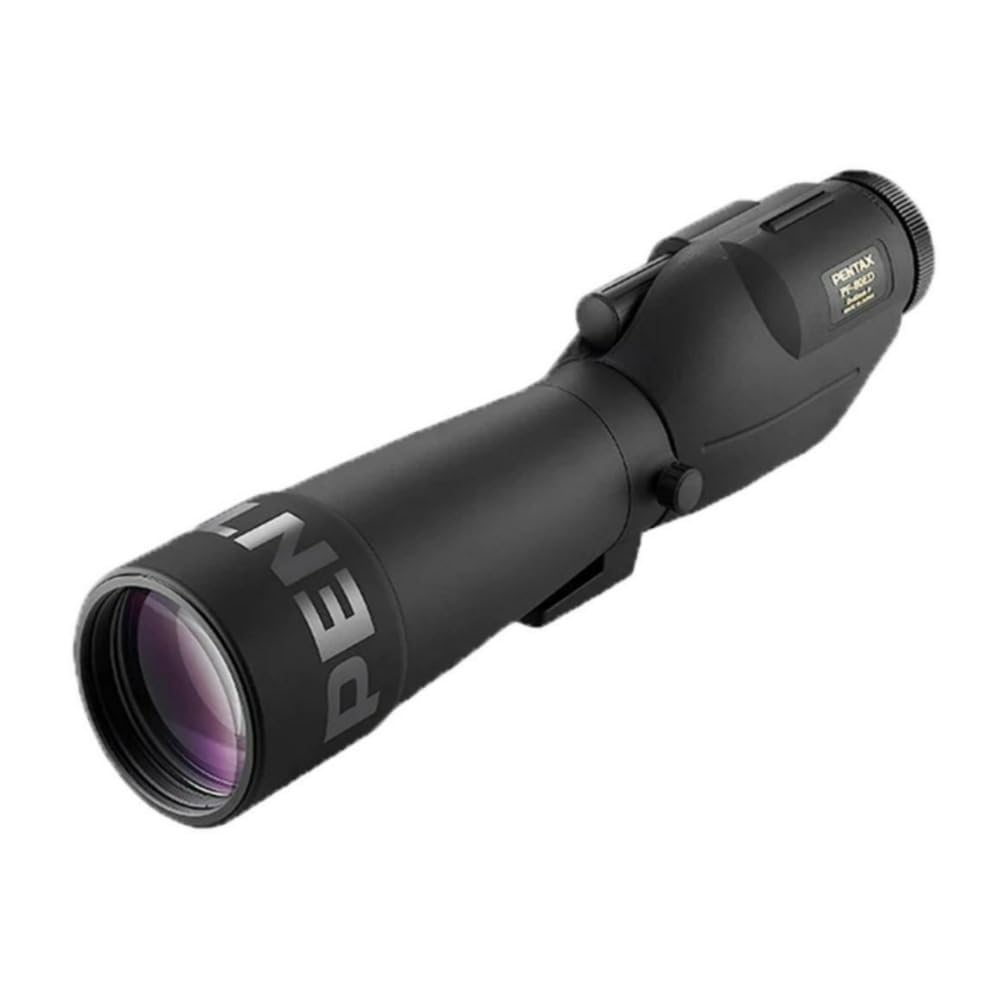
Image: The Pentax PF-80ED 80mm Straight Spotting Scope, showing its main body, objective lens, and eyepiece. The scope is black with 'PENTAX PF-80ED' visible on the side.
Setup
1. Attaching the Eyepiece
- Remove the eyepiece cap from the spotting scope body and the cap from your chosen eyepiece (sold separately).
- Carefully insert the eyepiece into the eyepiece holder on the scope body.
- Secure the eyepiece by tightening the retaining screw (if present) gently until the eyepiece is firm. Do not overtighten.
2. Mounting on a Tripod
- Locate the tripod mounting foot on the underside of the spotting scope.
- Attach the scope to a sturdy tripod using the standard 1/4-inch or 3/8-inch tripod screw. Ensure the connection is secure to prevent accidental drops.
- Adjust the tripod height and angle for comfortable viewing.
Operating
1. Initial Viewing
- Remove the objective lens cap.
- Point the spotting scope towards your desired subject.
- Look through the eyepiece.
2. Focusing
The Pentax PF-80ED features a center focus mechanism for precise adjustments.
- Locate the focus knob on the side of the scope body.
- Rotate the focus knob slowly in either direction until the image appears sharp and clear.
- For fine adjustments, turn the knob incrementally until optimal clarity is achieved.

Image: A closer view of the Pentax PF-80ED Spotting Scope, highlighting the central focus knob located on the side of the main body for easy adjustment.
3. Eyepiece Adjustment (if applicable)
If your eyepiece has a twist-up eyecup, adjust it for comfortable viewing with or without eyeglasses. Twist it up for viewing without glasses and twist it down for viewing with glasses.
Maintenance
Cleaning the Lenses
- Use a soft brush or compressed air to remove dust particles from the lens surfaces.
- For smudges or fingerprints, apply a small amount of lens cleaning fluid to a clean microfiber cloth and gently wipe the lens in a circular motion.
- Avoid using abrasive cloths or harsh chemicals, as these can damage the lens coatings.
Storage
- Always replace the objective lens cap and eyepiece cap when the scope is not in use.
- Store the spotting scope in its provided carrying case to protect it from impacts and environmental elements.
- Store in a dry, well-ventilated area. The scope is designed to be fog-free and waterproof, but proper storage extends its lifespan.
Troubleshooting
- Image is blurry or out of focus: Adjust the center focus knob until the image is sharp. Ensure the eyepiece is correctly seated and secured.
- Dark or obstructed view: Check if the objective lens cap or eyepiece cap has been fully removed. Ensure no debris is blocking the objective lens or eyepiece.
- Unstable image: Ensure the spotting scope is securely mounted on a stable tripod. Check for any loose connections.
- Condensation inside the scope: While the scope is fog-free, extreme temperature changes can sometimes cause temporary condensation. Allow the scope to acclimate to the ambient temperature. Do not attempt to disassemble the scope.
Specifications
| Feature | Detail |
|---|---|
| Brand | Pentax |
| Model Name | PF-80ED |
| Model Number | 70930 |
| Objective Lens Diameter | 80 Millimeters |
| Optical Tube Length | 397 Millimeters |
| Focal Length Description | 80 mm |
| Eye Piece Lens Description | Plössl (Note: Eyepiece sold separately) |
| Focus Type | Center Focus |
| Telescope Mount Description | Altazimuth Mount |
| Item Weight | 1400 Grams |
| Coating | UV protection |
| Additional Features | Fog-free, Waterproof, UV-protected lens, Full Size, Zoom (with compatible eyepiece) |
| Compatible Devices | Camera, Smartphone, Mounts |
| UPC | 027075048744 |
Warranty Information
The Pentax PF-80ED Spotting Scope comes with a Limited 1-Year Warranty. Please refer to the warranty card included in your product packaging for detailed terms and conditions, including coverage, limitations, and how to make a claim. Keep your proof of purchase for warranty service.
Customer Support
For technical assistance, service, or inquiries regarding your Pentax PF-80ED Spotting Scope, please contact Pentax customer support. Refer to the official Pentax website or your product documentation for the most current contact information.
- Online Support: Visit the official Pentax website for FAQs, support resources, and contact forms.
- Telephone Support: Check your regional Pentax website for local support numbers.

