
1. Introduction
This manual provides essential information for the proper use and care of your Leica 50mm f/2.0 Summicron-M Manual Focus Lens, Model 11826. This high-performance standard lens is renowned for its optical quality and compact design, making it a classic choice for Leica M-system cameras.

Figure 1.1: Front view of the Leica 50mm f/2.0 Summicron-M lens, showing the aperture and focus rings.
2. Setup and Installation
2.1 Attaching the Lens
- Ensure your camera body is clean and free of dust.
- Remove the rear lens cap from the lens and the body cap from your camera.
- Align the red dot on the lens barrel with the corresponding red dot on your Leica M-mount camera body.
- Gently insert the lens into the camera mount and rotate it clockwise until it clicks securely into place. Do not force the lens.

Figure 2.1: Rear view of the lens with the protective cap installed. The red dot for alignment is visible.
2.2 Removing Lens Caps
- To remove the front lens cap, gently pull it off the front of the lens.
- To remove the rear lens cap, twist it counter-clockwise while holding the lens firmly.
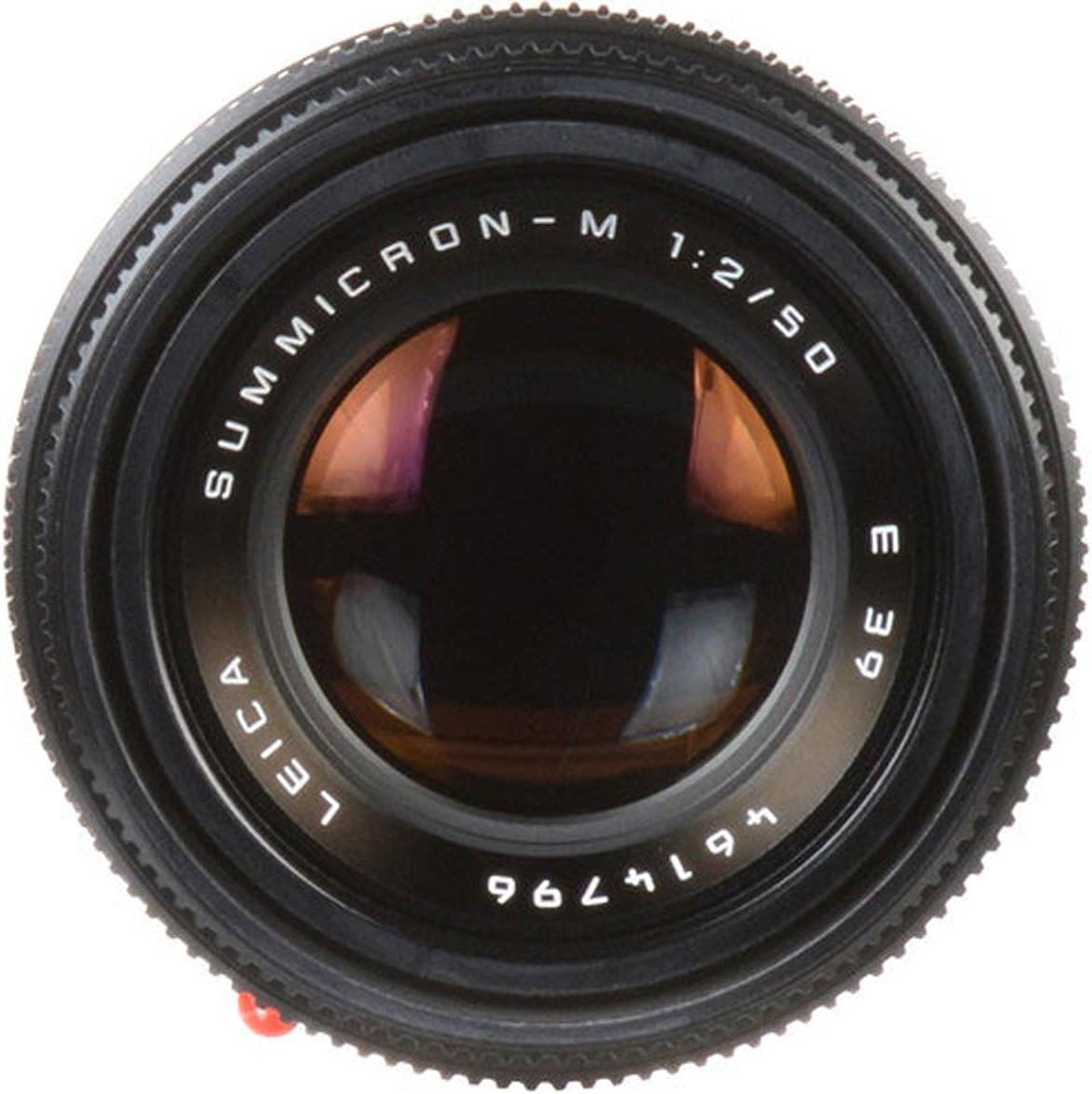
Figure 2.2: The front optical element of the lens. Always keep this surface clean and protected.
2.3 Using the Built-in Lens Hood
The Leica 50mm f/2.0 Summicron-M features a built-in telescoping lens hood. To deploy, gently pull the hood forward until it locks into position. To retract, push it back until it sits flush with the lens barrel. The lens hood helps to reduce flare and protect the front element.

Figure 2.3: Top-down view of the lens, showing the aperture ring (f/2 to f/16) and focus distance scale in feet and meters.
3. Operating the Lens
3.1 Manual Focusing
This is a manual focus lens. Rotate the focus ring to adjust the focus distance. The distance scale is marked in both meters (m) and feet (feet). For optimal sharpness, use your camera's rangefinder or live view focusing aids.

Figure 3.1: Side view highlighting the textured focus ring and distance markings.
3.2 Adjusting Aperture
The aperture ring is located at the front of the lens. Rotate it to select your desired f-stop, ranging from f/2.0 (wide open) to f/16 (stopped down). Smaller f-numbers (e.g., f/2.0) result in a shallower depth of field, while larger f-numbers (e.g., f/16) provide a greater depth of field.

Figure 3.2: Angled view of the lens, clearly showing the aperture ring with f-stop values and the focus distance scale.
3.3 Depth of Field Scale
The lens features a depth of field scale, indicated by lines corresponding to aperture values. This scale allows you to estimate the range of acceptable sharpness at a given aperture and focus distance. For example, if you set the lens to f/8 and focus at 5 meters, the scale will show the approximate near and far limits of acceptable focus.
3.4 6-bit Coding
This lens includes "6-bit coding," which allows compatible digital Leica M cameras (such as the M8) to identify the lens type. This information is then stored in the image metadata and can be used for lens-specific corrections or profiles within the camera or post-processing software.
4. Maintenance and Care
4.1 Cleaning the Lens
- Lens Elements: Use a soft lens brush or a blower to remove loose dust. For smudges or fingerprints, apply a small amount of lens cleaning fluid to a clean microfiber lens cloth and gently wipe in a circular motion from the center outwards. Avoid touching the glass with your fingers.
- Lens Barrel: Wipe the lens barrel with a clean, dry, soft cloth. Do not use harsh chemicals or solvents.
4.2 Storage
When not in use, always attach both front and rear lens caps. Store the lens in a cool, dry place, away from direct sunlight and extreme temperatures. The included soft leather lens case provides additional protection during storage and transport.
5. Troubleshooting
- Blurry Images: Ensure the lens is properly focused using the rangefinder or live view. Check that the aperture is set appropriately for your desired depth of field. Verify that the lens is securely mounted to the camera body.
- Dust on Sensor/Images: While this is typically a camera body issue, ensure the rear element of the lens is clean before mounting. Avoid changing lenses in dusty environments.
- Lens Not Mounting: Double-check the alignment of the red dots on the lens and camera body. Do not force the lens; if it doesn't mount easily, re-align and try again.
6. Specifications
| Feature | Detail |
|---|---|
| Focal Length | 50 mm |
| Maximum Aperture | f/2.0 |
| Minimum Aperture | f/16 |
| Lens Type | Standard, Manual Focus |
| Compatible Mountings | Leica M |
| Product Dimensions | 3 x 3 x 3 inches |
| Item Weight | 8.5 ounces |
| Model Number | 11826 |
| Manufacturer | Leica |
7. Warranty and Support
Your Leica 50mm f/2.0 Summicron-M Manual Focus Lens (Model 11826) is covered by a 3-Year Limited Warranty and a 3-Year Passport Warranty. For warranty claims, technical support, or service inquiries, please contact Leica customer service or visit the official Leica website. Ensure you retain your proof of purchase for warranty validation.
Manufacturer: Leica
For further assistance, please refer to the official Leica support channels.


