
Dualit 40421
Dualit Classic 4 Slice NewGen Toaster
Instruction Manual
Model: 40421
Introduction
Thank you for choosing the Dualit Classic 4 Slice NewGen Toaster. Engineered in England and hand-assembled, this toaster is designed for durability and exceptional performance. Its robust stainless steel and enameled steel housing, combined with unique ProHeat elements, ensures even browning and long-lasting use. This manual provides essential information for safe and effective operation, maintenance, and care of your toaster.
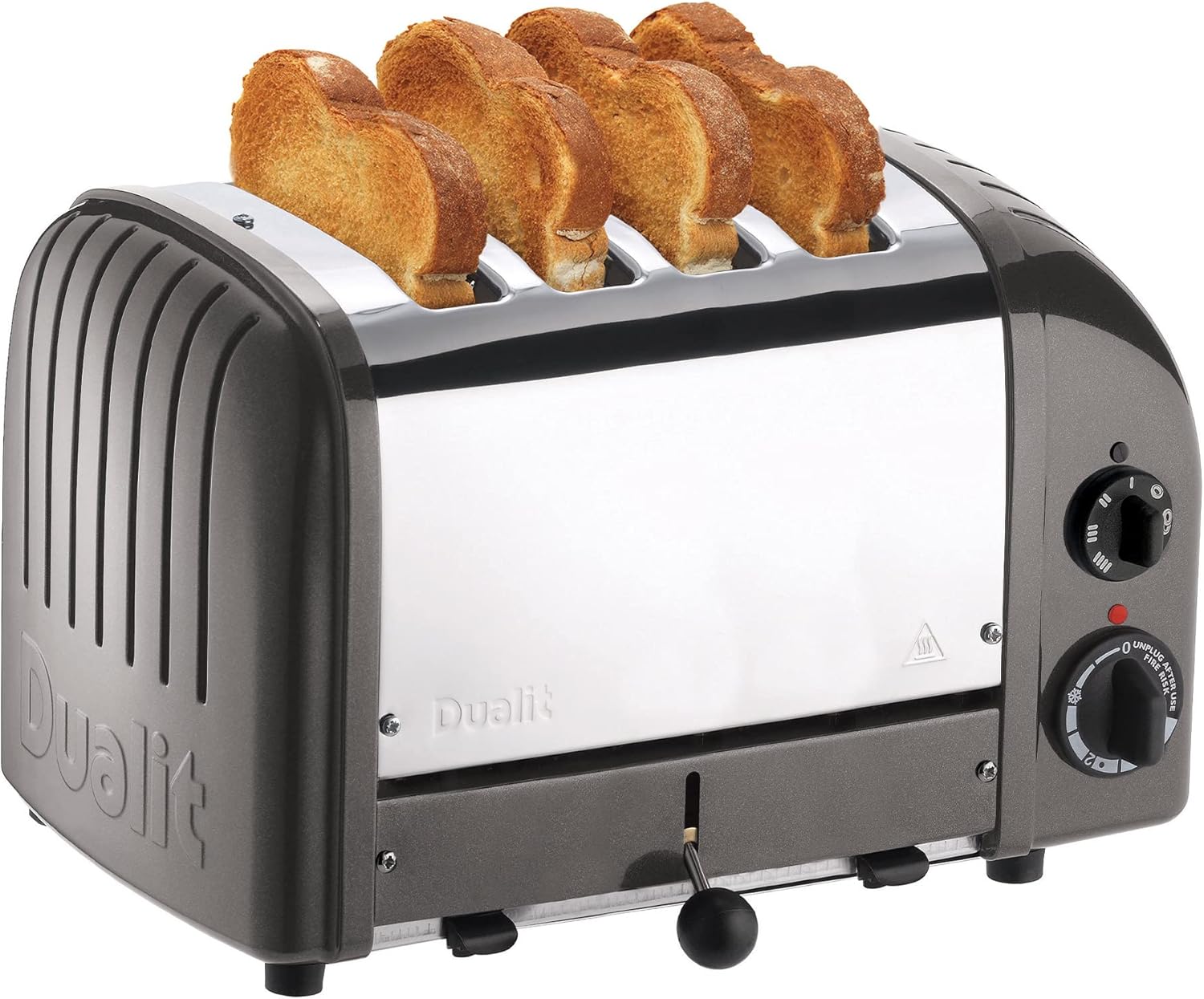
Image: The Dualit Classic 4 Slice NewGen Toaster, showcasing its charcoal and stainless steel design with toast in its slots.
Key Features
- Hand Built in the UK: Each toaster is meticulously hand-assembled, ensuring high quality and attention to detail.
- Replaceable ProHeat Elements: Patented ProHeat elements maximize efficiency and offer long-lasting use, designed for easy replacement to extend product life.
- Mechanical Timer: Provides precise control over browning levels with a clear timer knob and auto shut-off.
- Extra-Wide Slots: Accommodates various bread types, including large bagels and thick bread slices.
- Selector Controls: Allows independent operation of different slots for energy efficiency.
- Defrost Function: Conveniently thaws frozen food items before toasting.
- Removable Crumb Tray: Simplifies cleaning and maintenance.
- Durable Construction: Insulated stainless-steel body for improved toasting efficiency and longevity.
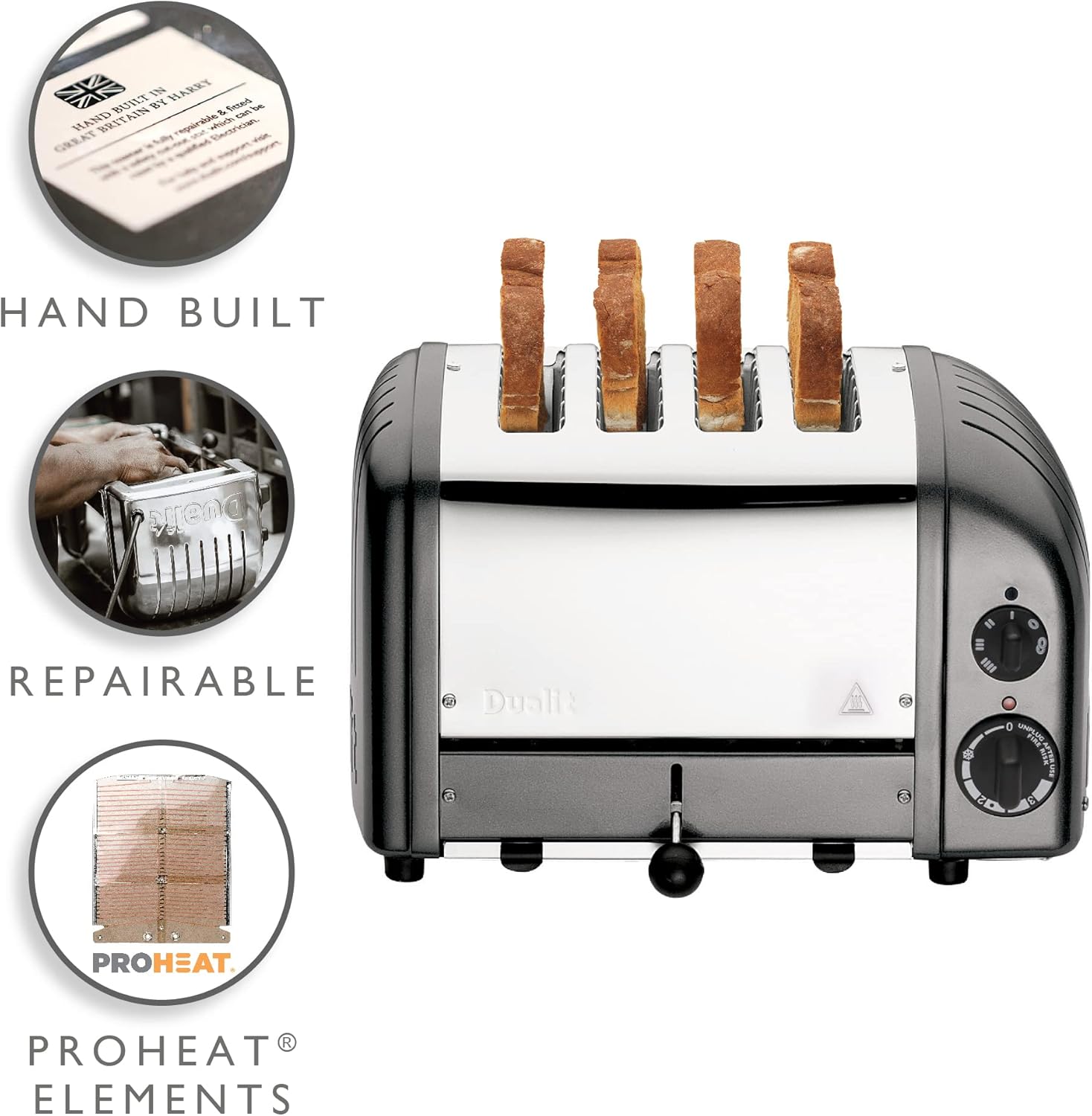
Image: A visual breakdown of the toaster's key attributes, highlighting its hand-built nature, repairability, and ProHeat elements.

Image: A stack of various Dualit Classic toasters, emphasizing their "Made in the UK" heritage and hand-built quality.

Image: A detailed view of the ProHeat element, illustrating its protective covering, even toasting capabilities, and replaceability.
Safety Information
Please read all instructions carefully before using your Dualit toaster. Failure to follow these instructions may result in electric shock, fire, or serious injury.
- Always unplug the toaster from the power outlet when not in use, before cleaning, or if a fault occurs.
- Do not immerse the toaster, cord, or plug in water or any other liquid.
- Do not operate the toaster with a damaged cord or plug. If damaged, contact qualified service personnel.
- Ensure adequate ventilation around the toaster during use. Do not place it near walls, under cabinets, or near flammable materials.
- Never leave the toaster unattended while in operation.
- Bread may burn. Therefore, toasters must not be used near or below curtains and other combustible materials. They must be attended.
- Do not insert oversized foods, metal foil packages, or utensils into the toaster slots as this may create a risk of fire or electric shock.
- Do not use the toaster for purposes other than toasting bread products.
- The exterior surfaces of the toaster become hot during use. Use handles or knobs.
- Children should be supervised to ensure that they do not play with the appliance.
Setup
- Unpacking: Carefully remove the toaster from its packaging. Retain the packaging for future storage or transport.
- Placement: Place the toaster on a stable, heat-resistant, non-slip surface, away from the edge of the countertop. Ensure there is sufficient clearance (at least 4 inches) from walls, cabinets, and other objects to allow for proper ventilation.
- Power Connection: Plug the power cord into a grounded electrical outlet. Ensure the voltage rating on the toaster matches your household's power supply.
- First Use: Before toasting food, operate the toaster for a few cycles without bread on the highest setting to burn off any manufacturing residues. A slight odor or smoke may be present; this is normal and will dissipate.
Operating Instructions
The Dualit Classic Toaster features manual controls for precise toasting.

Image: A detailed diagram illustrating the various components and controls of the Dualit toaster.
- Insert Bread: Place slices of bread, bagels, or other suitable items into the toaster slots. The extra-wide slots accommodate various sizes.
- Select Slots (Energy Efficient Slot Selector): Use the upper rotary switch to select the desired number of slots to activate (e.g., 2 slices, 4 slices). This allows you to save energy when toasting fewer items.
- Set Browning Level (Mechanical Timer): Turn the lower rotary knob to set your desired browning level. The numbers (0-3) indicate the toasting duration. Experiment to find your preferred setting. The snowflake symbol activates the defrost function.
- Start Toasting: The toaster will begin toasting automatically once the timer is set and slots are selected. The red indicator light will illuminate.
- Manual Ejector Lever: Unlike automatic pop-up toasters, the Dualit Classic Toaster features a manual ejector lever. When the timer finishes, the toast will remain in the slots. Pull down the black ball lever to raise the toast for inspection or removal. This allows you to check progress without interrupting the toasting cycle and keeps toast warm until ready.
- Defrost Function: If toasting frozen bread, turn the mechanical timer knob to the snowflake symbol. This will extend the toasting time to first defrost and then toast the bread.

Image: A close-up of the energy efficient slot selector, allowing users to activate specific slots for toasting.

Image: Perfectly toasted bread with jam and a cup of tea, demonstrating the toaster's output.
Official Product Videos:
Video: "How the Classic Toaster is Made" by Electra-Craft. This video demonstrates the meticulous hand-assembly process of the Dualit Classic Toaster, highlighting the craftsmanship and quality control involved in its production.
Video: "Dualit Classic NewGen Toaster" by Electra-Craft. This video provides an overview of the Dualit Classic NewGen Toaster, showcasing its design and key features in action.
Video: "Dualit Classic 4-Slice Toaster, Charcoal" by Merchant Video. This video offers a brief demonstration of the charcoal 4-slice Dualit Classic Toaster, highlighting its appearance and basic functionality.
Maintenance and Cleaning
Regular cleaning ensures optimal performance and extends the life of your toaster.
- Always Unplug: Before cleaning, ensure the toaster is unplugged from the power outlet and has completely cooled down.
- Empty Crumb Tray: Pull out the removable crumb tray located at the bottom front of the toaster. Dispose of crumbs and wipe the tray clean with a damp cloth. Ensure it is completely dry before reinserting.
- Clean Exterior: Wipe the exterior stainless steel and enameled steel surfaces with a soft, damp cloth. For stubborn marks, a mild non-abrasive cleaner can be used. Do not use abrasive pads or harsh chemicals.
- Internal Cleaning: Do not attempt to clean inside the toaster with any sharp objects or metal utensils, as this can damage the heating elements. If food becomes lodged, unplug the toaster and carefully remove it once cooled.

Image: The Dualit toaster with its removable crumb tray partially pulled out, demonstrating ease of cleaning.
Troubleshooting
| Problem | Possible Cause | Solution |
|---|---|---|
| Toaster does not turn on. | Not plugged in; power outlet not working; timer not set. | Ensure toaster is securely plugged in. Check power outlet with another appliance. Turn the mechanical timer knob to a desired setting. |
| Bread is not toasting evenly. | Incorrect browning setting; elements may need cleaning or replacement. | Adjust the mechanical timer to a higher setting. Ensure crumb tray is clean. If elements are old, consider replacing them (ProHeat elements are replaceable). |
| Smoke coming from toaster. | Crumbs in the bottom; food lodged in slots; first use burn-off. | Unplug immediately. Empty and clean crumb tray. Carefully remove any lodged food once cooled. Initial smoke is normal for first use. |
| Toast is too light/dark. | Browning setting too low/high. | Adjust the mechanical timer knob to a lower setting for lighter toast or a higher setting for darker toast. |
Specifications
- Model: 40421
- Brand: Dualit
- Color: Charcoal
- Material: Stainless Steel and Enameled Steel Housing
- Product Dimensions: 14"D x 8"W x 9"H (36cm L x 21cm W x 22cm H)
- Number of Slices: 4
- Wattage: 1800 watts
- Voltage: 120V
- Item Weight: 9.4 Pounds
- Country of Origin: United Kingdom
- Special Feature: Wide slots for bagels, Mechanical Timer, Defrost Function, Replaceable Elements

Image: The Dualit toaster with its length, width, and height clearly marked in both inches and centimeters.
Warranty and Support
The Dualit Classic Toaster comes with a one-year warranty. For warranty claims, technical support, or to purchase replacement parts (such as ProHeat elements), please contact Dualit customer service or visit their official website.
Official User Manual (PDF): For a detailed PDF version of the user manual, please refer to the following link: Dualit Classic Toaster User Manual
Dualit Store: Explore other Dualit products and accessories at the official store: Dualit Official Store on Amazon
Related documents40421


Ask a question about this manual
Ask about setup, troubleshooting, compatibility, parts, safety, or missing instructions. Manuals+ will review the question and use this page’s manual context to help answer it.