
Introduction
The Olympus Super Zoom 115 is a compact, fully automatic 35mm film camera designed for ease of use and reliable performance. It features a versatile power zoom lens and advanced autofocus capabilities, making it suitable for various photographic situations.
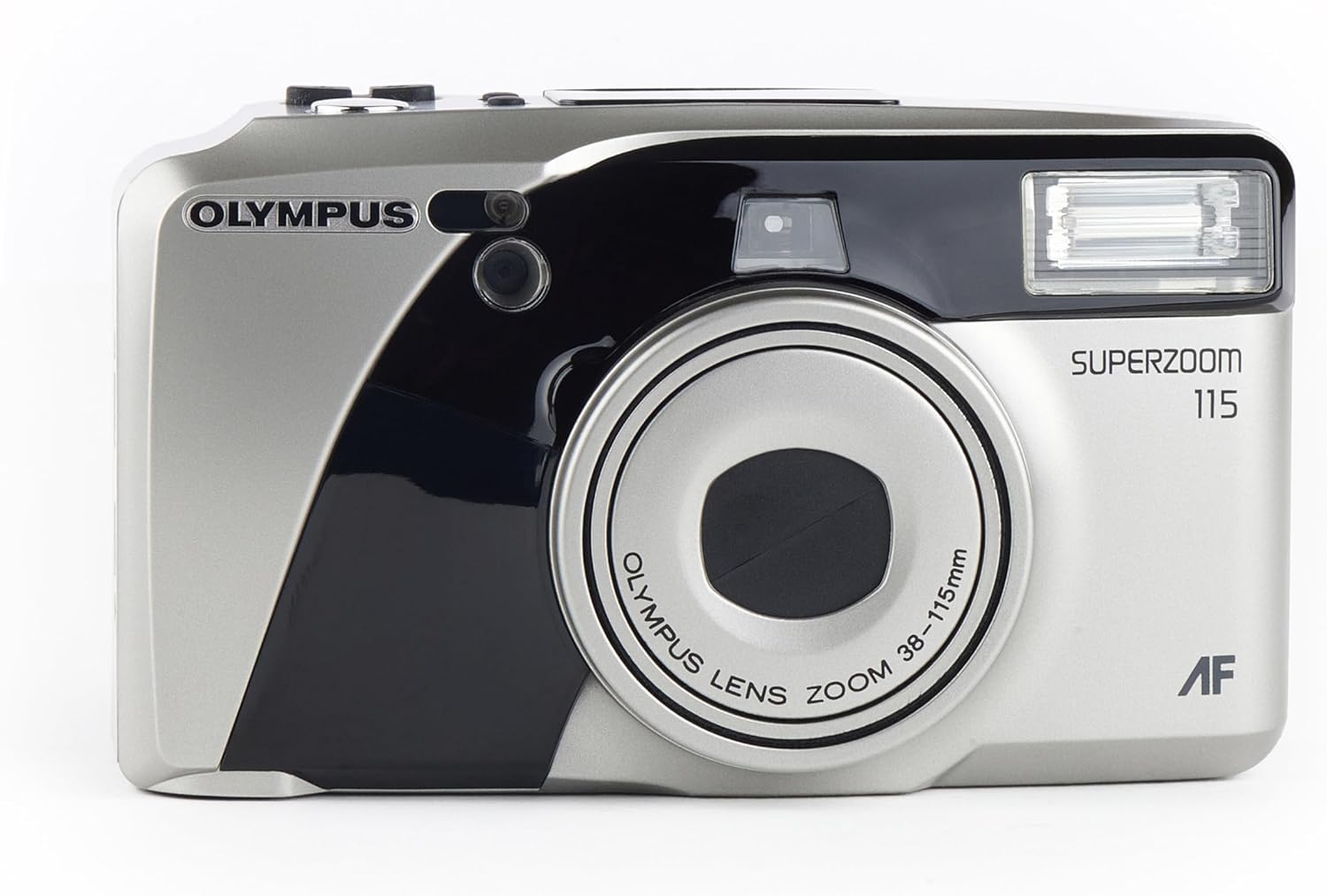
Front view of the Olympus Super Zoom 115 camera, showcasing its compact design and zoom lens.
Key Features:
- 38-115mm Power Zoom Lens: Offers a wide range of focal lengths for diverse shots.
- Fully Automatic Operation: Simplifies photography with automatic exposure, film loading, and rewinding.
- 11-Point Multi-Wide Autofocus: Ensures sharp and precise focusing across the frame.
- Built-in Flash with Red-Eye Reduction: Provides illumination in low-light conditions and minimizes red-eye effect.
- Quartz Date Back: Imprints the date onto your photos.
- Ultra-Compact Metal Body: Durable and portable design.
Setup
1. Battery Installation
- Locate the battery compartment cover on the side or bottom of the camera.
- Slide or open the cover according to the indicator.
- Insert two AA alkaline batteries, ensuring correct polarity (+/-) as indicated inside the compartment.
- Close the battery compartment cover securely.
2. Film Loading

Rear view of the camera with the film compartment open, showing where to insert the 35mm film roll.
- Open the camera back cover by sliding the latch located on the side.
- Place a 35mm film cartridge into the film chamber on the left side.
- Pull the film leader across to the film take-up spool on the right side, aligning it with the orange mark.
- Close the camera back cover firmly until it clicks. The camera will automatically advance the film to the first frame.
Operating the Camera
1. Power On/Off
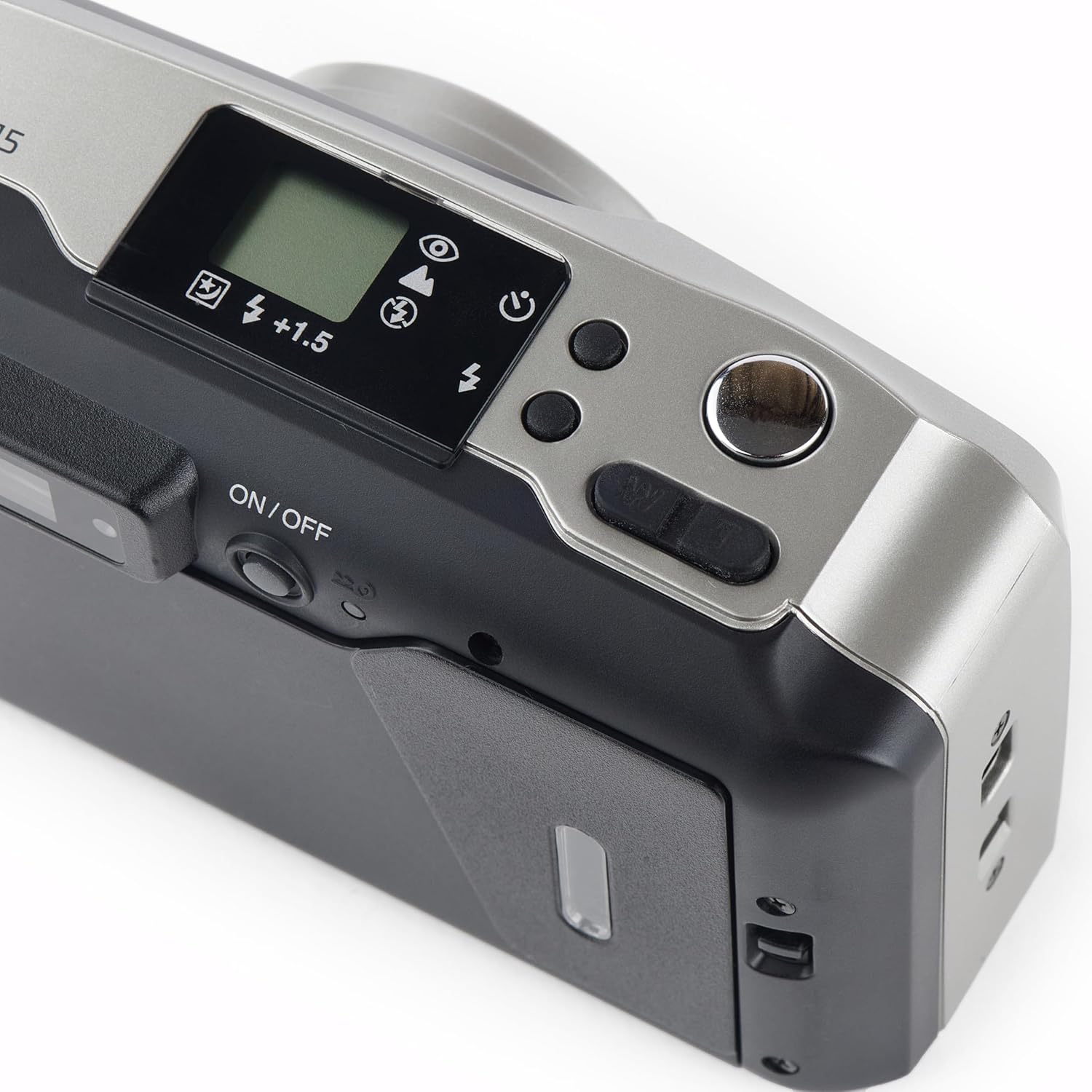
Top view of the camera, highlighting the power button and other control dials.
- To turn on the camera, slide the ON/OFF switch located on the top panel. The lens will extend.
- To turn off the camera, slide the ON/OFF switch again. The lens will retract.
2. Taking a Photo
- Look through the viewfinder to compose your shot.
- Press the shutter button halfway down to activate the autofocus and exposure system. A green light in the viewfinder indicates focus lock.
- Press the shutter button fully down to take the picture. The film will automatically advance to the next frame.
3. Zoom Operation
- Use the 'W' (Wide) and 'T' (Telephoto) buttons near the shutter button to adjust the zoom.
- Press 'W' to zoom out (38mm) and 'T' to zoom in (115mm).
4. Flash Modes
- Press the flash mode button (usually indicated by a lightning bolt icon) to cycle through available flash modes: Auto Flash, Red-Eye Reduction, Fill-in Flash, Flash Off.
- The selected mode will be displayed on the LCD panel.
5. Quartz Date Back
- Use the MODE and SELECT buttons on the back of the camera to set the date and time.
- Once set, the date will be imprinted on your photos.
6. Self-Timer
- Activate the self-timer function via the mode button.
- Press the shutter button; the self-timer lamp will blink, and the shutter will release after approximately 10 seconds.
Maintenance
- Cleaning: Use a soft, lint-free cloth to clean the camera body. For the lens, use a specialized lens cleaning cloth and solution. Avoid touching the lens directly.
- Storage: Store the camera in a cool, dry place away from direct sunlight and extreme temperatures. Remove batteries if the camera will not be used for an extended period.
Troubleshooting
- Camera does not power on: Check if the batteries are inserted correctly and are not depleted. Replace with fresh batteries if necessary.
- Film does not advance: Ensure the film is loaded correctly and the back cover is securely closed.
- Flash not firing: Check the flash mode settings. Ensure it is not set to 'Flash Off'.
- For further assistance, refer to the official Olympus support resources.
Specifications
| Feature | Detail |
|---|---|
| Brand | Olympus |
| Model Name | u mju zoom115 |
| Lens Type | Standard Zoom |
| Optical Zoom | 3x |
| Minimum Focal Length | 38 Millimeters |
| Maximum Focal Length | 115 Millimeters |
| Maximum Aperture | 2.8 f |
| Autofocus Points | 11 |
| Exposure Control | Automatic |
| Light Sensitivity (ISO Range) | 100-3200 |
| Camera Flash | Built-In |
| Battery Type | Alkaline |
| Special Feature | Self Timer |
| Water Resistance Level | Water Resistant |
Official Product Video
This video provides a visual overview of the Olympus Super Zoom 115 35mm Camera, demonstrating its features and operation.
Warranty and Support
This Olympus product is covered by a standard manufacturer's warranty. For detailed warranty information, service, or technical support, please visit the official Olympus website or contact their customer service.
You can also visit the Olympus Store on Amazon for more product information and accessories.