
Introduction
The Nikon ML-L1 Remote Transmitter is an infrared remote control designed for compatible Nikon cameras. It allows for wireless shutter release, reducing camera shake and enabling self-portraits or group shots from a distance. This manual provides instructions for the proper setup, operation, maintenance, and troubleshooting of your ML-L1 remote.
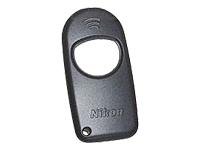
Figure 1: Nikon ML-L1 Remote Transmitter. This image shows the compact, black remote control with its primary shutter release button.
Setup
Before using your Nikon ML-L1 Remote Transmitter, ensure the battery is correctly installed and your camera is configured for remote operation.
1. Battery Installation
The ML-L1 uses a Lithium battery. To install or replace the battery:
- Locate the battery compartment cover on the back or side of the remote.
- Use a small coin or screwdriver to gently open the cover.
- Insert the new Lithium battery, ensuring the correct polarity (+/-) as indicated inside the compartment.
- Close the battery compartment cover securely.
2. Camera Preparation
Refer to your camera's instruction manual for specific steps to enable remote control functionality. Generally, this involves:
- Setting the camera's release mode to "Remote Control" or "Self-Timer/Remote".
- Ensuring the camera's infrared receiver is unobstructed and facing the general direction of the remote.
Operating Instructions
The ML-L1 Remote Transmitter operates using infrared signals. For optimal performance, ensure a clear line of sight between the remote and the camera's infrared receiver.
Shutter Release
- Point the ML-L1 remote directly at the camera's infrared receiver.
- Press the large button on the remote.
- The camera will trigger the shutter after a short delay (typically 2 seconds, depending on camera settings).
Note: The effective range for the infrared signal is typically up to 5 meters (16 feet) and requires a direct line of sight. Obstructions or strong light sources may interfere with the signal.
Maintenance
Proper care will extend the life of your Nikon ML-L1 Remote Transmitter.
- Cleaning: Wipe the remote with a soft, dry cloth. Do not use harsh chemicals or abrasive cleaners.
- Storage: Store the remote in a cool, dry place away from direct sunlight and extreme temperatures. If storing for an extended period, consider removing the battery to prevent leakage.
- Water Exposure: This device is not waterproof. Avoid exposing it to moisture or liquids.
Troubleshooting
If your ML-L1 Remote Transmitter is not functioning as expected, try the following solutions:
| Problem | Possible Cause / Solution |
|---|---|
| Remote does not trigger camera. |
|
| Intermittent operation. |
|
Specifications
| Feature | Detail |
|---|---|
| Model Number | NIKE5-332206 |
| Brand | Nikon |
| Connectivity Technology | Infrared |
| Compatible Devices | Camera (Nikon F/LT-120, 140 & Nuvis cameras) |
| Controller Type | Button Control |
| Battery Type | Lithium |
| Max Number of Supported Devices | 1 |
| Dimensions (approx.) | 6.9 x 6.8 x 1.1 cm |
| Weight (approx.) | 10 g |
Warranty Information
Nikon products are manufactured to the highest quality standards. For detailed warranty terms and conditions, please refer to the warranty card included with your product or visit the official Nikon website. Keep your proof of purchase for warranty claims.
Support
For further assistance, technical support, or to view additional product information, please visit the official Nikon website or contact Nikon customer service.
Official Nikon Store: Nikon Store on Amazon.ca

