
1. Introduction
Welcome to the world of Spyro: Enter the Dragonfly. This manual provides essential information to help you get started and enjoy your gaming experience on the Nintendo GameCube. In this adventure, the evil Ripto has stolen all of the dragonflies, which are the source of all dragon magic. Your mission as Spyro is to recover them and restore balance to the Dragon Realms.
This game features Spyro's enhanced abilities, including new breath weapons like fire, ice, and electricity, across more than 25 diverse levels. Prepare to explore unique lands and weather environments as you confront Ripto and his minions.
2. Setup
2.1 Package Contents
- Spyro: Enter the Dragonfly Game Disc (Nintendo GameCube)
- Instruction Booklet (Physical or Digital)
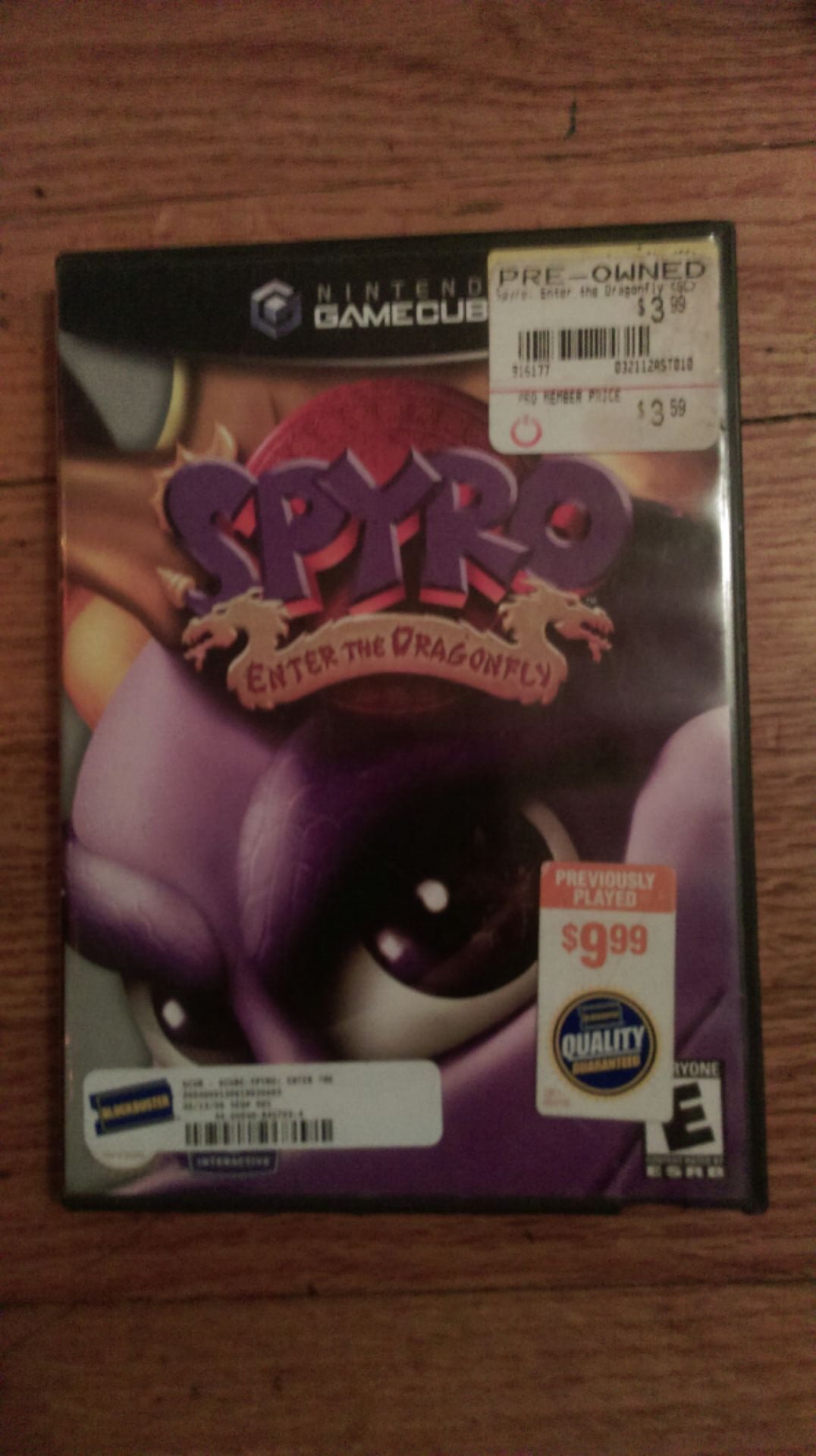
Figure 2.1: The Spyro: Enter the Dragonfly game case opened, displaying the game's instruction booklet on the left side and the game disc securely held on the right side. The disc features the game's title and rating information.
2.2 System Requirements
- Nintendo GameCube console
- Nintendo GameCube controller
- Television or display device with appropriate AV input
- Memory Card (optional, for saving game progress)
2.3 Initial Setup
- Connect your Nintendo GameCube: Ensure your GameCube console is properly connected to your television and power supply according to its own instruction manual.
- Insert the Game Disc: Open the GameCube disc tray. Carefully place the Spyro: Enter the Dragonfly game disc onto the spindle with the label facing up. Close the disc tray.
- Connect Controller(s): Plug your GameCube controller(s) into the controller ports on the front of the console.
- Power On: Turn on your television and select the correct input channel. Then, press the POWER button on your Nintendo GameCube console.
- Start Game: The game should load automatically. If not, navigate to the game icon on the GameCube menu and select it.
3. Operating the Game
3.1 Basic Controls
Familiarize yourself with the GameCube controller layout for optimal gameplay.
- Control Stick: Move Spyro.
- C Stick: Control camera movement.
- A Button: Jump, Glide (hold after jump).
- B Button: Charge (while moving), Headbash (while jumping).
- X/Y Buttons: Cycle through breath weapons (Fire, Ice, Electric, Bubble).
- Z Button: First-person view.
- L/R Buttons: Roll left/right.
- Start/Pause Button: Access the pause menu, view inventory, save game.
3.2 Gameplay Mechanics
- Collecting Dragonflies: The primary objective is to rescue the stolen dragonflies. Each dragonfly you collect contributes to restoring magic to the Dragon Realms.
- Breath Weapons: Spyro can utilize various breath attacks.
- Fire Breath: Standard attack, effective against many enemies and for lighting objects.
- Ice Breath: Freezes enemies, allowing Spyro to push them or use them as platforms.
- Electric Breath: Stuns enemies and can activate certain mechanisms.
- Bubble Breath: Used to capture small creatures or collect items underwater.
- Gems: Collect gems scattered throughout the levels. These are used for various purposes, including unlocking new areas or abilities.
- Saving Progress: To save your game, access the pause menu using the Start/Pause button and select the "Save Game" option. A Memory Card is required for saving.
4. Maintenance
4.1 Game Disc Care
- Handling: Always hold the game disc by its edges to avoid touching the playing surface.
- Cleaning: If the disc becomes dirty, gently wipe it with a soft, lint-free cloth from the center outwards. Do not use abrasive cleaners or solvents.
- Storage: Store the disc in its original case when not in use to protect it from dust, scratches, and direct sunlight.
4.2 Console and Controller Care
- Dust Prevention: Keep your GameCube console in a clean, dust-free environment.
- Ventilation: Ensure the console's ventilation slots are not blocked to prevent overheating.
- Controller Cleaning: Wipe controllers with a dry, soft cloth. Avoid liquid cleaners near electronic components.
5. Troubleshooting
5.1 Common Issues and Solutions
- Game Does Not Load:
- Ensure the game disc is clean and free of scratches.
- Verify the disc is inserted correctly into the GameCube tray.
- Check that your GameCube console is powered on and connected to the TV.
- Game Freezes During Play:
- Clean the game disc thoroughly.
- Ensure the GameCube console has adequate ventilation and is not overheating.
- Try restarting the console.
- Controller Not Responding:
- Check that the controller is securely plugged into the correct port.
- Try a different controller port or a different controller if available.
- No Sound or Picture:
- Verify all AV cables are securely connected between the GameCube and your television.
- Ensure your television is set to the correct input channel.
- Check your TV's volume settings.
6. Specifications
| Title | Spyro: Enter the Dragonfly |
| Brand | ACTIVISION |
| Model Number | 020626718516 |
| Platform | Nintendo GameCube |
| Release Date | November 19, 2002 |
| ESRB Rating | Everyone |
| Product Dimensions | 7.5 x 5.2 x 0.6 inches (Game Case) |
| Item Weight | 2.88 ounces |
7. Support and Warranty
7.1 Customer Support
For further assistance with gameplay or technical issues not covered in this manual, please refer to the official ACTIVISION support channels or the Nintendo GameCube support resources. As this is a legacy product, direct manufacturer support may be limited.
You may find helpful communities and fan-made guides online for classic GameCube titles like Spyro: Enter the Dragonfly.
7.2 Warranty Information
This product was originally released in 2002. Any manufacturer's warranty that may have applied at the time of original purchase has likely expired. Please consult your retailer's return policy if you purchased a used copy and encounter issues shortly after purchase.