
1. Introduction
The Bose 201-V Stereo Loudspeakers are designed to provide sound reproduction for stereo components or home theater systems. These compact bookshelf speakers utilize Direct/Reflecting speaker technology to integrate direct and reflected sound, aiming to replicate the acoustics of a live performance environment. The Stereo Everywhere speaker performance is engineered to deliver consistent stereo sound across the listening area.
Each speaker incorporates a 6.5-inch woofer and a 2.5-inch Stereo Targeting tweeter. A flared slot port design is included to manage air turbulence and enhance bass response.

Figure 1: Front view of a Bose 201-V Stereo Loudspeaker. The speaker features a black finish with a silver-colored tweeter housing on the left side and a black grille covering the woofer.
2. What's in the Box
Upon unpacking, verify that all components are present:
- Two (2) Bose 201-V Stereo Loudspeakers
- Self-adhesive rubber feet
- User's manual (this document)
- Warranty and registration information
3. Setup
3.1 Speaker Placement
The Bose 201-V speakers are designed for flexible placement. They can be positioned on shelves or mounted on walls. For optimal sound dispersion, ensure there is clear space around the speakers, particularly for the side-firing port.
- Shelf Placement: Place speakers on a stable, level surface. Attach the self-adhesive rubber feet to the bottom of each speaker to prevent scratching and improve stability.
- Wall Mounting: If wall mounting, use appropriate hardware (not included) and ensure the wall can support the weight of the speakers. Position speakers at an appropriate height for your listening area.
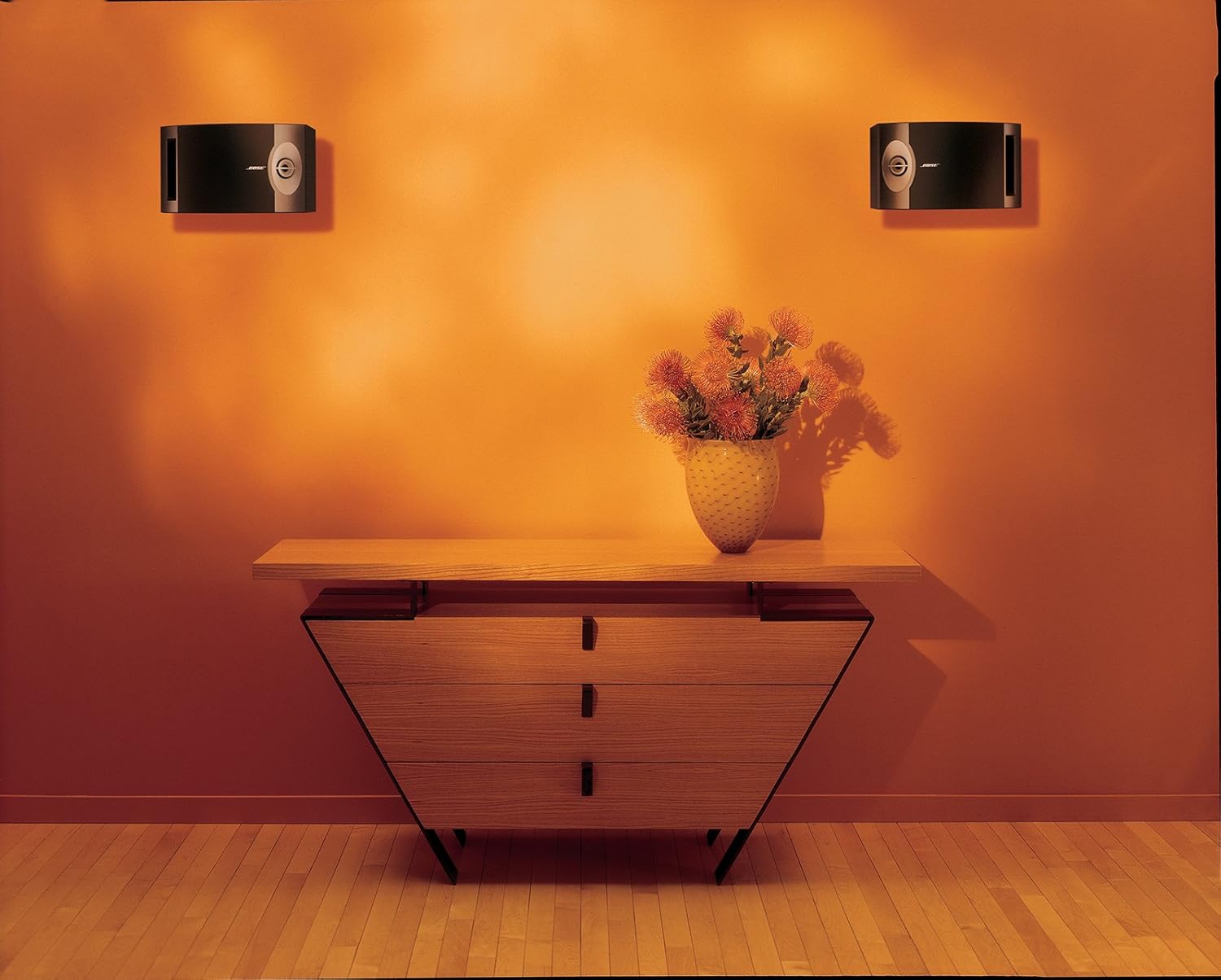
Figure 2: Two Bose 201-V speakers mounted on a wall, demonstrating a typical placement scenario in a living space.
3.2 Connecting the Speakers
The 201-V speakers are wired. Connect them to your amplifier or receiver using speaker wire (not included).
- Ensure your amplifier/receiver is turned off before making any connections.
- Connect the positive (+) terminal on the speaker to the positive (+) terminal on the corresponding channel of your amplifier/receiver.
- Connect the negative (-) terminal on the speaker to the negative (-) terminal on the corresponding channel of your amplifier/receiver.
- Maintain correct polarity for both speakers to ensure proper stereo imaging.

Figure 3: Rear view of a Bose 201-V speaker, highlighting the wired connection terminals for amplifier or receiver connection.
4. Operating
4.1 Basic Operation
Once connected to an amplifier or receiver, the speakers will reproduce audio from your source components. Adjust volume and other audio settings directly from your amplifier or receiver.
4.2 Bluetooth Connectivity
While the speakers themselves are wired, they support Bluetooth connectivity when paired with a compatible Bluetooth-enabled amplifier or receiver. Refer to your amplifier/receiver's manual for instructions on Bluetooth pairing and operation.
5. Maintenance
5.1 Cleaning
- Dust the speaker cabinets with a soft, dry cloth.
- Do not use solvents, chemicals, or cleaning sprays near the speakers.
- Avoid getting moisture into any openings.
5.2 General Care
- Avoid placing speakers in direct sunlight or near heat sources.
- Do not expose speakers to extreme temperatures or humidity.
- Ensure adequate ventilation if placing speakers in an enclosed space.
6. Troubleshooting
If you experience issues with your Bose 201-V speakers, consult the following common troubleshooting steps:
- No Sound: Verify that the amplifier/receiver is powered on and the correct input source is selected. Check all speaker wire connections for proper polarity and secure contact.
- Distorted Sound: Reduce the volume on your amplifier/receiver. Ensure speaker wires are not frayed or shorting. Check that the speakers are connected to the correct impedance output on your amplifier/receiver (8 Ohms).
- Uneven Sound: Confirm that both speakers are connected with correct polarity. Check speaker placement to ensure they are equidistant from the listening position and not obstructed.
- Lack of Bass: While the 201-V speakers provide bass, for enhanced low-frequency response, consider integrating a separate subwoofer with your audio system.
If problems persist, refer to the support section for further assistance.
7. Specifications
| Feature | Specification |
|---|---|
| Brand | Bose |
| Model Number | 29297 |
| Speaker Type | Bookshelf |
| Speaker Maximum Output Power | 120 Watts |
| Connectivity Technology | Wired |
| Audio Output Mode | Stereo, Surround |
| Mounting Type | Shelf Mount |
| Woofer Diameter | 6.5 Inches |
| Tweeter Size | 2.5 Inches (Stereo Targeting) |
| Impedance | 8 Ohms |
| Number of Audio Channels | 2.0 |
| Item Dimensions (D x W x H) | 8.62"D x 13.75"W x 8"H |
| Color | Black |
8. Warranty and Support
8.1 Warranty Information
The Bose 201-V Stereo Loudspeakers come with a 5-year limited warranty. Please refer to the warranty and registration information included in the box for full terms and conditions, including details on coverage and how to make a claim.
8.2 Customer Support
For technical assistance, troubleshooting beyond this manual, or warranty inquiries, please contact Bose customer support. Contact information can typically be found on the official Bose website or in the warranty documentation provided with your product.


