
Step2 7248KR
Step2 Life Style Deluxe Kitchen Instruction Manual
Model: 7248KR
Introduction
Thank you for choosing the Step2 Life Style Deluxe Kitchen. This comprehensive play kitchen is designed to provide hours of imaginative and creative play for children aged 24 months and up. Featuring realistic electronic sounds, a granite-like countertop, and various appliances, this manual will guide you through the assembly, operation, maintenance, and troubleshooting of your new play kitchen.

Figure 1: The Step2 Life Style Deluxe Kitchen, showcasing its various features and a child enjoying the play experience.
Safety Information
- Adult assembly is required. Ensure all parts are securely fastened before allowing children to play.
- Keep small parts and hardware away from young children during assembly to prevent choking hazards.
- This product is intended for indoor use only.
- Regularly inspect the kitchen for any loose or damaged parts. Discontinue use if damage is found and contact customer support.
- Ensure batteries are inserted correctly according to polarity markings. Do not mix old and new batteries or different types of batteries.
Parts List
Before beginning assembly, verify that all components are present. Refer to the diagram below for a visual representation of the main kitchen unit and included accessories.

Figure 2: Main components of the Step2 Life Style Deluxe Kitchen unit.
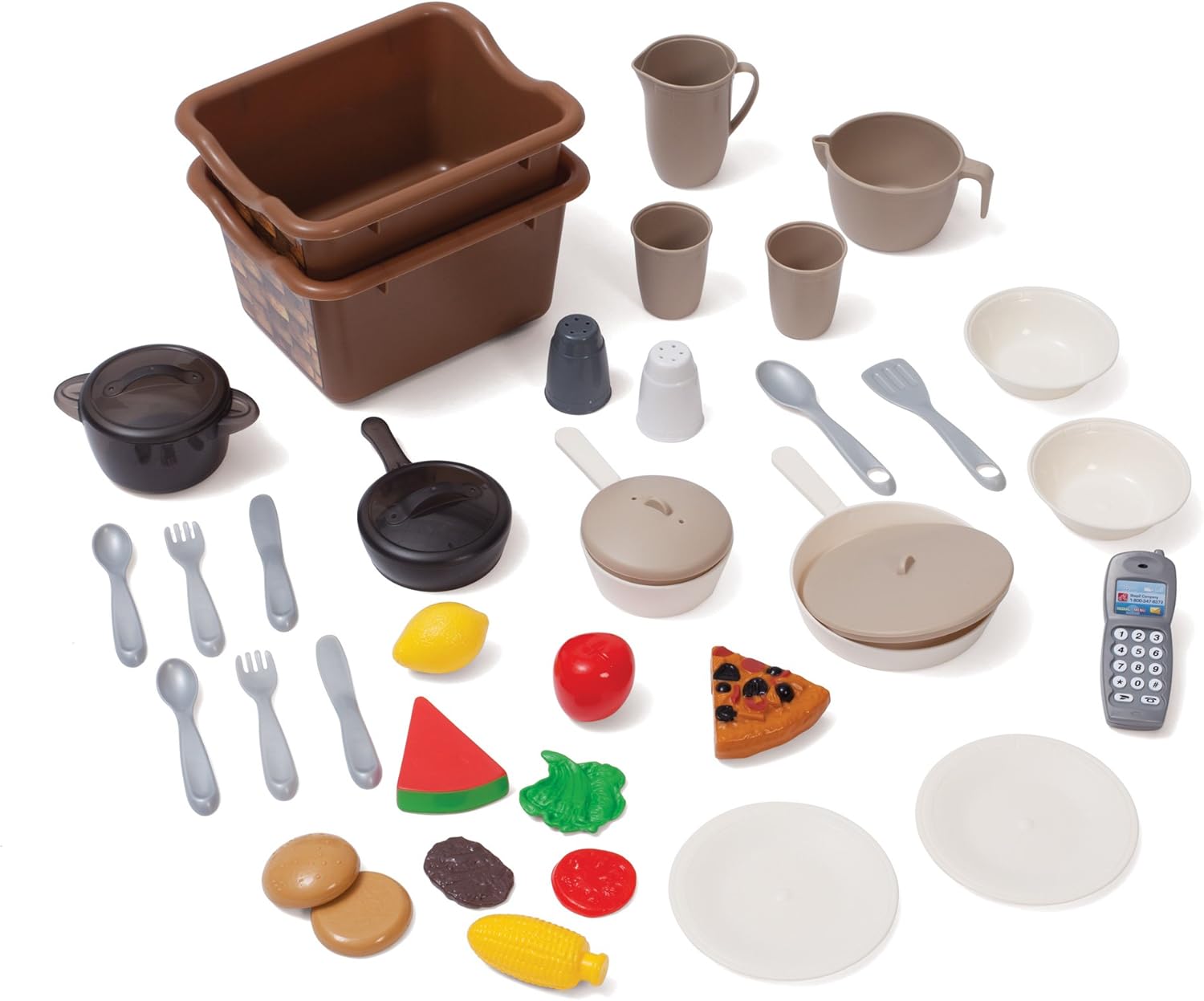
Figure 3: Included 39-piece accessory set, featuring pots, pans, dishes, flatware, and pretend food items.
Included Accessories (39-piece set):
- Pots and Pans
- Dishes (plates, bowls, cups)
- Flatware (forks, spoons, knives)
- Pretend Food items (e.g., corn, pizza, fruit)
- Two storage baskets
- Cordless telephone
Setup and Assembly
Assembly of the Step2 Life Style Deluxe Kitchen requires adult supervision and approximately 1.5 hours. An electric screwdriver is highly recommended for easier assembly.
Tools Required:
- Phillips head screwdriver (manual or electric)
Battery Installation:
The kitchen requires 8 AA and 5 AAA batteries (not included) for its electronic features. Locate the battery compartments for the microwave, stove, and dishwasher sound boxes, as well as the overhead light. Insert batteries according to the polarity indicators (+/-).
Assembly Steps (General Guidelines):
- Unpack all components and verify against the parts list.
- Attach the base sections and side panels, ensuring they are securely interlocked.
- Install the countertop and sink unit.
- Mount the upper cabinets and shelves.
- Attach all doors (oven, dishwasher, refrigerator, microwave, lower cabinets). Ensure hinges are properly aligned.
- Install the electronic components (microwave, stove, dishwasher sound boxes) and the overhead light.
- Apply any decorative stickers as per the assembly guide (not included in this manual, refer to product packaging for specific sticker placement).
- Place the storage baskets into their designated slots.
- Insert the accessory set into the kitchen's storage areas.
Operating Instructions
The Step2 Life Style Deluxe Kitchen features several interactive elements designed to enhance play.
Electronic Features:
- Microwave: Open the microwave door and press the keypad buttons to activate realistic microwave sounds.

Figure 4: Child interacting with the microwave keypad, which produces realistic sounds.
- Stove Top: Place a pot or pan on the designated burner to activate cooking sounds.
- Oven: Open the oven door to place pretend food inside. The oven may have a light or sound feature depending on the model.

Figure 5: Child accessing the oven compartment, ready for pretend baking.
- Dishwasher: Open the dishwasher door to load pretend dishes. It may feature realistic washing sounds.
- Cordless Telephone: Use the included play telephone for pretend calls.
- Overhead Light: A switch controls the light located above the sink area.
Other Interactive Features:
- Sink with Faucet and Pull-out Sprayer: The sink allows for pretend dishwashing. The pull-out sprayer adds to the realistic play.
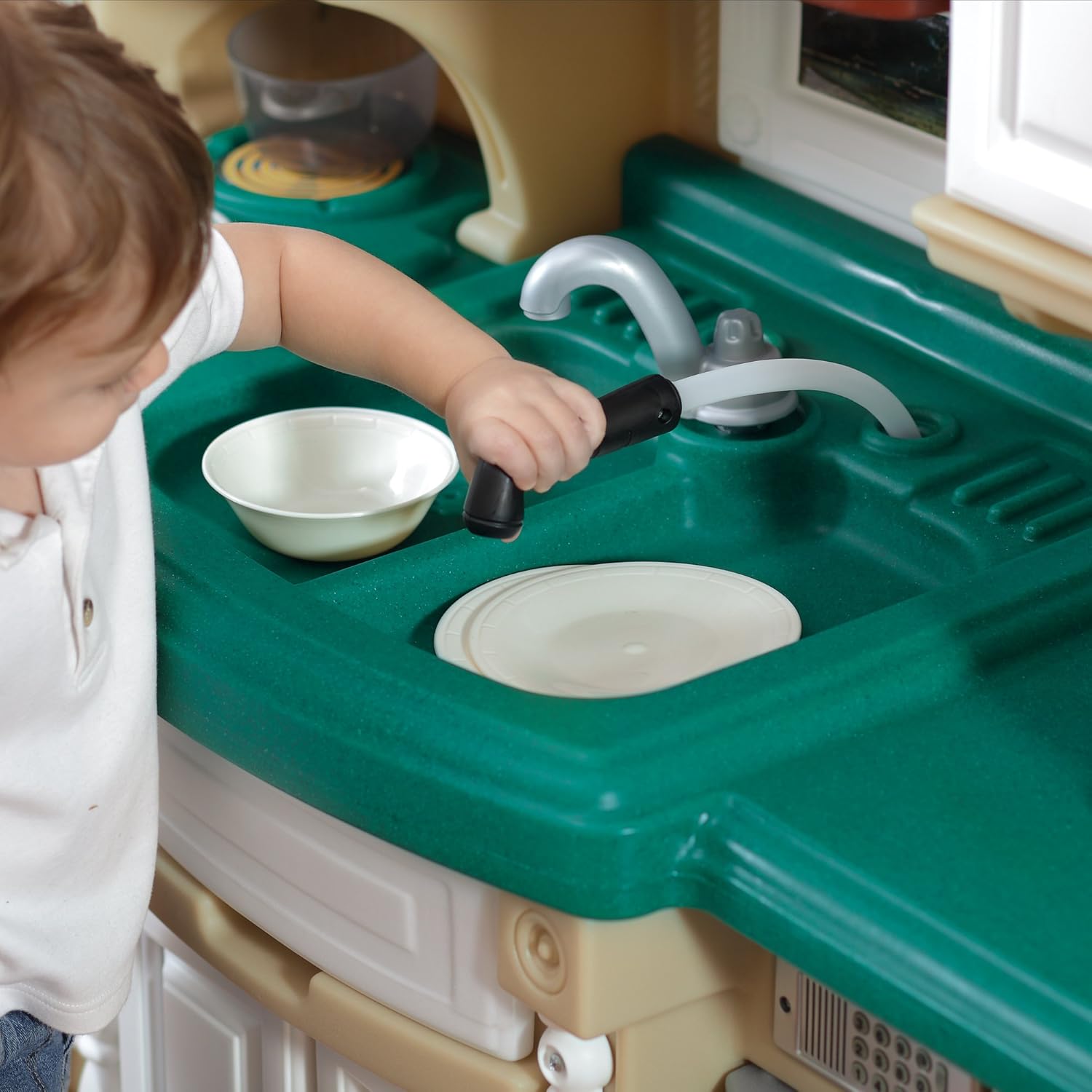
Figure 6: Child engaging with the sink's pull-out sprayer for realistic play.
- Refrigerator: Open the refrigerator door for pretend food storage.
- Storage Cabinets and Drawers: Utilize the various cabinets and drawers for organizing play food and accessories.

Figure 7: Child accessing a storage drawer, demonstrating the ample storage space.
Maintenance
- Cleaning: Wipe down the kitchen surfaces with a damp cloth and mild soap. Avoid abrasive cleaners or solvents.
- Battery Replacement: Replace batteries when electronic features begin to dim or stop functioning. Always replace all batteries at once and dispose of old batteries responsibly.
- Inspection: Periodically check all screws and connections to ensure they remain tight. Re-tighten if necessary.
- Storage: Store the kitchen in a cool, dry place away from direct sunlight to prevent material degradation.
Troubleshooting
| Problem | Possible Cause | Solution |
|---|---|---|
| Electronic sounds/lights not working. | Batteries are dead or incorrectly installed. | Check battery polarity and replace all batteries with new ones (8 AA, 5 AAA). |
| Doors (microwave, oven, dishwasher) are stiff or do not close properly. | Misalignment during assembly or plastic rubbing. | Ensure all screws are tightened correctly. If persistent, slight sanding of rubbing plastic edges may be required (adult supervision). |
| Accessories (e.g., plates) fall off racks. | Design limitation or improper placement. | Ensure items are placed securely. This may be a minor design characteristic. |
| Kitchen feels wobbly after assembly. | Screws are not fully tightened. | Re-tighten all assembly screws, especially those connecting major panels. |
Specifications
| Feature | Detail |
|---|---|
| Product Dimensions (H x W x D) | 99.06 cm H x 260.35 cm W x 91.44 cm D |
| Weight | 30.1 kg (approx. 66.3 lbs) |
| Model Number | 7248KR |
| Recommended Age | 24 months and up |
| Batteries Required | Yes (8 AA, 5 AAA - not included) |
| Material Type | Durable Plastic (Note: "stainless steel-a" in source likely refers to appearance, not actual material for a toy) |
| Assembly | Adult assembly required |
| Included Accessories | 39-piece set (pots, pans, dishes, flatware, pretend food, phone, baskets) |
Warranty and Support
For information regarding product warranty, replacement parts, or further assistance, please contact Step2 Customer Service. Contact details can typically be found on the Step2 official website or on the product packaging.
Visit the official Step2 store for more information: Step2 Store on Amazon
Related documents7248KR


Ask a question about this manual
Ask about setup, troubleshooting, compatibility, parts, safety, or missing instructions. Manuals+ will review the question and use this page’s manual context to help answer it.