
Introduction
This manual provides detailed instructions for the Star Wars Electronic Battleship game. Designed for fans of the Star Wars universe, this electronic version of the classic naval combat game offers an immersive experience. Please read these instructions carefully before setup and play to ensure proper operation and enjoyment.
Setup
Follow these steps to prepare your Star Wars Electronic Battleship game for play.
1. Unboxing and Component Check
Carefully remove all components from the packaging. Verify that all game pieces are present. The game includes the main electronic unit, various Star Wars themed ship figures, and red and white pegs for marking hits and misses.

Image: The Star Wars Electronic Battleship game box and the accompanying instruction manual.

Image: The Star Wars Electronic Battleship game unit in its closed, portable configuration.
2. Battery Installation
The electronic unit requires batteries for operation. Locate the battery compartment, usually on the underside or back of the main unit. Insert the required batteries (not included) according to the polarity indicators (+/-). Securely close the battery compartment cover.
3. Game Unit Assembly
Open the main game unit to reveal the two player boards. The unit is designed to fold out, providing separate playing areas for each player. No complex assembly is required as the unit is pre-assembled.

Image: The game unit opened, revealing internal storage compartments for game pieces.

Image: The game unit fully opened, displaying the two player grids and compartments for red and white pegs.
4. Placing Game Pieces
Each player receives a set of Star Wars themed ship figures and a supply of red and white pegs. Before starting the game, each player secretly places their ships on their designated grid. Ships must be placed horizontally or vertically and cannot overlap. The electronic unit will guide players through the ship placement process, requiring manual input of each ship's coordinates.
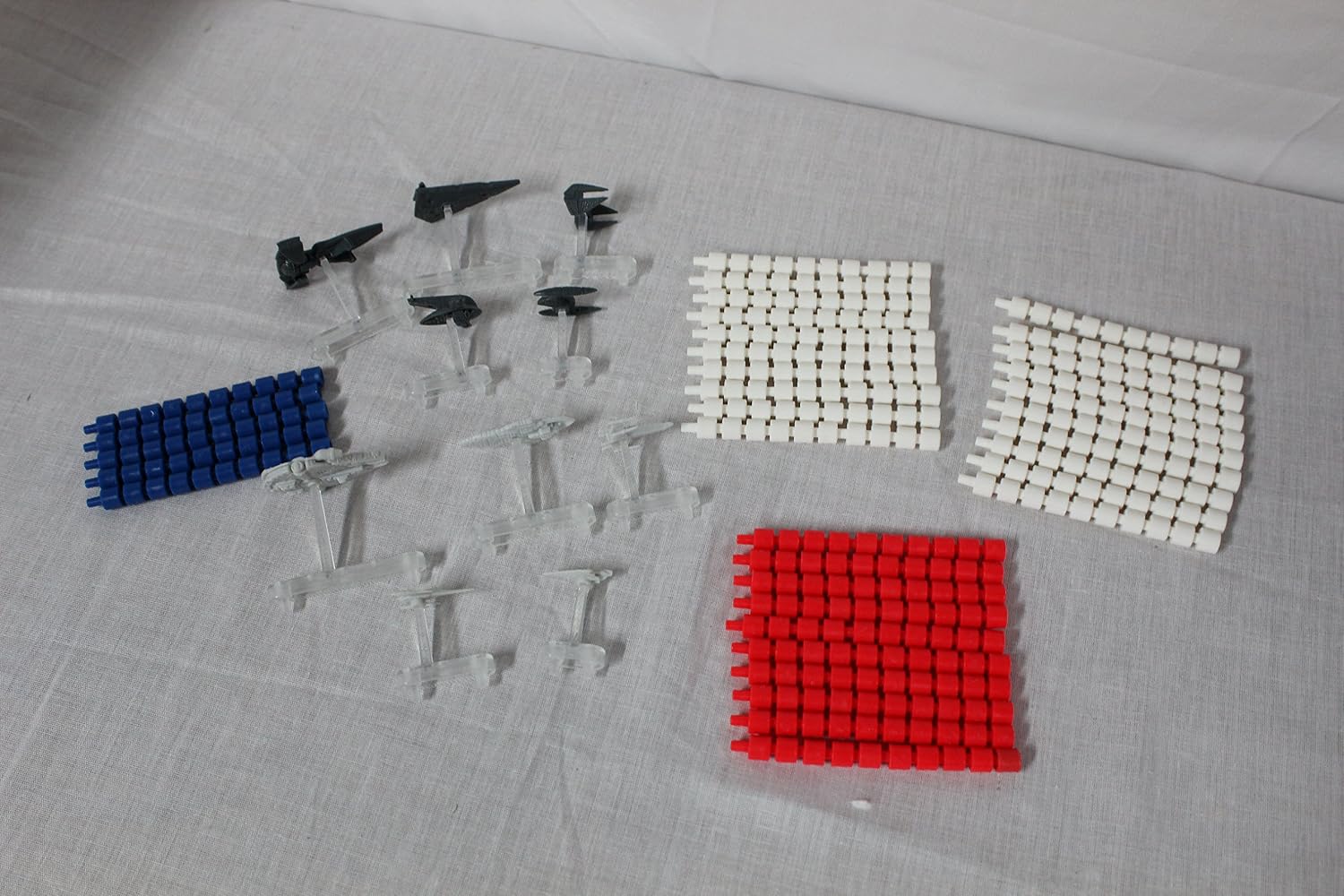
Image: A collection of Star Wars ship figures and the red and white pegs used during gameplay.
Operating Instructions
The Star Wars Electronic Battleship game follows the classic Battleship rules with electronic enhancements. The game is designed for two players.
1. Power On
Press the Power button to turn on the electronic unit. The unit will typically emit a startup sound or voice prompt.
2. Game Modes
Select your desired game mode using the mode selection buttons. The electronic unit may offer different gameplay variations, such as standard play or advanced missions. Refer to the on-screen prompts or voice guidance for specific mode details.
3. Ship Placement (Electronic Input)
After selecting a game mode, the electronic unit will prompt each player to place their ships. For each ship, manually enter its starting coordinates (e.g., A-5, B-7) and orientation (horizontal/vertical) using the keypad on your side of the board. The electronic unit will confirm valid placements. This manual input is crucial for the electronic system to track hits and misses accurately.

Image: Imperial Star Wars ships strategically placed on one player's battle grid, ready for combat.

Image: Rebel Alliance ships positioned on the opposing player's battle grid.
4. Gameplay Turn Sequence
- Call a Shot: On your turn, announce a target coordinate (e.g., "B-6") to your opponent.
- Electronic Input: Enter the chosen coordinate into your electronic unit. The unit will process the shot.
- Opponent Response: Your opponent will check their board. If a ship is at that coordinate, it's a "Hit." If not, it's a "Miss."
- Marking Shots:
- For a "Hit," place a red peg in the corresponding hole on your target grid and your opponent places a red peg on their hit ship.
- For a "Miss," place a white peg in the corresponding hole on your target grid.
- Electronic Feedback: The electronic unit will provide audio and visual feedback for hits, misses, and when a ship is sunk.
- Sinking a Ship: When all parts of a ship have been hit, the ship is "Sunk." The electronic unit will announce this.
5. Winning the Game
The first player to sink all of their opponent's ships wins the game. The electronic unit will announce the winner.
Maintenance
Proper care will extend the life of your Star Wars Electronic Battleship game.
- Cleaning: Wipe the game unit and plastic pieces with a soft, dry cloth. For stubborn dirt, a slightly damp cloth can be used, but ensure no moisture enters the electronic components. Do not use abrasive cleaners or solvents.
- Battery Care: Remove batteries if the game will not be used for an extended period to prevent leakage. Dispose of used batteries responsibly.
- Storage: Store the game in its original box or a clean, dry place away from extreme temperatures and direct sunlight. Ensure all pieces are securely stored within the unit's compartments when folded.
Troubleshooting
If you encounter issues with your game, refer to the following common solutions:
| Problem | Solution |
|---|---|
| Game does not power on. | Check battery installation. Ensure batteries are fresh and correctly oriented. Replace batteries if necessary. |
| No sound or distorted sound. | Verify batteries are fresh. Check for any volume controls on the unit. Ensure no debris is blocking the speaker. |
| Electronic unit does not respond to button presses. | Ensure the game is powered on. Try turning the unit off and on again. Check battery levels. |
| Difficulty understanding game setup or rules. | Carefully re-read the "Setup" and "Operating Instructions" sections. Pay close attention to the manual input requirements for ship placement and targeting. Practice a few turns without keeping score to familiarize yourself with the electronic system. |
Specifications
- Product Name: Star Wars Electronic Battleship
- Model Number: 40804
- Brand: Hasbro (under Star Wars license)
- UPC: 076930408049
- Recommended Age: 8 years and up (Minimum manufacturer age: 96 months)
- Number of Players: 2 (The provided data states 1, but Battleship is typically a 2-player game. This manual assumes 2 players for standard play.)
- Theme: Movies (Star Wars)
- Materials: Plastic
- Included Components: Electronic game unit, Star Wars ship figures, red and white pegs.
- Item Weight: Approximately 5 pounds (2.27 kg)
- Item Dimensions: 13 x 26.7 x 26.7 cm (approximately 5.1 x 10.5 x 10.5 inches)
- Assembly Required: No
- Educational Objective: Game, Play
- Operation Mode: Manual (Electronic assistance for tracking and feedback)
- Power Source: Battery powered (Batteries not included)
- Type: Wargames
Warranty and Support
For warranty information or technical support, please refer to the contact details provided on the product packaging or visit the official Hasbro website. Keep your purchase receipt as proof of purchase.

