
Audiovox AH55
RCA Universal DC Car Adapter
Model: AH55
Introduction
This manual provides essential information for the safe and effective use of your RCA Universal DC Car Adapter, Model AH55. This adapter is designed to power a wide range of portable electronic devices from your vehicle's 12-volt cigarette lighter socket.
It features selectable voltage output and includes six commonly used plugs to ensure compatibility with various devices such as portable MP3 players, CD players, and DVD players.
Safety Information
- Do not expose the adapter to moisture, rain, or extreme temperatures.
- Ensure the adapter is disconnected from the power source when not in use or during cleaning.
- Verify the correct voltage and polarity settings for your device before connecting. Incorrect settings can damage your device.
- Do not attempt to disassemble or repair the adapter. Refer all servicing to qualified personnel.
- Keep out of reach of children.
- Avoid placing the adapter in direct sunlight or near heat sources.
Package Contents
- RCA Universal DC Car Adapter (AH55)
- Set of six interchangeable power tips
- Instruction Manual (this document)
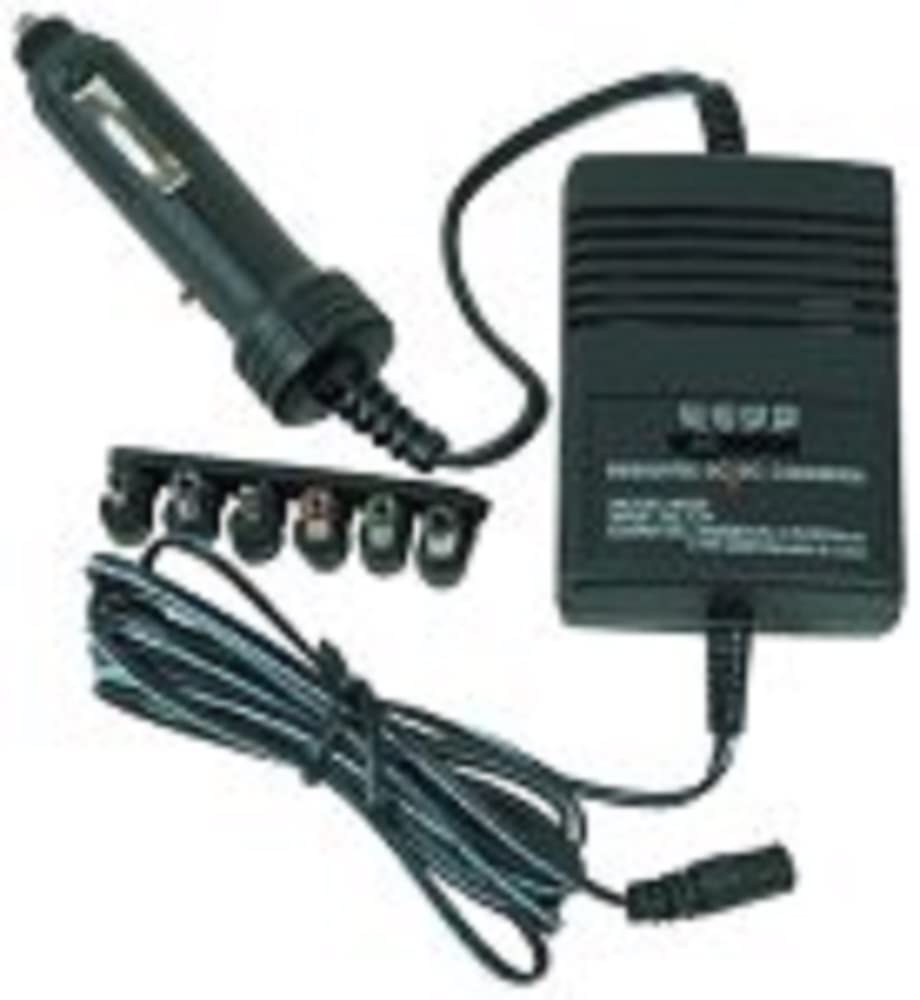
Image Description: A black RCA Universal DC Car Adapter is shown. It consists of a main rectangular power unit, a cigarette lighter plug attached by a cord, and a separate strip holding six different interchangeable power tips. A coiled power cord extends from the main unit, ending in a connector for the power tips.
Setup
- Identify Device Requirements: Before connecting, determine the correct voltage and polarity (positive or negative center) required by your portable electronic device. This information is usually found on the device itself, its original power adapter, or in its user manual.
- Select Correct Tip: Choose one of the six interchangeable power tips that physically fits your device's power input jack.
- Attach Tip: Firmly attach the selected power tip to the output cable of the RCA Universal DC Car Adapter. Ensure it is securely seated.
- Set Voltage: Locate the voltage selector switch on the main adapter unit. Adjust the switch to match the required voltage of your device (e.g., 3V, 4.5V, 6V, 7.5V, 9V, 12V).
- Set Polarity: If your device requires a specific polarity (e.g., center positive or center negative), adjust the polarity switch on the adapter accordingly. Incorrect polarity can damage your device.
Operating
- Connect to Device: Plug the attached power tip into your portable electronic device's power input jack.
- Connect to Vehicle: Insert the cigarette lighter plug of the adapter firmly into your vehicle's 12-volt accessory socket (cigarette lighter socket).
- Power On: Your device should now receive power. If your device has a power button, turn it on.
- Disconnecting: To disconnect, first remove the cigarette lighter plug from the vehicle's socket, then unplug the power tip from your device.
Important: Always ensure the vehicle's engine is running or the ignition is in the accessory position to provide power to the socket. Some vehicles may cut power to the accessory socket when the engine is off.
Maintenance
- Cleaning: Clean the adapter with a soft, dry cloth. Do not use liquid cleaners or aerosols.
- Storage: Store the adapter in a cool, dry place when not in use. Keep the power tips organized to prevent loss.
- Cable Care: Avoid sharp bends or kinks in the power cords. Do not pull on the cord to disconnect the adapter.
Troubleshooting
| Problem | Possible Cause | Solution |
|---|---|---|
| Device not powering on. | Incorrect voltage setting. | Verify and adjust the voltage selector to match your device's requirements. |
| Device not powering on. | Incorrect polarity setting. | Check your device's polarity requirements and adjust the adapter's polarity switch. |
| Device not powering on. | Loose connection. | Ensure all connections (cigarette lighter, power tip to device, power tip to adapter) are secure. |
| Device not powering on. | Vehicle's accessory socket is not active. | Ensure the vehicle's ignition is on or the engine is running. Test the socket with another known working device. |
| Adapter feels warm during use. | Normal operation. | It is normal for the adapter to generate some heat during operation. If it becomes excessively hot or emits smoke/odor, disconnect immediately. |
Specifications
- Model: AH55
- Input Voltage: 12V DC (from vehicle cigarette lighter socket)
- Output Voltage: Selectable (e.g., 3V, 4.5V, 6V, 7.5V, 9V, 12V DC)
- Compatible Devices: Most portable MP3, CD, or DVD players, and other small electronic devices requiring DC power.
- Dimensions: Approximately 5.7 x 3.5 x 2 inches (main unit)
- Weight: Approximately 5.3 ounces
- Connectivity Technology: RCA (as per product details, though it refers to the brand here, the connector type is typically barrel jack)
- Special Feature: Travel-friendly design
Warranty and Support
For warranty information or technical support regarding your RCA Universal DC Car Adapter (Model AH55), please refer to the warranty card included with your purchase or contact Audiovox customer service. Contact details can typically be found on the manufacturer's official website or on the product packaging.
Please retain your proof of purchase for warranty claims.
Ask a question about this manual
Ask about setup, troubleshooting, compatibility, parts, safety, or missing instructions. Manuals+ will review the question and use this page’s manual context to help answer it.