
1. Introduction
This manual provides essential instructions for the proper use and care of your Pentax SMCP-A Zoom 35-80mm f/4.0-5.6 Lens. Please read this manual thoroughly before using the lens to ensure optimal performance and longevity.
2. Product Overview
The Pentax SMCP-A Zoom 35-80mm f/4.0-5.6 is a versatile manual-focus zoom lens designed for Pentax SLR camera bodies. It offers a focal length range suitable for various photographic situations, from wide-angle to short telephoto. Its compact and lightweight design makes it convenient for everyday use.

Figure 2.1: Side view of the Pentax SMCP-A Zoom 35-80mm f/4.0-5.6 Lens, showing the zoom and focus rings.
Key Features:
- Focal Length: 35-80mm zoom range.
- Aperture: Variable aperture from f/4.0 at 35mm to f/5.6 at 80mm.
- Focus: Manual focus operation.
- Compatibility: Designed for Pentax K-mount SLR camera bodies. Functions as a manual focus lens on Pentax AF SLR cameras.
- Optical Construction: 7 elements in 6 groups.
- Diaphragm: Fully automatic diaphragm.
- Minimum Focus Distance: Approximately 1.3 feet (0.4 meters).
3. Setup: Mounting the Lens
Follow these steps to correctly attach the lens to your Pentax SLR camera body:
- Prepare the Camera and Lens: Ensure both the camera and lens are clean and free of dust. Remove the rear lens cap and the camera body cap.
- Align the Mounts: Locate the red or white alignment mark on the lens barrel and align it with the corresponding mark on your camera's lens mount.
- Attach the Lens: Gently insert the lens into the camera's mount. Rotate the lens clockwise (when viewed from the front of the camera) until it clicks into place. Do not force the lens.
- Remove the Front Cap: Once the lens is securely mounted, remove the front lens cap.
To detach the lens, press the lens release button on the camera body and rotate the lens counter-clockwise until it disengages. Replace both lens and body caps immediately after removal to protect the components.

Figure 3.1: Rear view of the lens, illustrating the Pentax K-mount for attachment to the camera body.
4. Operating the Lens
4.1. Zooming
To adjust the focal length, rotate the zoom ring on the lens barrel. The focal length markings (35, 50, 80mm) indicate the current setting. Rotate towards 35mm for a wider field of view and towards 80mm for a narrower, more magnified view.
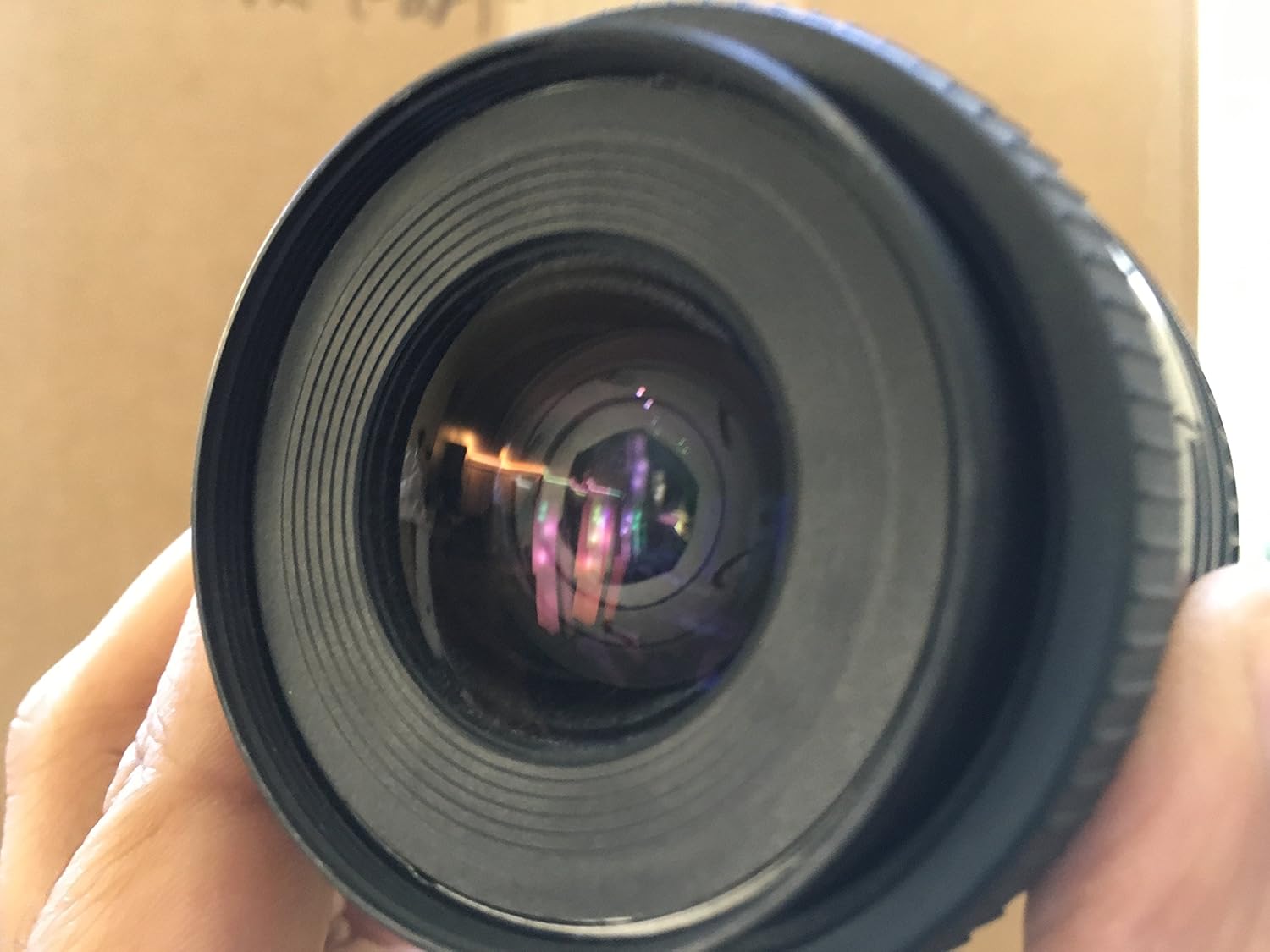
Figure 4.1: The lens barrel showing the zoom ring and focal length indicators.
4.2. Focusing
This is a manual focus lens. To achieve sharp focus:
- Look through the camera's viewfinder.
- Rotate the focus ring on the lens barrel until your subject appears sharp. Many Pentax SLR cameras include a split-image or microprism focusing screen to assist with manual focusing.
- The distance scale on the lens barrel indicates the approximate focus distance.
Note: When used on Pentax AF SLR camera bodies, this lens will operate in manual focus mode only.

Figure 4.2: Front view of the lens, highlighting the front element and the focus ring.
4.3. Aperture Control
The lens features a fully automatic diaphragm. The aperture value (f/4.0-5.6) is controlled by the camera body. Ensure your camera is set to an appropriate exposure mode (e.g., Aperture Priority, Manual) to control the depth of field and exposure.
5. Maintenance
5.1. Cleaning the Lens
- Lens Elements: Use a lens blower brush to remove dust. For smudges or fingerprints, use a clean, soft microfiber lens cloth and a small amount of lens cleaning fluid. Apply fluid to the cloth, not directly to the lens.
- Lens Barrel: Wipe the exterior with a soft, dry cloth. Avoid using harsh chemicals or solvents.
5.2. Storage
- Always attach both front and rear lens caps when the lens is not in use.
- Store the lens in a cool, dry place, away from direct sunlight and extreme temperatures.
- If storing for extended periods, consider using a moisture-absorbing desiccant to prevent mold growth.
6. Troubleshooting
- Difficulty Focusing:
- Ensure the focus ring is being rotated correctly.
- Check your camera's viewfinder for proper diopter adjustment.
- Verify sufficient light for focusing.
- Lens Not Attaching Securely:
- Confirm alignment marks are matched.
- Ensure no obstructions are present on the lens mount or camera body mount.
- Poor Image Quality:
- Clean the front and rear lens elements.
- Check for proper focus.
- Ensure camera settings (ISO, shutter speed, aperture) are appropriate for the lighting conditions.
7. Specifications
| Brand | Pentax |
| Model Number | 27174 |
| Focal Length | 35-80mm |
| Maximum Aperture | f/4.0 (at 35mm) - f/5.6 (at 80mm) |
| Lens Type | Zoom, Standard |
| Compatible Mountings | Pentax K |
| Optical Construction | 7 elements in 6 groups |
| Minimum Focus Distance | 1.3 feet (0.4 meters) |
| Item Weight | 9.1 ounces (approx. 258 grams) |
| Package Dimensions | 4.88 x 3.86 x 3.78 inches |
8. Warranty and Support
For information regarding warranty coverage, service, or technical support, please refer to the documentation provided with your camera body or contact Pentax customer service directly. Contact details can typically be found on the official Pentax website or in your camera's instruction manual.
Pentax is a registered trademark of Ricoh Imaging Company, Ltd.