
Product Overview
PGA Golf 2000 is a golf simulation game developed by Vivendi Universal Interactive, allowing players to compete with the aces of the PGA Tour. This manual provides essential information for installing, operating, maintaining, and troubleshooting the game.
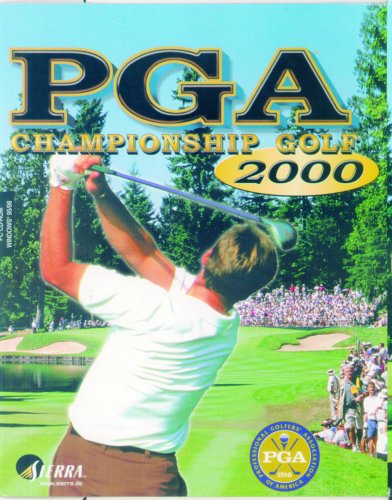
Image: The front cover of the PGA Golf 2000 game box, featuring a golfer in mid-swing on a lush green golf course with spectators in the background. The game title "PGA Championship Golf 2000" is prominently displayed.
System Requirements and Setup
Minimum System Requirements
- Operating System: Windows 95/98
- Processor: Pentium 166 MHz or higher
- RAM: 32 MB or more
- Hard Drive Space: Approximately 150 MB free
- Graphics: DirectX compatible video card with 2MB VRAM
- Sound: DirectX compatible sound card
- Optical Drive: CD-ROM drive
Installation Guide
- Insert CD-ROM: Place the PGA Golf 2000 game CD-ROM into your computer's CD-ROM drive.
- Start Installation: If the installation program does not start automatically, navigate to your CD-ROM drive (e.g., D:) in "My Computer" or "This PC" and double-click on "setup.exe" or "install.exe".
- Follow Prompts: Adhere to the on-screen instructions to complete the installation process. This typically involves accepting the license agreement, choosing an installation directory, and selecting components.
- Restart Computer: Upon successful installation, you may be prompted to restart your computer. It is recommended to do so to ensure all changes take effect.
- Launch Game: After restarting, locate the PGA Golf 2000 shortcut on your desktop or in the Start Menu to launch the game.
Operating Instructions
Starting the Game
Double-click the PGA Golf 2000 icon on your desktop or select it from the Start Menu to launch the application.
Main Menu Navigation
Upon launching, you will be presented with the main menu. Use your mouse to navigate through options such as "New Game", "Load Game", "Options", and "Exit".
Gameplay Basics
- Swing Mechanics: The game utilizes a three-click swing system. Click once to start the backswing, click again at the top of the backswing for power, and a third time at the bottom of the downswing for accuracy.
- Club Selection: The game automatically suggests a club based on distance, but you can manually adjust it using the provided interface.
- Aiming: Use the aiming reticle to adjust your shot direction. Consider wind conditions and terrain for optimal shot placement.
- Putting: Read the green contours, often indicated by grid lines or arrows, to determine the break of the putt. Adjust power accordingly to sink the ball.
Game Modes
PGA Golf 2000 typically includes various game modes to enhance your experience:
- Tournament Play: Compete in multi-round tournaments against AI opponents.
- Stroke Play: Play a single round of golf.
- Match Play: Go head-to-head against an opponent.
- Practice Range: Hone your skills without the pressure of a full round.
Maintenance and Care
To ensure the longevity and optimal performance of your PGA Golf 2000 game, consider the following recommendations:
- CD-ROM Care: Keep the game CD-ROM clean and free of scratches. Store it in its original case when not in use. Use a soft, lint-free cloth to gently wipe the disc from the center outwards if cleaning is necessary.
- System Updates: Ensure your operating system (Windows 95/98) has the latest available updates for stability, though updates for these legacy systems are no longer provided by Microsoft.
- Driver Updates: Keep your graphics and sound card drivers updated to the latest versions compatible with your operating system for best performance and compatibility.
- Disk Space: Ensure sufficient free disk space on your hard drive for game installation and temporary files generated during gameplay.
Troubleshooting
If you encounter issues while playing PGA Golf 2000, try the following common troubleshooting steps:
- Game Not Starting:
Ensure the CD-ROM is correctly inserted and clean. Verify that your system meets the minimum requirements. If running on a newer operating system, try running the game in compatibility mode for Windows 95 or Windows 98.
- Graphics Issues:
Update your graphics card drivers. Adjust in-game display settings to lower resolutions or detail levels if performance is poor or visual artifacts appear.
- Sound Problems:
Check your sound card drivers and system volume settings. Ensure speakers are connected and powered on. Verify that in-game sound options are enabled.
- Crashes or Freezes:
Close other running applications to free up system resources. Ensure your system has adequate RAM. If issues persist, consider reinstalling the game.
- Installation Errors:
Clean the CD-ROM for smudges or scratches. Ensure you have administrator privileges during installation. Temporarily disable antivirus software if it interferes with the installation process.
Specifications
| Feature | Detail |
|---|---|
| Product Title | PGA Golf 2000 |
| Brand | ACTIVISION |
| Model | PGA Golf 2000 |
| ASIN | B00004YTQQ |
| Type of Item | CD-ROM |
| Manufacturer | Vivendi Universal Interactive |
| First Available Date | January 9, 2025 |
| Operating System Compatibility | Windows 95/98 |
Warranty and Support
For information regarding product warranty or technical support, please refer to the documentation included with your original purchase of PGA Golf 2000. You may also visit the official ACTIVISION or Vivendi Universal Interactive support websites for general information.
Please note that as this is a legacy product, direct manufacturer support may be limited or no longer available. Product support policies may vary based on region and purchase date.