
Introduction
The Hydrofarm Jump Start JST54 T5 Light System is designed to provide optimal lighting for plant germination, seedlings, cuttings, and general plant growth. This system delivers high-output T5 full daylight spectrum light, promoting robust development for various plants including vegetables, flowers, herbs, and greens. Its adjustable design allows for precise light positioning to meet the specific needs of your plants at different growth stages.

Image: The Hydrofarm Jump Start JST54 T5 Light System illuminating a tray of diverse plants.
Package Contents
Please ensure all components are present before beginning assembly:
- Powder-coated metal frame (various sections for assembly)
- Lightweight reflector with highly reflective internal finish
- T5 high-output fluorescent bulb
- 6-foot power cord with inline on/off switch
- Toggle clamp pulley system for height adjustment
- Assembly hardware (clips, hooks)

Image: Individual components of the Hydrofarm Jump Start T5 Light System, including the light fixture, power cord, and frame parts.
Setup Instructions
Follow these steps to assemble your Hydrofarm Jump Start T5 Light System:
- Assemble the Frame: Connect the powder-coated metal frame sections according to the included diagrams. Ensure all connections are secure to form a stable stand.
- Install the Light Fixture: Carefully insert the T5 fluorescent bulb into the reflector fixture. Connect the power cord to the fixture.
- Attach Pulley System: Secure the toggle clamp pulley system to the reinforced top bar of the assembled frame.
- Hang the Reflector: Attach the reflector light fixture to the pulley system using the provided hooks. Ensure the fixture hangs level and securely.
- Position the System: Place the assembled light system over your plant trays or germination station.
- Connect Power: Plug the 6-foot power cord into a standard electrical outlet.
Video: An official Hydrofarm video demonstrating the assembly and basic operation of the Jump Start T5 Grow Light System. This video shows how to put together the frame, attach the light fixture, and adjust its height.
Operating Instructions
Using your Jump Start T5 Light System effectively:
- Power On/Off: Use the inline on/off switch located on the power cord to turn the light system on or off.
- Light Height Adjustment: The toggle clamp pulley system allows for easy adjustment of the light fixture's height.
- For germinating seeds, position the fixture just inches away from the seeds or humidity dome.
- After sprouting, maintain a distance of 3-6 inches between the fixture and the plant canopy.
- Adjust the height as plants grow to ensure consistent light exposure without burning the foliage.
- Optimal Usage: This system is ideal for seeds, flowers, and house plants, delivering 20% more lumens than ordinary grow lights for successful germination and robust growth.
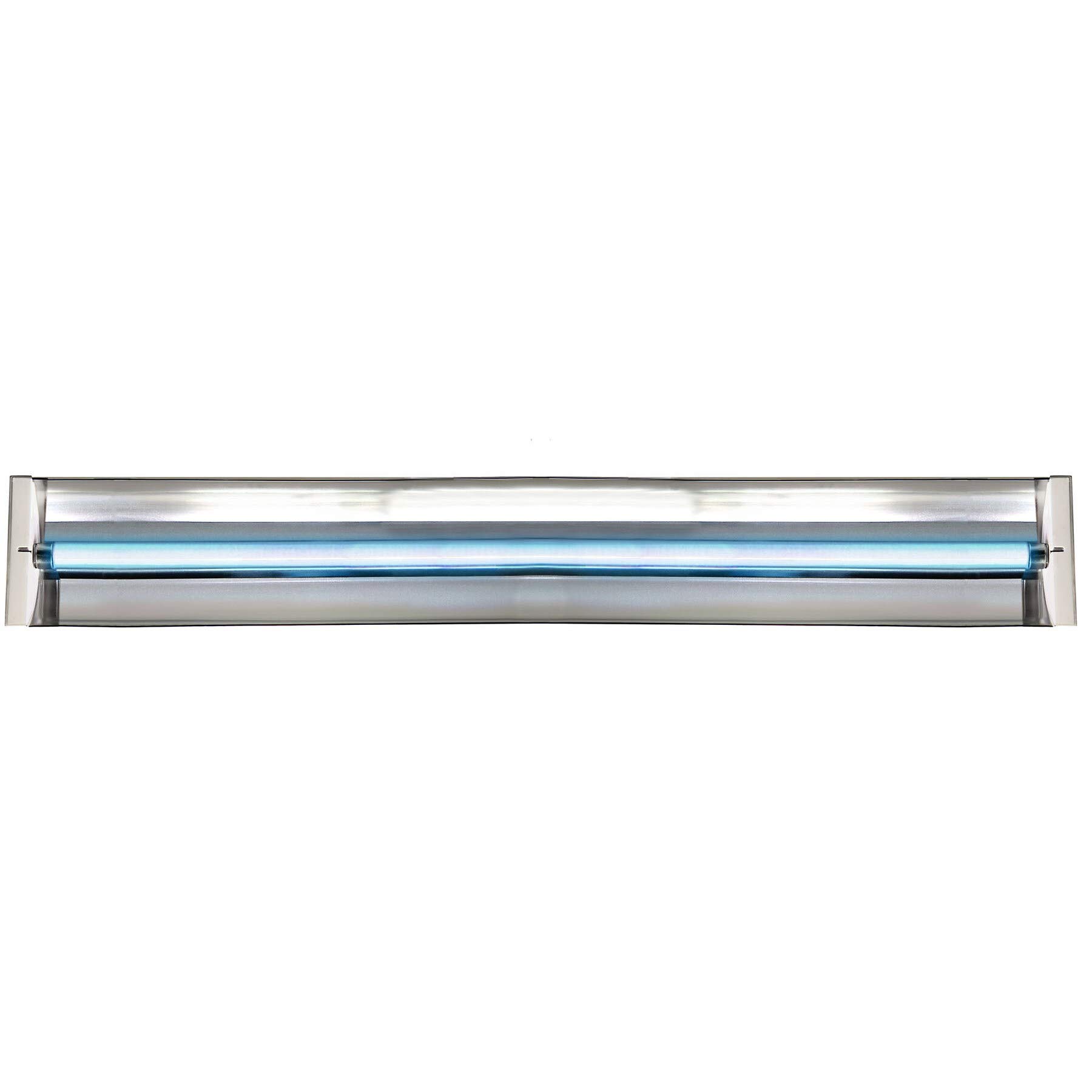
Image: The Hydrofarm Jump Start T5 Light System positioned above plants enclosed within a clear humidity dome, demonstrating its use for seed germination.
Maintenance
Proper maintenance ensures the longevity and efficiency of your light system:
- Cleaning: Periodically wipe the reflector and bulb with a soft, dry cloth to remove dust and debris. Ensure the unit is unplugged before cleaning. Avoid using abrasive cleaners.
- Bulb Replacement: When the T5 fluorescent bulb reaches the end of its lifespan or its light output diminishes, replace it with a compatible T5 high-output fluorescent bulb. Ensure the power is disconnected before attempting bulb replacement.
- Cord Inspection: Regularly inspect the power cord for any signs of damage, fraying, or exposed wires. If damage is found, discontinue use and replace the cord or unit.
Image: Close-up view of the T5 light fixture's underside, highlighting the fluorescent bulb and reflective interior.
Troubleshooting
If you encounter issues with your light system, refer to the following common problems and solutions:
- Light Does Not Turn On:
- Check if the power cord is securely plugged into a working electrical outlet.
- Ensure the inline on/off switch is in the "on" position.
- Verify that the T5 bulb is correctly seated in the fixture.
- The bulb may have reached the end of its lifespan and requires replacement.
- Light Flickers or Buzzes:
- This could indicate a loose bulb connection; re-seat the bulb firmly.
- An aging bulb might flicker before failing; consider replacing it.
- If buzzing persists, it might indicate an issue with the ballast. Discontinue use and contact support.
- Plants Show Signs of Stress (e.g., yellowing, burning):
- The light may be too close to the plants. Adjust the height using the pulley system to increase the distance.
- Ensure plants are receiving adequate water and nutrients.
Specifications
| Brand | Hydrofarm |
| Model Name | Jump Start JST54 T5 Light System, 4-Feet |
| Model Number | JST54 |
| Light Type | Fluorescent (T5) |
| Wattage | 54 Watts |
| Voltage | 120 Volts (100 to 120 Volts and 60 Hertz) |
| Light Color | Daylight White |
| Bulb Base | G5 |
| Material Type | Aluminum |
| Indoor/Outdoor Usage | Indoor |
| Item Weight | 2.5 Pounds |
| Included Components | Cord |
Warranty Information
The Hydrofarm Jump Start JST54 T5 Light System comes with a 1-year manufacturer's warranty. This warranty covers defects in materials and workmanship under normal use. Please retain your proof of purchase for any warranty claims.
Support
For further assistance, technical support, or warranty inquiries, please visit the official Hydrofarm website or contact their customer service department. Refer to the product packaging or Hydrofarm's official resources for the most current contact information.
You can also visit the Hydrofarm Store on Amazon for additional product information and resources.


