
Energizer L91BP-4
Energizer Ultimate Lithium AA Batteries User Manual
Model: L91BP-4
1. Product Overview
Energizer Ultimate Lithium batteries are engineered to provide long-lasting power for today’s high-tech devices. They are recognized as the world's longest-lasting AA batteries in high-drain electronics, ensuring uninterrupted performance for gaming, music, home safety systems, and critical work tasks. These batteries are designed to perform reliably in extreme temperatures and boast an impressive storage life.
Key Features:
- World's longest-lasting AA batteries in high-tech devices.
- Superior performance in extreme temperatures from -40°F to 140°F.
- Approximately 33% lighter than standard alkaline batteries, making them ideal for portable devices.
- Holds power in storage for up to 25 years, providing trustworthy backup energy.
- 100% leak-proof design for device protection.
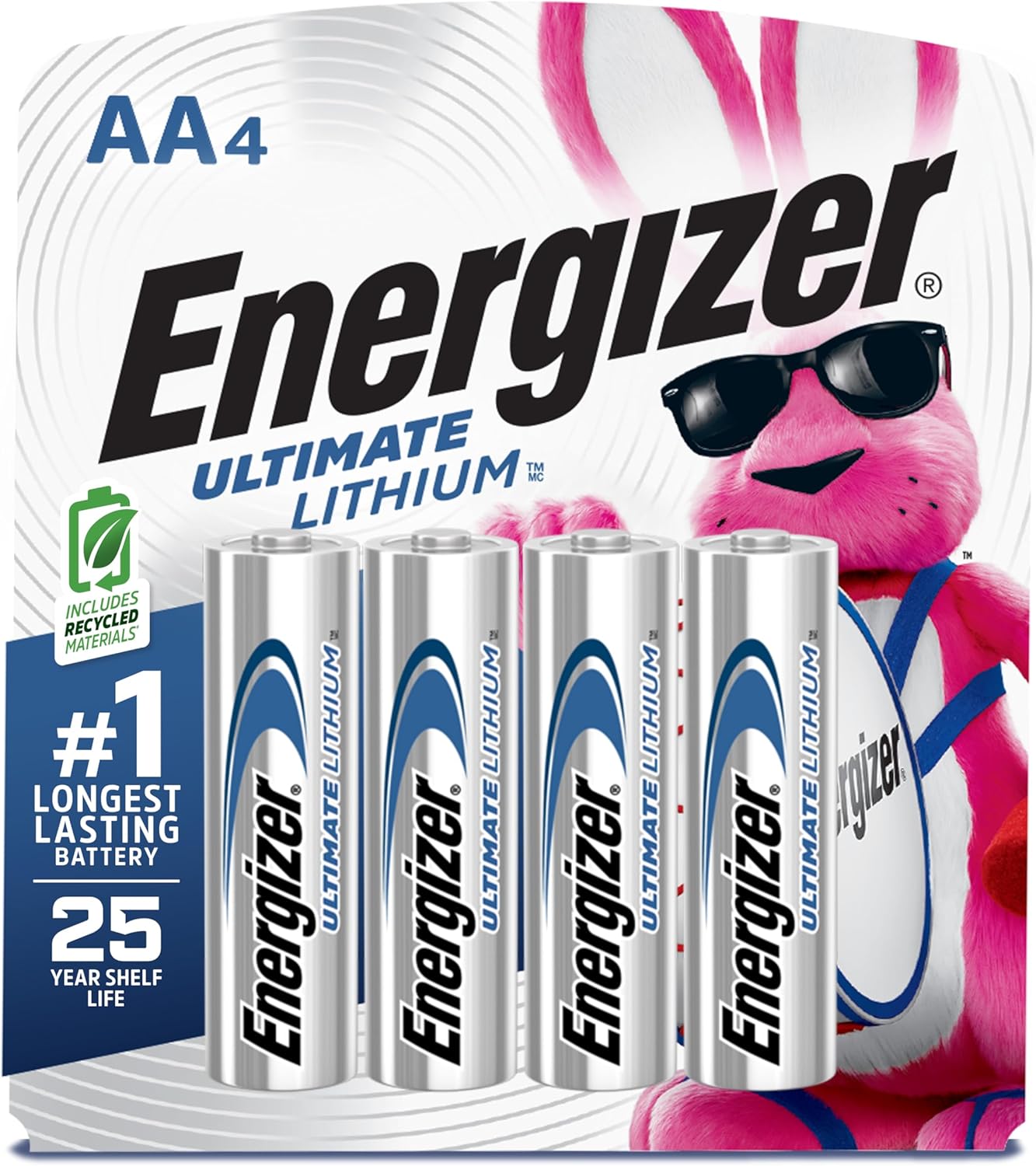
This image displays the packaging for a 4-count pack of Energizer Ultimate Lithium AA batteries, highlighting key features like 'World's Longest Lasting' and '25 Year Shelf Life'.

A close-up of a single Energizer Ultimate Lithium AA battery, emphasizing its superior longevity.
2. Safety Information
Please read and follow all safety instructions to prevent injury or damage to your devices.
- Do not mix old and new batteries, or different types of batteries.
- Do not dispose of batteries in fire; they may explode or leak.
- Do not recharge these batteries. They are designed for single use.
- Insert batteries correctly, observing the positive (+) and negative (-) polarity markings.
- Keep batteries out of reach of small children. If swallowed, seek immediate medical attention.
- Store batteries in a cool, dry place away from direct sunlight and extreme temperatures.
- Statements regarding dietary supplements have not been evaluated by the FDA and are not intended to diagnose, treat, cure, or prevent any disease or health condition.
3. Setup and Installation
To install your Energizer Ultimate Lithium AA batteries:
- Identify the battery compartment on your device.
- Observe the polarity markings (+ and -) inside the compartment.
- Align the positive (+) end of the Energizer battery with the positive (+) terminal in the compartment, and the negative (-) end with the negative (-) terminal.
- Gently push the battery into place until it is securely seated.
- Close the battery compartment cover.
Ensure proper insertion for optimal performance and to prevent damage to your device.
4. Operating Instructions
Energizer Ultimate Lithium AA batteries are designed for use in a wide range of devices, particularly those with high power demands or those used in challenging environments.
Recommended Uses:
- Digital Cameras
- Gaming Controllers
- GPS Devices
- Wireless Microphones
- Smart Home Devices (e.g., thermostats, security cameras)
- Outdoor equipment (due to extreme temperature performance)

An assortment of high-drain electronic devices, such as gaming controllers, digital cameras, and smart home devices, demonstrating the wide range of applications for these powerful batteries.

The battery is shown with symbols representing cold and heat, emphasizing its reliable performance across a wide range of extreme temperatures.
5. Maintenance and Storage
To maximize the life and performance of your Energizer Ultimate Lithium AA batteries:
- Store unused batteries in their original packaging in a cool, dry place at room temperature.
- Avoid storing batteries in direct sunlight or in areas with extreme temperature fluctuations.
- These batteries have an impressive 25-year shelf life, meaning they retain their power for extended periods when stored properly.
- The 100% leak-proof design helps protect your devices from potential damage, but always remove depleted batteries promptly.

This image illustrates the impressive 25-year shelf life of Energizer Ultimate Lithium AA batteries, making them ideal for long-term storage.

This image highlights the leak-proof design of the Energizer Ultimate Lithium AA battery, providing protection for your valuable devices.
6. Troubleshooting
If your device is not functioning after installing new batteries, consider the following:
- Check Polarity: Ensure that the batteries are inserted with the correct positive (+) and negative (-) orientation as indicated in the device's battery compartment.
- Battery Contact: Make sure the battery terminals are clean and free of debris. Gently wipe them with a dry cloth if necessary.
- Device Compatibility: Confirm that your device is designed to use AA batteries and that lithium batteries are suitable for its power requirements.
- Replace Batteries: If the batteries have been in use for an extended period or stored improperly, they may be depleted. Replace them with a fresh set.
- Device Malfunction: If the issue persists after checking the batteries, the problem may lie with the device itself. Refer to your device's user manual for further troubleshooting.
7. Product Specifications
| Specification | Detail |
|---|---|
| Brand | Energizer |
| Battery Cell Composition | Lithium Metal |
| Battery Size | AA |
| Number of Batteries | 4 (included) |
| Item Model Number | L91BP-4 |
| Product Dimensions | 4.5 x 3.8 x 0.6 inches |
| Item Weight | 2.4 ounces |
| Battery Capacity | 2900 Milliamp Hours |
| Recommended Uses | Camera, Gaming Controller |
| Date First Available | June 17, 2003 |
8. Warranty and Support
Energizer stands behind the quality and performance of its products. For specific warranty information or technical support, please refer to the official Energizer website or contact their customer service directly.
You can also visit the Energizer Store on Amazon for more product information and support resources.
Related documentsL91BP-4


Ask a question about this manual
Ask about setup, troubleshooting, compatibility, parts, safety, or missing instructions. Manuals+ will review the question and use this page’s manual context to help answer it.