
Starrett D3416
Starrett D3416 Digitape Electronic Tape Measure User Manual
Model: D3416
1. Product Overview
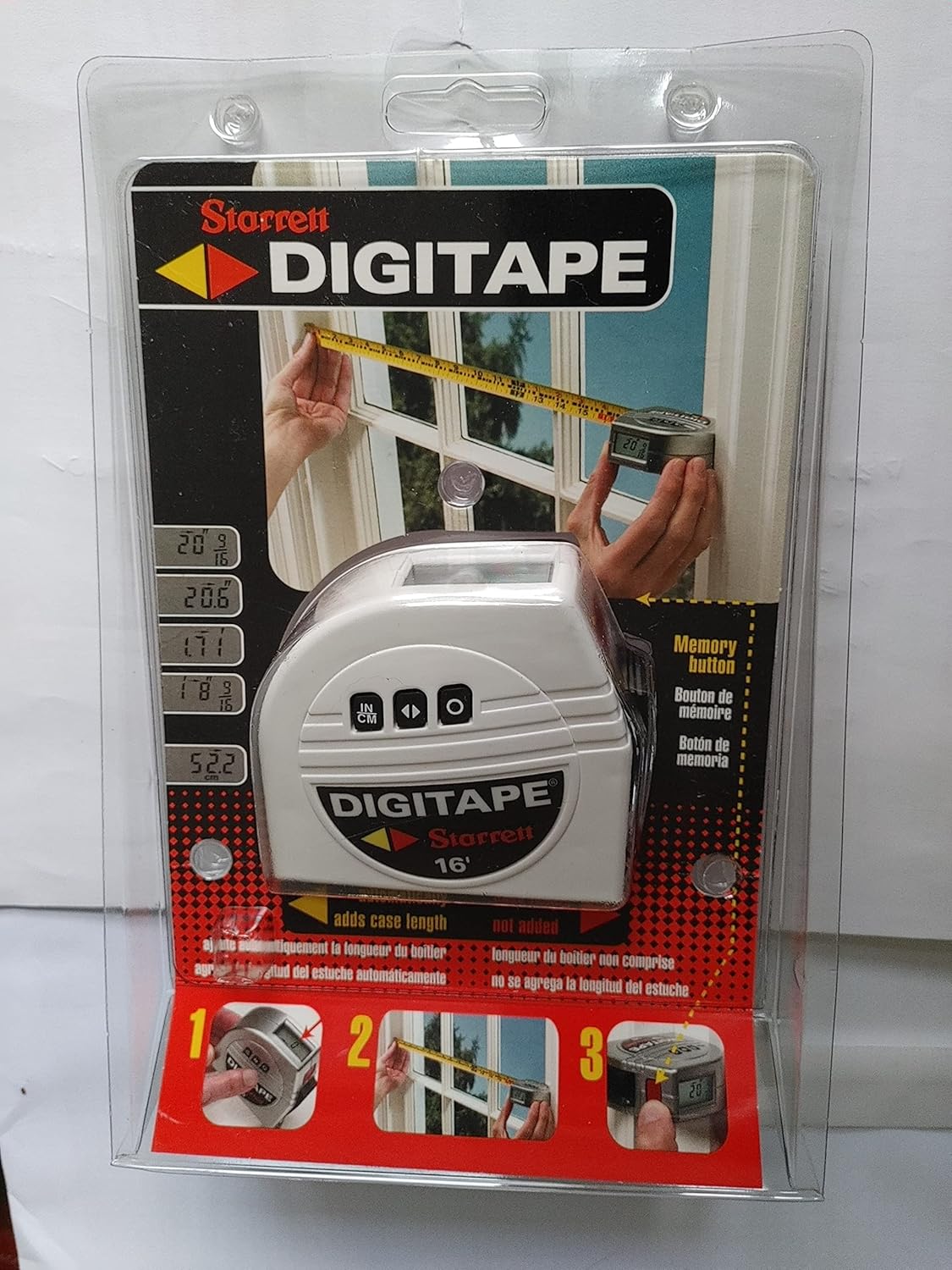
The Starrett D3416 Digitape Electronic Tape Measure combines the functionality of a traditional tape measure with the precision and convenience of digital readouts. This 16-foot (4.88-meter) tape measure features an oversized digital screen, allowing for accurate measurements in inches, fractions, decimals, and metric units. Its design is ideal for various measuring tasks, including inside door jams and window frames. A memory feature is included to store measurements, eliminating the need for manual recording.
Key Features:
- Two tapes in one: traditional and electronic digital display.
- 3/4-inch by 16-foot blade length.
- Instant conversion between inches and millimeters with a dedicated button.
- Zero button to set a new starting point at any blade position.
- Memory function to save measurements.
2. Setup
2.1 Battery Installation
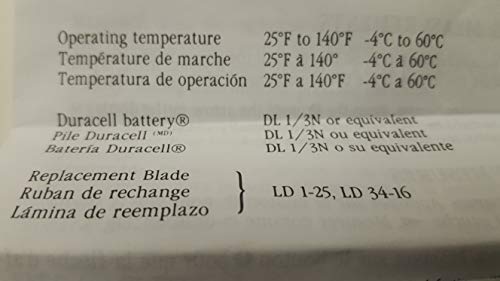
The Starrett D3416 Digitape requires one DL1/3N battery (or equivalent) for operation. A long-life battery is typically included with the product.
- Locate the battery compartment on the back of the tape measure.
- Open the battery compartment cover.
- Insert one DL1/3N battery, ensuring correct polarity (+/-).
- Close the battery compartment cover securely.

3. Operating Instructions
3.1 Power On/Off
The device powers on automatically when the blade is extended. It powers off after a period of inactivity to conserve battery life.
3.2 Taking a Measurement
- Zeroing the Display: Before each measurement, it is recommended to press the "Zero" button to reset the display to zero. This ensures accuracy, especially when measuring from a specific point.
- Extend the Blade: Pull out the tape measure blade to the desired length. The digital display will show the measurement in real-time.
- Read the Measurement: The oversized screen provides clear digital readouts.

3.3 Unit Conversion (Inches/Metric)
To switch between measurement units (inches, fractions, decimals, or millimeters), press the "In/MM" button. The display will instantly convert the current reading to the selected unit.
3.4 Memory Function
The Digitape features a memory button to save your current measurement. Press the "Memory" button to store the displayed value. This allows you to take multiple measurements without needing to write them down immediately.
Note: The exact number of memory slots or how to recall them is not specified in the provided information. Refer to the full product manual for detailed memory function usage.
4. Maintenance
4.1 Battery Replacement
When the display becomes dim or the device stops responding, it is time to replace the battery. Follow the steps outlined in Section 2.1 Battery Installation.
Recommended Battery Type: DL1/3N or equivalent.
4.2 Cleaning and Storage
- Wipe the tape measure with a soft, dry cloth. Avoid using abrasive cleaners or solvents.
- Ensure the blade is clean and free of debris before retracting it fully into the case.
- Store the tape measure in a dry environment, away from extreme temperatures and direct sunlight.
4.3 Blade Replacement
If the tape blade becomes damaged, replacement blades are available. Refer to the product specifications for compatible blade models (e.g., LD 1-25, LD 34-16).
5. Troubleshooting
- Display is blank or dim:
- Check battery installation.
- Replace the battery with a new DL1/3N or equivalent.
- Inaccurate readings:
- Ensure the "Zero" button is pressed before each new measurement.
- Check for any debris or damage to the tape blade.
- Buttons are unresponsive:
- Replace the battery.
- Ensure the device is not exposed to extreme temperatures.
6. Specifications
| Feature | Specification |
|---|---|
| Model Number | D3416 |
| Blade Length | 16 Feet (approx. 4.88 meters) |
| Blade Material | Alloy Steel |
| Lock Type | Button |
| Color | White |
| Item Weight | 204 g (approx. 7.2 ounces) |
| Package Dimensions | 21.84 x 14.22 x 4.06 cm |
| Battery Type | DL1/3N (1 required) |
| Operating Temperature | 25°F to 140°F (-4°C to 60°C) |
| Manufacturer | Starrett |
| UPC | 049659646399 |
7. Warranty and Support
For warranty information and technical support regarding your Starrett Digitape, please contact Starrett customer service directly.
Manufacturer: The L.S. Starrett Company
Address: Athol, MA 01331 U.S.A.
Support Hotline: 1-800-DIGITAPE (1-800-344-4827)
You can also visit the official Starrett website for more information and resources.
Note: Warranty terms may vary by region and retailer. Please retain your proof of purchase for warranty claims.
Ask a question about this manual
Ask about setup, troubleshooting, compatibility, parts, safety, or missing instructions. Manuals+ will review the question and use this page’s manual context to help answer it.