
1. Introduction
King of Fighters R-2 is a fighting game designed for the NEOGEO Pocket Color system. This game features a roster of characters engaging in combat through various moves including kicks, punches, jumps, guards, and special techniques. Players can select from a diverse group of fighters, including a notable selection of female characters. The game allows for character customization, enabling players to equip up to two original moves, swap signature skills, or create new characters.
Gameplay modes include fighting against the computer as a team or as a single character. King of Fighters R-2 also includes special features that can be accessed by connecting the NEOGEO Pocket Color to a Sega Dreamcast console using an SNK DC Link Cable. This connectivity allows for the application of points scored in the companion Dreamcast game, King of Fighters 99, to this NEOGEO Pocket Color title.
2. Setup
To begin playing King of Fighters R-2, ensure your NEOGEO Pocket Color system is powered off.
- Locate the cartridge slot on your NEOGEO Pocket Color console.
- Hold the King of Fighters R-2 game cartridge with the label facing the front of the console.
- Gently insert the cartridge into the slot until it clicks into place or is firmly seated. Do not force the cartridge.
- Power on your NEOGEO Pocket Color system. The game should load automatically.
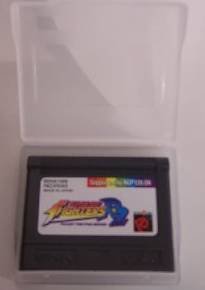
Image: King of Fighters R-2 game cartridge. This image displays the physical game cartridge, which is inserted into the NEOGEO Pocket Color console for gameplay.
3. Operating Instructions
3.1 Basic Controls
The NEOGEO Pocket Color features a directional stick and two action buttons (A and B).
- Directional Stick: Used for character movement (forward, backward, jump, crouch).
- A Button: Typically used for light attacks or specific actions.
- B Button: Typically used for heavy attacks or specific actions.
- Start Button: Pauses the game or confirms selections in menus.
Refer to the in-game tutorial or character move list for specific command inputs for special moves and combos.
3.2 Gameplay Modes
King of Fighters R-2 offers different ways to play:
- Team Battle: Select a team of characters and fight through opponents.
- Single Character Battle: Choose one character and advance through the game.
3.3 Character Customization and Special Features
Players can customize their fighters by equipping up to two original moves or swapping signature skills between characters. It is also possible to create new characters from scratch within the game's options.
For enhanced features, connect your NEOGEO Pocket Color to a Sega Dreamcast console using an SNK DC Link Cable. This connection allows for the transfer of points from King of Fighters 99 on Dreamcast to King of Fighters R-2, potentially unlocking additional content or advantages within the game.
4. Maintenance
Proper care of your King of Fighters R-2 game cartridge ensures its longevity and optimal performance.
- Cleaning: Keep the cartridge contacts clean. If dust or dirt accumulates, gently wipe the gold-plated connectors with a soft, dry, lint-free cloth. Avoid using liquids or abrasive materials.
- Storage: Store the cartridge in its original case or a protective container when not in use to prevent dust accumulation and physical damage.
- Environment: Avoid exposing the cartridge to extreme temperatures, direct sunlight, high humidity, or strong magnetic fields.
- Handling: Always handle the cartridge by its edges to avoid touching the connector pins.
5. Troubleshooting
If you encounter issues while playing King of Fighters R-2, consider the following troubleshooting steps:
- Game Not Starting:
- Ensure the cartridge is fully and correctly inserted into the NEOGEO Pocket Color slot.
- Clean the cartridge contacts as described in the Maintenance section.
- Verify that your NEOGEO Pocket Color console has sufficient battery power.
- Try inserting another game cartridge to confirm the console is functioning correctly.
- Controls Unresponsive:
- Check if the directional stick and buttons on your NEOGEO Pocket Color are clean and free of debris.
- Test the console's controls with another game if possible.
- Graphical or Audio Glitches:
- Remove and reinsert the game cartridge.
- Clean the cartridge contacts.
- Restart the NEOGEO Pocket Color console.
If problems persist, consult the NEOGEO Pocket Color console's instruction manual or contact SNK customer support.
6. Specifications
| Product Title | King of Fighters: R-2 |
| Brand | SNK |
| Model Number | R-2 (ASIN: B00001OX3R) |
| Platform | NEOGEO Pocket Color |
| Item Weight | 1 Pounds (approximately 0.45 kg) |
| Package Dimensions | 5 x 2.9 x 0.2 inches (approximately 12.7 x 7.4 x 0.5 cm) |
| Manufacturer | SNK |
| Date First Available | September 20, 2000 |
7. Warranty and Support
For information regarding warranty coverage for your King of Fighters R-2 game cartridge, please refer to the documentation included with your original purchase or contact SNK customer support directly. Warranty terms typically cover manufacturing defects.
For technical assistance or further inquiries, please visit the official SNK website or consult the support section of your NEOGEO Pocket Color console's manufacturer.
- SNK Official Website: https://www.snk-corp.co.jp/us/ (Note: This link is for general SNK information and may not directly lead to specific NEOGEO Pocket Color support.)


