
1. Introduction
This manual provides detailed instructions for the installation, operation, and maintenance of your Lian-Li UNI FAN TL Wireless 120 fan. This is a single pack fan and does not include the L-Wireless Controller or an LCD screen. For optimal performance and safety, please read this guide thoroughly before use.
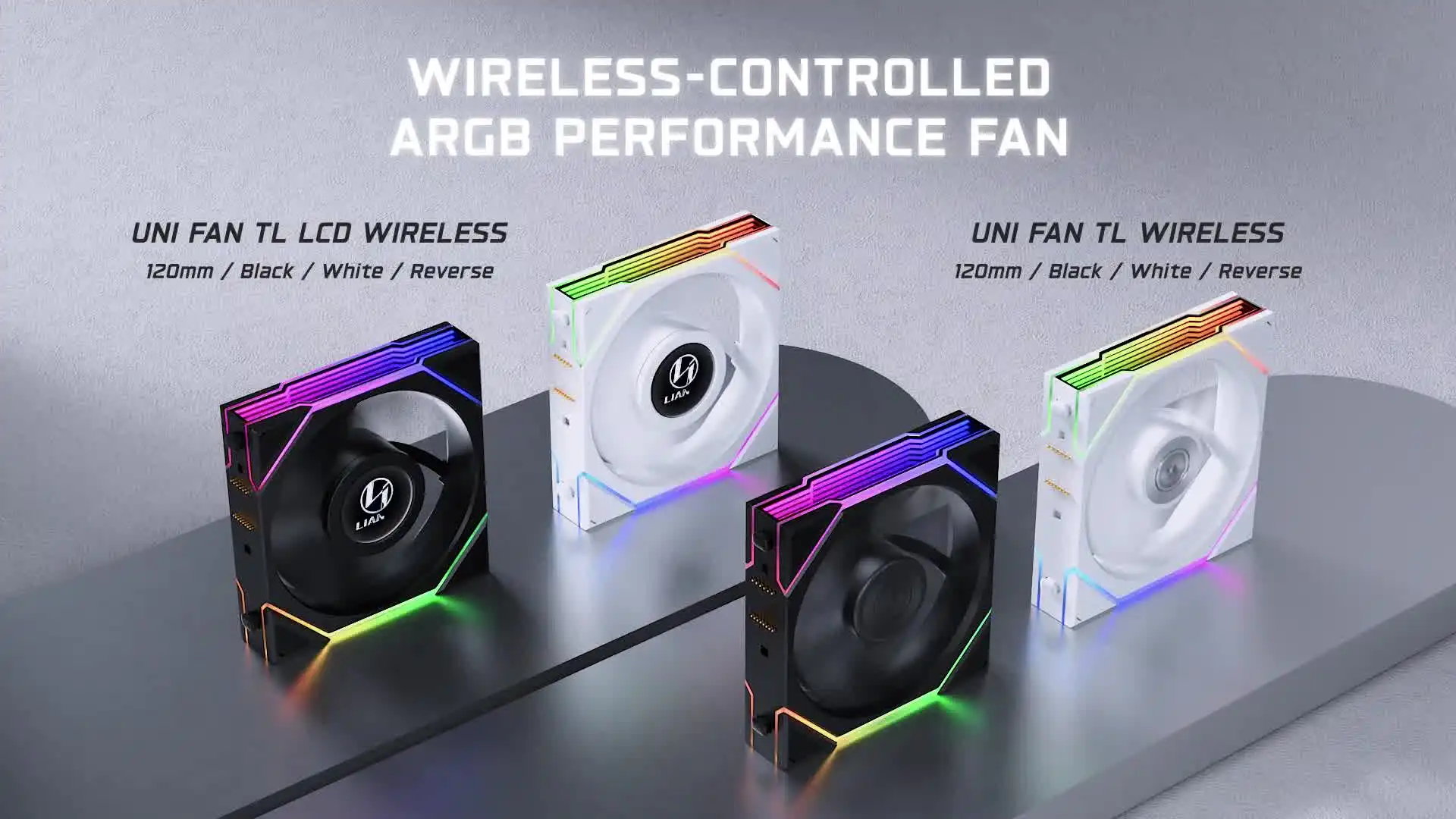
Official product video showcasing the UNI FAN TL Wireless series features, including wireless RGB control, signal receiver, LCD upgrade (for LCD models), mix-and-match capabilities, and overall system integration.
2. Package Contents
Please verify that all items are present in your package:
- UNI FAN TL Wireless 120 Fan (x1)
- Fan Screws (x12)
- Fan to Fan Connection Cable (x1)
- PWM and ARGB Cable (x1)
- Rubber Pads (x1 set)

Front view of the Lian-Li UNI FAN TL Wireless 120 fan, highlighting its white frame and vibrant ARGB lighting.
3. Setup and Installation
3.1. Fan to Fan Connection
For connecting multiple UNI FAN TL Wireless fans, use the provided fan-to-fan connection cable. Each group (channel) can daisy-chain a maximum of:
- 4x UNI FAN TL Wireless fans
- 3x UNI FAN TL Wireless LCD fans (Note: This model is non-LCD)
- 4x UNI FAN TL Wireless and LCD mix (up to 2 LCDs)
If connecting 2 or more fans in a daisy chain, the second PWM fan header must be connected to the motherboard or a SATA adapter cable for stable power delivery.
3.2. Fan Cable Connection
Connect the 4-pin PWM cable to a PWM fan header on your motherboard. Connect the ARGB cable to a compatible 3-pin 5V ARGB header on your motherboard. For power, connect the 15-pin SATA power cable to your PSU.
3.3. Removing the Fan Interlocking Key
If the radiator outlet interferes with the fan interlocking key, you can remove them. This allows for greater flexibility in mounting.
3.4. Usage of Rubber Pads
Secure the fan to the radiator and cover with the rubber pads to enhance the overall aesthetics and reduce vibrations.
3.5. L-Wireless Receiver Installation (Requires separate L-Wireless Controller)
This fan is a single pack and does not include the L-Wireless Controller. If you have an L-Wireless Controller, follow these steps:
- **Switch Cable Orientation**: Lift the cover from one side of the L-Wireless Receiver to switch the cable orientation as needed. Ensure it clicks securely into place.
- **Install Receiver**: The sockets for the power module are different in size. Be mindful of the direction when installing. Secure the receiver in the desired location.
- **Cable Organization**: Measure the length needed for cables and organize them to maintain a clean build.
Each L-Wireless Controller supports 10 channels of devices.
4. Operating Instructions
The Lian-Li UNI FAN TL Wireless 120 fan is designed for wireless ARGB control and performance. To operate the fan and control its lighting and speed, you will need a compatible L-Wireless Controller (sold separately) and the LIAN LI L-Connect software.
- **Fan Speed Control**: Connect the 4-pin PWM cable to your motherboard's PWM header. Fan speed can be controlled via your motherboard's BIOS or compatible software.
- **ARGB Lighting Control**: Connect the ARGB cable to a compatible 3-pin 5V ARGB header on your motherboard. Lighting effects can be synchronized and controlled via your motherboard's ARGB software or the LIAN LI L-Connect software if an L-Wireless Controller is used.
- **Wireless Control (with L-Wireless Controller)**: If you have an L-Wireless Controller, it uses a 2.4 GHz wireless signal for lighting and speed control, allowing for a cleaner build with fewer cables.
5. Maintenance
To ensure optimal performance and longevity of your fan, regular maintenance is recommended:
- **Cleaning**: Periodically clean the fan blades and frame to remove dust buildup. Use a soft, dry cloth or compressed air. Ensure the fan is powered off before cleaning.
- **Inspection**: Check cables for any signs of wear or damage. Ensure all connections are secure.
6. Troubleshooting
| Problem | Possible Cause | Solution |
|---|---|---|
| Fan not spinning | Incorrect power connection, faulty fan header, or fan failure. | Ensure SATA power is connected. Check PWM cable connection to motherboard. Try a different fan header. |
| ARGB lighting not working | Incorrect ARGB connection, software issue, or faulty ARGB header. | Ensure ARGB cable is connected to a 3-pin 5V ARGB header (not 4-pin 12V). Check motherboard ARGB software settings. |
| Wireless control not working (with L-Wireless Controller) | L-Wireless Receiver not installed correctly, signal interference, or software issue. | Ensure L-Wireless Receiver is properly installed and connected. Check for 2.4 GHz interference. Verify L-Connect software is up to date. |
7. Specifications
| Feature | Detail |
|---|---|
| Brand Name | LIAN LI |
| Model Number | TL Wireless 120 No Lcd |
| Fan Size | 120 MM |
| Voltage | 12V |
| Blade Quantity | 9 |
| Used For | Case |
| Package | Yes |
| RGB Support | A-RGB |
| Hign-concerned Chemical | None |
8. User Tips
- **Verify Fan Blade Type**: Upon receiving your fan, carefully check the packaging and the fan itself to ensure you have received the correct blade type (Standard Blade or Reverse Blade) as ordered.
9. Warranty and Support
For detailed warranty information, technical support, and the complete user manual, please refer to the official Lian-Li website or the comprehensive PDF manual available at: Lian-Li UNI FAN TL Wireless User Manual (PDF).
10. Important Information
FCC Caution
This device complies with part 15 of the FCC Rules. Operation is subject to the following two conditions: (1) This device may not cause harmful interference, and (2) this device must accept any interference received, including interference that may cause undesired operation.
Any Changes or modifications not expressly approved by the party responsible for compliance could void the user's authority to operate the equipment.
Note: This equipment has been tested and found to comply with the limits for a Class B digital device, pursuant to part 15 of the FCC Rules. These limits are designed to provide reasonable protection against harmful interference in a residential installation. This equipment generates uses and can radiate radio frequency energy and, if not installed and used in accordance with the instructions, may cause harmful interference to radio communications. However, there is no guarantee that interference will not occur in a particular installation. If this equipment does cause harmful interference to radio or television reception, which can be determined by turning the equipment off and on, the user is encouraged to try to correct the interference by one or more of the following measures:
- - Reorient or relocate the receiving antenna.
- - Increase the separation between the equipment and receiver.
- - Connect the equipment into an outlet on a circuit different from that to which the receiver is connected.
- - Consult the dealer or an experienced radio/TV technician for help.
*RF warning for Portable device: The device has been evaluated to meet general RF exposure requirement. The device can be used in portable exposure condition without restriction.
2.4 GHz Wireless Specification
- Frequency: 2402-2480MHz
- Transmission: Below 10mw
Low Power Radio Frequency Device Technical Specifications (Taiwan)
取得審驗證明之低功率射頻器材,非經核准,公司、商號或使用者均不得擅自變更頻率、加大功率或變更原設計之特性及功能,低功率射頻器材之使用不得影響飛航安全及干擾合法通信;經發現有干擾現象時,應立即停用,並改善至無干擾時方得繼續使用。前述合法通信,指依電信管理法規定作業之無線電通信、低功率射頻器材須忍受合法通信或工業、科學及醫療用電波輻射性電機設備之干擾。
Manufacturer: LIAN LI INDUSTRIAL CO., LTD.