
HOCO K32
Contents
HOCO K32 Smart Live Broadcast Holder Instruction Manual
This manual provides instructions for the HOCO K32 Smart Live Broadcast Holder, an intelligent device designed for live streaming, photography, and selfies, featuring AI face tracking, 360° panoramic shooting, and an anti-shake gimbal.
1. Product Overview
The HOCO K32 combines a live streaming stand with an intelligent tracking gimbal, offering stable support and smart tracking capabilities for your mobile phone.
1.1. Components and Controls
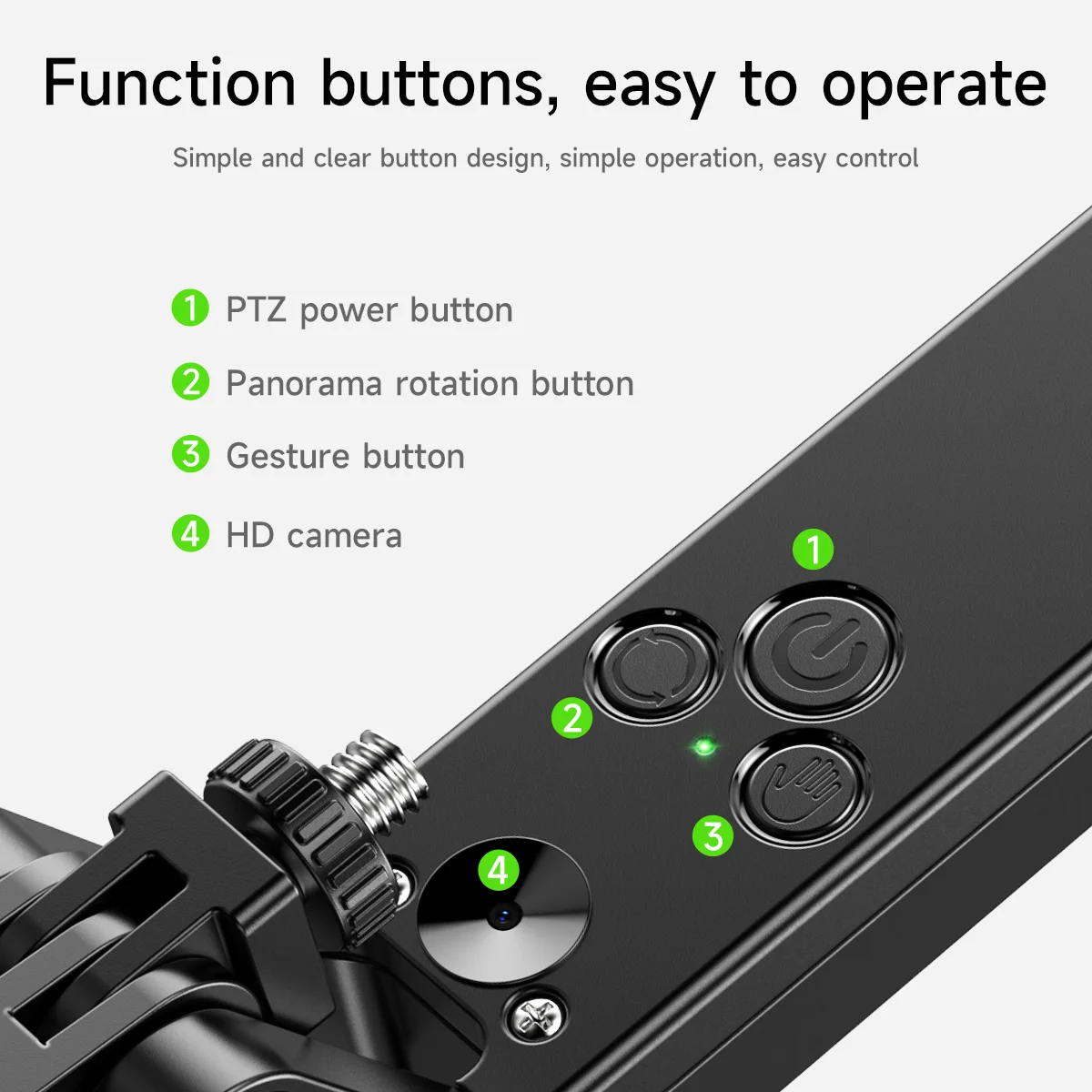
The main control panel features the following buttons:
- PTZ Power Button: Powers the gimbal on and off.
- Panorama Rotation Button: Controls the 360° panoramic rotation.
- Gesture Button: Activates gesture control for tracking.
- HD Camera: Integrated camera for tracking.
2. Specifications
| Feature | Detail |
|---|---|
| Product Name | HOCO K32 Smart Live Broadcast Holder |
| Material | ABS + Aluminum Alloy |
| Folded Size | 49 * 95 * 325mm |
| Unfolded Height (Max Extended Length) | 1.81m (1810mm) |
| Weight | Approximately 560g |
| Supported Mobile Phones | 4.5-7.0 inches |
| Phone Clip Range | 50-90mm |
| Gimbal Battery Capacity | 1500mAh |
| Gimbal Usage Time | 2 hours |
| Gimbal Charging Time | 4 hours |
| Remote Control Battery Capacity | 55mAh |
| Remote Control Usage Time | 8 hours |
| Remote Control Charging Time | 3 hours |
| Bluetooth Version | 5.2 |
| Remote Control Range | 10m |
| AI Tracking Reaction Range | 7m |
3. Setup
3.1. Unfolding the Tripod
The HOCO K32 features a one-click pop-open four-leg tripod for stable support.
- Locate the bottom button on the handle.
- Press the bottom button to release and extend the four legs of the tripod.
- Adjust the telescopic pole to your desired height. The maximum unfolded height is 1.81m.
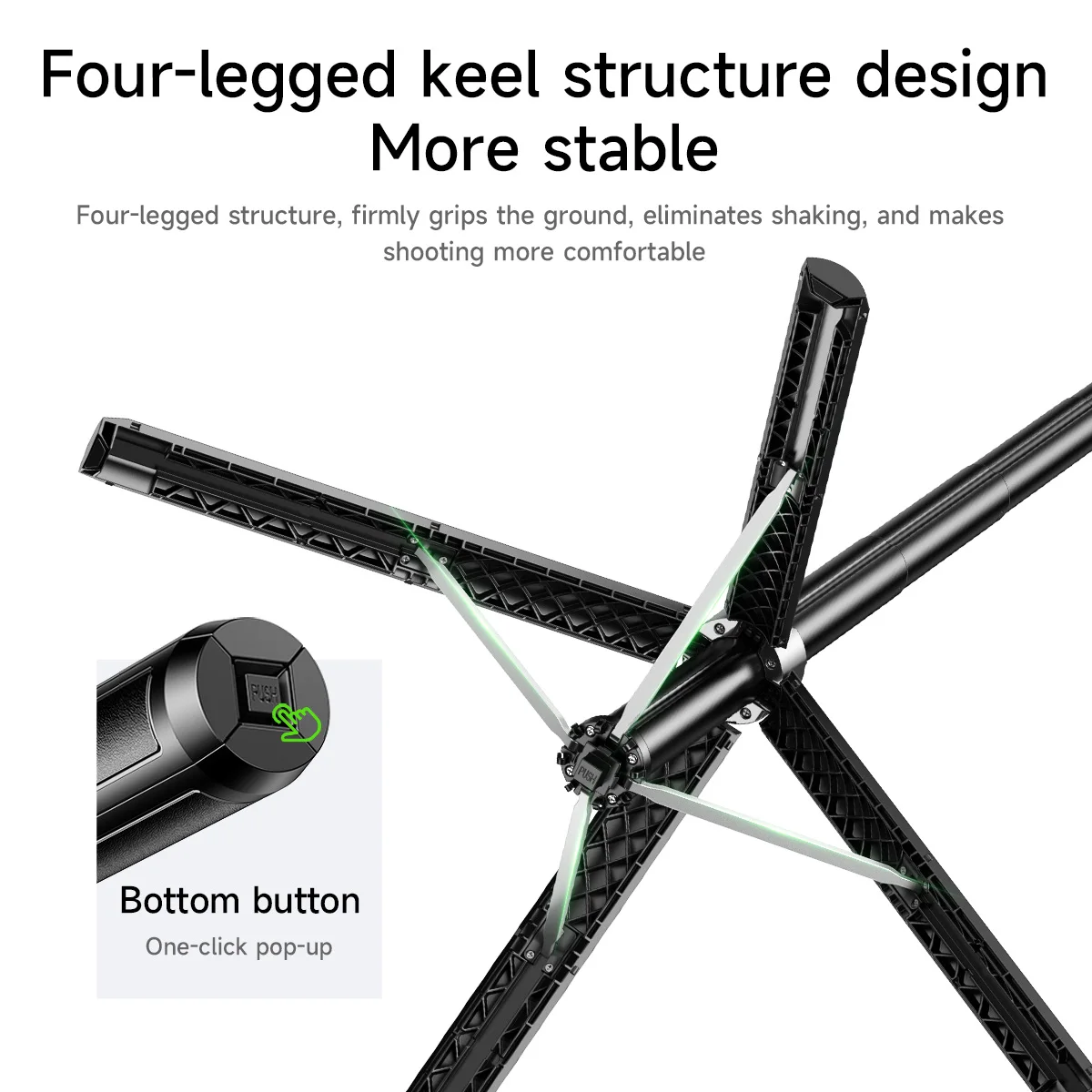
Video demonstrating tripod setup:
3.2. Mounting Your Phone
- Extend the phone clip to accommodate your mobile phone.
- Carefully place your 4.5-7.0 inch mobile phone into the clip. The clip range is 50-90mm.
- Ensure the phone is securely held by the non-slip silicone grips.
3.3. Bluetooth Connection
The HOCO K32 comes with a detachable Bluetooth remote control for wireless operation.
- Ensure the remote control is charged and powered on.
- On your mobile phone, go to the Bluetooth settings.
- Search for available devices and select
Seller-listed specifications
Specification Seller values High-concerned chemical None Max Extened Length (mm) 1810mm Package Yes Model Number K32 Use Video Camera,Point & Shoot Cameras,Smartphones Type Professional Tripod Material Plastic Brand Name HOCO Origin Mainland China Weight (g) 560
Documents and downloads
Ask a question about this manual
Ask about setup, troubleshooting, compatibility, parts, safety, or missing instructions. Manuals+ will review the question and use this page’s manual context to help answer it.