
1. Introduction
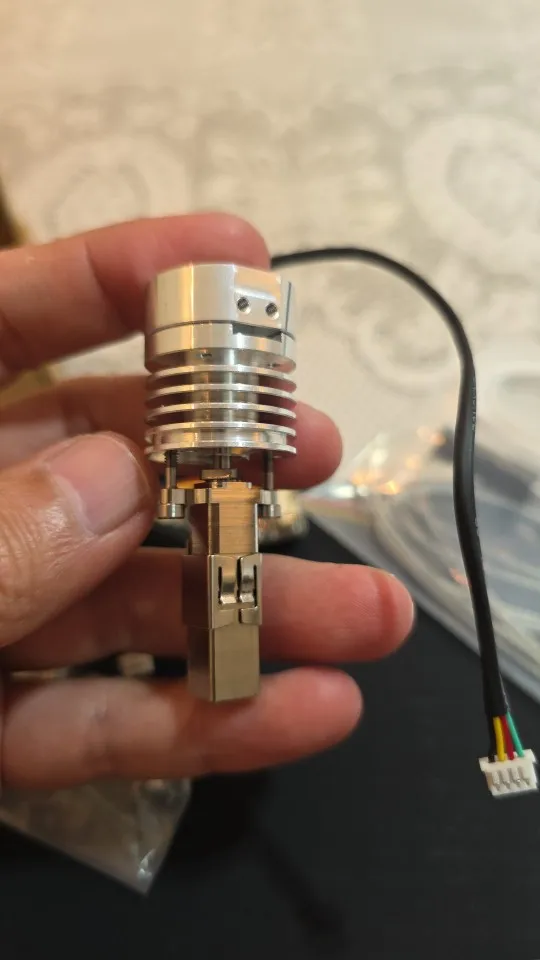
The Mellow HeatCore 4 UHF Lite ALPS Hotend is a next-generation, compact, high-performance hotend designed for ultra-fast, high-temperature 3D printing. It features a 4 mm heating element, aerospace-grade components, and seamless compatibility with the ALPS pressure-based bed leveling module. This hotend delivers rapid heat-up, stable extrusion, and precise leveling, making it suitable for professional and industrial 3D printing applications on machines like Voron, Blv, Vzbot, and Hevort.
Mellow is committed to developing 3D printer accessories that can be used on various 3D printers, offering product lines including NF Extruders, NF Hotends, and FLY Motherboards and Electronics. We aim to provide a better overall user experience with our products.

2. Safety Information
- High-Temperature Hazard: The nozzle reaches extremely high temperatures during printing and for a period after shutdown. Never touch it directly with bare hands to avoid severe burns. Always allow it to cool completely before handling or removal.
- Children and Pets: Keep the printer and this nozzle out of reach of children and pets to prevent ingestion, burns, or other accidents.
- Regular Inspection: Regularly inspect the nozzle for wear, clogging, or deformation. A damaged nozzle may lead to poor print quality or safety hazards and should be replaced promptly.
3. Package Contents
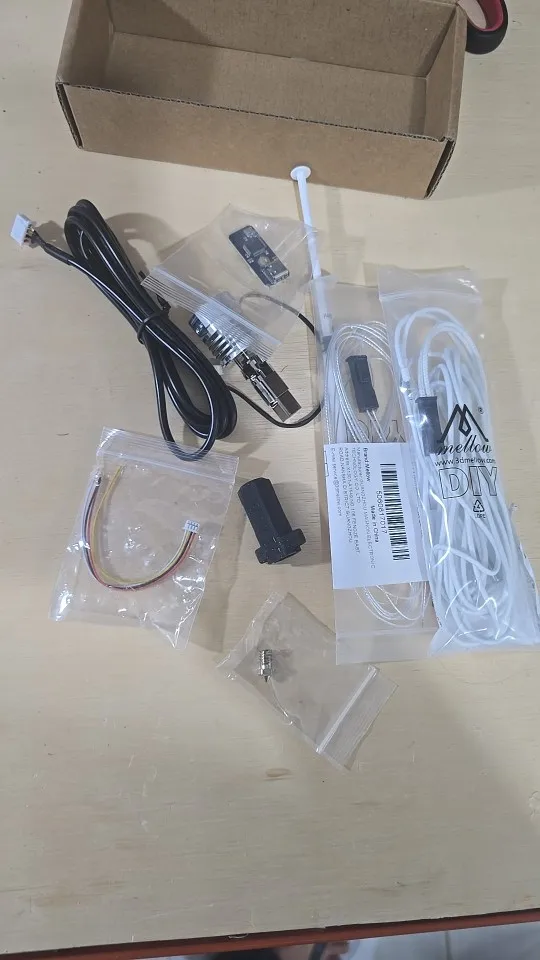
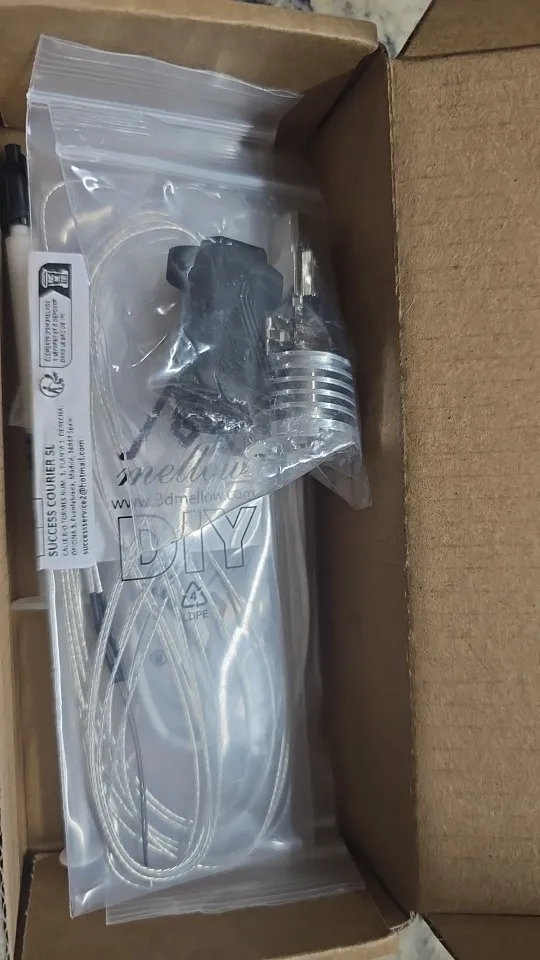
The HeatCore 4 UHF Lite ALPS Hotend is available in different sets. Please verify your package against the list below.
Set 1: HeatCore 4 UHF Lite + ALPS Leveling
- HeatCore 4 UHF Lite ALPS Hotend x1
- 4MM High-performance Heater x1
- NONO PT1000 Temperature Sensor x1

Set 2: HeatCore 4 UHF Lite (without ALPS Leveling module)
- HeatCore 4 UHF Lite Hotend x1
- 4MM High-performance Heater x1
- NN PT1000 Temperature Sensor x1

Individual Components (may be included in other sets or sold separately)
- Set 3: HP 4MM Heater x1
- Set 4: NN PT1000 Temperature Sensor x1
- Set 5: Heating Block x1
- Set 6: Titanium Heatbreak x1
- Set 7: Heating Tube Clamp x1
- Set 8: Fixing Screw x1
4. Specifications
| Feature | Specification |
|---|---|
| Item Type | J-Head |
| Heating Power | 60W |
| Max Printing Temperature | 400°C |
| Max Flow Rate | > 40 mm³/s |
| Applicable Filaments | 1.75mm |
| Nozzle Compatibility | Universal V6 Nozzles (Brass, Silicon Carbide, Hardened Steel, Copper Plating) |
| Heatbreak Material | TC4 Titanium |
| Leveling Module Chip | ADS131M02 |
| Leveling Module Sampling Speed | 64 kHz |
| Leveling Module Resolution | 24 Bits |
| Leveling Module Gain | 1 to 128 (Programmable) |
| Hotend Weight (Heat Sink only) | 22.6g |
| Package Weight | 0.2 kg |
| Package Dimensions | 17 x 7 x 6 cm |


5. Setup Instructions
5.1. Hotend Assembly (for ALPS Leveling Module)
- Remove all contents included in the package.
- Connect the included cable to the ALPS pressure adjustment module.
- Connect the heat sink to the other side of the module.

5.2. Wiring to Mainboard
If connecting via the tool board, please use a PH2.0 connector for the connection. After preparing the terminal, insert it into the tool board for connection. Follow the wire sequence shown in the diagrams below.
For detailed Klipper configuration, please refer to the official guide: Mellow Klipper Wiring Guide
6. Operating Instructions
6.1. General 3D Printing Operation
The HeatCore 4 UHF Lite Hotend is designed for high-speed and high-temperature printing. Ensure your 3D printer's firmware is correctly configured for the hotend's specifications (60W heater, Pt1000 thermistor, and ALPS leveling module if applicable).
6.2. ALPS Pressure Leveling Module
The ALPS pressure leveling module provides high-precision bed leveling. When it touches the heated bed, it transmits a signal to the mainboard, accurately detecting the contact state between the print head and the print bed. This enables automatic Z-axis homing and mesh bed leveling with millimeter-level accuracy, eliminating errors from traditional mechanical limit switch calibration.

6.3. Firmware Compatibility
The ALPS module is designed for seamless integration with popular 3D printer firmwares such as Klipper, Marlin, and RRF. Refer to the provided Klipper wiring guide for specific configuration details.
6.4. Pressure Leveling Demonstration
7. Maintenance
- Nozzle Inspection: Regularly inspect the nozzle for signs of wear, clogging, or deformation. Replace the nozzle if any damage is observed to maintain print quality and prevent safety hazards.
- Cleaning: Periodically clean the hotend and nozzle to prevent filament buildup and ensure optimal performance. Always ensure the hotend is completely cool before attempting any cleaning or maintenance.
- Heatbreak Check: Ensure the titanium heatbreak is free from clogs and properly seated to prevent heat creep and maintain stable printing temperatures.
8. Troubleshooting
- Poor Print Quality: If you experience issues like stringing, under-extrusion, or inconsistent layers, check for nozzle clogs, proper filament loading, and correct temperature settings. Ensure the ALPS leveling module is calibrated correctly.
- Leveling Errors: If the ALPS module is not accurately detecting the bed, verify its wiring connections and check the Klipper configuration (or other firmware settings). Ensure the module is clean and free from debris.
- Hotend Not Heating: Check the heater cartridge and thermistor connections. Verify that the power supply is adequate and the firmware settings for the heater are correct.
9. User Tips
- M2.5 Bolts: The kit might be missing M2.5 bolts for assembly. It is recommended to have these on hand or order them in advance to avoid delays during setup.
- Firmware Configuration: Take your time to properly configure your printer's firmware (e.g., Klipper) for the ALPS leveling module. This is crucial for achieving optimal leveling accuracy.
10. Warranty & Support
Mellow stands behind the quality of its products. For any issues or technical support, please contact the seller or refer to the official Mellow documentation. For comprehensive details, including warranty information and advanced troubleshooting, please consult the official PDF user manual.
11. Additional Resources
- Official User Manual (PDF): For more in-depth information and detailed diagrams, please download the User manual (PDF).
- Klipper Configuration Guide: For specific Klipper firmware setup instructions, visit Mellow Klipper Wiring Guide.