
1. Product Overview
Thank you for choosing the Vgate iCar Pro 2S ELM327 Bluetooth 5.2 OBD2 Car Diagnostic Tool. This device transforms your smartphone, tablet, or Windows PC into a powerful car diagnostic tool. It connects via Bluetooth 5.2 and is designed to work with most OBD2/EOBD compliant vehicles, including new energy vehicles.

The iCar Pro 2S is an upgraded version of the iCar Pro, featuring enhanced connection speed, support for new energy vehicles, and improved power management. It is compatible with a wide range of third-party diagnostic applications available on app stores.

2. Key Features
The Vgate iCar Pro 2S offers a comprehensive set of diagnostic capabilities:
- Read Diagnostic Trouble Codes (DTCs):
- Generic Codes: Retrieve standard OBD2 codes (e.g., POxxx) to quickly identify engine-related issues.
- Manufacturer-Specific Codes: Access enhanced codes (e.g., P1xxx) from certain manufacturers for deeper insights into vehicle-specific systems.
- Clear Trouble Codes & Reset Check Engine Light: Erase fault codes and turn off the Malfunction Indicator Light (MIL) after repairs.
- Live Data Stream: Real-time monitoring of Parameter Identification (PID) data from your vehicle's sensors, including Engine RPM, Coolant Temperature, Vehicle Speed, Intake Air Temperature, Oxygen Sensor Voltage, Fuel Trim (Short Term & Long Term), and Throttle Position.
- Freeze Frame Data: Retrieve a snapshot of vehicle conditions recorded at the exact moment a fault code was triggered.
- I/M Readiness: Check the status of various emission-related monitors to verify repairs and determine if the vehicle is ready for emissions testing.
- Vehicle Information: Read the Vehicle Identification Number (VIN) to identify correct vehicle specifications.
- Advanced Features:
- Over-voltage, over-temperature, over-current protection.
- Fast Bluetooth OBD-II adapter with 3Mbps baudrate.
- Free firmware updates.
- BatterySaver technology for low power consumption (<3mA standby).
- Automatic sleep & wake-up wirelessly, including support for Hybrid/Pure Electric Vehicles.
- Up to 208 groups of pass, block, and flow control filters.
- Superior compatibility with more 3rd party apps & software.

3. Setup and Installation
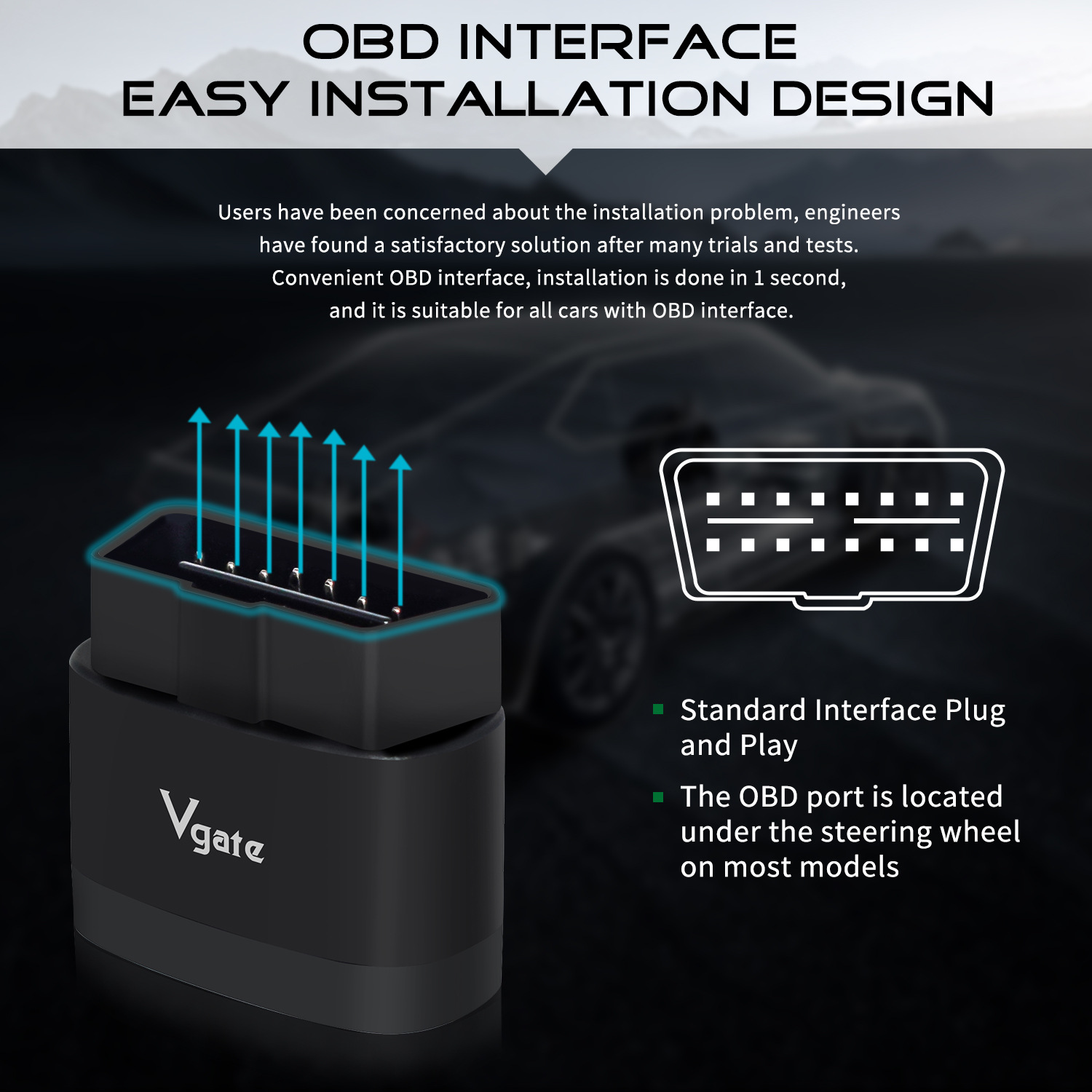
The Vgate iCar Pro 2S features an easy plug-and-play installation design. Follow these steps to set up your device:
- Locate the OBD Connector: Find the OBD port in your car. On most models, it is located under the steering wheel.
- Plug in the Device: Firmly plug the Vgate iCar Pro 2S into the OBD connector.
- Power On: The device will automatically power on. The outer ring light will illuminate blue.
- Connect via Bluetooth:
- Android System: Turn on Bluetooth on your mobile device. Search for the device named 'Android-Vlink'. Enter the pairing code '1234' to pair successfully. Then, open your chosen diagnostic app to set up the connection.
- iOS System: Turn on Bluetooth on your mobile device. There is no need to manually pair the device in your phone's Bluetooth settings. Simply open your chosen diagnostic app and connect from within the app.
- Windows System: Turn on Bluetooth on your PC. Search for the device named 'Android-Vlink'. Enter the pairing code '1234' to pair successfully. Then, open your chosen diagnostic app to set up the connection.
- Launch Diagnostic App: Open your preferred third-party diagnostic application (e.g., Car Scanner, Torque, OBD Auto Doctor) and follow the app's instructions to establish a connection with the iCar Pro 2S.


3.1 Tesla Adapter Cables (Optional)
For specific Tesla models, adapter cables may be required to access the OBD2 port. Ensure you use the correct cable for your vehicle model and year:
- 12pin Adapter: For Tesla Model X/S 2012-2015.
- 20pin Adapter: For Tesla Model X/S.
- 26pin Adapter: For Tesla Model 3.


4. Operation
Once the Vgate iCar Pro 2S is connected to your vehicle and paired with your device, you can begin using a compatible third-party diagnostic application to perform various functions:
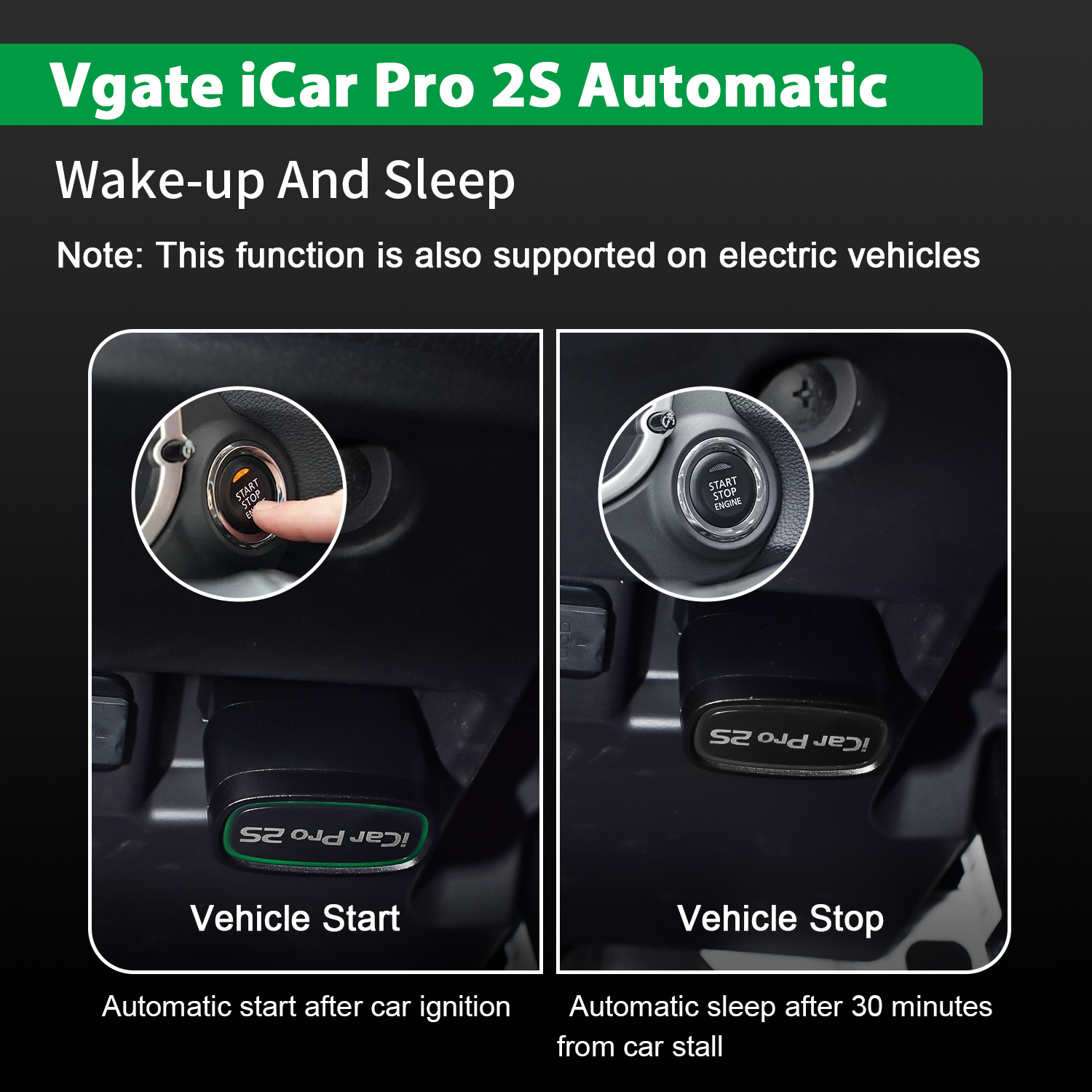
- Vehicle Start/Stop: The device supports automatic wake-up and sleep functions. It will automatically start after car ignition and sleep after 30 minutes from car stall, preserving your car's battery. This function is also supported on electric vehicles.
- Reading Data: Use the app to read real-time sensor data, diagnostic trouble codes (DTCs), and freeze frame data.
- Clearing Codes: After addressing any vehicle issues, use the app to clear DTCs and turn off the Check Engine Light.
- I/M Readiness Check: Perform emission checks to ensure your vehicle is compliant.
- Vehicle Information Retrieval: Access VIN and other vehicle-specific information.
Refer to the specific instructions of your chosen diagnostic application for detailed guidance on how to navigate its interface and utilize its full range of features.
5. Maintenance
The Vgate iCar Pro 2S is designed for durability and low maintenance. To ensure its longevity and optimal performance:
- Keep the device clean and free from dust and moisture.
- Store it in a cool, dry place when not in use.
- Avoid exposing the device to extreme temperatures or direct sunlight for prolonged periods.
- Do not attempt to open or modify the device, as this will void the warranty.
- The device features BatterySaver technology, which automatically puts it into a low-power sleep mode (<3mA) when idle, preventing car battery drain.
- Firmware updates are available and can be performed through compatible applications to ensure the device has the latest features and bug fixes.
6. Troubleshooting
If you encounter issues with your Vgate iCar Pro 2S, consider the following:
- Device Not Powering On: Ensure the device is firmly plugged into the vehicle's OBD port. Check your vehicle's OBD port for power issues.
- Bluetooth Connection Issues:
- For Android/Windows: Confirm Bluetooth is enabled and you are selecting 'Android-Vlink' with pairing code '1234'.
- For iOS: Ensure Bluetooth is enabled, and attempt connection directly from the diagnostic app without pre-pairing in iOS settings.
- Try restarting your mobile device/PC and the vehicle.
- App Not Connecting to Device:
- Ensure you are using a compatible third-party application.
- Check the app's settings to confirm the correct connection type (Bluetooth 5.2) and device are selected.
- Update the app to its latest version.
- No Data or Incorrect Readings:
- Verify your vehicle is OBD2/EOBD compliant.
- Ensure the vehicle's ignition is on (or engine running for live data).
- If using for Tesla, confirm you have the correct adapter cable for your specific model and year.
WARNING: Please strictly follow the instructions and safety tips. This product is a diagnostic assistance tool; the data provided is for reference only. Always consult a qualified technician for repairs. Advanced functions (like ABS/SRS diagnosis) depend on the capability of the third-party application being used.
7. Specifications
| Feature | Specification |
|---|---|
| Model Name | Vgate iCar Pro 2S ELM327 |
| Communication Interface | OBD-II, Bluetooth 5.2 |
| Hardware Version | V2.3 |
| Software Version | Latest Version |
| Language | English |
| Item Type | Code Readers & Scan Tools |
| Certification | CE |
| Power Supply | 11.5V - 15V (Powered via OBD2 port) |
| Operating Current | < 200mA |
| Standby Current | < 3mA (auto sleep mode) |
| Operating Temperature | -40°C to +85°C |
| Maximum Communication Rate | 3.0 Mbps |
| Average Communication Rate (FPS) | 43.5 ~ 76.6 |
| Max Bytes of One Reading | 4095 |
| Compatible Systems | Android, iOS, PC |
| Compatibility with ELM327 Instruction | V2.3 |
| Dimensions (approx.) | 4.1 cm x 4 cm x 2 cm |

8. User Tips
- App Selection: While the iCar Pro 2S is compatible with many third-party apps, some users find specific apps like "Car Scanner," "Torque," or "OBD Auto Doctor" to be effective. For Tesla vehicles, specialized apps like "ScanMyTesla" might be required for advanced diagnostics.
- Vehicle Compatibility Check: Always confirm your vehicle's compatibility with the OBD2/EOBD standard before use. The device supports 12V petrol vehicles (from 2001 in Europe, 1996 in USA) and 12V small diesel vehicles (from 2003/2004 in Europe) with a load of 6.5T or less.
- Tesla Adapters: If you own a Tesla, ensure you have the correct adapter cable (12pin, 20pin, or 26pin) for your specific model and year to ensure proper connection and data access.
- Firmware Updates: Regularly check for and install firmware updates through your diagnostic application to benefit from the latest features and improvements.
9. Warranty and Support
The Vgate iCar Pro 2S comes with a Two-Year Official Store Warranty. This warranty covers manufacturing defects and ensures the product functions as described under normal use.
For further assistance, please refer to the official user manual PDF available online: Vgate iCar Pro 2S User Manual (PDF).

Vgate is a professional supplier of automotive diagnostic Code Reader Scanner products, committed to providing service and solutions worldwide. All Vgate products are designed for ease of use, with manuals provided for step-by-step operation.
10. Packing List
The standard package for the Vgate iCar Pro 2S includes:
- 1 x Vgate iCar Pro 2S OBDII Diagnostic Tool
- 1 x User Manual


