1. Introduction
Thank you for choosing the Roborock A20 Intelligent Floor Scrubber. This advanced cleaning device integrates sweeping, vacuuming, and mopping functions, featuring hot air drying and intelligent self-cleaning for a comprehensive and hygienic floor care solution. Its lightweight design and FlatReach™ technology ensure effortless cleaning even in hard-to-reach areas. Please read this manual thoroughly before use to ensure proper operation and maintenance.
2. Safety Information
Always follow basic safety precautions when using electrical appliances to reduce the risk of fire, electric shock, or injury.
- Read all instructions before using the appliance.
- Do not immerse the appliance in water or other liquids.
- Keep hair, loose clothing, fingers, and all parts of the body away from openings and moving parts.
- Use only as described in this manual. Use only manufacturer’s recommended attachments.
- Do not use with a damaged cord or plug. If the appliance is not working as it should, has been dropped, damaged, left outdoors, or dropped into water, return it to a service center.
- Do not pull or carry by cord, use cord as a handle, close a door on cord, or pull cord around sharp edges or corners. Do not run appliance over cord. Keep cord away from heated surfaces.
- Do not handle plug or appliance with wet hands.
- Turn off all controls before unplugging.
- Do not use to pick up flammable or combustible liquids, such as gasoline, or use in areas where they may be present.
- Do not pick up anything that is burning or smoking, such as cigarettes, matches, or hot ashes.
- Exercise extra care when cleaning on stairs.
- Do not use without dust bag and/or filters in place.
3. Package Contents
The Roborock A20 Intelligent Floor Scrubber package typically includes:
- Roborock A20 Air Main Unit
- Charging Base
- Power Adapter
- User Manual
Please check all components upon unboxing.
4. Product Overview
The Roborock A20 Air is designed for efficient and thorough floor cleaning. Key features include:
- Lightweight Design: Weighing only 3.9kg, with a single-hand grip force as low as 520g, making it easy to maneuver.
- FlatReach™ Technology: Allows the device to lay flat, reaching under furniture and into low areas (down to 15cm clearance) without needing to move items.
- Powerful Cleaning: Features 17000Pa super suction for both wet and dry debris.
- Dual-Blade Structure: Equipped with a straight fixed scraper and a comb-tooth anti-tangle scraper to effectively manage water stains and hair.
- Antibacterial System: Full-chain antibacterial protection (roller brush, filter, clean water tank) with a ground sterilization rate of up to 99.9%.
- Hot Air Drying: Automatic hot air drying of the roller brush after cleaning to prevent odors and bacterial growth.
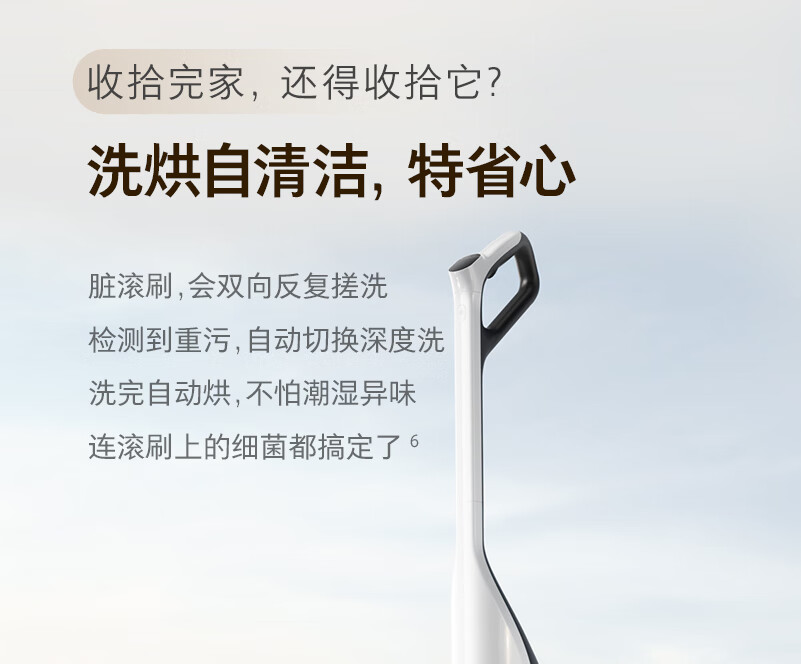
- Intelligent Self-Cleaning: Automatically detects roller brush dirt levels and initiates deep self-cleaning with forward and reverse scrubbing.
- Voice Prompts: Provides real-time status updates and operational guidance.
- Automatic Mode: Intelligently adjusts suction and water volume based on dirt levels.


5. Setup
Follow these steps to set up your Roborock A20 Air for first use:
- Unpack: Carefully remove all components from the packaging.
- Assemble: Attach the handle to the main unit until it clicks into place.
- Charge: Place the main unit on the charging base. Ensure the power adapter is connected to the charging base and a power outlet. The device will begin charging, and voice prompts will indicate the charging status. A full charge takes approximately 3 hours.
- Fill Clean Water Tank: Remove the clean water tank (located on the main unit), open the cap, and fill it with clean tap water. You may add a small amount of non-foaming floor cleaning solution if desired. Close the cap securely and reinsert the tank. The clean water tank capacity is 640mL.

6. Operating Instructions
Operating your Roborock A20 Air is straightforward:
- Power On: Press the power button on the handle to turn on the device. Voice prompts will confirm activation.
- Select Mode: The device typically starts in automatic mode, which intelligently adjusts cleaning power based on detected dirt levels. You can switch between modes (e.g., energy-saving, powerful) if available, though the automatic mode is designed for most scenarios.
- Start Cleaning: Tilt the handle back to engage the roller brush and begin cleaning. The device will automatically dispense water and vacuum debris.
- FlatReach™ Cleaning: For cleaning under low furniture, gently push the device forward while keeping the handle parallel to the floor. The FlatReach™ design allows the main unit to lie flat, reaching into spaces as low as 15cm.
- Edge Cleaning: The device features extreme edge-to-edge cleaning on its right side, allowing it to clean close to walls and furniture legs.
- Monitor Status: Pay attention to voice prompts for important information such as battery level, cleaning status, and self-cleaning initiation.
- Power Off: When finished, return the device to the upright position and press the power button to turn it off. Place it back on the charging base.

7. Maintenance
Regular maintenance ensures optimal performance and extends the lifespan of your Roborock A20 Air.
- Automatic Self-Cleaning: After each cleaning session, place the device on its charging base. It will automatically detect the roller brush's condition and initiate a deep self-cleaning cycle, scrubbing the brush in both forward and reverse directions.
- Hot Air Drying: Following self-cleaning, the device will automatically dry the roller brush with hot air. This prevents moisture-related odors and inhibits bacterial growth.
- Empty Dirty Water Tank: Regularly empty the dirty water tank (400mL capacity) after each use. Remove the tank, open the cap, pour out the dirty water, rinse the tank, and reinsert it securely.
- Clean Filter: Periodically remove and clean the filter to maintain suction performance. Rinse it under running water and allow it to air dry completely before reinserting.
- Roller Brush Maintenance: While the device has self-cleaning, occasionally remove the roller brush for a more thorough inspection and manual cleaning if necessary, especially if excessive hair or debris is tangled.


8. Troubleshooting
If you encounter issues with your Roborock A20 Air, refer to the following common problems and solutions:
| Problem | Possible Cause | Solution |
|---|---|---|
| Device does not turn on | Low battery; Not properly charged | Ensure the device is fully charged. Check power adapter and charging base connection. |
| Poor suction | Dirty filter; Clogged nozzle/roller brush; Full dirty water tank | Clean or replace the filter. Clear any blockages from the nozzle or roller brush. Empty the dirty water tank. |
| Leaves streaks/dirty water | Dirty roller brush; Dirty water tank full; Insufficient clean water | Run self-cleaning cycle. Empty and rinse dirty water tank. Refill clean water tank. |
| Unusual noise | Foreign object in roller brush; Damaged roller brush | Check and remove any foreign objects from the roller brush. If damaged, replace the roller brush. |
| Voice prompts not working | Volume too low; System error | Check volume settings. Restart the device. |
If the problem persists after trying these solutions, please contact customer support.
9. Specifications
Detailed specifications for the Roborock A20 Air Intelligent Floor Scrubber:
| Feature | Specification |
|---|---|
| Product Name | Roborock Intelligent Floor Scrubber A20 Air |
| Dimensions (L x W x H) | 368mm x 314mm x 1150mm |
| Power (W) | 150W |
| Voltage | 220 V |
| Battery Capacity | 2500mAh (typical) |
| Main Unit Weight | 3.9kg |
| Clean Water Tank Capacity | 640mL |
| Dirty Water Tank Capacity | 400mL |
| Charging Time | 3 hours |
| Suction Power | 17000Pa |
| Sterilization Rate | Up to 99.9% |
| Runtime | Approx. 30 minutes |
| Max Cleaning Area | Approx. 200m² |
10. User Tips
Maximize your cleaning experience with these helpful tips:
- Regular Self-Cleaning: Always allow the device to complete its self-cleaning and hot air drying cycle after each use. This is crucial for maintaining hygiene and preventing unpleasant odors from the roller brush.
- Utilize FlatReach™: Don't hesitate to lay the device flat to clean under beds, sofas, and other low furniture. This feature is designed to reach areas traditional vacuums or mops might miss.
- Empty Dirty Water Promptly: To prevent odors and ensure efficient operation, empty and rinse the dirty water tank immediately after each cleaning session.
- Listen to Voice Prompts: The voice prompts provide valuable real-time information about the device's status, including charging, self-cleaning, and potential issues.
- Use Appropriate Cleaning Solution: If using a cleaning solution, ensure it is a low-foaming type specifically designed for floor scrubbers to avoid excessive suds and potential damage.
11. Warranty and Support
The Roborock A20 Intelligent Floor Scrubber comes with a 2-year official warranty. For warranty claims, technical support, or service inquiries, please contact your original point of purchase or the official Roborock customer service channel in your region. Keep your purchase receipt as proof of purchase for warranty validation.


