1. Isingeniso
This manual provides essential information for the proper use and maintenance of your XIAOMI Redmi 15 5G smartphone. Please read this guide thoroughly before operating your device to ensure optimal performance and longevity. The Redmi 15 5G is designed for reliable daily use, featuring a large display, powerful battery, and advanced camera system.
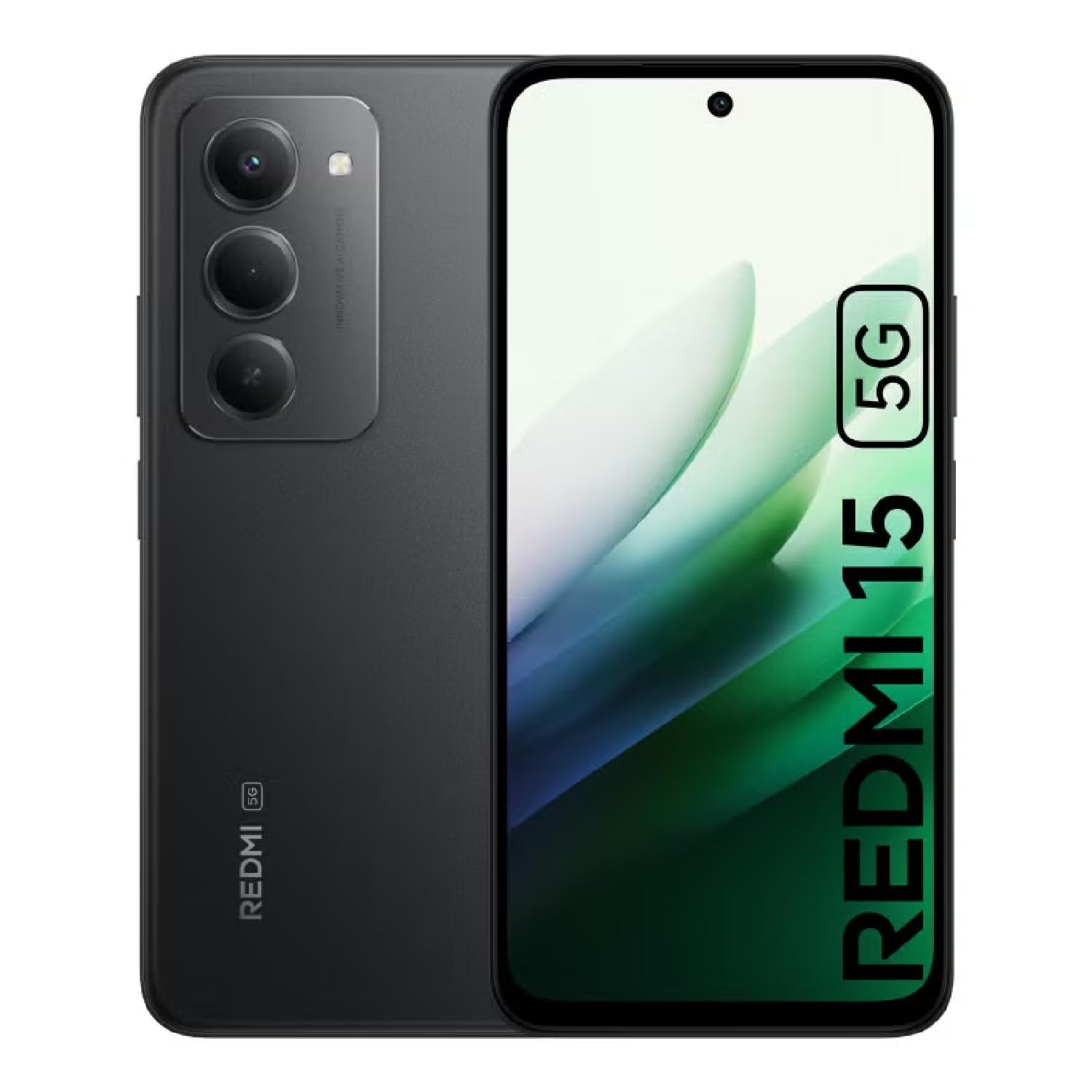
Image: The XIAOMI Redmi 15 5G smartphone, showcasing its design in multiple color options.
2. Yini EseBhokisini
- XIAOMI Redmi 15 5G Smartphone
- Ikhebula le-USB
- Ikesi lefoni
- SIM Ejector Tool (may be included with documentation)
- Umhlahlandlela Wokuqala Okusheshayo nolwazi Lwewaranti
3. Setha
3.1. Ukufakwa kwe-SIM Card kanye ne-MicroSD Card
- Thola ithreyi ye-SIM eceleni kwedivayisi yakho.
- Faka ithuluzi le-SIM ejector embotsheni encane eduze kwethreyi bese ucindezela kancane kuze kuvele ithreyi.
- Place your Nano-SIM card(s) and/or microSD card into the tray, ensuring they are correctly oriented. The Redmi 15 5G supports a hybrid SIM slot (SIM1 + SIM2 or SIM1 + microSD).
- Faka futhi ngokucophelela ithreyi ocingweni.
3.2. Ukuvula Nokucushwa Kokuqala
- Cindezela bese ubamba inkinobho ethi Power kuze kuvele ilogo ye-XIAOMI.
- Landela imiyalo esesikrinini ukuze ukhethe ulimi lwakho, isifunda, futhi uxhume kunethiwekhi ye-Wi-Fi.
- Sign in with your Google account or create a new one to access apps and services.
- Set up your preferred security methods, such as a PIN, pattern, password, fingerprint, or AI face unlock.
4. Iziqondiso Zokusebenza
4.1. Izici zokubonisa
The Redmi 15 5G features an immersive 6.9-inch FHD+ DotDisplay with a resolution of 2340 × 1080 pixels (374 PPI). Enjoy smooth visuals with a refresh rate of up to 144Hz and a touch sampling rate of up to 288Hz. The display offers a typical brightness of 700 nits (850 nits HBM) and a contrast ratio of 1400:1. It includes an all-day eye-care display with DC dimming and TÜV Rheinland certifications for low blue light, circadian friendly, and flicker-free viewing. The Wet Touch Technology 2.0 ensures accurate touch response even with wet fingers.
4.2. Uhlelo lwekhamera
Capture high-quality photos and videos with the 50MP AI dual camera system. The main camera features a 5P lens with an f/1.8 aperture. Video recording supports 1080p (1920x1080) HD at 30 fps and 720p (1280x720) HD at 30 fps. The 8MP front camera (f/2 aperture) is ideal for selfies and video calls, offering features like filmCamera, HDR mode, soft-light ring, portrait mode, and time-lapse. Front camera video recording also supports 1080p and 720p HD at 30 fps.

Isithombe: Ngemininingwane view of the Redmi 15 5G's rear camera system.
4.3. Ukusebenza kanye nebhethri
Powered by the Snapdragon® 6s Gen 3 5G Mobile Platform, built on an efficient 6nm process, the device offers smooth and reliable performance. The octa-core CPU (Kryo, up to 2.3GHz) and Adreno GPU ensure efficient multitasking and gaming. The phone comes with 8GB of RAM, expandable up to 16GB with Memory extension (utilizing ROM storage). A massive 7000mAh (typical) battery provides extended usage, offering up to 24 hours of talk time.
4.4. Connectivity and Security
The Redmi 15 5G supports 5G connectivity (SA and NSA bands), 4G LTE, and 3G/2G networks. It includes NFC for contactless payments and data transfer, Wi-Fi for internet access, and comprehensive GPS support (GPS, Glonass, Galileo, Beidou). Security features include a side-mounted fingerprint sensor and AI face unlock for convenient and secure access.
5. Isondlo
- Ukuhlanza: Sebenzisa indwangu ethambile, engenantambo ukuhlanza isikrini nomzimba. Gwema amakhemikhali anokhahlo.
- Izibuyekezo zesofthiwe: Hlola njalo futhi ufake izibuyekezo zesistimu ukuze uqinisekise ukusebenza kahle, ukuphepha, nokufinyelela ezicini ezintsha.
- Ukunakekelwa kwebhethri: Ukwelula impilo yebhethri, gwema amazinga okushisa adlulele futhi ungavumeli ibhethri liphele amandla njalo.
- Ukuphathwa Kwesitoreji: Kucace ngezikhathi ezithile ngokungadingekile files and apps to maintain device speed and free up storage space.
6. Ukuxazulula izinkinga
- Idivayisi Ayivuliwe: Qinisekisa ukuthi ibhethri lishajwe. Xhuma idivayisi kushaja yayo bese ulinda imizuzu embalwa ngaphambi kokuzama ukuyivula futhi.
- Apps Freezing or Lagging: Close background applications. Clear app cache or data if the issue persists with a specific app. Restarting the device can also resolve temporary performance issues.
- Ukuxhumana Okubi Kwenethiwekhi: Check if your SIM card is properly inserted. Ensure mobile data is enabled and you are within network coverage. For Wi-Fi issues, restart your router and phone.
- Ukukhipha Ibhethri Ngokushesha: Reduce screen brightness, disable unnecessary features like GPS or Bluetooth when not in use, and close power-intensive background apps.
- Inzwa yezigxivizo zeminwe ayisebenzi: Ensure your finger is clean and dry. Re-register your fingerprints if the issue persists.
7. Imininingwane
| Isici | Ukucaciswa |
|---|---|
| Igama Lemodeli | 25057RN09E |
| Usayizi Wokubonisa | 6.9 amayintshi |
| Isixazululo | 2340 x 1080 |
| Isilinganiso Sokuvuselela | 144 Hz |
| Iphrosesa | Snapdragon 6s Gen 3 Mobile Platform (Octa-core, up to 2.3GHz) |
| RAM | 8 GB (expandable up to 16GB with Memory extension) |
| Umthamo Wesitoreji | 256 GB (expandable up to 2TB with microSD) |
| Ikhamera Eyinhloko | 50 MP AI Dual Camera |
| Ikhamera yangaphambili | 8 MP |
| Amandla ebhethri | 7000 mAh |
| Isistimu esebenzayo | I-Xiaomi HyperOS isekelwe ku-Android 15 |
| Ukuxhumana | 5G, Wi-Fi, NFC, GPS |
| Ezokuphepha | Inzwa Yeminwe Eseceleni, Ukuvula Ngobuso kwe-AI |
| Ubukhulu | 6.74 x 3.23 x 0.34 amayintshi |
| Isisindo | 7.9 ama-ounces (224 Amagremu) |
8. Iwaranti kanye Nokusekela
For warranty information, please refer to the warranty card included in your product packaging or visit the official XIAOMI website. If you encounter any issues not covered in this manual, please contact XIAOMI customer support for assistance. Keep your proof of purchase for warranty claims.


