1. Isingeniso
This manual provides essential information for the safe and efficient operation, maintenance, and troubleshooting of your VEVOR 12-inch Rechargeable Floor Fan, Model FS30. Please read this manual thoroughly before using the product and retain it for future reference.
2. Iziyalezo Zokuphepha
Ukuze unciphise ingozi yomlilo, ukushaqeka kukagesi, noma ukulimala, qaphela lezi zinyathelo zokuphepha ezilandelayo:
- Njalo khipha isiphephetha-moya ngaphambi kokuhlanza noma ukulungisa noma yikuphi.
- Do not operate the fan with a damaged cord or plug. If the cord or plug is damaged, contact customer service for replacement.
- Keep fingers and other objects away from the fan blades and openings during operation.
- Ungacwilisi ifeni emanzini noma kolunye uketshezi.
- This fan is designed for indoor use. Do not use outdoors or in wet locations.
- Qinisekisa ukuthi isiphephetha-moya sibekwe endaweni ezinzile, eneleveli ukuvimbela ukuthipha.
- Do not use the fan near curtains, drapes, or other objects that could be drawn into the fan.
- Keep the fan away from heat sources, open flames, and flammable materials.
- Lesi sixhobo asihloselwe ukusetshenziswa abantu (kuhlanganise nezingane) abanekhono elincishisiwe lomzimba, izinzwa, noma engqondo, noma abangenalo ulwazi nolwazi, ngaphandle uma benikezwe ukugadwa noma umyalelo ophathelene nokusetshenziswa kwento kagesi ngumuntu onesibopho sokuphepha kwabo. .
- Izingane kufanele zigadwe ukuze kuqinisekiswe ukuthi azidlali ngalo mshini.
3. Izingxenye Zomkhiqizo
The VEVOR 12-inch Rechargeable Floor Fan (Model FS30) includes the following components:
- 1 x Fan Unit
- 1 x I-adaptha yokushaja
- 1 x Incwadi Yeziqondiso (le dokhumenti)
- 2 x Plastic Knobs (for assembly/adjustment)

Isithombe: Kuphelileview of the VEVOR 12-inch Rechargeable Floor Fan and its included accessories: the fan unit, charging adapter, and two plastic knobs.
4. Imininingwane
| Isici | Ukucaciswa |
|---|---|
| Igama Lemodeli | FS30 |
| I-Blade Diameter | 12 amayintshi / 30.48 cm |
| Amandla ebhethri | 15600mAh |
| Fan Operating Voltage | 12V |
| Isikhathi sokushaja esigcwele | 2.5 amahora |
| Ukugeleza komoya okuphezulu | 1035 Cubic Feet Ngomzuzu (CFM) |
| Isivinini Somoya | 5.1 m/s (16.73 ft/s) |
| Indaba Eyinhloko | Insimbi |
| Isisindo Somkhiqizo | 5.95 lbs / 2.7 kg |
| Ubukhulu bomkhiqizo (D x W x H) | 16.34"D x 8.07"W x 14.37"H (415mm x 205mm x 365mm) |
| Uhlobo Lwezimoto | Brushless Copper Motor |
| Indlela Yokulawula | Touch / Stepless Speed Knob |
| Isici Esikhethekile | 360 Degree Manual Rotation |

Image: Detailed specifications and dimensional drawing of the VEVOR 12-inch Rechargeable Floor Fan, Model FS30, including battery capacity, charge time, airflow, and physical measurements.
5. Ukusetha nokuhlanganisa
The VEVOR FS30 fan requires minimal assembly. Follow these steps:
- Khipha: Susa ngokucophelela zonke izingxenye ephaketheni. Gcina ukupakishwa kokugcina noma ukuthutha okuzayo.
- Hlola: Check all parts for any signs of damage. If any parts are damaged or missing, do not proceed with assembly and contact customer support.
- Attach Knobs (if detached): If the side adjustment knobs are not pre-attached, align the fan head with the stand and secure it using the provided plastic knobs. Ensure they are tightened sufficiently to hold the fan head in position but allow for manual adjustment.
- Ukukhokhiswa kokuqala: Before first use, fully charge the fan's internal battery. Connect the charging adapter to the charging port on the back of the fan and plug it into a standard electrical outlet. The battery indicator lights will show charging progress. A full charge takes approximately 2.5 hours.

Isithombe: Side view of the VEVOR 12-inch Rechargeable Floor Fan, highlighting the control panel and charging port on the rear of the fan unit.
6. Ukusebenza
6.1 Ukuvula/Ukuvala kanye nokulawula isivinini
- Vula: Locate the control knob on the back of the fan. Rotate the knob clockwise from the "OFF" position to turn the fan on.
- Lungisa Isivinini: Continue rotating the knob clockwise to increase the fan speed. The fan features stepless speed regulation, allowing for precise control over airflow. Rotate counter-clockwise to decrease speed.
- Cisha ugesi: Rotate the knob counter-clockwise until it clicks into the "OFF" position.
6.2 Inkomba Yebhethri
The control panel includes LED lights that indicate the remaining battery percentage (20%, 40%, 60%, 80%, 100%). These lights illuminate when the fan is in operation or when the charging adapter is connected.
6.3 Imbobo yokushaja ye-USB
A USB port is located on the back of the fan, allowing you to charge small electronic devices (e.g., smartphones) using the fan's internal battery. Simply connect your device's USB charging cable to this port.
6.4 Ukulungiswa kwe-engeli
The fan head can be manually rotated 360 degrees. Loosen the plastic knobs on the sides of the fan stand, adjust the fan head to the desired angle, and then tighten the knobs to secure it in place.

Image: Close-up of the VEVOR 12-inch Rechargeable Floor Fan's control panel, showing the stepless speed knob and LED battery indicator lights.
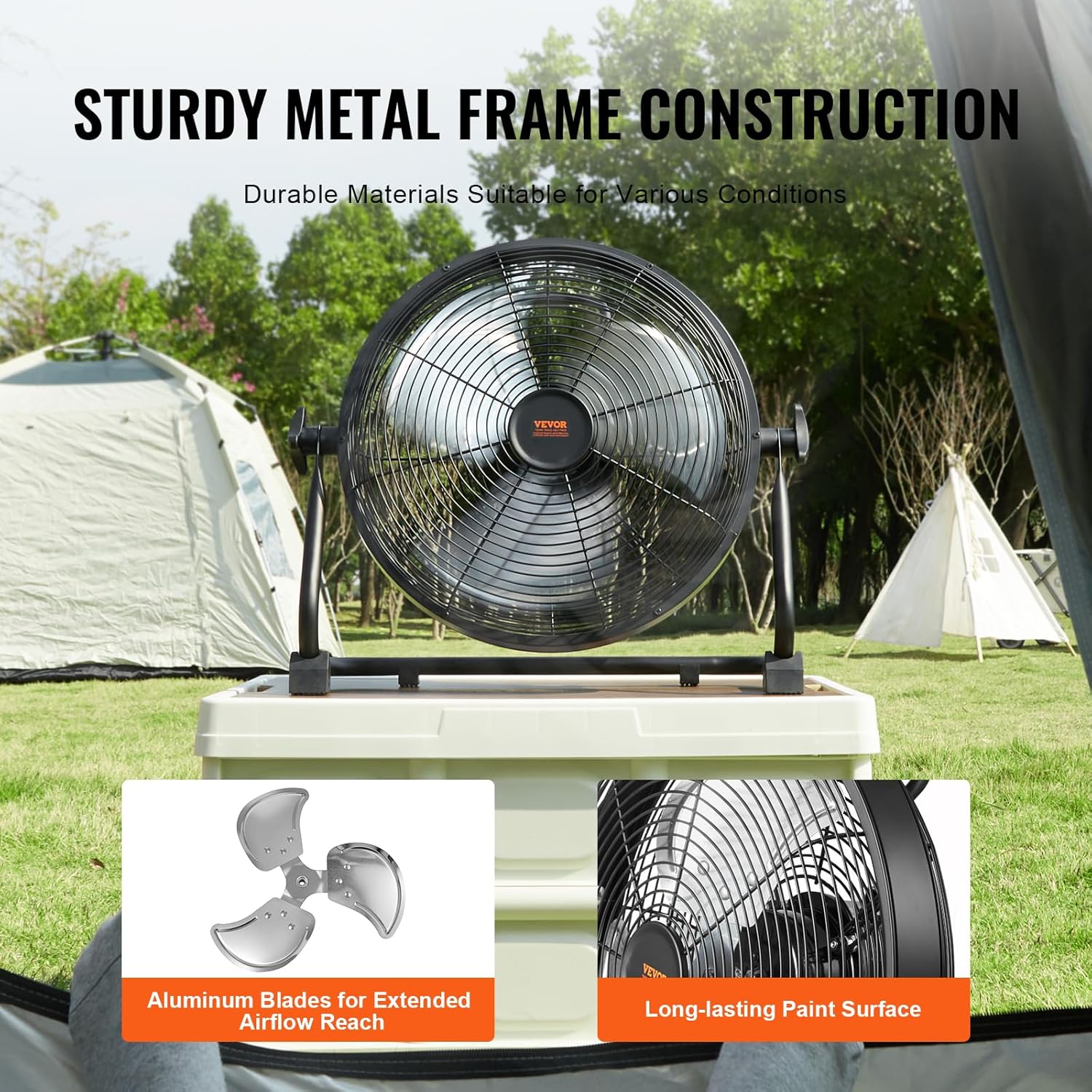
Image: The VEVOR 12-inch Rechargeable Floor Fan demonstrating its 360-degree manual pivoting head for versatile airflow direction.
7. Ukushaja Ibhethri
The fan is equipped with a 15600mAh rechargeable battery. To charge:
- Ensure the fan is turned off.
- Connect the provided charging adapter to the charging port on the back of the fan.
- Plug the adapter into a suitable power outlet (100-240V AC, 50/60Hz).
- The LED battery indicators will light up to show the charging status. All five lights will be solid when fully charged.
- Ukushaja okuphelele kuthatha cishe amahora angu-2.5.
- Once fully charged, disconnect the adapter from the fan and the power outlet.
Qaphela: The fan can operate while charging, but charging time may be extended. Battery life varies with speed setting; approximately 24 hours at the lowest speed.

Image: Illustration showing the estimated battery life of the VEVOR 12-inch Rechargeable Floor Fan: up to 24 hours at the lowest speed and approximately 5 hours at the highest speed.
8. Ukunakekela kanye Nokuhlanza
Ukulungiswa njalo kuqinisekisa ukusebenza kahle kanye nobude besikhathi somoya wakho.
- Ukuhlanza:
- Njalo khipha isiphephetha-moya ngaphambi kokuhlanza.
- Sebenzisa okuthambile, damp indwangu yokusula indawo yangaphandle yesiphephetha-moya. Ungasebenzisi izinto zokuhlanza abrasive noma izincibilikisi.
- To clean the fan blades, the front grille may need to be removed. Refer to the assembly instructions for safe removal and reattachment. Use a soft brush or vacuum cleaner to remove dust from the blades and grille.
- Ensure all parts are completely dry before plugging the fan back in or operating it.
- Isitoreji:
- When not in use for extended periods, store the fan in a cool, dry place.
- It is recommended to store the fan in its original packaging to protect it from dust and damage.
- Charge the battery fully before storing and recharge every 3-6 months to maintain battery health.

Image: Close-up of the VEVOR 12-inch Rechargeable Floor Fan's durable metal frame and aluminum blades, emphasizing its robust construction for various environments.
9. Ukuxazulula izinkinga
If you encounter issues with your VEVOR FS30 fan, refer to the following table for common problems and solutions.
| Inkinga | Imbangela Engenzeka | Isixazululo |
|---|---|---|
| Ifeni ayivuli. | Ibhethri liphelile. Power knob is in "OFF" position. Charging adapter not properly connected (if charging). | Shaja ibhethri ngokugcwele. Rotate the power knob clockwise to turn on. Ensure charging adapter is securely connected and plugged into a live outlet. |
| Fan runs slowly or with reduced airflow. | Ibhethri liphansi. Fan speed setting is too low. Grille or blades are obstructed/dirty. | Shaja kabusha ibhethri. Rotate the speed knob clockwise to increase speed. Clean the fan grille and blades as per maintenance instructions. |
| Ifeni yenza umsindo ongajwayelekile. | Obstruction in fan blades. Izingxenye ezixekethile. | Turn off and unplug the fan. Carefully check for and remove any obstructions. Ensure all assembly knobs are tightened. |
| Imbobo yokushaja i-USB ayisebenzi. | Fan battery is too low. Device cable is faulty. | Ensure the fan battery has sufficient charge. Zama ikhebula le-USB elihlukile noma idivayisi ukuze uqinisekise ukusebenza. |
Uma inkinga iqhubeka ngemva kokuzama lezi zixazululo, sicela uxhumane nokwesekwa kwamakhasimende e-VEVOR.
10. Iwaranti kanye Nokusekela
Ukuze uthole ulwazi lwewaranti, ukwesekwa kobuchwepheshe, noma imibuzo yesevisi, sicela ubheke imininingwane yokuxhumana enikezwe isikhulu se-VEVOR. website or your purchase documentation. Keep your purchase receipt as proof of purchase for warranty claims.
I-VEVOR Esemthethweni Webindawo: www.vevor.com