1. Umkhiqizo Uphelileview
The Vari ComfortEdge Adjustable Electric Standing Desk is designed to enhance your workspace by allowing seamless transitions between sitting and standing positions. Featuring a sloped front edge for wrist comfort and a robust dual-motor system, this desk supports a healthier and more productive work environment.
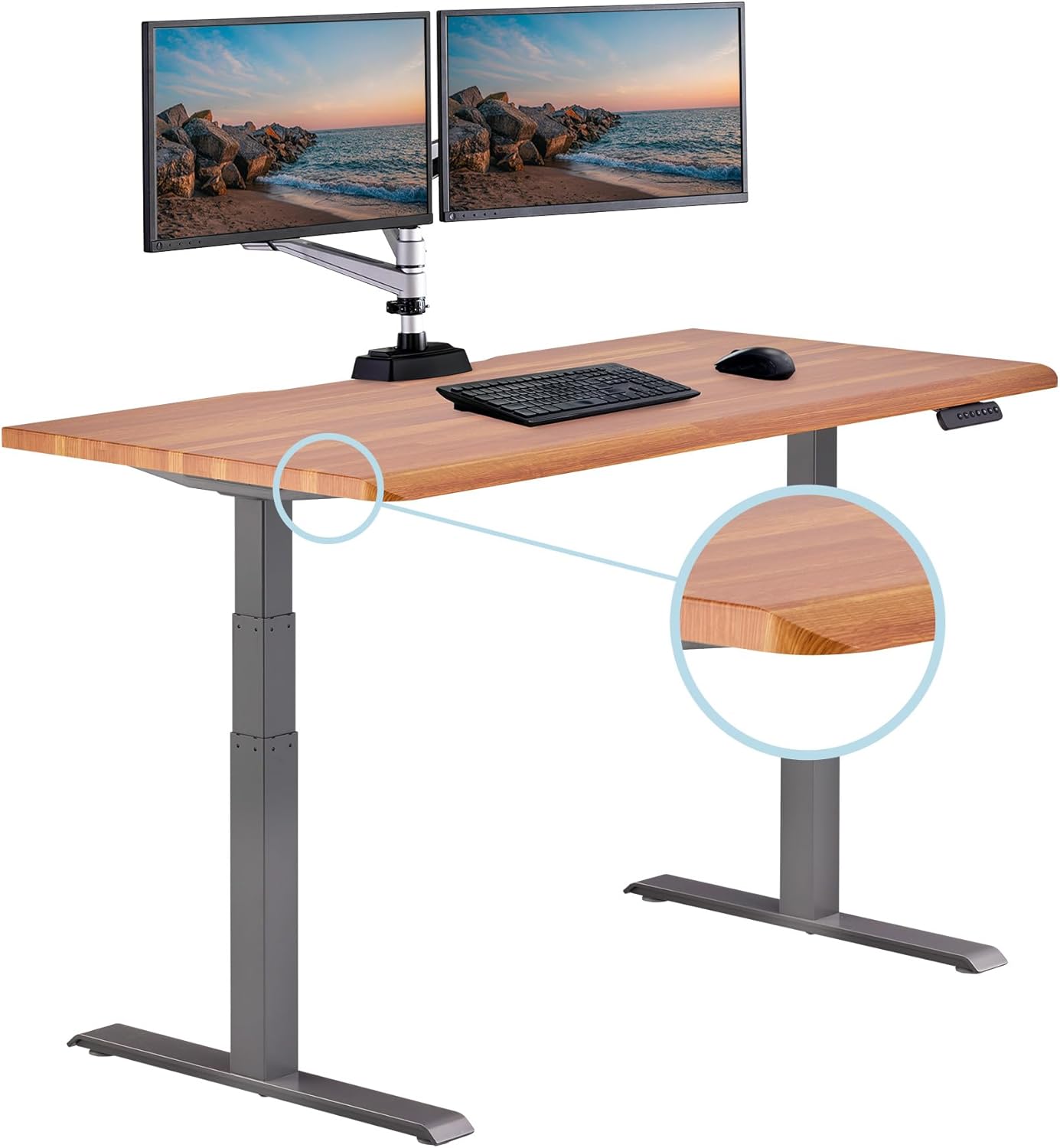
Image: The Vari ComfortEdge 60x30 Inch Adjustable Electric Standing Desk in a home office setting with dual monitors.
2. Izici Eziyinhloko
- ComfortEdge Wrist Relief: Sloped front edge reduces pressure on wrists and forearms, providing lasting comfort during long work sessions.
- Dual Motor Height Range: Quiet electric lift system adjusts from 25 inches to 50.5 inches with smooth transitions.
- Ukulungiselelwa Kwememori: Includes 4 programmable presets for quick height adjustments.
- Indawo Ebanzi: 60 inch by 30 inch surface fits dual monitors comfortably.
- Office-Grade Build Quality: 1.25 inch thick scratch-resistant laminate top with premium finish.
- Durable Steel T-style Legs: Provides stability and supports up to 200 lbs for reliable daily use.
- Ukuhlanganisa Kwamahhala Kwamathuluzi: Patented slide-lock legs snap into the pre-installed frame for quick setup.

Isithombe: Ukuvala view highlighting the ComfortEdge sloped front edge of the desk.
3. Iziyalezo Zomhlangano
The Vari ComfortEdge desk is designed for swift and tool-free assembly. The desktop and T-style legs are shipped in two separate boxes. One box contains all hardware required for assembly, along with two complimentary desk hooks and two coasters.
3.1 Ukuqaqa
- Carefully open both packages and remove all components.
- Verify all parts are present against the packing list provided in the hardware box.
3.2 Ukuhlanganisa Imilenze
- Place the desktop upside down on a soft, clean surface to prevent scratches.
- Align the patented slide-lock legs with the pre-installed frame on the underside of the desktop.
- Snap the legs into place. Ensure they are securely locked.
- Fasten any additional screws provided to secure the legs to the frame.

Image: Hands demonstrating the swift setup process by snapping the desk legs into the pre-assembled frame.
4. Ukusebenza Kwedeski
The Vari ComfortEdge desk features a quiet electric lift system and a user-friendly control panel for effortless height adjustments.
4.1 Ukulungiswa Okuyisisekelo Kokuphakama
- Sebenzisa i- Phezulu (^) futhi Phansi (v) arrow buttons on the control panel to raise or lower the desk to your desired height.
- The digital display will show the current height in inches.
4.2 Amasethingi Ememori
The desk includes 4 programmable memory presets (1, 2, 3, 4) to save your preferred sitting and standing heights.
- Lungisa ideski libe ngobude obufunayo usebenzisa imicibisholo ethi Phezulu/Phansi.
- Cindezela inkinobho 'M' inkinobho. Isibonisi sizobonisa 'S-'.
- Within 3 seconds, press the desired preset number (1, 2, 3, or 4). The display will confirm the setting.
- To use a saved preset, simply press the corresponding number button. The desk will automatically adjust to that height.

Image: A close-up of the desk's control panel, showing the digital height display and memory preset buttons.
4.3 Stability and Smoothness
The dual-motor system ensures smooth and quiet transitions between heights, minimizing disruption. The durable steel T-style legs provide excellent stability, even at the maximum height of 50.5 inches, supporting up to 200 lbs.

Image: The Vari ComfortEdge desk in a modern office, showcasing ukwakheka nokusebenza kwayo.
Video: Official product video demonstrating the Vari ComfortEdge Electric Standing Desk's features and smooth operation.
5. Isondlo
To ensure the longevity and optimal performance of your Vari ComfortEdge desk, follow these simple maintenance guidelines:
- Ukuhlanza: Sebenzisa okuthambile, damp cloth to wipe down the scratch-resistant laminate top. Avoid harsh chemicals or abrasive cleaners.
- Ukuphathwa Kwekhebula: Regularly check and organize cables to prevent tangling or damage, especially during height adjustments.
- Umkhawulo Wesisindo: Adhere to the maximum weight recommendation of 200 lbs to prevent strain on the motors and frame.
- Ukunakekelwa Kwezimoto: The electric motors are designed for durability. Avoid obstructing the desk's movement during operation.

Isithombe: I-overhead view of the desk surface, highlighting the premium laminate finish.
6. Ukuxazulula izinkinga
If you encounter any issues with your Vari ComfortEdge desk, please refer to the following general advice. For specific error codes or persistent problems, contact Vari Customer Support.
- Ideski Elinganyakazi: Check if the power cord is securely plugged into both the desk and a working wall outlet. Ensure no objects are obstructing the desk's movement.
- Ukunyakaza Okungalingani: Perform a reset procedure (refer to the full manual or contact support for specific steps). Ensure the desk is on a level surface.
- Amakhodi Ephutha: If an error code appears on the digital display, note the code and contact customer support for assistance.
7. Imininingwane
| Isici | Imininingwane |
|---|---|
| Ibhrendi | Okuhlukile |
| Inombolo Yemodeli | 402374 |
| Ubukhulu bomkhiqizo (D x W x H) | 30"D x 60"W x 50.5"H |
| Ubuncane Ubude | 25 amayintshi |
| Ukuphakama Okuphezulu | 50.5 amayintshi |
| Ukuqina Kwethebhulethi | 1.25 amayintshi |
| ISincomo Sesisindo Esiphezulu | 200 Amakhilogremu |
| Uhlobo Lwezinto Eziphezulu | Engineered Wood (Laminate) |
| Izinto eziyisisekelo | Insimbi |
| Isisindo sento | 121.7 Amakhilogremu |
| Isici Esikhethekile | Ukuphathwa Kwekhebula |

Image: The Vari ComfortEdge desk with key dimensions (width, depth, height range) labeled.


