Isingeniso
This manual provides essential information for setting up, operating, and maintaining your HP Essential 17t Laptop TPN-I139. Please read these instructions carefully to ensure proper use and to maximize the lifespan of your device.
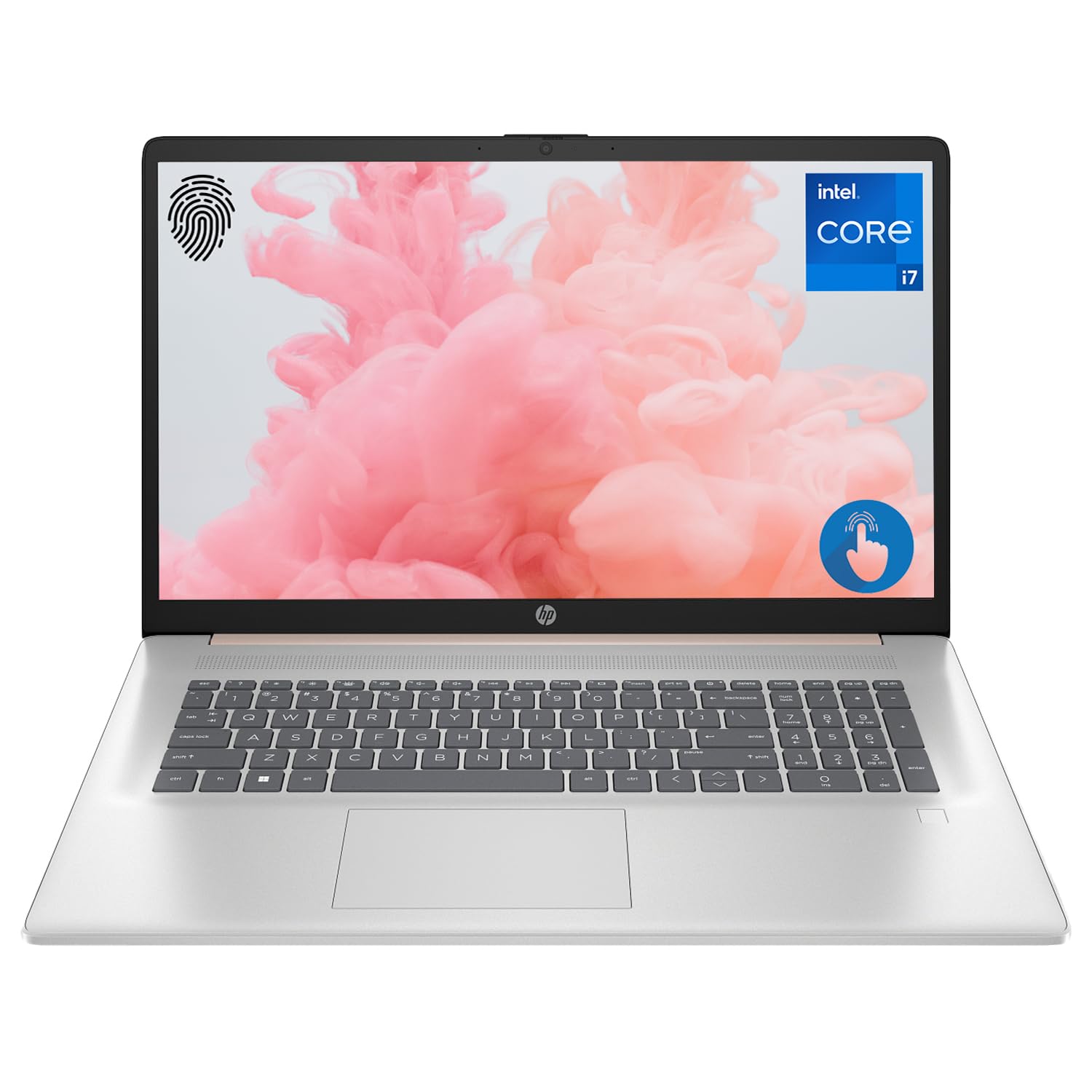
Figure 1: HP Essential 17t Laptop
The HP Essential 17t Laptop is designed for productivity and everyday use, featuring a 17.3-inch HD+ touchscreen, an Intel Core i7-1355U processor, 64GB of RAM, and a 2TB SSD. It comes pre-installed with Windows 11 Home.
Ukuqalisa
1. Yini EseBhokisini
- HP Essential Touchscreen Laptop
- Isixhumi Amandla se-AC
- Umhlahlandlela Wokuqalisa Ngokushesha (uma ufakiwe)
2. Amandla Okuqala Avuliwe Nokusetha
- Connect the AC power adapter to the laptop and a power outlet.
- Vula isembozo se-laptop bese ucindezela inkinobho yokuvula, evame ukutholakala edekini yekhibhodi.
- Follow the on-screen instructions to complete the Windows 11 Home setup. This includes selecting your region, connecting to a Wi-Fi network, creating a user account, and accepting the license agreement.

Figure 2: Windows 11 Home Interface
Hardware Overview
Amachweba nezixhumi
Familiarize yourself with the various ports on your laptop for connecting external devices.

Figure 3: Laptop Ports and Connectors
- SuperSpeed USB Type-A (5Gbps signaling rate): Okokuxhuma amadivayisi e-USB njengamagundane, amakhibhodi, noma amadrayivu angaphandle.
- I-HDMI 1.4b: Okokuxhuma kuzibonisi zangaphandle noma amaphrojektha.
- SuperSpeed USB Type-C (5Gbps signaling rate): Imbobo eguquguqukayo yokudlulisa idatha nokuxhuma amadivayisi ahambisanayo.
- Headphone/Microphone Combo Jack (3.5mm): Ukuxhuma ama-headphone, izipikha zangaphandle, noma i-headset ene-microphone.
Ikhibhodi nephedi yokuthinta
The laptop features a full-size backlit keyboard for comfortable typing in various lighting conditions and a responsive touchpad for navigation.
Bonisa
Your HP Essential 17t Laptop is equipped with a 17.3-inch HD+ (1600 x 900) touchscreen display, offering intuitive interaction with Windows 11.

Figure 4: 17.3" HD+ Touchscreen Display
Isebenzisa i-laptop yakho
Ukuphathwa kwamandla
- Vula/Vala: Cindezela inkinobho yokuvula ukuze uvule i-laptop. Ukuze uyicime, chofoza inkinobho ethi Qala, bese ucindezela inkinobho ethi Vula > Cima.
- Imodi Yokulala: Close the lid or click the Start button, then Power > Sleep to put the laptop into a low-power state.
- Ukunakekelwa kwebhethri: The laptop supports battery fast charge, reaching approximately 50% charge in 45 minutes. For optimal battery health, avoid consistently draining the battery to 0% or keeping it at 100% for extended periods.
Ukusebenzisa isikrini esithintwayo
Interact with your laptop directly on the screen using touch gestures. Common gestures include tapping to select, pinching to zoom, and swiping to scroll.
Ukusebenzisa i-Fingerprint Reader
The integrated fingerprint reader allows for secure and quick login. Set up your fingerprints through Windows Hello in the Windows Settings app (Accounts > Sign-in options).
Ixhuma ku-Wi-Fi
To connect to a wireless network, click the Wi-Fi icon in the taskbar, select your desired network, and enter the password if prompted. The laptop supports Wi-Fi 6 for fast and reliable wireless connectivity.
Izici Zokukhiqiza
This laptop integrates Copilot + AI capabilities to enhance productivity. These features can assist with scheduling, drafting emails, summarizing documents, and more, streamlining your workflow.

Figure 5: Copilot + AI for Enhanced Productivity
Isondlo Nokunakekela
Ukuhlanza i-laptop yakho
- Sebenzisa indwangu ethambile, engenalinti kancane dampifakwe ngamanzi noma isicoci sesikrini ukuze sihlanze isibonisi.
- Ngekhibhodi ne-chassis, sebenzisa indwangu ethambile, eyomile. Gwema amakhemikhali anokhahlo noma izinto ezilumayo.
- Qinisekisa ukuthi i-laptop icishiwe futhi ayixhunyiwe ngaphambi kokuhlanza.
Izibuyekezo Zesofthiwe
Hlola njalo futhi ufake izibuyekezo ze-Windows ukuqinisekisa ukuthi uhlelo lwakho luneziqeshana zokuphepha zakamuva kanye nokuthuthukiswa kokusebenza. Iya kuzilungiselelo > Isibuyekezo se-Windows.
Ukuxazulula inkinga
Uma uhlangabezana nezinkinga ngekhompyutha yakho ephathekayo, zama izinyathelo ezilandelayo eziyisisekelo zokuxazulula izinkinga:
- Awekho Amandla: Qinisekisa ukuthi i-adaptha ye-AC ixhumeke ngokuvikelekile kukho kokubili ikhompuyutha ephathekayo kanye nesisetshenziswa samandla esisebenzayo. Zama i-outlet ehlukile.
- Bonisa Izinkinga: If the screen is blank, try connecting an external monitor to check if the issue is with the laptop's display.
- Ukuxhumana kwe-Wi-Fi: Restart your router and modem. Ensure Wi-Fi is enabled on your laptop.
- Ukusebenza Kanensa: Close unnecessary applications. Check for available Windows updates.
Ukuze uthole izinkinga eziyinkimbinkimbi, bheka usekelo lwe-HP webisayithi noma xhumana nesevisi yamakhasimende ye-HP.
Imininingwane
Below are the key technical specifications for the HP Essential 17t Laptop TPN-I139:

Figure 6: Intel Core i7-1355U Processor
| Isici | Ukucaciswa |
|---|---|
| Igama Lemodeli | I-TPN-I139 |
| Iphrosesa | Isizukulwane se-13 se-Intel Core i7-1355U (Ama-Cores ayi-10, Imicu eyi-12, kufika ku-5.0 GHz) |
| RAM | I-64 GB DDR4 SDRAM (3200 MHz) |
| Isitoreji | I-PCIe ye-2 TB NVMe M.2 SSD |
| Bonisa | 17.3" HD+ (1600 x 900) Touchscreen, BrightView, ama-nit angu-250 |
| Izithombe | I-Intel Iris Xe Graphics |
| Isistimu esebenzayo | Windows 11 Ikhaya |
| Ukuxhumana Okungenantambo | I-Wi-Fi 6 (802.11ax) |
| Amachweba | 1x SuperSpeed USB Type-C (5Gbps), 2x SuperSpeed USB Type-A (5Gbps), 1x HDMI 1.4b, 1x Headphone/Microphone Combo |
| Izici ezikhethekile | Backlit Keyboard, Fingerprint Reader |
| Ubukhulu (LxWxH) | 15.78 x 10.15 x 0.78 amayintshi |
| Isisindo | 5.25 amakhilogremu |

Figure 7: Intel Iris Xe Graphics
Iwaranti kanye Nokusekela
Your HP Essential 17t Laptop comes with a standard manufacturer's warranty. For detailed warranty terms and conditions, please refer to the documentation included with your product or visit the official HP support website. For technical assistance, driver downloads, or service requests, please contact HP customer support directly.
Umkhiqizo Uphelileview Ividiyo
Buka le vidiyo ukuze uthole okubonakalayo ngaphezuluview of the HP Essential 17t Laptop's features and capabilities.
Video 1: HP Essential 17 Touchscreen 13th Gen i7 Laptop Overview by PCOnline US. This video highlights key features and design aspects of the laptop.