Isingeniso
This manual provides comprehensive instructions for the assembly, operation, and maintenance of your Vari Classic Electric Standing Desk. Please read this manual thoroughly before use to ensure proper function and safety. The Vari Classic Electric Standing Desk is designed to provide a flexible and ergonomic workspace, allowing seamless transitions between sitting and standing positions.
Izici Eziyinhloko:
- Effortless assembly with pre-installed frame and slide-and-lock legs.
- Robust construction with a thick, one-piece tabletop and heavy-duty steel T-Style legs.
- Quiet dual-power motor for smooth height adjustments.
- Programmable control panel with up to 4 height memory presets.
- Adjustable height range from 25 inches to 50.5 inches.
Ulwazi Lokuphepha Olubalulekile
WARNING: This electric standing desk has a lifting mechanism that can cause injury if not used properly. Always keep hands and fingers away from moving parts. Do not use if damaged or modified. This desk is intended for residential use only and may not meet commercial safety standards. Always ensure the desk is stable and level before use. Do not exceed the maximum weight capacity of 200 pounds (90.7 kg).
- Ensure all cables are properly managed and secured to prevent snagging or damage during height adjustments.
- Gcina izingane nezilwane ezifuywayo kude nedeski ngesikhathi sokusebenza.
- Ungahlali noma ume phezu kwedeski.
- Gwema ukubeka uketshezi ngqo kuphaneli yokulawula noma eduze kwezingxenye zikagesi.
- If any unusual noises or movements occur, discontinue use immediately and contact support.
Setha
The Vari Classic Electric Standing Desk is designed for quick and straightforward assembly. Most components are pre-installed to minimize setup time.
Ukuqaqa kanye Nokuzilungiselela
- Your desk may arrive in separate boxes for the tabletop and legs. Ensure all packages have arrived before beginning assembly.
- Khipha ngokucophelela zonke izingxenye futhi uqinisekise ngokumelene nohlu lokupakisha.
- Place all components on a clean, flat, and soft surface (e.g., a rug or blanket) to prevent scratches.
- Qinisekisa ukuthi unendawo eyanele yokuhlanganisa.
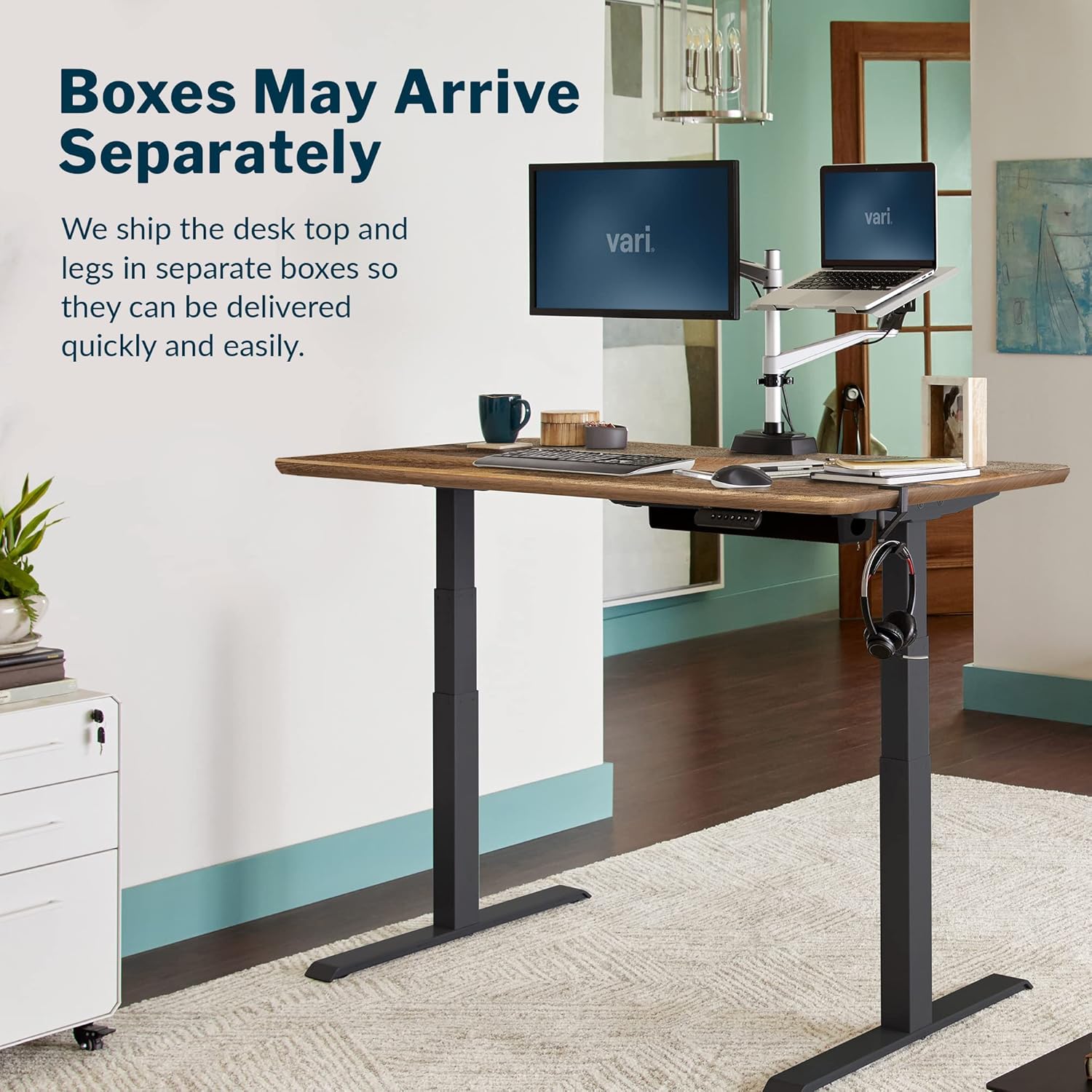
Isithombe: Desk components may arrive in separate boxes for efficient delivery.
Izinyathelo Zomhlangano
- Namathisela Imilenze ku-Tabletop: The frame is largely pre-installed. Align the T-style legs with the pre-drilled holes on the underside of the tabletop. Secure them using the provided hardware and tools.
- Connect Control Panel: Plug the control panel cable into the designated port on the motor unit.
- Ukuphathwa Kwekhebula: Use the included cable hooks or ties to manage and secure all power and control cables neatly under the desk. This prevents cables from interfering with the lifting mechanism.
- Positioning the Desk: This step requires two people. Carefully flip the assembled desk upright and move it to its desired location. Ensure the desk is stable and level on the floor.
- Ukuxhuma kwamandla: Xhuma intambo yamandla endaweni kagesi ephansi.

Isithombe: Assembly process, showing two people attaching the desk legs.

Isithombe: Desk dimensions for planning your workspace.
Imiyalelo yokusebenza
Your Vari Classic Electric Standing Desk features an intuitive LED control panel for easy height adjustments and memory presets.
Basic Height Adjustment
- To raise the desk, press and hold the Up Arrow (^) inkinobho.
- To lower the desk, press and hold the Down Arrow (v) inkinobho.
- Release the button when the desk reaches your desired height. The desk moves smoothly and quietly between 25 inches and 50.5 inches.

Isithombe: The LED control panel for easy height adjustment and memory settings.

Isithombe: Desk in standing position, demonstrating ergonomic use.
Setting Memory Presets
Ideski likuvumela ukuthi wonge izilungiselelo zokuphakama ezine ozikhethayo.
- Adjust the desk to your desired height using the Up or Down arrow buttons.
- Cindezela inkinobho Inkumbulo (M) button. The LED display will show 'S-'.
- Kungakapheli imizuzwana emi-3, cindezela enye yezinkinobho ezihleliwe ezinenombolo (1, 2, 3, noma 4). The display will show the corresponding number, indicating the height is saved.
- To recall a saved height, simply press the corresponding numbered preset button. The desk will automatically move to that saved position.

Isithombe: Desk in sitting position, illustrating ergonomic setup.
Isondlo
Regular maintenance ensures the longevity and optimal performance of your Vari Classic Electric Standing Desk.
- Ukuhlanza: Sula ubuso bedeski nemilenze ngopende othambile, damp indwangu. Gwema izinto zokuhlanza ezilimazayo noma amakhemikhali anokhahlo angalimaza isiphetho.
- Ukuhlolwa Kwekhebula: Periodically check all cables for wear, fraying, or damage. Ensure they are securely fastened and not interfering with moving parts.
- Ukuhlola Ukuzinza: Occasionally verify that all screws and bolts are tight. If the desk feels wobbly, re-tighten any loose fasteners.
- Ukunakekelwa Kwezimoto: The dual-motor system is designed for durability and requires no special lubrication. Avoid obstructing the motors or forcing the desk to move if it encounters resistance.
Ukuxazulula inkinga
If you encounter any issues with your Vari Classic Electric Standing Desk, refer to the following common troubleshooting tips. For persistent problems, please contact customer support.
- Ideski Elinganyakazi:
- Check if the power cord is securely plugged into both the desk and a working electrical outlet.
- Ensure no objects are obstructing the desk's movement path.
- If the control panel display is off, try unplugging the desk for 30 seconds and then plugging it back in to reset.
- Okusethiwe Kwememori Akusebenzi:
- Ensure you are following the correct procedure for setting and recalling presets (adjust to height, press M, then press the numbered button).
- If the issue persists, try resetting the desk by unplugging it for 30 seconds.
- Uneven Movement or Noise:
- Verify that the desk is on a level surface.
- Check for any loose connections or fasteners on the legs and frame.
- Ensure the weight on the desk is evenly distributed and within the maximum capacity.
If these steps do not resolve the issue, please contact Vari customer support for further assistance.
Imininingwane

Isithombe: Vari Classic Electric Standing Desk in a typical office setup.
| Isici | Imininingwane |
|---|---|
| Ibhrendi | Okuhlukile |
| Inombolo Yemodeli | 400803 |
| Ubukhulu bomkhiqizo (D x W x H) | 30"D x 60"W x 25"H |
| Umbala | Reclaimed Wood / Slate Legs |
| Isitayela | Okwesimanje |
| Izinto eziyisisekelo | Insimbi, Insimbi Engagqwali |
| Uhlobo Lwezinto Eziphezulu | Engineered Wood |
| Qeda Uhlobo | Wood, Laminate Finish |
| Isici Esikhethekile | Durable, Adjustable Height, Electric |
| Ukusetshenziswa Okunconyiwe | Residential Use, Office |
| Izingxenye Ezihlanganisiwe | I-headphone Hook |
| Umhlangano Odingekayo | Yebo |
| ISincomo Sesisindo Esiphezulu | Amapondo ayi-200 (90.7 kg) |
| Inani Elinconyiwe Labantu Bomhlangano | 1 (2 for lifting) |
| Uhlobo Lwewaranti | Ukuphila Okulinganiselwe |
| Uhlu lwe-UL | Yebo |
| Ukuqina Kwethebhulethi | 1.25 amayintshi |
| Ukuphakama Okuphezulu | 50.5 amayintshi |
| Ubuncane Ubude | 25 amayintshi |
| I-Lifting Mechanism | Electric (Dual Motor) |
Ulwazi Lwewaranti
Vari (Varidesk, LLC) stands behind its products and is committed to resolving any issues. Subject to the terms of this limited warranty, Vari warrants to the original retail purchaser that all new Vari products purchased in the U.S. after March 31, 2024, will be free from defects in material or workmanship that affect your ability to operate the product as intended, and that are brought to Vari's attention during the applicable warranty period.
This warranty applies only to the original retail purchaser and is not transferable.
This warranty does not cover any of the following, or any product defects or failures caused by any of the following:
- Ukusebenzisa kabi noma ukuhlukumeza.
- Changes in surface finish, including color-fastness or matching of colors, woodgrains, or texture.
- Normal variation of natural materials such as wood or leather.
- Ukuguga okujwayelekile.
- Dye transfers caused by external contaminants.
- Modifications made by the user, excluding factory-directed modifications.
- Failure to assemble, install, disassemble, or maintain the products in accordance with product instructions and warnings.
- Damage or marking of surfaces caused by sharp or foreign objects, excluding marking or alteration of surfaces associated with factory-directed modifications.
- Damage due to relocation of products.
- Pilling of textiles.
Ukwesekwa Kwamakhasimende
For any questions, concerns, or assistance with your Vari Classic Electric Standing Desk, please contact our customer support team. We are dedicated to providing high-quality service and ensuring your satisfaction.
You can typically find contact information on the official Vari webindawo noma ngenkundla yakho yokuthenga.


