Isingeniso
This manual provides essential instructions for setting up, operating, maintaining, and troubleshooting your Canon ImageCLASS LBP226DW single function laser monochrome printer. Please read this manual thoroughly before using the printer to ensure correct and safe operation. This printer is designed for office use, offering reliable monochrome printing with a monthly duty cycle of up to 80,000 pages.
Setha
1. Ukuqaqa Iphrinta
Carefully remove the printer from its packaging. Ensure all protective materials and tapes are removed. Verify that the following components are included:
- Canon ImageCLASS LBP226DW Printer
- Intambo yamandla
- Ikhebula le-USB
- Incwadi Yomsebenzisi (le dokhumenti)
- Ukufaka CD
- 1 unit of starter toner cartridge
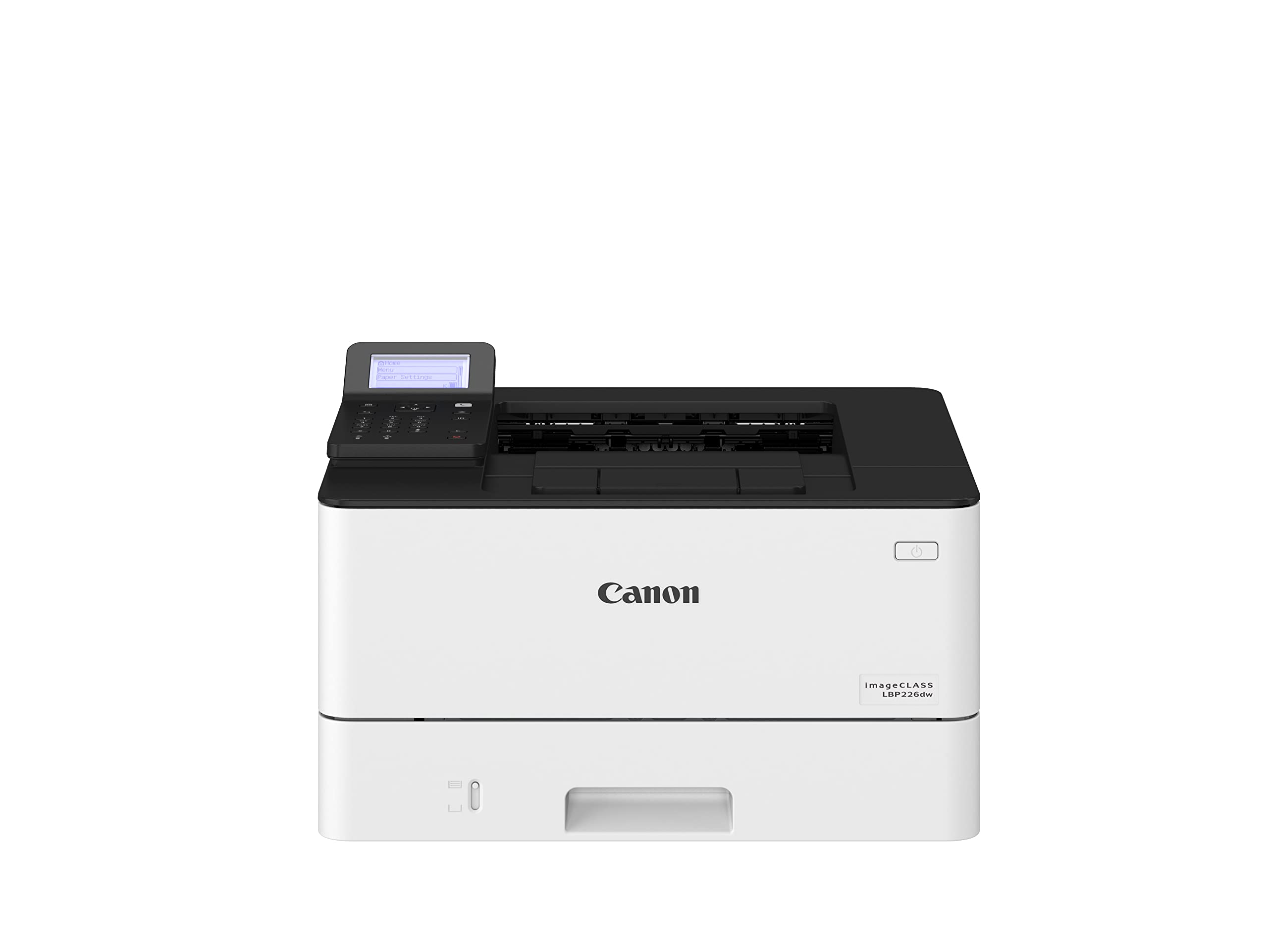
Image: The Canon ImageCLASS LBP226DW printer, showing its compact design and control panel.
2. Ukufaka i-Toner Cartridge
Open the front cover of the printer. Gently insert the provided starter toner cartridge into the designated slot until it clicks into place. Close the front cover securely.
3. Ukulayisha Iphepha
Pull out the paper cassette tray. Adjust the paper guides to match the size of your paper. Load paper (up to 250 sheets) into the tray, ensuring it is flat and not exceeding the maximum fill line. Push the tray back into the printer.
4. Ukuxhuma Iphrinta
Connect the power cord to the printer and then to a power outlet. For wired connection, use the USB cable to connect the printer to your computer. For wireless setup, refer to the software installation section.
5. Ukufakwa Kwesofthiwe
Insert the Installation CD into your computer's CD-ROM drive and follow the on-screen instructions. Alternatively, download the latest drivers and software from the official Canon website. The printer supports Windows (10, 8.1, 7, Server 2019, 2016, 2012 R2, 2012, 2008 R2, 2008), Mac OS X 10.9.5 & up, and Linux operating systems.
Isebenzisa Iphrinta
1. Ukuvula/Ukucisha
Press the power button located on the printer's control panel to turn the printer on or off.
2. Ukuphrinta Okuyisisekelo
From your computer, open the document or image you wish to print. Select 'Print' from the application's menu. Choose the Canon LBP226DW printer from the list of available printers. Adjust print settings as needed (e.g., number of copies, paper size) and click 'Print'.
3. Duplex Printing
The LBP226DW supports automatic dual-sided printing. To use this feature, select the duplex printing option in your printer driver settings before sending the print job.
4. Izinketho zokuxhuma
The printer offers multiple connectivity options:
- I-USB 2.0: For direct connection to a computer.
- I-Wi-Fi: For wireless connection to your network. Follow the instructions in the installation software or the printer's control panel for Wi-Fi setup.
- I-Wi-Fi Eqondile: Allows direct connection from mobile devices without a router.
5. Ukusebenzisa Iphaneli Yokulawula
The printer features a touch control panel for navigating menus, checking printer status, and configuring settings. Use the touch interface to access network settings, maintenance options, and other printer functions.
Isondlo
1. Ukufaka Ikhatriji Yethoni Esikhundleni
When the toner level is low, a message will appear on the control panel. To replace the cartridge, open the front cover, remove the old cartridge, and insert a new genuine Canon toner cartridge. Close the cover firmly.
2. Ukuhlanza Iphrinta
Periodically wipe the exterior of the printer with a soft, dry, lint-free cloth. Do not use abrasive cleaners or solvents. For internal cleaning, refer to the detailed instructions in the electronic user manual provided on the Installation CD or Canon's support webindawo.
3. Ukusula Ama-Paper Jams
If a paper jam occurs, the printer's control panel will display an error message. Carefully open the printer covers as indicated by the error message and gently remove any jammed paper. Ensure no torn pieces remain inside. Close all covers to resume printing.
Ukuxazulula inkinga
This section addresses common issues you might encounter. For more detailed troubleshooting, consult the full electronic manual or Canon's online support resources.
- Iphrinta Ayiphenduli: Check power connections, USB/network cable connections, and ensure the printer is powered on. Restart both the printer and your computer.
- Izinkinga Zekhwalithi Yokuphrinta: Ensure the toner cartridge is properly installed and has sufficient toner. Perform a print head cleaning or calibration from the printer's control panel or driver settings.
- Izinkinga Zokuxhumana: For Wi-Fi, verify the printer is connected to the correct network and that your computer is on the same network. Check router settings. For USB, try a different USB port or cable.
- Ama-Paper Jam: Follow the instructions in the Maintenance section to clear any jammed paper. Ensure paper is loaded correctly and not creased or damaged.
Imininingwane
| Isici | Ukucaciswa |
|---|---|
| Uhlobo lwephrinta | Laser, Single Function |
| Okukhipha Iphrinta | Monochrome (Black) |
| Ukuxhumana | USB 2.0, Wi-Fi, Wi-Fi Direct |
| Isivinini sokuphrinta (Monochrome) | 38 ppm (A4) |
| First Print Out Time (FPOT) | imizuzwana engu-5.5 |
| Ukuphrinta kwe-Duplex | Okuzenzakalelayo |
| Ukulungiswa Okukhulu kokuphrinta | 1200 x 1200 dpi |
| Amandla Eshidi Lokufaka Okuphezulu | 250 amashidi |
| Amasayizi Wezindaba Asekelwayo | A4, B5, A5, A6, Letter, Legal, Statement, Executive, Government Letter, Government Legal, Foolscap, Indian Legal, Custom (105.0 x 148.0mm to 216.0 x 355.6mm) |
| Indlela Yokulawula | Thinta |
| Ukuhambisana Kwesistimu Esebenzayo | Windows 10, 8.1, 7, Server 2019, 2016, 2012 R2, 2012, 2008 R2, 2008; Mac OS X 10.9.5 & up; Linux |
| Ubukhulu bomkhiqizo (LxWxH) | 40.1 x 37.3 x 25 cm |
| Isisindo sento | 8.8 kg |
| Umsebenzi Wanyanga zonke | Amakhasi angu-80,000 |
Ulwazi Lwewaranti
The Canon ImageCLASS LBP226DW printer comes with a Iwaranti yeminyaka emi-1 from the date of purchase. This warranty covers manufacturing defects under normal use. Please retain your purchase receipt as proof of purchase. For specific terms and conditions, refer to the warranty card included with your product or visit the official Canon India webindawo.
Ukusekela
For further assistance, technical support, or to download the latest drivers and software, please visit the official Canon support website. You can also contact Canon customer service for direct support regarding your ImageCLASS LBP226DW printer.
Canon India Webindawo: https://www.canon.co.in/


