1. Ifihan
O ṣeun fun riraasing the LG 43 inch UHD AI UA73 4K Smart TV. This television combines stunning 4K Ultra High Definition visuals with advanced Artificial Intelligence features and the intuitive webOS25 platform. Enjoy vibrant colors, sharp details, and smart functionalities including AI-powered search and voice control. This manual provides essential information for setting up, operating, and maintaining your new television.
2. Alaye Aabo
Jọ̀wọ́ ka gbogbo ìlànà ààbò dáadáa kí o tó lo TV rẹ. Pa ìwé ìtọ́ni yìí mọ́ fún ìtọ́kasí ọjọ́ iwájú.
2.1 Itanna Abo
- Ma ṣe apọju awọn iṣan ogiri tabi awọn okun itẹsiwaju.
- Rí i dájú pé okùn agbára náà so mọ́ TV àti ibi tí a ti lè rí i pé ó wà ní ògiri dáadáa.
- Maṣe fi ọwọ kan plug agbara pẹlu ọwọ tutu.
2.2 Ibi
- Gbe TV sori iduro, ipele ipele tabi gbe e ni aabo si ogiri nipa lilo oke VESA ibaramu.
- Rii daju pe fentilesonu to peye ni ayika TV lati ṣe idiwọ igbona.
- Jẹ́ kí tẹlifíṣọ̀n náà jìnnà sí oòrùn tààrà, àwọn orísun ooru àti ọrinrin.
2.3 Ninu
- Yọ TV kuro ṣaaju ṣiṣe mimọ.
- Use a soft, dry cloth to clean the screen and exterior. Do not use liquid cleaners or sprays directly on the TV.
3. Package Awọn akoonu
Rii daju pe gbogbo awọn nkan wa ninu apoti:
- LG 43 inch UHD AI 4K Smart TV (Model 43UA73006LA)
- AI Magic Remote Control
- Okun agbara
- Iduro TV (awọn ege 2) ati awọn skru
- User Manual and Regulatory Information
- Awọn batiri fun Iṣakoso Latọna jijin (AA x 2)
4. Eto
4.1 Unpacking ati Duro sori
- Carefully remove the TV from its packaging. It is recommended to have two people for this step.
- Gbe iboju TV si isalẹ lori rirọ, dada alapin lati yago fun ibajẹ.
- Attach the stand pieces to the TV using the provided screws, ensuring they are securely fastened. Refer to the diagram in the quick setup guide for specific screw locations.
- Alternatively, if wall-mounting, follow the instructions provided with your VESA-compatible wall mount kit.
4.2 Nsopọ Peripherals
Connect external devices such as Blu-ray players, game consoles, or soundbars to the appropriate ports on the back of the TV.
- Awọn ibudo HDMI: Fún fídíò àti ohùn tó ga jùlọ.
- Awọn ibudo USB: Fun sisopọ awọn ẹrọ ipamọ USB.
- Antenna/Igbewọle okun: Fun sisopọ eriali tabi TV USB.
- Opiti Digital Audio Jade: Fun sisopọ si ọpa ohun tabi olugba ohun.
4.3 Agbara akọkọ Lori ati Asopọ nẹtiwọki
- Pulọọgi okun agbara sinu TV ati lẹhinna sinu iṣan odi.
- Tẹ bọtini agbara lori isakoṣo latọna jijin tabi lori TV.
- Follow the on-screen instructions for the initial setup wizard. This will guide you through language selection, time zone, and network connection.
- Yan nẹtiwọọki Wi-Fi rẹ ki o tẹ ọrọ igbaniwọle sii, tabi so okun Ethernet pọ fun asopọ ti a firanṣẹ.
5. Isẹ
5.1 AI Magic Remote Control
The AI Magic Remote allows for intuitive control of your TV, including point-and-click navigation and voice commands.
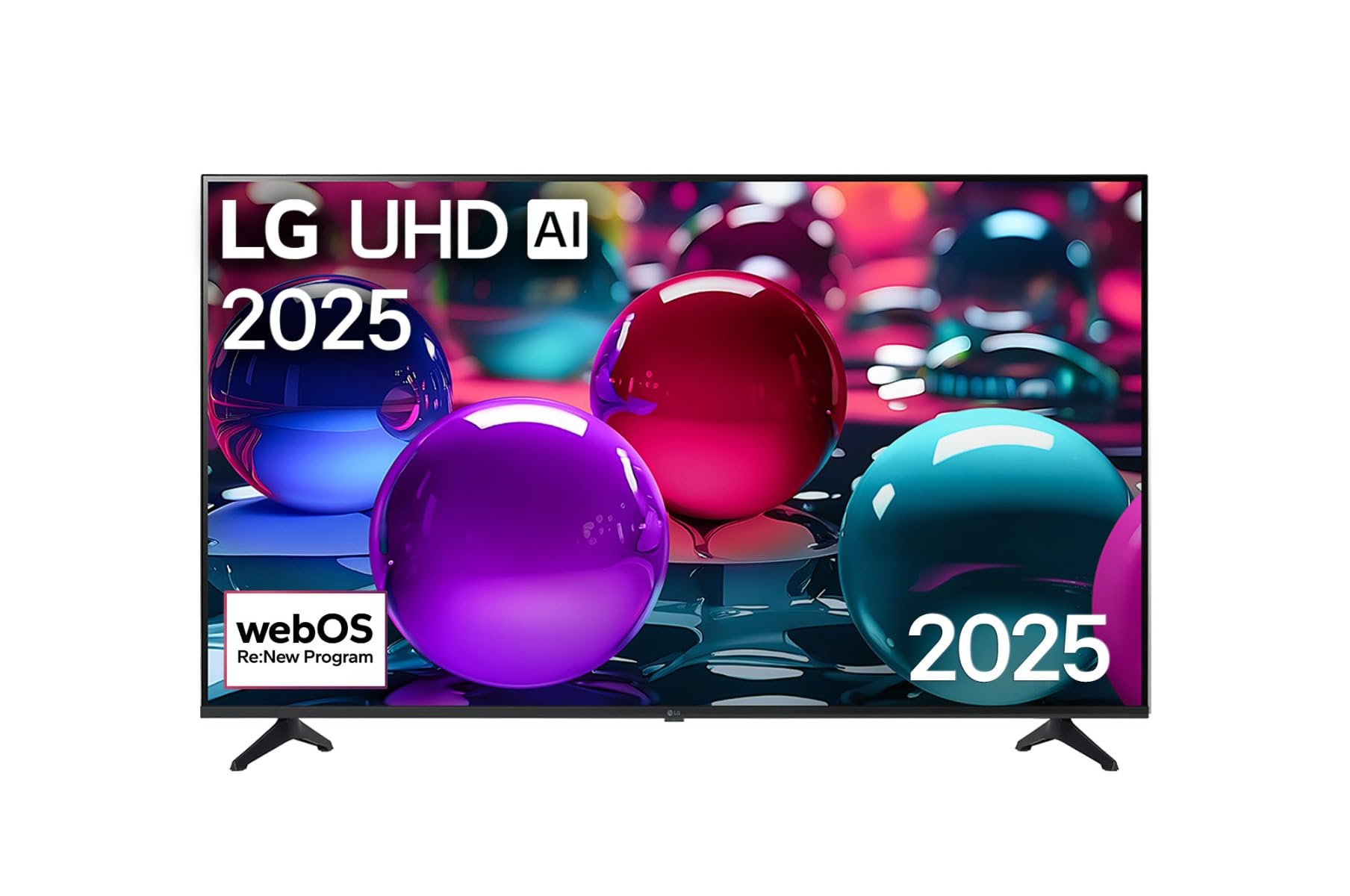
This image displays the LG 43 inch UHD AI 4K Smart TV, highlighting its webOS Re:New Program and Artificial Intelligence features. The accompanying AI Magic Remote is shown with a speech bubble indicating 'Just speak!', emphasizing its voice control capabilities.
- Bọtini agbara: Tan TV si tan tabi paa.
- Scroll Wheel/OK Button: Lilọ kiri awọn akojọ aṣayan ati jẹrisi awọn aṣayan.
- Bọ́tìnì Àṣẹ Ohùn: Press and hold to activate AI Search, AI Chatbot, or AI Concierge. Speak your command into the remote.
- Bọtini Ile: Wọle si awọn webIboju ile OS.
- Bọtini Pada: Pada si iboju ti tẹlẹ.
- Iwọn didun Soke/Isalẹ: Ṣe atunṣe iwọn didun.
- Ikanni Soke/Isalẹ: Ayipada awọn ikanni.
5.2 webOS Interface
Awọn webOS Home screen provides quick access to apps, inputs, and settings. Use the Magic Remote to point and click on desired options or navigate with the directional buttons.
- Ohun elo ifilọlẹ: Customize and access your favorite streaming services and applications.
- Aṣayan Input: Switch between HDMI inputs, USB, or live TV.
- Eto: Ṣàtúnṣe àwòrán, ohùn, nẹ́tíwọ́ọ̀kì, àti àwọn ètò tẹlifíṣọ̀n gbogbogbò.
5.3 AI Awọn ẹya ara ẹrọ
Leverage the power of AI for enhanced TV experience:
- Iwadi AI: Use voice commands to find content, information, or apps quickly.
- Bot Alátagbà: Interact with the TV for assistance or information.
- Olùtọ́jú AI: Receive personalized content recommendations and smart home integration.
6. Itọju
6.1 Ninu rẹ TV
Láti mú kí ìrísí àti ìṣe TV náà máa dára síi:
- Yọọ TV nigba gbogbo ṣaaju ṣiṣe mimọ.
- Lo aṣọ rirọ, ti ko ni awọ lati nu iboju naa pẹlu rọra. Fun awọn aami lile, fi diẹ silẹ.ampen awọn asọ pẹlu omi, ki o si mu ese gbẹ lẹsẹkẹsẹ.
- Mọ fireemu TV ki o duro pẹlu asọ ti o gbẹ.
- Do not use abrasive cleaners, alcohol, benzene, or thinners, as these can damage the screen or finish.
6.2 Software imudojuiwọn
Your LG Smart TV periodically receives software updates to improve performance and add new features. Ensure your TV is connected to the internet to receive these updates automatically. You can also manually check for updates in the TV's settings menu.
7. Laasigbotitusita
Ti o ba pade awọn ọran pẹlu TV rẹ, tọka si awọn solusan ti o wọpọ wọnyi:
| Isoro | Owun to le Solusan |
|---|---|
| Ko si agbara | Check if the power cord is securely plugged in. Try a different power outlet. |
| Ko si aworan, ṣugbọn ohun wa | Rii daju pe orisun titẹ sii to pe ti yan. Ṣayẹwo awọn asopọ okun si awọn ẹrọ ita. |
| Ko si ohun, ṣugbọn aworan wa | Ṣàyẹ̀wò ipele iwọn didun ati awọn eto ipalọlọ. Ṣe àyẹ̀wò awọn eto iṣẹjade ohun ninu akojọ aṣayan TV. |
| Isakoṣo latọna jijin ko ṣiṣẹ | Replace batteries. Ensure there are no obstructions between the remote and the TV. Re-pair the Magic Remote if necessary (refer to TV settings). |
| Ko le sopọ si Wi-Fi | Tun olulana ati modem rẹ bẹrẹ. Ṣayẹwo ọrọ igbaniwọle Wi-Fi. Rii daju pe TV wa laarin ibiti olulana naa wa. |
| Awọn oran didara aworan (fun apẹẹrẹ, blurry, daru) | Check the resolution of the input source. Adjust picture settings in the TV menu. |
Tí ìṣòro náà bá ń bá a lọ, jọ̀wọ́ kàn sí ìrànlọ́wọ́ àwọn oníbàárà LG.
8. Awọn pato
| Ẹya ara ẹrọ | Ẹ̀kúnrẹ́rẹ́ |
|---|---|
| Brand | LG |
| Orukọ awoṣe | 43UA73006LA |
| Iwon iboju | 43 inches |
| Ifihan ọna ẹrọ | LED |
| Ipinnu | 4K UHD (3840 x 2160) |
| Apakan Ipin | 16:9 |
| Eto isesise | webOS25 |
| Pataki Awọn ẹya ara ẹrọ | AI Processor, AI Magic Remote, HDR10, Sleep Timer |
| Àwọ̀ | Dudu |
| Iwọn Nkan | kilo 6.8 (14.96 poun) |
| Ọja Mefa | 37.68 x 37.68 x 21.97 inches |
| Ọjọ Akọkọ Wa | Oṣu kọkanla ọjọ 28, ọdun 2025 |
9. Atilẹyin ọja & Atilẹyin
9.1 Atilẹyin ọja
Your LG 43 inch UHD AI UA73 4K Smart TV is covered by a limited manufacturer's warranty. Please refer to the warranty card included in your package for specific terms, conditions, and duration of coverage. Keep your proof of purchase for warranty claims.
9.2 Onibara Support
Fún ìrànlọ́wọ́ ìmọ̀ ẹ̀rọ, ìṣòro tó kọjá ìwé ìtọ́ni yìí, tàbí iṣẹ́ àtìlẹ́yìn, jọ̀wọ́ kan sí Ìrànlọ́wọ́ Oníbàárà LG:
- Webojula: Ṣabẹwo si atilẹyin LG osise website for FAQs, downloads, and service requests.
- Foonu: Tọkasi kaadi atilẹyin ọja rẹ tabi osise LG webAaye fun agbegbe awọn nọmba olubasọrọ.