1. Ẹrọ Loriview
The Samsung Galaxy A56 5G is a powerful smartphone designed for reliable performance and a rich user experience. It features a 6.7-inch FHD+ Super AMOLED display, a 50MP camera system, and IP67 dust and water resistance. This manual provides essential information for setting up, operating, and maintaining your device.
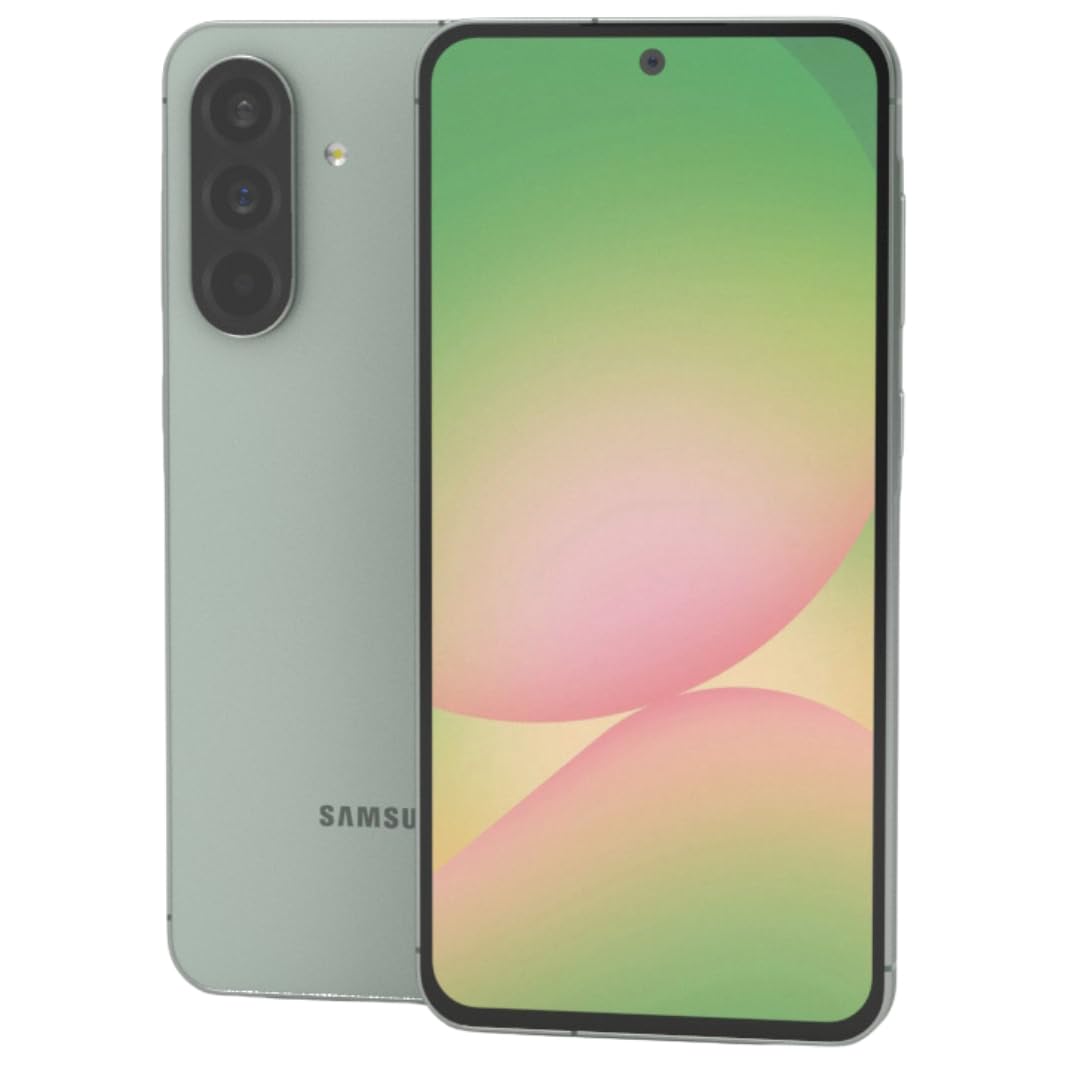
Nọmba 1: Iwaju view ti Samsung Galaxy A56 5G foonuiyara, showcasing awọn oniwe-tobi àpapọ.
2. Eto Itọsọna
2.1. Unboxing ati Ibẹrẹ Ayẹwo
Fara yọ gbogbo awọn ohun kan kuro ninu apoti. Rii daju pe awọn eroja wọnyi wa:
- Samsung Galaxy A56 5G foonuiyara
- USB-C si okun USB-C
- 25W Samsung Super Fast Charger
- SIM ejector ọpa
- Itọsọna Ibẹrẹ kiakia (ti o ba wa)
Ṣayẹwo ẹrọ naa fun eyikeyi ibajẹ ti ara ṣaaju ki o to tẹsiwaju.
2.2. Inserting SIM Card(s) and eSIM
The Galaxy A56 5G supports Dual SIM functionality and eSIM. You can use two physical Nano-SIM cards or one physical Nano-SIM and one eSIM simultaneously.
- Wa atẹ kaadi SIM ni ẹgbẹ ti ẹrọ naa.
- Fi ohun elo SIM ejector sii sinu iho kekere ti o tẹle atẹ naa ki o tẹ rọra titi ti atẹ naa yoo fi jade.
- Fi kaadi SIM Nano rẹ sinu atẹ naa pẹlu awọn ohun ti o ni goolu ti o kọju si isalẹ. Rii daju pe wọn joko daradara.
- Fi iṣọra tun fi kaadi SIM sii sinu ẹrọ naa.
- For eSIM activation, follow the on-screen prompts during initial setup or navigate to Settings > Connections > SIM card manager.
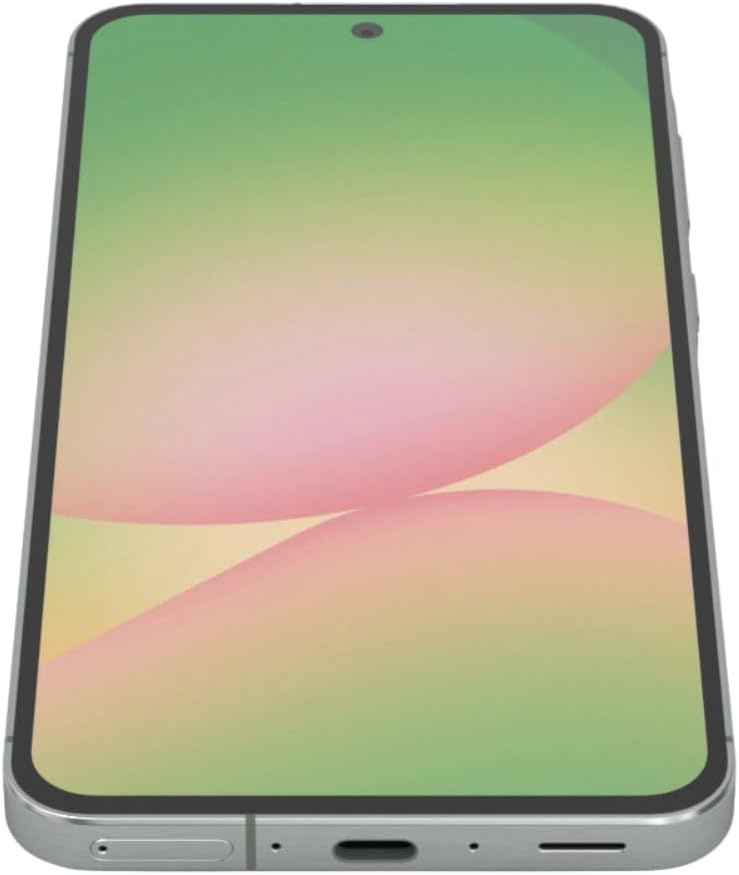
Nọmba 2: Apa view of the Samsung Galaxy A56 5G, showing the location of the SIM card tray and USB-C port.
2.3. Ngba agbara si Batiri naa
Before first use, fully charge the device battery. Use only the provided 25W Samsung Super Fast Charger and USB-C cable.
- Connect the USB-C cable to the charging port at the bottom of the phone.
- So opin keji okun naa pọ mọ adapter agbara 25W.
- Pulọọgi ohun ti nmu badọgba agbara sinu iṣan ogiri kan.
- Atọka gbigba agbara yoo han loju iboju.
Akiyesi: The device supports 25W Super Fast Charging. Using a lower wattage charger may result in slower charging times.
2.4. Agbara lori / Paa
- Lati Fi agbara: Press and hold the Side key (Power button) until the Samsung logo appears.
- Lati Paarẹ: Press and hold the Side key and Volume Down button simultaneously, then tap "Power off" on the screen. Alternatively, swipe down from the top of the screen to open the Quick Panel, tap the Power icon, and select "Power off".
- Lati Tun bẹrẹ: Follow the power off steps, but select "Restart".
2.5. Ipilẹṣẹ Device Oṣo
Nígbà tí o bá ti kọ́kọ́ tan-an, ẹ̀rọ náà yóò tọ́ ọ sọ́nà láti ṣe àtúnṣe sí iṣẹ́ àkọ́kọ́. Èyí ní nínú:
- Aṣayan ede
- Wi-Fi asopọ nẹtiwọki
- Wọle akọọlẹ Google
- Data transfer from an old device (using Samsung Smart Switch)
- Setting up screen lock (PIN, pattern, password, fingerprint)
- Reviewing and agreeing to terms and conditions
3. Ṣiṣẹ ẹrọ rẹ
3.1. Lilọ kiri ati wiwo olumulo
The Galaxy A56 5G runs on Android 15 with Samsung's One UI 7. Navigation is primarily touch-based.
- Iboju ile: Ibudo aarin rẹ fun awọn lw ati awọn ẹrọ ailorukọ.
- Drawer App: Ra soke lati Iboju ile lati wọle si gbogbo awọn ohun elo ti a fi sii.
- Igbimọ Yara: Ra isalẹ lati oke iboju lati wọle si awọn eto iyara ati awọn iwifunni.
- Awọn ohun elo aipẹ: Swipe up and hold from the bottom of the screen (if using gesture navigation) or tap the Recent Apps button (if using navigation buttons) to view laipe lo ohun elo.
3.2. Google Circle to Search Feature
The Circle to Search with Google feature allows for quick information retrieval. Simply circle, highlight, or tap an object or text on your screen to initiate a Google Search.
3.3. Ṣiṣe Awọn ipe ati Fifiranṣẹ Awọn ifiranṣẹ
- Awọn ipe: Ṣii awọn Foonu app, enter the number, and tap the call icon.
- Awọn ifiranṣẹ: Ṣii awọn Awọn ifiranṣẹ app, tẹ aami ifiranṣẹ titun ni kia kia, tẹ nọmba olugba sii tabi yan lati awọn olubasọrọ, tẹ ifiranṣẹ rẹ ki o tẹ firanṣẹ ni kia kia.
3.4. Lilo kamẹra
The device features a 50MP main camera, 12MP ultra-wide, 5MP macro, and a 12MP front camera. The camera system includes AI enhancements that optimize image quality by recognizing elements like sky, skin, and hair. The front camera supports Super HDR for high-resolution selfie videos with optimized colors and contrast. The camera app also includes an Object Eraser tool that allows you to remove unwanted elements from your photos.
- Ṣii awọn Kamẹra app.
- Yan ipo ti o fẹ (Fọto, Fidio, Aworan, Pro, ati bẹbẹ lọ).
- Fọwọ ba bọtini titiipa lati ya fọto kan tabi bẹrẹ/da gbigbasilẹ fidio duro.
- Lo awọn iṣakoso sisun loju iboju lati ṣatunṣe titobi.
- Yipada laarin awọn kamẹra iwaju ati ẹhin nipa lilo aami yi pada kamẹra.
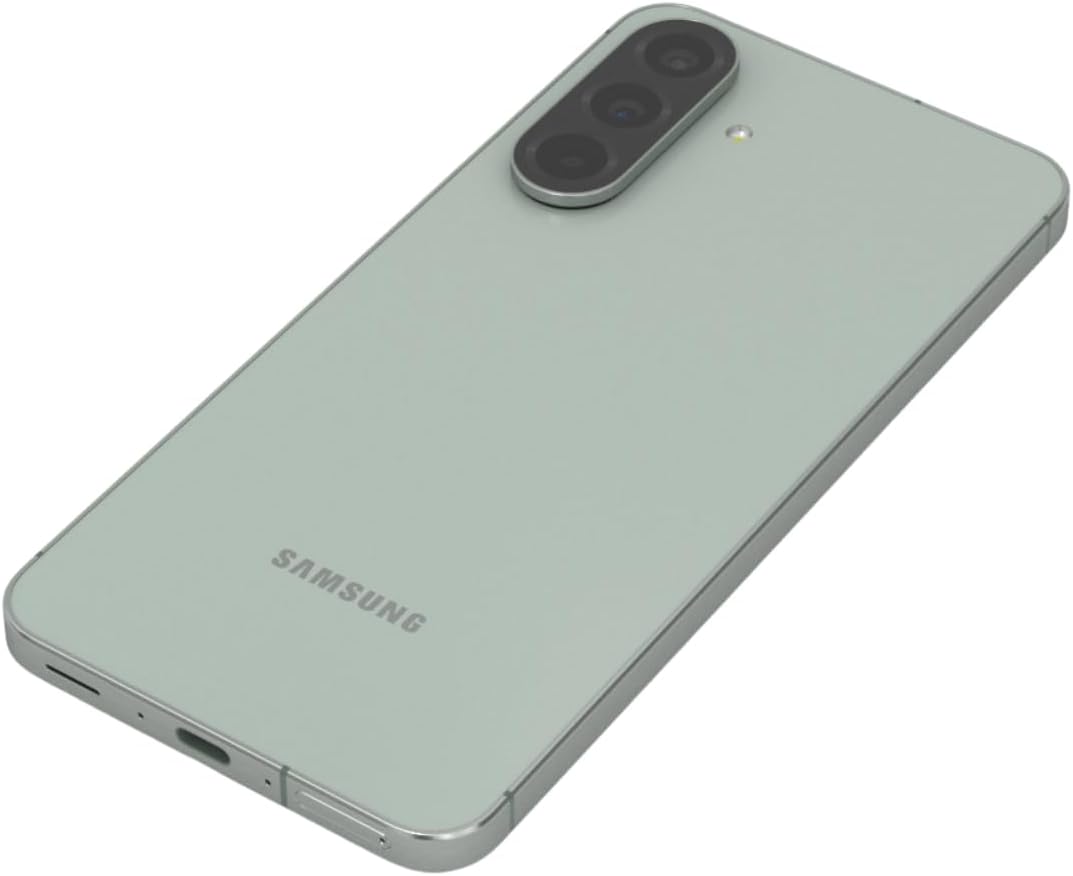
Nọmba 3: Ẹyìn view ti Samsung Galaxy A56 5G, ti o ṣe afihan eto kamẹra mẹta.
3.5. Ayelujara ati Asopọmọra
- Wi-Fi: Lọ si Eto > Awọn isopọ > Wi-Fi lati sopọ si awọn nẹtiwọki ti o wa.
- Data Alagbeka: Rii daju pe data alagbeka ti ṣiṣẹ ni Eto > Awọn isopọ > Lilo data.
- Bluetooth: Pair with other devices via Eto > Awọn isopọ > Bluetooth.
- NFC: Use for contactless payments and quick sharing via Eto > Awọn isopọ > NFC ati awọn sisanwo ti ko ni olubasọrọ.
3.6. Aabo Awọn ẹya ara ẹrọ
The Galaxy A56 5G includes an in-display optical fingerprint sensor for secure unlocking.
- Lọ si Eto > Aabo ati asiri > Biometrics > Awọn ika ọwọ.
- Tẹle awọn ilana loju iboju lati forukọsilẹ itẹka rẹ (awọn).
- You can also set up Face Recognition for convenient unlocking.
4. Itọju ati Itọju
4.1. Batiri Ti o dara ju
To maximize battery life (5000mAh capacity):
- Ṣatunṣe imọlẹ iboju.
- Enable Power saving mode (Eto > Batiri ati itọju ẹrọ > Batiri).
- Pa awọn ohun elo ti ko lo ti nṣiṣẹ ni abẹlẹ.
- Fi opin si lilo data isale fun awọn ohun elo kan.
4.2. Software imudojuiwọn
Keep your device's software up to date for optimal performance and security. Samsung provides up to 6 major Android upgrades for this model.
- Lọ si Eto > Imudojuiwọn software.
- Fọwọ ba Gba lati ayelujara ati fi sori ẹrọ.
- Tẹle awọn ilana loju iboju.
4.3. Ninu Rẹ Device
Use a soft, lint-free cloth to clean the screen and body of the phone. Avoid harsh chemicals or abrasive materials. The device has an IP67 rating for dust and water resistance, meaning it can withstand immersion in up to 1 meter of fresh water for up to 30 minutes. However, it is not recommended for beach or pool use and water resistance may decrease over time with normal wear.
5. Laasigbotitusita
5.1. Wọpọ Oran ati Solusan
| Isoro | Ojutu |
|---|---|
| Ẹrọ ko tan | Rii daju pe batiri ti gba agbara. Tẹ mọlẹ bọtini Agbara fun o kere ju iṣẹju 10 lati fi ipa mu tun bẹrẹ. |
| Asopọmọra nẹtiwọọki ti ko dara | Check SIM card insertion. Toggle Airplane mode on/off. Restart the device. Verify network settings with your carrier. |
| Awọn ohun elo kọlu tabi didi | Pa cache app kuro (Eto> Awọn ohun elo> [Orukọ Ohun elo]> Ibi ipamọ> Ko kaṣe kuro). Update the app. Restart the device. |
| Batiri sisan ni kiakia | Review batiri lilo ni Eto > Batiri ati itọju ẹrọ > Batiri. Reduce screen brightness. Close background apps. |
| Sensọ ika ọwọ ko ṣiṣẹ | Ensure your finger and the screen are clean and dry. Re-register your fingerprint if necessary. |
6. Awọn pato
| Ẹya ara ẹrọ | Ẹ̀kúnrẹ́rẹ́ |
|---|---|
| Orukọ awoṣe | Agbaaiye A56 5G |
| Nọmba awoṣe | A566E/DS |
| Ifihan | 6.7-inch FHD+ Super AMOLED, 120Hz Refresh Rate, 1080 x 2340 Resolution |
| isise | Exynos 1580 (4nm), Octa-mojuto, 2.9 GHz Sipiyu Speed |
| Àgbo | 12 GB |
| Ibi ipamọ | 256 GB (Ko si Iho kaadi SD) |
| Kamẹra ẹhin | 50MP (f/1.8) akọkọ, 12MP (f/2.2) Ultra jakejado, 5MP (f/2.4) Makiro |
| Kamẹra iwaju | 12MP (f/2.2) |
| Batiri | 5000 mAh, 25W Super Sare gbigba agbara |
| Eto isesise | Android 15 (with up to 6 major Android upgrades) |
| Asopọmọra | 5G, 4G LTE, Wi-Fi, Bluetooth 5.3, GPS, NFC |
| SIM Iru | Dual SIM + eSIM |
| Omi / eruku Resistance | IP67 |
| Awọn iwọn | 6 x 4 x 2 inches |
| Iwọn | 10.6 iwon |
| Pataki Awọn ẹya ara ẹrọ | Fingerprint (under display, optical), Accelerometer, Internet Browser, Music Player, Speakerphone, Touchscreen, Unlocked |
7. Atilẹyin ọja ati Support
This is an International Model and may not include a U.S. manufacturer warranty. Please refer to the seller's return policy for details regarding returns and exchanges.
For technical assistance, you can visit the official Samsung support website or contact their customer service. For issues related to your purchase, please contact your seller directly.
Optional protection plans may be available for purchase to extend coverage beyond the standard return policy. Please check with your retailer for details on available plans.
8. Awọn fidio ọja
Watch these official videos for additional guidance and feature demonstrations.
Video 1: Device Overview
Yi fidio pese kan finifini loriview of the Samsung Galaxy A56 5G, highlighting its key features and design. (Duration: 0:17)
Video 2: Advanced Features
A detailed video demonstrating some of the advanced functionalities and user interface elements of the device. (Duration: 1:25)
Video 3: Camera Capabilities
Explore the various camera modes and features available on the Galaxy A56 5G. (Duration: 0:36)
Video 4: Performance and Gaming
This video showcases the device's performance, including its capabilities for gaming and multitasking. (Duration: 0:48)
Video 5: Durability and Design
Learn about the robust design and IP67 water resistance of the Samsung Galaxy A56 5G. (Duration: 1:27)
Video 6: Display Features
This video highlights the vibrant 6.7-inch FHD+ Super AMOLED display and its Vision Booster technology. (Duration: 1:17)
Video 7: Software Experience
Ipariview of the Android 15 operating system and Samsung's One UI 7 interface. (Duration: 0:36)
Video 8: Quick Features
A short video highlighting some quick and convenient features of the device. (Duration: 0:10)
Video 9: Connectivity Options
This video explains the various connectivity options, including 5G, Wi-Fi, and Bluetooth. (Duration: 1:12)
Video 10: Ecosystem Integration
Discover how the Galaxy A56 5G integrates with the broader Samsung ecosystem. (Duration: 1:04)