1. Ifihan
Thank you for choosing the Anker Soundcore Boom 2 Plus Outdoor Speaker. This manual provides essential information for setting up, operating, and maintaining your device. Please read it carefully before use and retain it for future reference.

Image 1.1: Anker Soundcore Boom 2 Plus (right) and Soundcore Mini (left) speakers.
2. Alaye Aabo
- Ma ṣe fi agbọrọsọ si awọn iwọn otutu to gaju tabi imọlẹ orun taara fun awọn akoko gigun.
- Yago fun sisọ tabi tẹriba agbọrọsọ si awọn ipa to lagbara.
- Jeki agbohunsoke kuro lati awọn ẹrọ iṣoogun, nitori o ni awọn oofa ninu.
- Use only certified chargers and cables for charging.
- Ensure all port covers are securely closed when near water to maintain water resistance.
3. Package Awọn akoonu
Daju pe gbogbo awọn nkan wa ninu apo rẹ:
- Soundcore Boom 2 Plus Outdoor Speaker
- USB-C si Okun Ngba agbara USB-C
- Okùn ejika
- Itọsọna Ibẹrẹ Yara (Itọnisọna yii)
4. Ọja Ipariview
The Soundcore Boom 2 Plus features a robust design with integrated controls and ports for versatile use.
4.1. Irinše ati idari

Image 4.1: Internal speaker components including dual 50W woofers, dual 20W tweeters, and passive radiators with light show.
- Ọwọ Gbe: Fun irọrun gbigbe.
- Agbọrọsọ Grille: Protects the main drivers.
- Passive Radiators with Light Show: Located on both ends, providing enhanced bass and customizable RGB lighting.
- Àwọn bọ́tìnì ìṣàkóso (Pánẹ́lì òkè): Power, Bluetooth, Volume Up/Down, Play/Pause, BassUp, Light Mode, PartyCast.
- Rubberized Port Cover (Rear): Protects charging and auxiliary ports.

Image 4.2: Rear ports including USB-C for charging, USB-A for power bank function, and AUX input.
- Ibudo Ngba agbara USB-C: Fun gbigba agbara si agbọrọsọ.
- Ibudo Ijade USB-A: Functions as a power bank to charge other devices.
- Iṣawọle AUX: Fun asopọ ohun afetigbọ.
5. Eto
5.1. Gbigba agbara Agbọrọsọ
Before first use, fully charge your Soundcore Boom 2 Plus. Connect the provided USB-C cable to the speaker's USB-C port and a compatible 30W charger (not included). A full charge takes approximately 3 hours.
5.2. Sisopọ Bluetooth
- Power on the speaker by pressing the Power button. The Bluetooth indicator will flash blue.
- On your mobile device, enable Bluetooth and search for 'Soundcore Boom 2 Plus'.
- Select the speaker to pair. Once connected, the Bluetooth indicator will turn solid blue.
5.3. PartyCast (Connecting Multiple Speakers)
To connect multiple Soundcore PartyCast-compatible speakers for synchronized audio:
- Connect one Soundcore Boom 2 Plus speaker to your device via Bluetooth (this will be the primary speaker).
- Power on the secondary Soundcore PartyCast-compatible speakers.
- On the primary speaker, press the PartyCast button. The PartyCast indicator will flash white.
- On the secondary speakers, press the PartyCast button. They will automatically connect to the primary speaker.
5.4. Ohun elo Soundcore
Download the Soundcore app from your device's app store to unlock additional features and customization options, including:
- Equalizer settings for personalized audio.
- Customizing light effects and brightness.
- Ṣiṣayẹwo ipo batiri.
- Awọn imudojuiwọn famuwia.
6. Ṣiṣẹ
6.1. Agbara Tan / Paa
- Tẹ awọn Bọtini agbara once to turn the speaker on.
- Tẹ mọlẹ Bọtini agbara fun 2 aaya lati pa agbohunsoke.
6.2. Iṣakoso iwọn didun
- Tẹ awọn Bọ́tìnì Ìwọ̀n Ìwọ̀n (+) lati mu iwọn didun pọ si.
- Tẹ awọn Volume Down (-) button lati dinku iwọn didun.
6.3. Sisisẹsẹhin Iṣakoso
- Tẹ awọn Bọtini ṣiṣẹ/Sinmi lẹẹkan lati mu ṣiṣẹ tabi da duro orin.
- Double-tẹ awọn Bọtini ṣiṣẹ/Sinmi lati foju si orin atẹle.
- Meteta-tẹ awọn Bọtini ṣiṣẹ/Sinmi lati lọ si orin ti tẹlẹ.
6.4. BassUp 2.0 Feature
Activate BassUp 2.0 for enhanced bass performance. This feature boosts output from 100W to 140W max.
- Tẹ awọn BassUp button once to toggle BassUp 2.0 on or off.

Image 6.1: Experience powerful bass with BassUp 2.0 technology.

Image 6.2: Engineered for robust bass and powerful sound.
6.5. Awọn ọna Imọlẹ
The Soundcore Boom 2 Plus features beat-synced colorful light shows on its passive radiators.
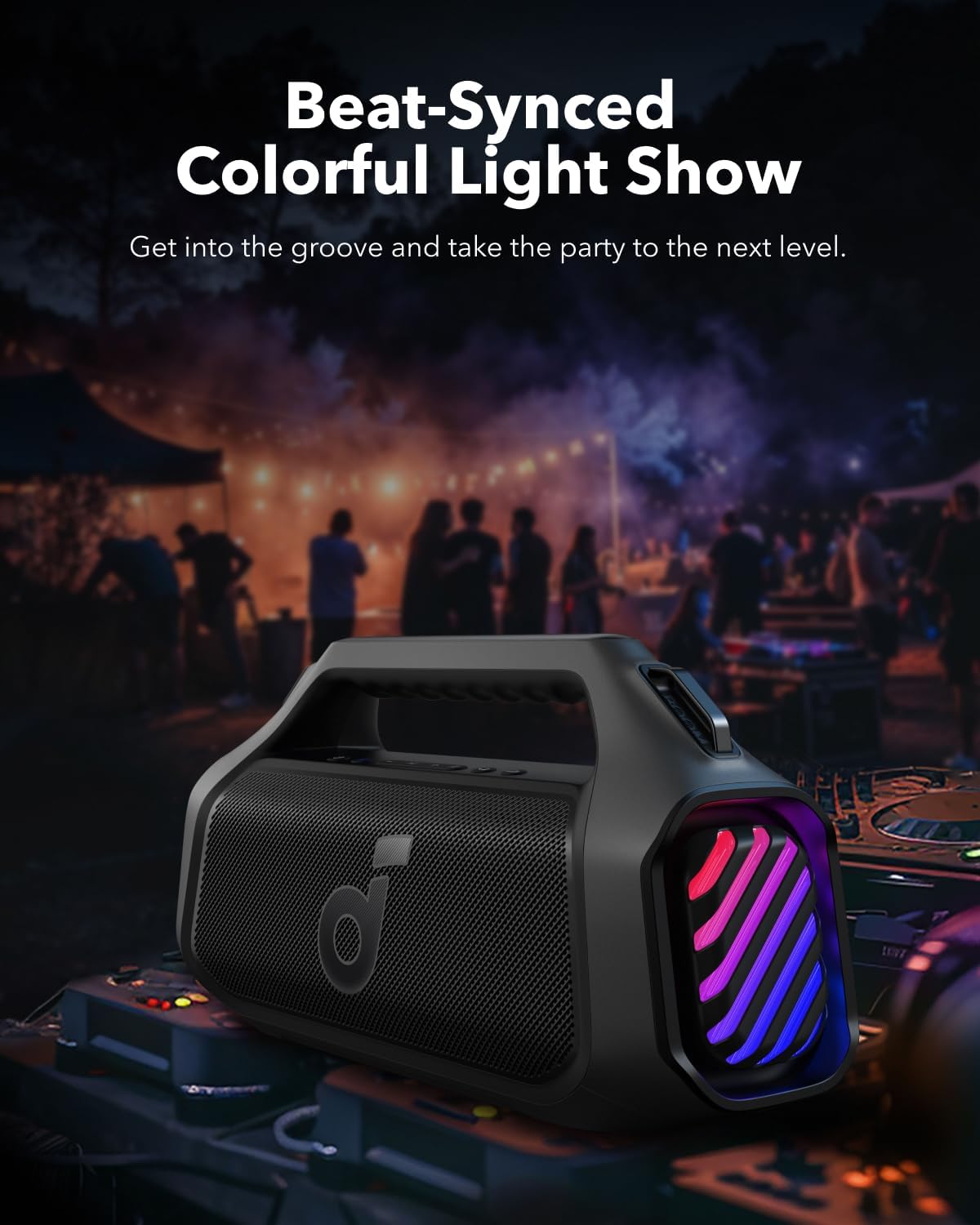
Image 6.3: Beat-synced colorful light show enhances the listening experience.
- Tẹ awọn Bọtini ina once to cycle through different light modes.
- Double-tẹ awọn Bọtini ina lati pa awọn ina.
6.6. Iṣẹ́ Báńkì Agbára
The speaker can charge other devices via its built-in power bank function.
- Connect your device to the speaker's USB-A output port using a compatible cable.
- The speaker will provide a 10W charge to your device.
6.7. Omi Resistance
The Soundcore Boom 2 Plus is designed with IPX7 water resistance, making it suitable for outdoor use and protection against submersion in water up to 1 meter for 30 minutes. Ensure the rubberized port cover is securely closed before exposure to water.
7. Itọju
7.1. Ninu
- Nu agbọrọsọ nu pẹlu asọ, damp asọ.
- Do not use any corrosive cleaners or chemicals.
- Ensure the speaker is completely dry before charging or using ports.
7.2. Ibi ipamọ
- Tọju agbohunsoke ni itura, ibi gbigbẹ kuro lati awọn iwọn otutu to gaju.
- If storing for an extended period, charge the battery every 3 months to prolong its lifespan.
8. Laasigbotitusita
- Ko si Agbara: Rii daju pe a ti gba agbara si agbọrọsọ. Sopọ si orisun agbara ati gbiyanju lẹẹkansi.
- Ko le So Bluetooth pọ: Make sure the speaker is in pairing mode (Bluetooth indicator flashing blue). Check your device's Bluetooth settings and try reconnecting. If issues persist, try forgetting the device on your phone and re-pairing.
- Didara Ohun Ko dara: Ensure the speaker is within Bluetooth range (up to 10 meters/33 feet). Check for obstructions between the speaker and your device. Adjust the equalizer settings in the Soundcore app.
- Awọn Imọlẹ Ko Ṣiṣẹ: Check the light mode settings via the Light button or the Soundcore app. Ensure the battery level is sufficient.
- PartyCast Not Connecting: Ensure all speakers are Soundcore PartyCast-compatible. Follow the PartyCast pairing instructions carefully.
9. Awọn pato
| Ẹya ara ẹrọ | Sipesifikesonu |
|---|---|
| Orukọ awoṣe | Ariwo 2 Plus |
| Agbọrọsọ Iru | Ita gbangba |
| Agbọrọsọ Agbara Ijade ti o pọju | 140 Wattis |
| Kakiri Ohun ikanni iṣeto ni | 2.2 |
| Imọ-ẹrọ Ibaraẹnisọrọ Alailowaya | Bluetooth |
| Orisun agbara | Agbara Batiri |
| Batiri Playtime | Up to 20 Hours (Varies with volume and content) |
| Akoko gbigba agbara | Awọn wakati 3 (pẹlu ṣaja 30W) |
| Power Bank o wu | 10W |
| Mabomire Rating | IPX7 |
| Ọna Iṣakoso | Fọwọkan |
| Ohun elo | Irin, Ṣiṣu |
10. Atilẹyin ọja ati Support
Anker provides a limited warranty for this product. For detailed warranty information, please refer to the warranty card included in your package or visit the official Anker webojula.
10.1. Onibara Support
If you encounter any issues or have questions regarding your Soundcore Boom 2 Plus, please contact Anker customer support through:
- The Soundcore App
- The official Anker website support section
- Email or phone support (details available on the Anker webaaye)


