Ọrọ Iṣaaju
The Perixx PERIMICE-513 is a wired ergonomic vertical mouse designed to provide a comfortable and efficient computing experience. Its unique vertical design promotes a natural handshake position, which can help reduce forearm strain and the risk of repetitive strain injuries (RSI) during extended use. This manual provides essential information for setting up, operating, maintaining, and troubleshooting your PERIMICE-513 mouse.
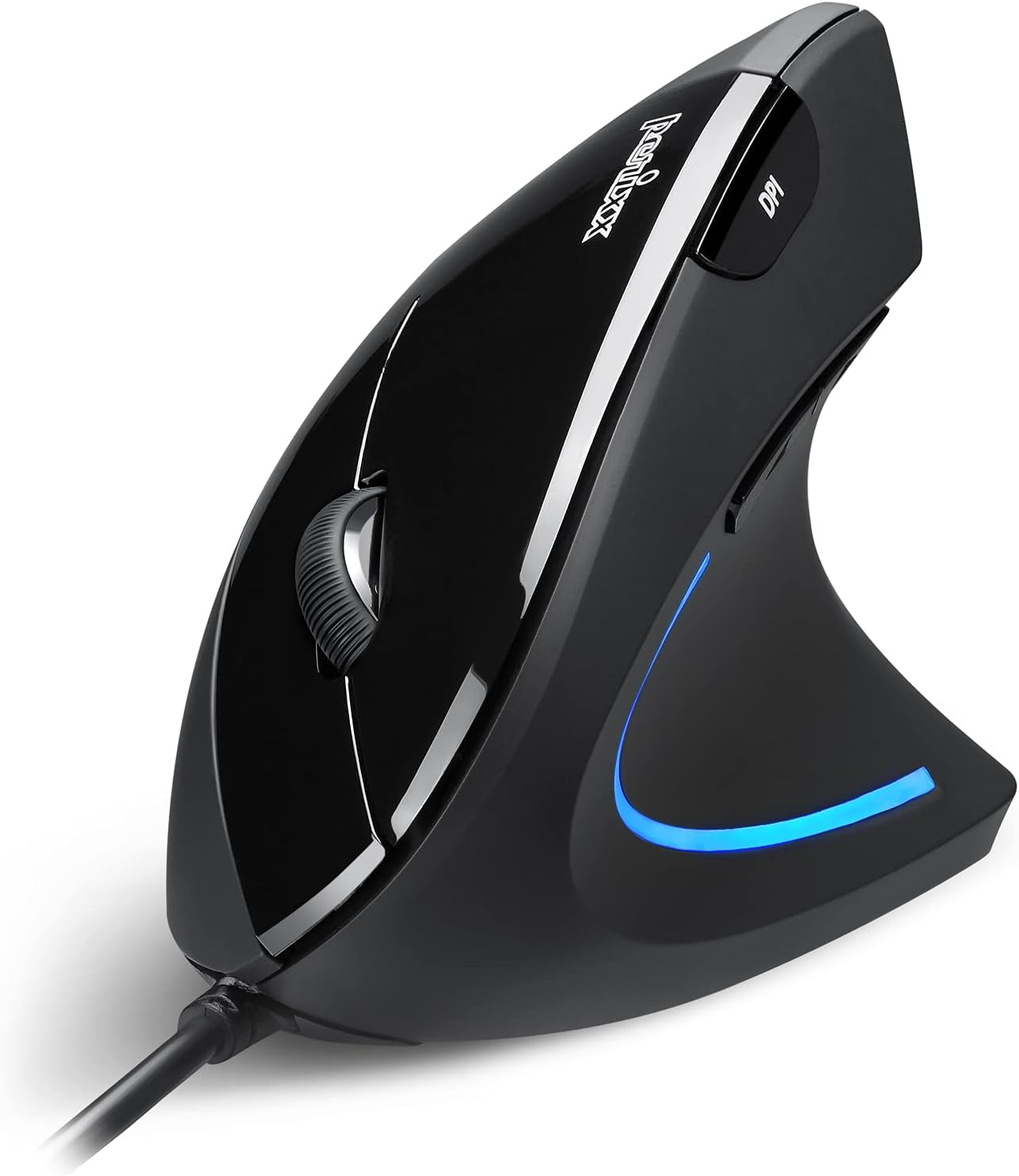
Image: The Perixx PERIMICE-513 Wired Ergonomic Vertical Mouse, showcasing its black finish and ergonomic design.
Ọja Pariview
The PERIMICE-513 features six buttons and an adjustable DPI sensor for precise control. Familiarize yourself with the components:

Image: A diagram illustrating the six buttons of the Perixx PERIMICE-513 mouse, including Left Click, Right Click, Scroll Wheel, DPI Switch, Page Back, and Page Forward buttons.
- Bọtini Tẹ osi: Standard jc iṣẹ tẹ.
- Ọtun Tẹ Bọtini: Standard secondary tẹ iṣẹ.
- Yi lọ Kẹkẹ: Fun lilọ kiri inaro ati iṣẹ-titẹ aarin.
- Bọtini Yipada DPI: Ṣe àtúnṣe ìfàmọ́ra kọ́sọ̀ (DPI).
- Page Back Button: Lilọ kiri pada sinu web aṣàwákiri tabi file oluwadi.
- Bọ́tìnì Ìwájú Ojú-ìwé: Lilọ siwaju sinu web aṣàwákiri tabi file oluwadi.
Ṣeto
The Perixx PERIMICE-513 is designed for simple plug-and-play setup.
- So okun USB pọ: Pulọọgi asopo USB ti Asin sinu ibudo USB ti o wa lori kọnputa rẹ.
- Fifi sori Awakọ: The mouse is plug-and-play and typically does not require additional drivers for basic functionality on compatible operating systems. Your computer should automatically detect and install the necessary drivers.
- Ipo: Place the mouse on a flat, clean surface. The ergonomic design encourages a natural handshake grip.

Image: A hand connecting the USB cable of the Perixx PERIMICE-513 mouse to a computer, illustrating the plug-and-play setup.
Ibamu: The PERIMICE-513 is fully compatible with Windows 7, 8, 10, 11, and later versions.
Awọn ilana Iṣiṣẹ
This section details the functions of your Perixx PERIMICE-513 mouse.
DPI Atunṣe
The DPI (Dots Per Inch) switch button, located on the top of the mouse, allows you to adjust the cursor sensitivity. Press this button to cycle through the available DPI settings: 1000, 1600, 3200, and 6400 DPI. Choose a setting that best suits your task and preference for cursor speed and precision.

Image: A hand demonstrating the natural, comfortable grip on the Perixx PERIMICE-513 vertical mouse, highlighting its ergonomic design.
Ergonomic Use
The vertical design of the PERIMICE-513 encourages a neutral wrist and forearm posture, similar to a handshake. This natural position helps to alleviate pressure on the wrist and reduce muscle tension, contributing to long-term comfort and preventing strain.

Image: A visual comparison showing a twisted wrist position with a traditional mouse versus a natural, untwisted wrist position achieved with an ergonomic vertical mouse.
Awọn iṣẹ bọtini
- Osi/Ọtun Tẹ: Perform standard selection and context menu actions.
- Yi lọ Kẹkẹ: Scroll documents and web pages vertically. Press down for middle-click functionality.
- DPI Yipada: Cycle through 1000, 1600, 3200, and 6400 DPI settings.
- Page Back/Forward: Conveniently navigate web awọn oju-iwe tabi awọn folda.
Itoju
Proper care ensures the longevity and optimal performance of your mouse.
- Ninu: Lo asọ, die-die damp cloth to clean the surface of the mouse. Avoid using harsh chemicals, abrasive cleaners, or solvents, as these can damage the rubber coating and internal components.
- Sensọ Ojú: Jeki sensọ opiti ti o wa ni isalẹ ti Asin ni mimọ ati ofe kuro ninu eruku tabi idoti lati rii daju titele deede.
- Itọju USB: Yago fun awọn atunse didasilẹ tabi fifaju iwọn lori okun USB lati yago fun ibajẹ.
Laasigbotitusita
If you encounter issues with your Perixx PERIMICE-513 mouse, refer to the following solutions:
- Asin Ko Dahun:
- Rii daju pe okun USB ti wa ni edidi ni aabo sinu ibudo USB ti n ṣiṣẹ lori kọnputa rẹ.
- Gbiyanju yiyi asin sinu ibudo USB ti o yatọ.
- Tun kọmputa rẹ bẹrẹ.
- Gbigbe Kọsọ Ainiṣiṣẹ:
- Nu sensọ opitika ni isalẹ ti Asin pẹlu asọ ti o gbẹ.
- Rii daju pe o nlo asin lori aaye ti o dara. Yago fun gíga afihan tabi sihin roboto.
- DPI Setting Not Changing:
- Press the DPI switch button firmly. The change in DPI may be subtle depending on your current setting and screen resolution.
Awọn pato
Detailed technical specifications for the Perixx PERIMICE-513 mouse:
| Ẹya ara ẹrọ | Sipesifikesonu |
|---|---|
| Ọja Mefa | 4.92 x 2.44 x 0.1 inches |
| Iwọn Nkan | 5.6 iwon |
| Nọmba awoṣe | 12364 |
| Asopọmọra Technology | USB |
| Imọ-ẹrọ Iwari išipopada | Opitika |
| Awọn Eto DPI | 1000/1600/3200/6400 |
| USB Ipari | 5.9 ẹsẹ (1.8 m) |
| Ibamu | Windows 7, 8, 10, 11, and later |
| Pataki Ẹya | Apẹrẹ Ergonomic |
Ọja Pariview Fidio
Wo ọjà osise yii lori oju opo wẹẹbu yiiview video for a visual guide to the Perixx PERIMICE-513 mouse.
Fidio: Ọja osise ti pariview of the Perixx PERIMICE-513 Ergonomic Vertical Mouse, demonstrating its features and ergonomic benefits.
Atilẹyin ọja ati Support
Perixx products are manufactured to high-quality standards. For specific warranty details, please refer to the warranty card included with your product or visit the official Perixx website. For further assistance or support, you may visit the Perixx itaja lori Amazon.


