1. Ifihan
This user manual provides detailed instructions for the setup, operation, maintenance, and troubleshooting of your Balimo Automatic Pet Feeder (Model DU-F06W). Please read this manual thoroughly before using the device to ensure proper function and safety for your pet.
2. Ọja irinše
Before you begin, please verify that all components are present in the package:
- Balimo Automatic Pet Feeder Unit
- Irin alagbara, irin Food ekan
- Adapter agbara
- Okun Agbara USB
- Desiccant Bag (pre-installed or separate)
- Itọsọna olumulo

Aworan: Pariview of the Balimo Automatic Pet Feeder, its packaging, and included accessories, along with key dimensions.
3. Eto Itọsọna
3.1 Powering the Feeder
The Balimo Automatic Pet Feeder supports dual power modes to ensure continuous operation:
- Adaparọ Agbara AC: Connect the provided power adapter to the feeder's power port and plug it into a standard wall outlet.
- Batiri Afẹyinti: Fun agbara otage protection, insert 3 D-size batteries (not included) into the battery compartment at the bottom of the feeder. It is recommended to use both power sources simultaneously for uninterrupted feeding. The device will automatically switch to battery power in case of an AC power interruption.

Image: The pet feeder connected to an AC power outlet, illustrating the dual power supply capability with an option for D-size batteries.
3.2 Fifi sori ẹrọ Ohun elo
To utilize the smart features of your feeder, download and install the companion app on your smartphone. Scan the QR code below or visit the provided link:

Image: QR code for downloading the Balimo pet feeder application.
Ọna asopọ Gbigba lati ayelujara App: https://a.smart321.com/Petrtdv1peartV152
3.3 Nsopọ si Wi-Fi
Ensure your Wi-Fi network is 2.4GHz, as the feeder does not support 5GHz networks. Follow these steps to connect your feeder to the app:
- Open the Balimo app and create an account or log in.
- Tap 'Add Device' or the '+' icon.
- The app will search for nearby devices. Select your feeder from the list.
- Tẹ orukọ ati ọrọ igbaniwọle nẹtiwọọki Wi-Fi 2.4GHz rẹ sii nigbati o ba beere.
- Tẹle awọn ilana loju iboju lati pari ilana sisopọ.

Image: App interface showing the device detection and 'Add' button for pairing.
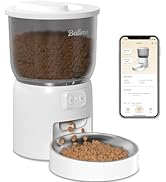
Image: App interface for Wi-Fi setup, indicating support for 2.4GHz networks only.
3.4 Filling the Food Container
Open the lid of the food container and pour dry pet food into the reservoir. The feeder has a 3L capacity. Ensure the kibble size is between 2mm and 12mm to prevent clogging. Do not use wet food or treats larger than 12mm.

Image: Visual guide for applicable kibble sizes (2-12mm) and recommended dry food types to prevent jamming.
3.5 Inserting Desiccant Bag
A desiccant bag is included to keep the food fresh and dry. Place it in the designated compartment under the lid. Replace the desiccant bag periodically (e.g., every 1-2 months) for optimal freshness.

Image: Diagram illustrating the feeder's triple sealing features, including the secure twist-lock lid, desiccant bag compartment, anti-clog design, and sealed outlet for food freshness.
4. Operating the Feeder
4.1 Setting a Feeding Schedule via App
The app allows you to customize your pet's feeding schedule with precision:
- Open the Balimo app and navigate to the feeding schedule section.
- You can set up to 10 meals per day.
- For each meal, specify the time and the number of portions (1-15 portions per meal). Each portion is approximately 9g ±2g.
- Save your schedule. The feeder will automatically dispense food at the programmed times.

Image: The pet feeder positioned between a cat and a dog, highlighting its capacity (3L) and customizable feeding options (1-10 meals/day, 1-15 portions/meal).
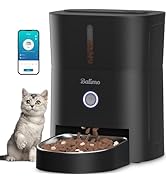
Image: App interface displaying the meal scheduling calendar, allowing users to set specific times and portions for daily feedings.
4.2 Afowoyi ono
You can dispense food instantly at any time using the app's manual feeding function. This is useful for providing extra treats or small meals outside of the regular schedule.
4.3 Monitoring Feeding History
The app keeps a record of all dispensed meals, allowing you to monitor your pet's feeding habits and ensure they are receiving their scheduled portions.
4.4 Portion Guidelines
The following table provides a reference for recommended daily portions. Please note that actual needs may vary based on your pet's age, weight, activity level, and specific food type.

Image: Table showing recommended portions and corresponding daily intake in grams, with a note about variations based on pet food characteristics.
5. Itọju ati Cleaning
Regular cleaning of your Balimo Automatic Pet Feeder is essential for your pet's health and the longevity of the device.
5.1 Detachable Design for Easy Cleaning
The food bucket and stainless steel bowl are designed to be easily detached for thorough cleaning.

Image: Detached components of the pet feeder, including the food bucket and stainless steel bowl, being washed in a sink, emphasizing the ease of cleaning.
5.2 Cleaning Awọn ilana
- Remove the stainless steel bowl and the food bucket from the main unit.
- Wash these parts with mild soap and water. They are dishwasher safe.
- Rinse thoroughly and ensure all parts are completely dry before reassembling.
- Important: Do NOT wash the main base unit. Mu ese ita ti ipilẹ kuro pẹlu ipolowoamp aṣọ nikan.
5.3 Stainless Steel Bowl Benefits
The food-grade 304 stainless steel bowl is safe, odorless, and helps prevent allergic reactions that some pets may have to plastic. It also facilitates easy cleaning of greasy food residues, ensuring every meal is fresh and hygienic.
6. Laasigbotitusita
If you encounter any issues with your Balimo Automatic Pet Feeder, please refer to the following common problems and solutions:
| Isoro | Owun to le Fa | Ojutu |
|---|---|---|
| Atokan ko pin ounje. | Food container empty; kibble clogged; power issue. | Refill food container. Check kibble size (2-12mm) and clear any blockages. Ensure power adapter is connected or batteries are installed. |
| App cannot connect to feeder. | Incorrect Wi-Fi password; 5GHz Wi-Fi network; feeder too far from router. | Verify Wi-Fi password. Ensure you are connected to a 2.4GHz Wi-Fi network. Move feeder closer to the router. Restart feeder and app. |
| Food not fresh. | Desiccant bag needs replacement; lid not properly sealed. | Replace the desiccant bag. Ensure the twist-lock lid is securely closed. |
| Feeder makes unusual noise. | Kibble blockage in dispenser mechanism. | Clear any food blockages. The feeder has an anti-clog design, but large or irregular kibble can still cause issues. |
7. Awọn alaye ọja
| Ẹya ara ẹrọ | Sipesifikesonu |
|---|---|
| Nọmba awoṣe | DU-F06W |
| Agbara | 3 liters |
| Awọn iwọn (L x W x H) | 19 x 19 x 23 cm |
| Iwọn | 1.69 kg |
| Ohun elo | Irin Alagbara (abọ) |
| Àwọ̀ | Dudu |
| Ibi ti ina elekitiriki ti nwa | 5V DC Adapter, 3 x D-size Batteries (not included) |
| Wi-Fi Asopọmọra | 2.4GHz nikan |
| Awọn ounjẹ fun ọjọ kan | 1-10 ounjẹ |
| Awọn ipin fun Ounjẹ | 1-15 portions (approx. 9g ±2g per portion) |
| Niyanju Kibble Iwon | 2-12 mm |
| Àkọlé Eya | Cat, Dog (Small to Medium) |
| Awọn ilana Itọju | Dishwasher safe (detachable parts only) |
8. Alaye Aabo
- Ohun elo yii wa fun lilo inu ile nikan.
- Do not immerse the main base unit in water or other liquids.
- Keep out of reach of children and pets when not in use or during cleaning.
- Use only dry pet food. Do not use wet food, canned food, or treats larger than 12mm.
- Ensure the power adapter and cable are not damaged. If damaged, discontinue use immediately.
- Má ṣe gbìyànjú láti tú tàbí tún ẹ̀rọ náà ṣe fúnra rẹ. Pe olùrànlọ́wọ́ oníbàárà fún ìrànlọ́wọ́.
9. Atilẹyin ọja ati Support
Balimo products come with a standard manufacturer's warranty. For specific warranty details, please refer to the warranty card included in your product packaging or visit the official Balimo website. If you require technical support, have questions about your product, or need to claim warranty service, please contact Balimo customer support through the contact information provided on the product packaging or their official webojula.


