Ọrọ Iṣaaju
O ṣeun fun riraasing the Havit IX-102 Wired In-Ear Headphones with Microphone. This manual provides essential information for the proper setup, operation, and maintenance of your new earphones. Please read this guide thoroughly before use to ensure optimal performance and longevity of your product.
Ọja Pariview
The Havit IX-102 headphones are designed for clear audio and convenient communication. Familiarize yourself with the components:
- In-Ear Earphones (Left and Right)
- Integrated Microphone and Control Module (on cable)
- Orin Jack 3.5mm
- Ọpọlọpọ Iwọn Awọn Irọri Eti
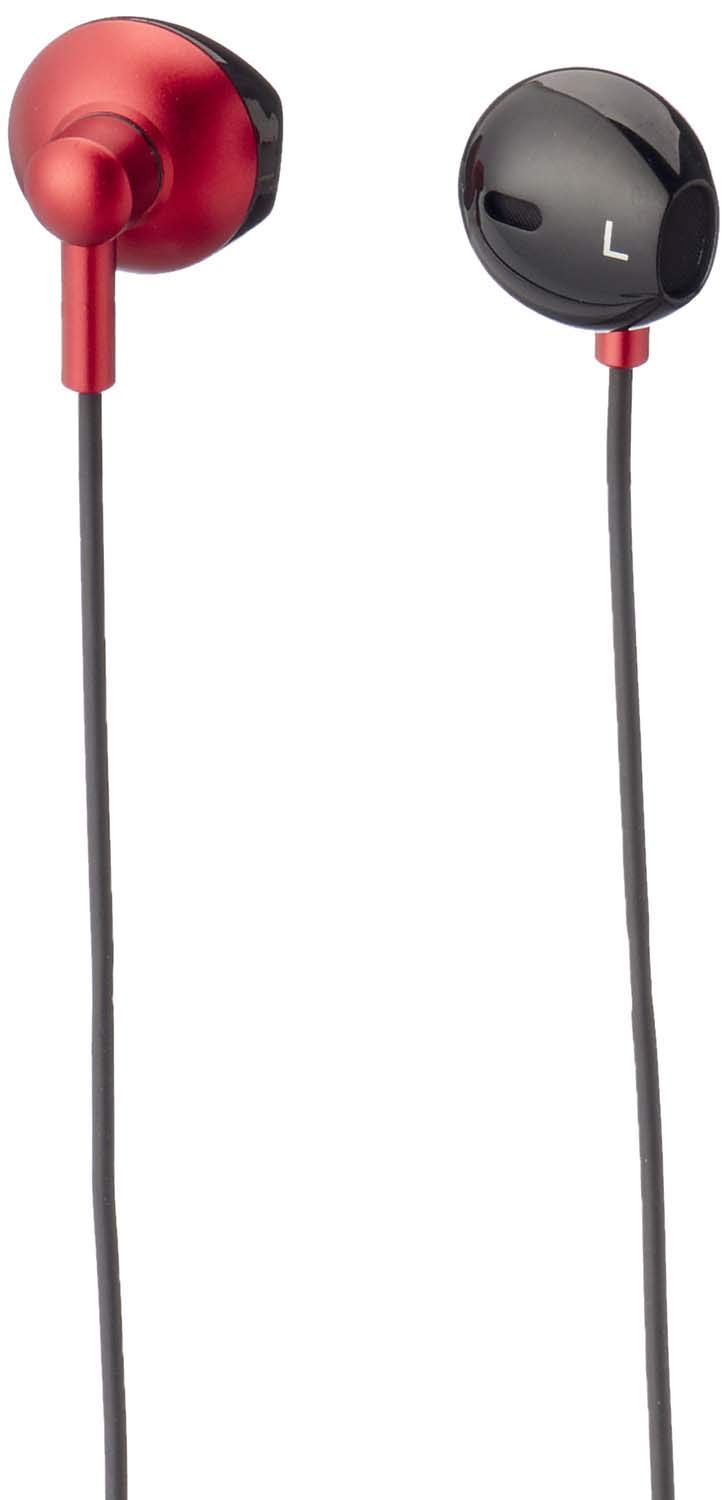
Nọmba 1: Havit IX-102 Wired In-Ear Headphones. This image shows the complete set of in-ear headphones, featuring the earbuds, cable, and 3.5mm audio jack.

Nọmba 2: Cable with Integrated Control Module. This image highlights the cable section that includes the microphone and a potential control button for managing audio and calls.

Nọmba 3: 3.5mm Audio Jack. A close-up view of the standard 3.5mm connector used to plug the headphones into compatible audio devices.

Nọmba 4: Replacement Ear Cushions. This image displays the various sizes of silicone ear cushions provided for a comfortable and secure fit.
Ṣeto
- Yan Awọn Imudani Eti: Choose the ear cushion size that provides the most comfortable and secure fit for your ears. A good seal enhances sound quality and bass response. Gently attach the selected ear cushions to the earphone nozzles.
- Sopọ si Ẹrọ: Insert the 3.5mm audio jack firmly into the headphone port of your audio device (smartphone, tablet, laptop, MP3 player, etc.). Ensure the jack is fully inserted to prevent audio issues.
- Wọ Awọn Agbekọri: Place the earphones into your ears. Adjust them until they feel comfortable and provide a good seal.
Awọn ilana Iṣiṣẹ
The Havit IX-102 headphones feature an in-line control module for basic audio and call management. Functionality may vary slightly depending on your connected device.
- Mu ṣiṣẹ/Danu Orin duro: Press the button on the control module once to play or pause the current track.
- Idahun/Ipe Ipari: When a call comes in, press the button once to answer. During a call, press the button once to end the call.
- Kọ Ipe: Tẹ bọtini naa ki o si di mu fun bii iṣẹju-aaya meji lati kọ ipe ti nwọle.
- Orin t’okan: Tẹ bọtini naa lẹẹmeji ni kiakia lati fo si orin ti o tẹle.
- Tẹlẹ Orin: Tẹ bọtini naa ni igba mẹta ni kiakia lati pada si orin ti tẹlẹ.
- Lilo gbohungbohun: The integrated microphone allows for hands-free communication during calls. Ensure the microphone is positioned clearly for optimal voice pickup.
Note: Volume control is typically managed directly on your connected audio device.
Itoju
Proper care will extend the life of your Havit IX-102 headphones.
- Awọn Imu Eti Eti mimọ: Remove the silicone ear cushions and wash them gently with mild soap and water. Rinse thoroughly and allow them to air dry completely before reattaching.
- Cleaning Earphones: Use a soft, dry, lint-free cloth to wipe the earphone bodies. Do not use harsh chemicals or abrasive materials. Avoid getting moisture into the speaker grilles.
- Itọju USB: Avoid sharp bends, twists, or excessive pulling on the cable. Store the headphones neatly to prevent tangling.
- Ibi ipamọ: When not in use, store your headphones in a clean, dry place, away from extreme temperatures and direct sunlight.
Laasigbotitusita
Ti o ba pade awọn ọran pẹlu awọn agbekọri rẹ, tọka si awọn iṣoro ti o wọpọ ati awọn ojutu wọnyi:
| Isoro | Owun to le Fa | Ojutu |
|---|---|---|
| Ko si ohun tabi iwọn didun kekere |
|
|
| Ohun ti wa ni daru tabi lemọlemọ |
|
|
| Gbohungbohun ko ṣiṣẹ |
|
|
Awọn pato
| Brand | Havit |
| Nọmba awoṣe | IX-102 |
| Àwọ̀ | Dudu ati Pupa |
| Agbekọri Fọọmù ifosiwewe | Ninu Eti |
| Asopọmọra Technology | Ti firanṣẹ |
| Asopọmọra Iru | 3.5mm Jack |
| USB Ipari | 1.2 mita |
| Ohun elo Iru | Ṣiṣu |
| Iwọn Nkan | 60 giramu |
| Awọn irinše to wa | Awọn iṣu Eti |
| Awọn ẹrọ ibaramu | Multiple devices with 3.5mm audio jack |
Atilẹyin ọja ati Support
For warranty information or technical support, please refer to the documentation included with your purchase or contact Havit customer service directly. Contact details can typically be found on the manufacturer's official webaaye tabi apoti ọja.
Jeki ẹri rira rẹ fun eyikeyi awọn ibeere atilẹyin ọja.


