1. Ifihan
This manual provides essential information for the proper handling, installation, and maintenance of the ELEMENT ELEFT426 V500DK2-CKS2 E88441 T-CON Board. This board is a critical component in liquid crystal display (LCD) televisions, responsible for processing and distributing timing signals to the display panel, ensuring correct image rendering.
It is imperative to read and understand all instructions before attempting any installation or maintenance procedures to ensure safety and prevent damage to the component or associated equipment.
2. Awọn iṣọra aabo
- Ge asopọ agbara: Always disconnect the television from the main power supply before beginning any work on internal components.
- Yiyọ Electrostatic (ESD): T-CON boards are sensitive to electrostatic discharge. Use an anti-static wrist strap and work on an anti-static mat to prevent damage.
- Mu pẹlu Itọju: Avoid touching the integrated circuits (ICs) and delicate connectors directly. Hold the board by its edges.
- Lilo Irinṣẹ: Use appropriate, non-magnetic tools for disassembly and reassembly.
- Fifi sori Ọjọgbọn: If you are not confident in your technical abilities, seek assistance from a qualified technician.
3. Eto ati fifi sori
This section outlines the general steps for replacing a T-CON board. Specific disassembly procedures may vary depending on the television model.
3.1. Awọn irinṣẹ ti a beere
- Phillips head screwdriver set
- Flathead screwdriver (for prying plastic clips, if necessary)
- Anti-static wrist strap and mat
- Small container for screws
3.2. Fifi sori Igbesẹ
- Mura Agbegbe Iṣẹ: Ensure a clean, well-lit, and anti-static environment.
- Ge Agbara: Unplug the television from the wall outlet.
- Access Rear Panel: Carefully place the TV face down on a soft, clean surface to protect the screen. Remove the screws securing the rear panel.
- Wa Igbimọ T-CON: The T-CON board is typically located at the top or bottom center of the display panel, often covered by a metal shield. It connects to the main board via a ribbon cable and to the LCD panel via two or more flat flexible cables (FFCs).
- Ge asopọ Awọn okun: Gently unlatch and disconnect the FFCs from the T-CON board. Be extremely careful as these cables and their connectors are fragile. Disconnect any other cables, such as the LVDS cable from the main board.
- Yọ Igbimọ atijọ kuro: Unscrew the mounting screws holding the T-CON board in place and carefully lift it out.
- Fi sori ẹrọ Igbimọ Tuntun: Position the new ELEMENT ELEFT426 V500DK2-CKS2 E88441 T-CON Board in the same location. Secure it with the mounting screws.
- Tun awọn okun pọ: Carefully reattach all FFCs and other cables, ensuring they are fully seated and latched. Double-check all connections.
- Tun TV jọ: Replace the rear panel and secure it with screws.
- Iṣe idanwo: Plug in the television and power it on to verify proper display functionality.
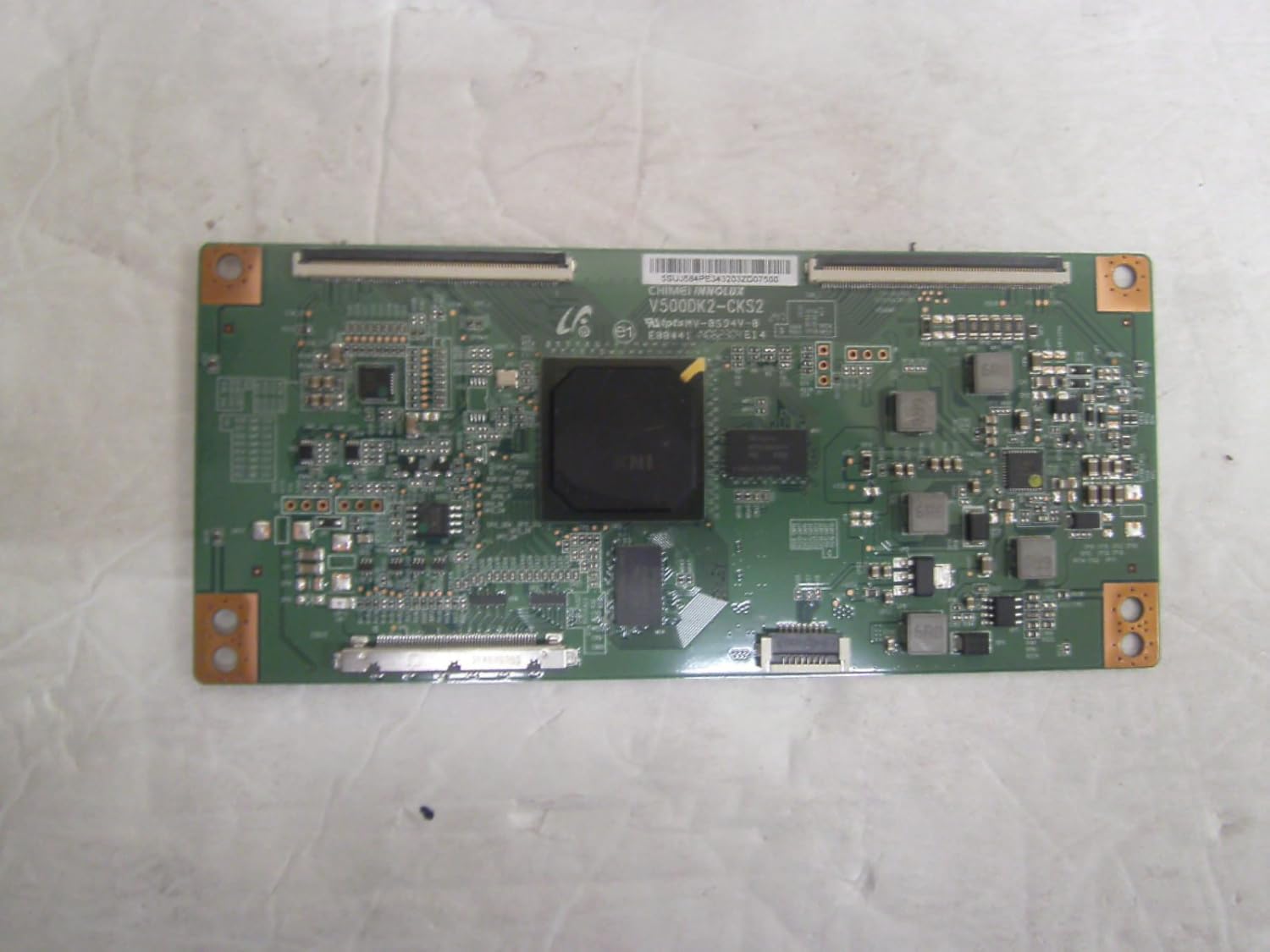
Olusin 1: Pariview of the ELEMENT ELEFT426 V500DK2-CKS2 E88441 T-CON Board. This image shows the full board with its various components, connectors, and mounting holes.
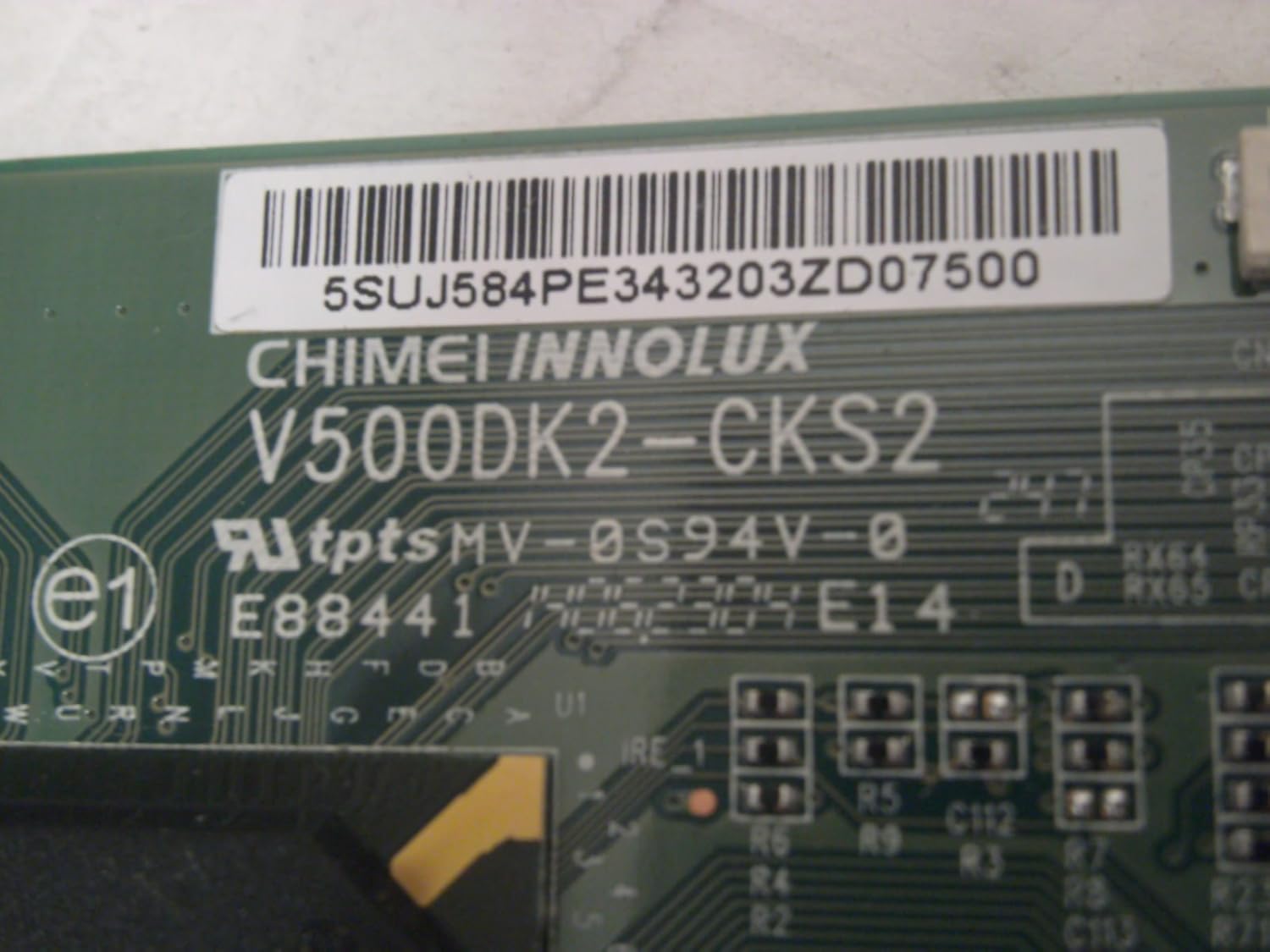
olusin 2: Isunmọ view of the product label on the T-CON board, clearly displaying the model number V500DK2-CKS2 and part number E88441. This label is crucial for verifying component compatibility.
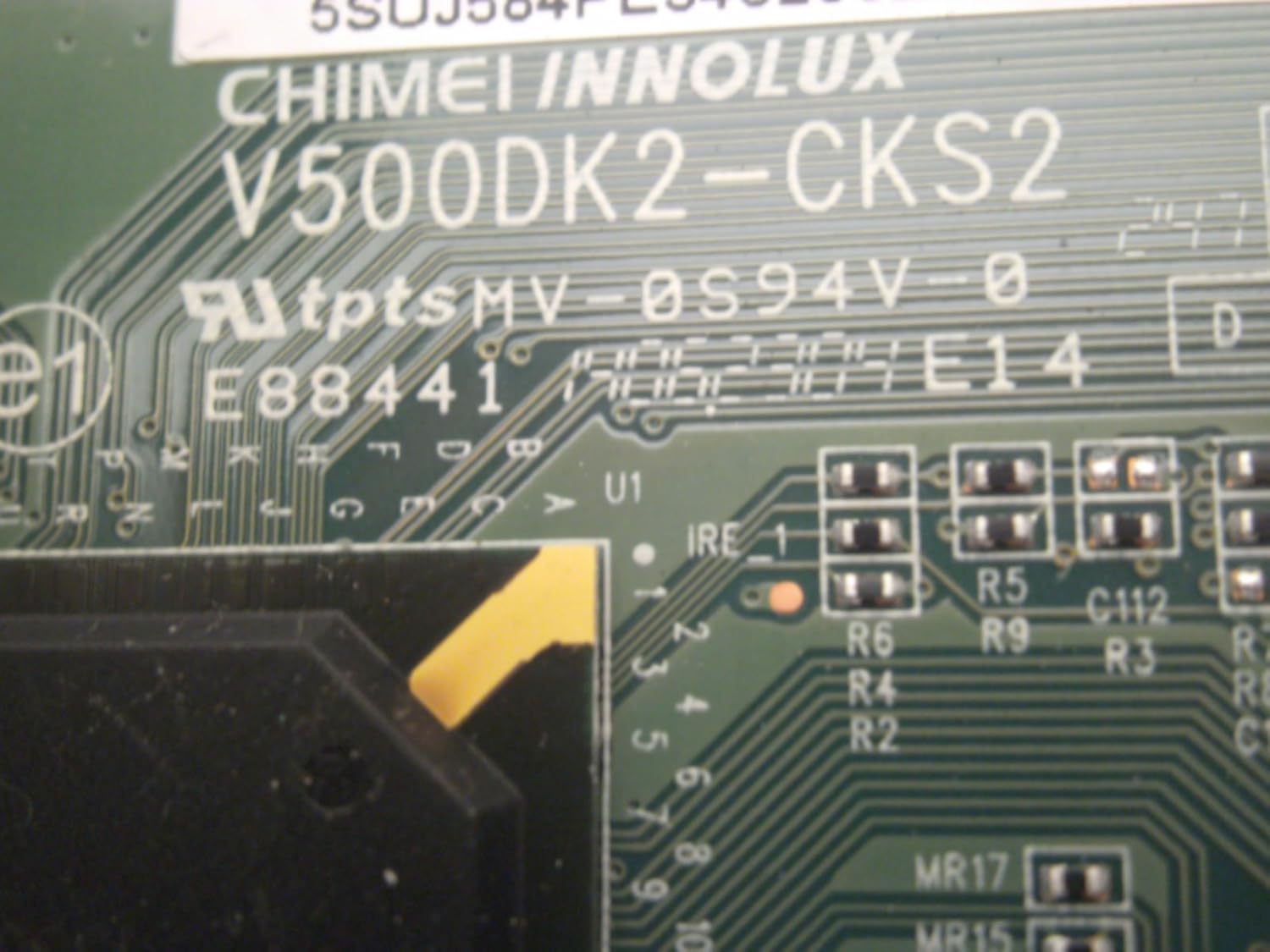
Nọmba 3: Alaye view of the T-CON board, highlighting various integrated circuits and the E88441 marking. This image provides a closer look at the board's intricate design and component layout.
4. Awọn Ilana Ṣiṣẹ
The T-CON (Timing Controller) board is an essential component in LCD and LED displays. Its primary function is to receive video data and control signals from the main board and convert them into timing signals that drive the liquid crystal panel. This process involves:
- Iyipada ifihan agbara: Transforming LVDS (Low-Voltage Differential Signaling) data from the main board into RSDS (Reduced Swing Differential Signaling) or other panel-specific formats.
- Timing Generation: Creating precise timing signals (gate and source drivers) that control the switching of individual pixels on the LCD panel.
- Atunse Gamma: Adjusting the luminance response of the display to ensure accurate color and grayscale reproduction.
- Isakoso Agbara: Regulating power supply to the display panel components.
A properly functioning T-CON board ensures a clear, stable, and correctly rendered image on the screen. Any malfunction can lead to various display issues.
5. Itọju ati Ipamọ
5.1. Gbogbogbo Itọju
The T-CON board itself requires minimal maintenance once installed. However, adhering to general electronic component care practices can prolong its lifespan:
- Iṣakoso eruku: Ensure the television's internal environment remains as dust-free as possible. Dust accumulation can lead to overheating or short circuits over time.
- Afẹfẹ: Ensure the television's ventilation openings are not blocked to allow for proper heat dissipation.
- Yago fun Olomi: Keep liquids away from the television to prevent accidental spills that could damage internal electronics.
5.2. Ibi ipamọ
If the T-CON board is not immediately installed, store it in its original anti-static packaging in a cool, dry place, away from direct sunlight and extreme temperatures. Avoid environments with high humidity or significant temperature fluctuations.
6. Laasigbotitusita
If you encounter issues after installing the T-CON board, consider the following troubleshooting steps:
| Aisan | Owun to le Fa | Ojutu |
|---|---|---|
| Ko si aworan, ṣugbọn ohun wa. | Faulty T-CON board, loose FFCs, or panel issue. |
|
| Distorted, flickering, or discolored image. | Loose FFCs, damaged FFCs, or T-CON board malfunction. |
|
| Horizontal or vertical lines on the screen. | Panel defect, or T-CON board issue. |
|
If these steps do not resolve the issue, it may indicate a more complex problem with the display panel or other internal components, or the replacement T-CON board itself may be faulty. In such cases, professional diagnosis is recommended.
7. Awọn pato
| Iwa | Iye |
|---|---|
| Nọmba awoṣe | V500DK2-CKS2 E88441 |
| ASIN | B01CKJHU06 |
| Olupese | JVC-VIZIO-ELEMENT |
| Iwọn Nkan | 2.39 iwon |
| Package Mefa | 8.8 x 6.6 x 1.4 inches |
| Ọjọ Akọkọ Wa | Oṣu Kẹta Ọjọ 4, Ọdun 2016 |
8. atilẹyin ọja Information
This T-CON board is provided with a 30-ọjọ atilẹyin ọja lati ọjọ ti o ra. Atilẹyin ọja yi ni wiwa awọn abawọn ninu awọn ohun elo ati iṣẹ ṣiṣe labẹ lilo deede.
Please note that the buyer is responsible for return shipping costs for any warranty claims. Damage resulting from improper installation, misuse, neglect, or unauthorized modifications is not covered under this warranty.
For warranty service, please contact the seller or original point of purchase with your proof of purchase.
9. Imọ Support
For technical assistance or further inquiries regarding the ELEMENT ELEFT426 V500DK2-CKS2 E88441 T-CON Board, please refer to the following:
- Atilẹyin Olutaja: Contact the seller directly through the platform where the purchase was made for product-specific support.
- Awọn orisun Ayelujara: Consult online forums or technical communities for general troubleshooting tips related to T-CON board replacement.
- Iṣẹ Ọjọgbọn: If you are unable to resolve an issue, consider consulting a qualified television repair technician.


